Leaderboard


Popular Content
Showing content with the highest reputation since 09/16/25 in Posts
-

NEW R3 FIRMWARE - DumaOS 4.0.1510
PharmDawgg and 7 others reacted to Netduma Alex for a topic
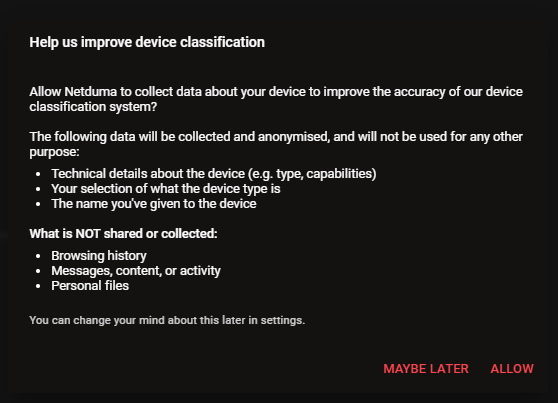
Hi everyone, We are excited to roll out a major new firmware update for the Netduma R3, packed with significant improvements and optimisations we’ve been developing over the last year. This is a comprehensive release. You will experience a noticeably faster user interface, improved Wi-Fi auto-channel selection, new dedicated front panel LED controls, and key memory and security patches designed for long-term stability. Alongside these broader enhancements, we have completely overhauled two core systems: Device Manager & Classification Engine We have implemented a completely new Device Classification backend that allows classification and categorisation rules to be updated dynamically over the cloud. Just as our DPI system automatically updates to support new games, DumaOS can now recognize and categorize newly released smart devices as soon as they hit the market. To help make Device Manager as accurate as possible, users can now optionally report incorrect classifications directly to us. This reporting is purely opt-in, fully anonymised, and directly helps improve detection accuracy for all users. You will be asked if you want to participate the first time you make changes in Device Manager, and you can easily change your preference at any time from the Settings menu. Geo-Latency We have fine-tuned Geo-Latency to work more reliably with our currently supported titles, while expanding support to include more games, such as Battlefield 6. We have also reduced its footprint under the hood to improve overall system performance. Behind the scenes, we have been working hard on several exciting new DumaOS features that we are almost ready to share. Expect to hear more about those very soon. Thank you for your patience in waiting for this new firmware, and thank you for being a Netduma customer. DumaOS-R3-4.0.1510.sig Full Changelog: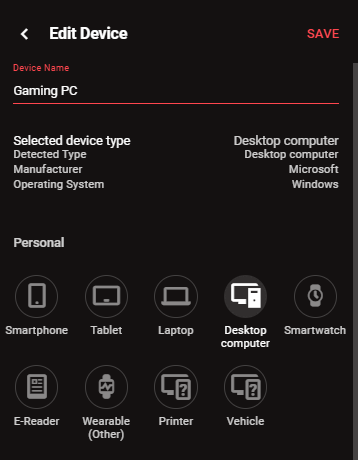
 8 points
 -

DumaOS Mobile App 1.3.20 Released
euphidra and 6 others reacted to Netduma Luke M for a topic
Hi all! App version 1.3.20 is now available on the App Store & Play Store for iOS and Android. Here are the changes since 1.3.15: Update to support Android v35.0 Support Android 16KB page size requirement Update iOS min target version to 12.2 Added Developer Options page Netduma R3 Front LED toggle support Handle WiFi Merge/Split flows with more than 2 wireless bands Improved UI performance Added Report Core dumps toggle Fixed Netgear Auth error shows up as DumaOS not running error Fixed Factory Reset never ends Fixed Polygon that is only a line can be saved in Geofilter Fixed Bad layout of Factory Reset item on Troubleshooting page for languages with longer text for it's button Fixed CPU graph not accurate (shows a tiny bit less than it should) Fixed Sometimes Setup can be stuck on splash screen forever after finishing Fixed Stats for Nerds page doesn't display anything in some cases Fixed Early redirect between hardware setup and regular setup and setup is still displayed after finishing setup Fixed UI sometimes doesn't load after Factory Reset or on UI exceptions Fixed Logout from units properly Fixed SmartBoost Stats for Nerds page doesn't display apps/categories properly Fixed Many translation fixes Fixed Geofilter server page immediately hiding in some cases - and in strict mode Fixed RGB Controls crashes when incorrect hex value is set Fixed Going back from add custom router causes crash on iOS Hide SmartQoS manual allocations page by default7 points -

Went searching #NetDuma for R3 ideas and found this 😂
KickJedi4YA and 4 others reacted to ryekye for a topic
Was searching #NETDuma on X looking for ideas to get the most out of my R3 and I swear TODDzillaInLA was taking over the search results 😂 Kept seeing MW4 clips, NETDuma tags, and his setup popping up everywhere, so I had to check it out. Pretty cool seeing someone consistently posting gameplay while actually using the NETDuma stuff. Now I'm curious what everyone else is running on their R3 for COD. Always trying to squeeze out every little advantage possible 😂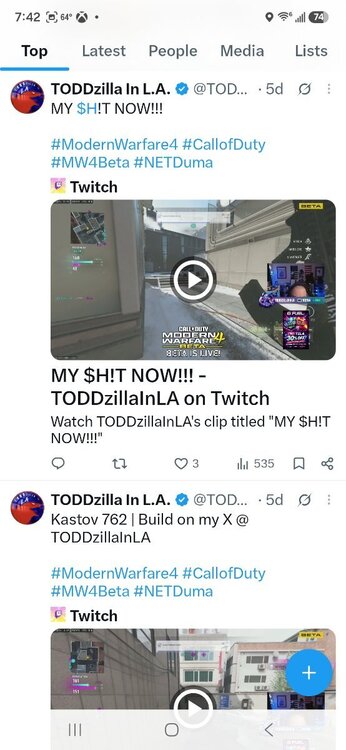 5 points
 -

A different bufferbloat/network test if anyone is interested.
appleround and 3 others reacted to Vroomfondel1965 for a topic
https://test.libreqos.com/advanced/4 points -
Outstanding work as always team 😃👊3 points
-

Update
BL4CK OPS V3TRN and 2 others reacted to Sergejs Kotovs for a topic
To be honest, the NetDuma community isn’t really a typical customer base. We’re more like passionate enthusiasts with a mild addiction. We complain, we debate, we push for more… and yet we’re still here. That says something. We appreciate that updates for the R3 are in progress, and it’s good to hear they’re substantial. But there’s another thought that many people here share — some openly, others quietly refreshing the forum every day. We’re not just waiting for firmware. We’re waiting for the next level of hardware. If a more powerful next-gen router — call it an R4 or whatever it ends up being — were announced tomorrow, I genuinely believe a huge portion of this community would upgrade instantly. Not because of marketing pressure. Not because we’re being manipulated. But because we believe in the idea behind NetDuma, and we want to see it running on hardware that truly matches its ambition. Sometimes the frustration you see here isn’t negativity — it’s anticipation. People don’t get loud about products they don’t care about. The reason discussions get heated is because expectations are high. Give us DumaOS running on seriously powerful hardware, with proper headroom for the future, and that wouldn’t just be another release. It would be a statement. We’re not angry customers. We’re impatient supporters. And that’s a good problem to have.3 points -

11 years and counting ! my thoughts on the Netduma product
olivia567 and 2 others reacted to BL4CK OPS V3TRN for a topic
Can't believe it's been 11 years since I joined the forum , during that time I have had the R1 / R2 XR500 with R2 OS and now the R3. Today my R3 is plugged into my Asus RT-AX88U Pro , Just a little bit on the Asus : Rock solid piece of kit with great WIFI coverage and a good amount of gaming tweaks within the OS including various different types of QOS , on average we have around 22 wired and wireless devices connected to the Asus no issues ever . Only the Xbox is a wired connection to the R3 , I have flip flopped from both routers over the last few months and always go back to the R3 from a connection perspective it just feels much better , for me it is best in class it does what it is supposed to do from a gaming / connection perspective . HOWEVER - I had some time over the Xmas break off work and decided to plug the R3 directly into my ONT , so all devices connected to the R3 as it is designed to do , BTW just to say I think the OS on the R3 is excellent from a visual perspective and provides so much information and options to fine tune , much better than the Asus in my opinion , the following is what I experienced over a full week : Daily drops in WIFI or internet connection longest period of connection 1.5 days before I re boot WIFI would not reach as far as my Asus , ring door bell and Hive would not function correctly Family complaints Gaming was even better Where I am going with this ? Is this a hardware or software problem ? , I have tried to live solely on the Netduma router previously but it never delivers on a stable connection as my default network router when everything is connected to it . If it is hardware issue hen I for one would be willing to pay more to have an Asus type performance with the Netduma OS . I know we have had the Netgear experiment but not sure that is still an option mine died a long time ago . In closing I love the Netduma OS , it is back now plugged into my Asus and in my opinion gives me the best gaming connection on the market without doubt . It is just not capable of being a default network router managing all devices . You could I suppose without being dis respectful call it a one trick pony ..... but hey it's one hell of a trick . .3 points -

combined netduma and exitlag and had one of the nuttiest games I've had with a netduma
Pianist and 2 others reacted to DanologyUK for a topic
You just admitted it lag spikes when using it though??3 points -

GeoFilter = Easier lobbies
SevenDeviations and 2 others reacted to lefteris.lydios for a topic
It's right there bro. Right before your eyes. "Slightly above average". Read it.3 points -
.thumb.gif.4a8d59f41391d88092e62269cfe1e7ec.gif)
GeoFilter = Easier lobbies
Rodolfo Lima and 2 others reacted to DARKNESS for a topic
3 points -
Hi everyone was wondering if anyone else is experiencing shooting first and dying first? I have att fiber 1000mbps internet plan and live in Los Angeles. I’m experiencing an issue where in most cases I know I should be winning gunfights where I’m shooting at someone and I immediately get deleted in less than a frame. I’m a very competitive player and always the aggressor but seems like I’m dying to casual players where I feel like the servers are favoring them if that makes sense. This also happens with rainbow six siege as well and I play on console and sometimes PC as well. If anyone else is experiencing major lag compensation and desync please help. I’m averaging at 3ms ping because I know live in Los Angeles and call of duty servers are located here if that makes sense so I guess being closer to a server handicaps you and favors ppl with bad connection? Please help2 points
-

R3 with Xbox
Netduma Fraser and one other reacted to SlimThicRick for a topic
Update: turning off geo latency fixed it. Thanks guys.2 points -

Ping heatmap not loading
Netduma Fraser and one other reacted to ReedsWz for a topic
Hi! Its working now thanks!2 points -

Nat modéré XR500
Netduma Fraser and one other reacted to Matvent for a topic
Ah d'accord merci beaucoup pour vitre aide et votre patience !! ❤️2 points -

Fortnite problem
Netduma Fraser and one other reacted to Foreign for a topic
I figured it out, i had my network selector in Fortnite to na east, once i put it in auto it went back to normal2 points -

Warzone Servers (Heatmap)
benbenben and one other reacted to Netduma Fraser for a topic
It's not unlikely it will come back at all. It will be updated again2 points -
Multiple Issues With R2.
KOAO and one other reacted to Netduma Fraser for a topic
The R2 was sold with DumaOS 3, DumaOS 4 wasn't advertised as a reason to buy the R2, it was developed on the R3 itself and to get it on the older R2 hardware was a challenge that we didn't need to do but wanted to for our customers. We've explained why there have been delays and this hasn't just been for the R2 either. We never promise firmware because it's always subject to change, I've said many times we don't provide ETAs. The next R2 DumaOS 4 firmware would be the final firmware so the more time we take the more stable it will be overall. Also it is a support forum so there are only people posting issues here.2 points -

Ten Years of Netduma
KickJedi4YA and one other reacted to TODDzillaInLA for a topic
I still have my R1 from 2015 that i purchased for Advanced Warfare.2 points -
I killed a Warzone DEV and got INSTANTLY BANNED 💀
KickJedi4YA and one other reacted to TODDzillaInLA for a topic
Killed a Warzone dev mid-game… everything felt normal… we get the DUB… then BOOM 💀 My teammate (level 1000) instantly shadow banned… and I get a console com ban. I don’t even have a mic plugged in 😂 That’s the wild part about this clip though before all that, the connection was solid. You can literally see me fry him. No delay. Shots registering. Gunfights actually making sense. R3 doing its job… when everything’s consistent, you can tell what’s skill vs what’s not. 🎥 Watch it here 👉 https://youtube.com/shorts/u9WKda7a6oA?si=q3MEnwD5Sqh35bFp — 🔗 All Platforms & Links: https://toddzillainla.carrd.co/ 💬 Discord: http://discord.gg/zillagaming (if it’s dead, add me @toddzillainla) Or watch here 👇 Thanks for watching! 🙏🎥❤️✨2 points -
High ping & disconnect
NetDumaR2User and one other reacted to Netduma Fraser for a topic
As the physical setup has changed the same settings for QoS may not work as well so you'll just need to fine tune it more - don't rely on auto setup just adjust it manually - we usually suggest starting at 70% then adjust by 10% up or down (it doesn't always have to be lower) until you get to a value that's pretty good then try 5% either side of that value to see if it can be improved further. Download & Upload also don't need to be on the same percentage, you may have different percentages where they each give the best results. It is important you have set the speeds you pay for/expect into the router though so it's using that as the basis, otherwise if you've left it with the speeds the in built speed test came back with for example then you may have them set too low and then you're then making it even lower than needed with the percentages.2 points -
I've followed through with the setup you two have recommended me with a lot of testing and it seems like it was a local network problem not BT, however, I still get jitters whilst in games but it's fine and I'm scoring an A. I appreciate the help, it's helped out a lot. Regarding the removal of the bt hub, that's something I can't do. I live in an old flat/estate building so I'm on a DSL cable which that can't go into the R3, hopefully one day I move out I can get FTTP 😭2 points
-

PlayStation servers not showing
Netduma Fraser and one other reacted to scbba for a topic
i got it working not sure what i did but it works now2 points -

Sharing my results
Netduma Fraser and one other reacted to LeonGulien for a topic
It took a lot of time and effort to finally achieve this result. Trying things out, shifting the mesh system, and adjusting the netduma. I'm very happy with the result.2 points -
DumaOS Mobile App 1.3.26 Released
Krush and one other reacted to Netduma Luke M for a topic
Hi all! App version 1.3.26 is now available on the App Store & Play Store for iOS and Android. Not many changes since 1.3.20, but here they are: Fixed iOS 26 can't interact with views Fixed Ping Heatmap doesn't display servers with longitude of 0 Updated to use new Netduma Logo The biggest issue was an incompatibility with iOS 26, which was causing a lot of issues. This release should resolve those issues.2 points -

Netduma R3 with existing AiMesh WiFi
Netduma Fraser and one other reacted to QuizTime for a topic
I appreciate the info and it helped a lot! Happy to be part of the Duma gang again.2 points -
NEW R3 FIRMWARE - DumaOS 4.0.540
euphidra and one other reacted to Netduma Fraser for a topic
Sorry to hear that! We don't give out any ETAs but hopefully not much longer for one2 points -

GeoFilter = Easier lobbies
lefteris.lydios and one other reacted to thisisreallife for a topic
Hello bro thanks for your reply. So I'm confused, what should we be doing? Turn on Geo filter and set my location to which country? I live in the UK so I just want to understand. Thank you bro!2 points -
Thanks Fraser2 points
-

2.4 enabled devices
Krush and one other reacted to Dirtytamato for a topic
Ya I've addressed all of this. Thanks though2 points -

if you have desync or bad shoot first die first, activate steady ping.
Netduma Fraser and one other reacted to ownal0t for a topic
steady ping has been an absolute game changer for me when the server gets destroyed to lag and etc. try it out. I kept mine on default value2 points -
THE BEST SETTINGS WITH v4.0.540 FOR CALL OF DUTY/ BATTLEFIELD 6
JesusISmyKiNG84 and one other reacted to Netduma Fraser for a topic
It's the Windows Task Manager2 points -

Can't get XR500 into AP Mode
Netduma Fraser and one other reacted to Toxic Smoggie for a topic
All sorted somehow2 points -

Duma R3 wont put out a gig tops out at 650
Rodolfo Lima and one other reacted to khud for a topic
The router limits me to 600 and something. IF i direct connect to my modem i get over 1 gig to the device. I even turned of QOS and tried2 points -
Geo-filter not working for Bo7
Ritchie1909 and one other reacted to Netduma Fraser for a topic
I will pass it onto the team, it's a good suggestion!2 points -

Quick hello to the community!
lefteris.lydios and one other reacted to millery8qrgg for a topic
Hi guys, Just wanted to pop into the off-topic section and introduce myself. I've been reading the forums for a while and figured I'd finally say hello. Hope everyone's connections are stable and the lag is non-existent today. Happy gaming!2 points -
BO7 Mislocated Servers
oRaGaMi and one other reacted to Netduma Fraser for a topic
Thank you very much, we do appreciate it, I'll pass it on!2 points -

Nordvpn and R3
Netduma Fraser and one other reacted to Trinibad for a topic
i reached out to nord and they said it has something to do with cod and vpns i got a refund and took protonvpn ..im using the wireguard which works amazing on the r3 you can close this topic2 points -
i geofence the same servers as bo6 and it works perfect2 points
-

Bo7 geofence
JesusISmyKiNG84 and one other reacted to YT_LowPingKing for a topic
Rumor has it that Microsoft is finally using Azure servers for Call of Duty. I think this may be the case as there are some new locations that have never appeared before. Like @DanologyUK mentioned if you played the beta the servers will be in the same spot. Black ops 6 will be a decent indicator of where servers should be. You can always have your geofilter page open and the moment you load into multiplayer you'll see every server available worldwide for a few seconds. You can click individual servers to see what the best ping is ETC.2 points -
Netduma R4
pdiorio and one other reacted to Netduma Fraser for a topic
We don't announce any hardware until we're ready to, that being said we're focused on this big update right now2 points -
Modo DHCP/ modo pppoe.
Rodolfo Lima and one other reacted to Netduma Fraser for a topic
Okay well the PingPlotter results are looking very good so I think you can ignore the waveform test2 points -
Battlefield 6
adro and one other reacted to Netduma Fraser for a topic
No worries I understand! Thanks for the screenshot, I'll ask them to double check2 points -
I also wrote on that topic, but it's not worth it. The Netduma team published a fake server announcement and they won't correct the mistake. The only two servers that exist for the game are Frankfurt and London in Europe, and you'll never be connected to a third one in Europe.2 points
-

Battlefield 6
TheBrandon and one other reacted to sw3ar for a topic
Any updates on that? it still happens2 points -
Battlefield 6
adro and one other reacted to Netduma Fraser for a topic
Good advice above! We'll be doing more cloud updates including addressing the Oklahoma servers always appearing2 points -

1gb wired speeds went down to 100mbps
Netduma Fraser and one other reacted to qwerty0776 for a topic
Update: speeds stayed the same. I think i was to blinded on the duma side since i was going to game when i noticed the issue. Rebooting the to link and the duma brought back the speeds. I now made a reboot schedule weekly for the tp link, wish duma also had that feature in its settings since i dont use its wifi. Thread can be solve now. Thank you all!2 points -
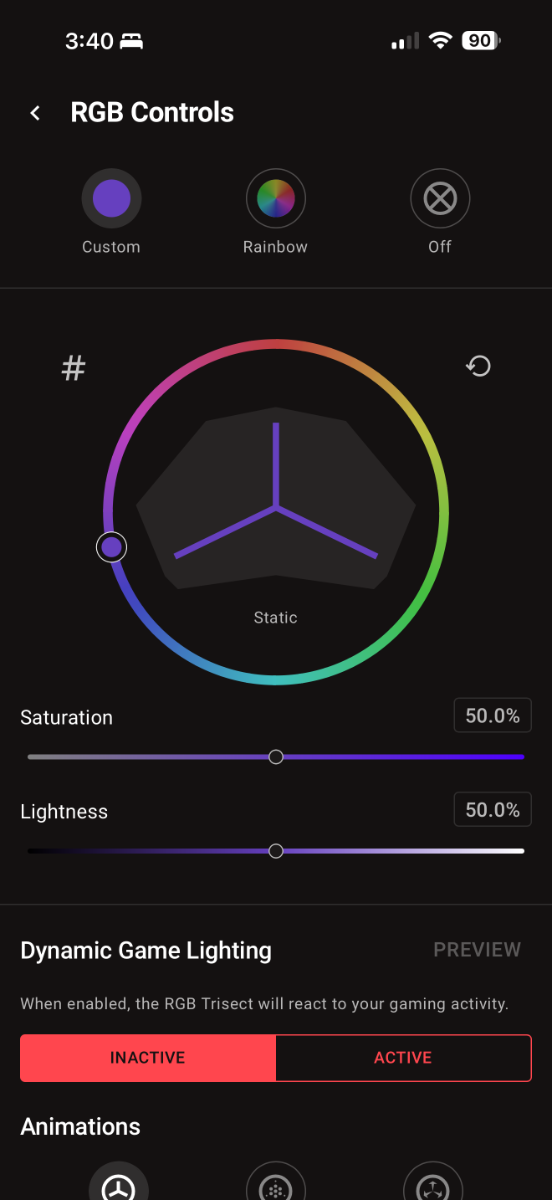
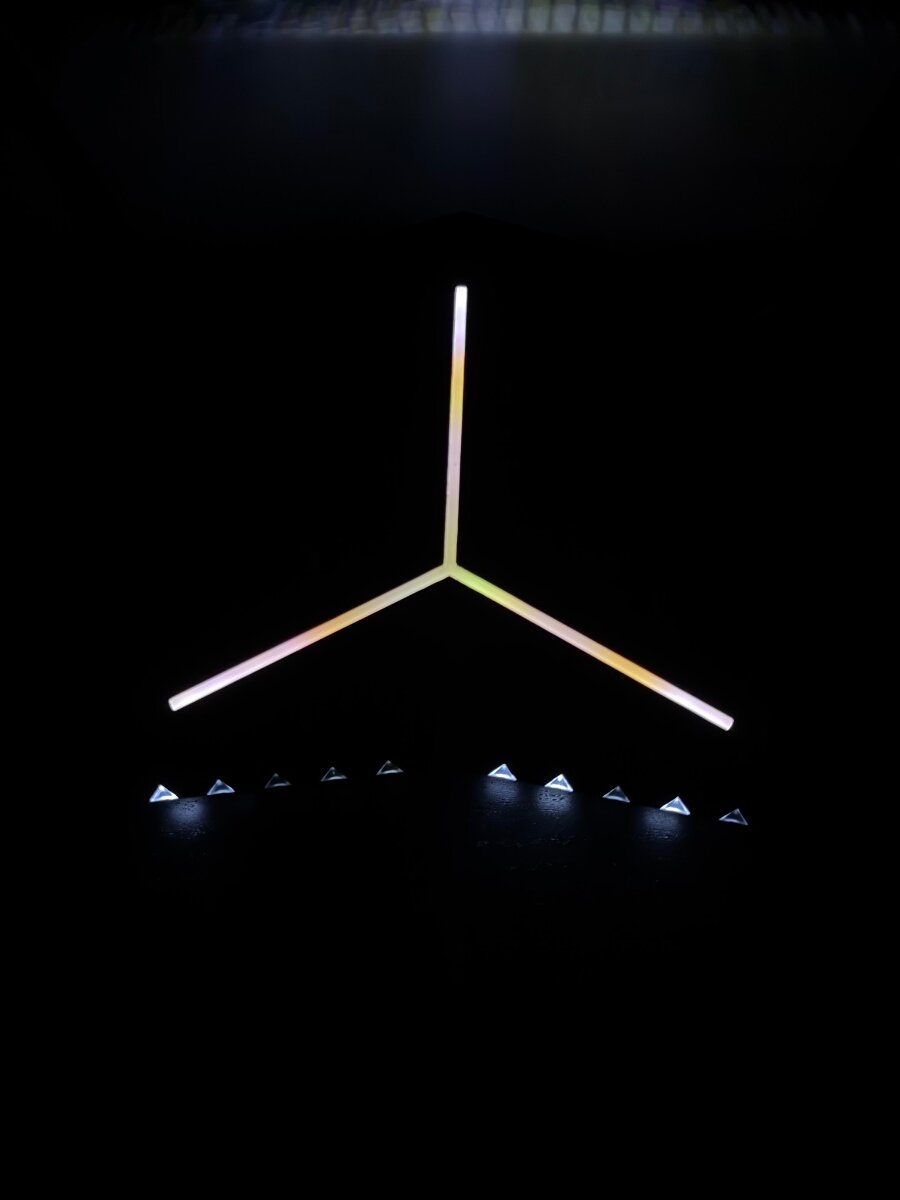
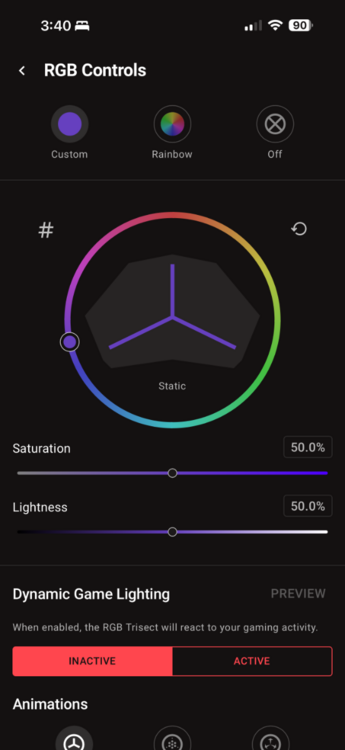
Copying your settings my rgb doesn’t change still green/ yellow/ brown but it’s white at the edges.
 2 points
 -
Is the Netduma R3 really the best router for me?
Iced Soul and one other reacted to Netduma Fraser for a topic
Most of the issues with PPPoE that we've had in the past have usually been with QoS on the upload side not working with it which has been resolved. The issue currently is that a small percentage of PPPoE users are experiencing disconnects, this is most likely due to the nature of the connection method (i.e. that it 'logs' in to the internet service and can have a timeout on it) but we will fix that.2 points -

Is the Netduma R3 really the best router for me?
Rodolfo Lima and one other reacted to Iced Soul for a topic
Fala, meu querido! Muito obrigado pela disposição em me ajudar com tantas dicas, muitas inéditas pra mim. Vou te dar um toque por mp, ok?2 points -

Netduma R3 is a complete failure
mplsmichael and one other reacted to Abdalla for a topic
The R3 is the worst piece of networking gear I’ve ever used. It tanked my internet speeds, ruined my PS5 performance, and made my gaming experience significantly worse. Connecting directly to my ISP router wipes the floor with your product. This was advertised as a premium solution, but in reality, it’s a downgrade and a waste of money. I’m done wasting time troubleshooting something that should have worked out of the box.2 points