Iced Soul
-
Posts
31 -
Joined
-
Last visited
-
 Iced Soul reacted to a post in a topic:
Does the R3 accept a /31 mask in the static IP WAN settings?
Iced Soul reacted to a post in a topic:
Does the R3 accept a /31 mask in the static IP WAN settings?
-
Does the R3 accept a /31 mask in the static IP WAN settings?
Iced Soul replied to Iced Soul's topic in Netduma R3 Support
No, nothing after the ONT. It stays in bridge and that's it. They did ask if I had a MikroTik, since that's what they normally install and configure on these links, but I told them I'll use my own router. So the R3 will be the only router on the line, which is why the static IP has to go on its WAN port. -
.png "Like") Iced Soul reacted to a post in a topic:
Does the R3 accept a /31 mask in the static IP WAN settings?
Iced Soul reacted to a post in a topic:
Does the R3 accept a /31 mask in the static IP WAN settings?
-
Iced Soul reacted to a post in a topic:
Does the R3 accept a /31 mask in the static IP WAN settings?
-
Does the R3 accept a /31 mask in the static IP WAN settings?
Iced Soul replied to Iced Soul's topic in Netduma R3 Support
Salut!! Brésil. Un opérateur régional du dans le nord-est. C'est leur offre pro / lien dédié : ONT en bridge, pas de PPPoE, IP publique fixe livrée sur un /31 en point à point. Ça change de la fibre grand public ici, qui est presque toujours en PPPoE avec du CGNAT. -
Does the R3 accept a /31 mask in the static IP WAN settings?
Iced Soul replied to Iced Soul's topic in Netduma R3 Support
Thanks! The thing is there's no DHCP on this one. It's a point to point handoff, so the ISP just gives me the IP, mask and gateway to type in manually, nothing hands out an address. So what I really need to know is whether the static IP page on the R3 accepts 255.255.255.254 as the subnet mask. Some routers refuse anything smaller than a /30. -
Hey, quick question before I sign up with a new ISP. They're giving me a dedicated fiber line with a static IP on a /31 (mask 255.255.255.254). Their ONT will be in bridge mode going straight into the R3, no PPPoE. Does the R3, with this new firmware DumaOS 4.0.1510, accept a /31 subnet mask in the WAN static IP settings? Thanks!
-
Hey, quick question before I sign up with a new ISP. They're giving me a dedicated fiber line with a static IP on a /31 (mask 255.255.255.254). Their ONT will be in bridge mode going straight into the R3, no PPPoE. Does the R3 accept a /31 mask in the static IP WAN settings? Thanks!
-
Rodolfo Lima reacted to a post in a topic:
Is the Netduma R3 really the best router for me?
-
Is the Netduma R3 really the best router for me?
Iced Soul replied to Iced Soul's topic in Call of Duty Support
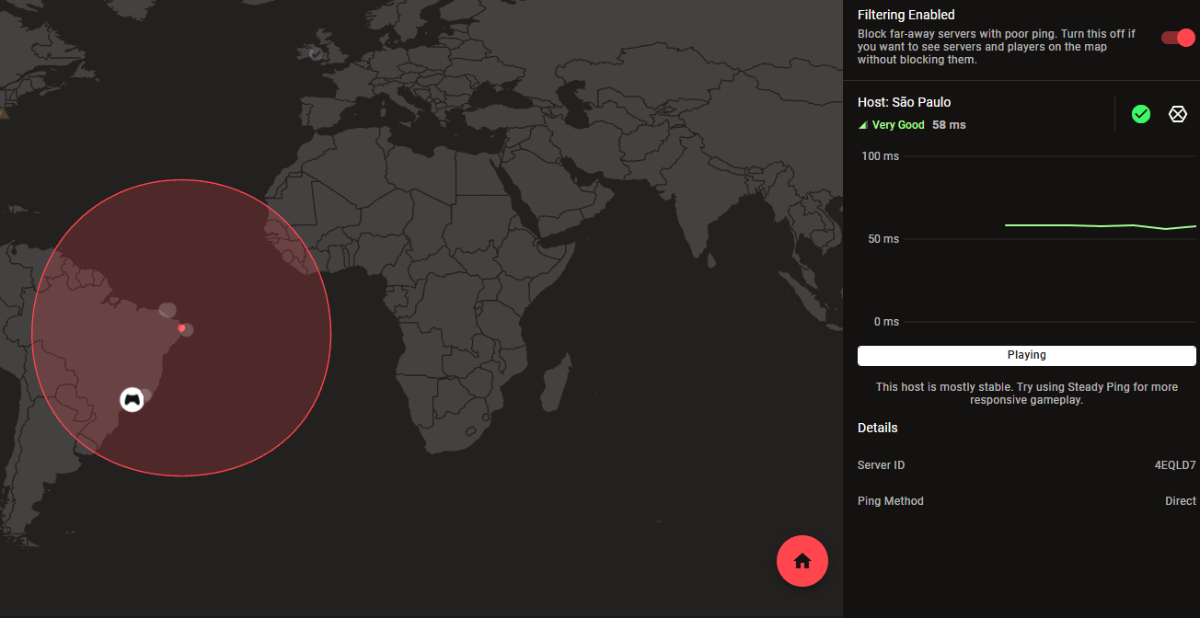
No, I'm referring to the host, as in the image below. So, I did everything you recommended and I keep getting redirected to international servers. The issue isn't that I'm redirected there sometimes, it's that I'm redirected there every match. Every match! I confess I'm frustrated with this issue. Does Exitlag have any impact? -
Is the Netduma R3 really the best router for me?
Iced Soul replied to Iced Soul's topic in Call of Duty Support
I set it to simple, and I'm still getting dropped on international servers. In the Host option, São Paulo appears correctly this time.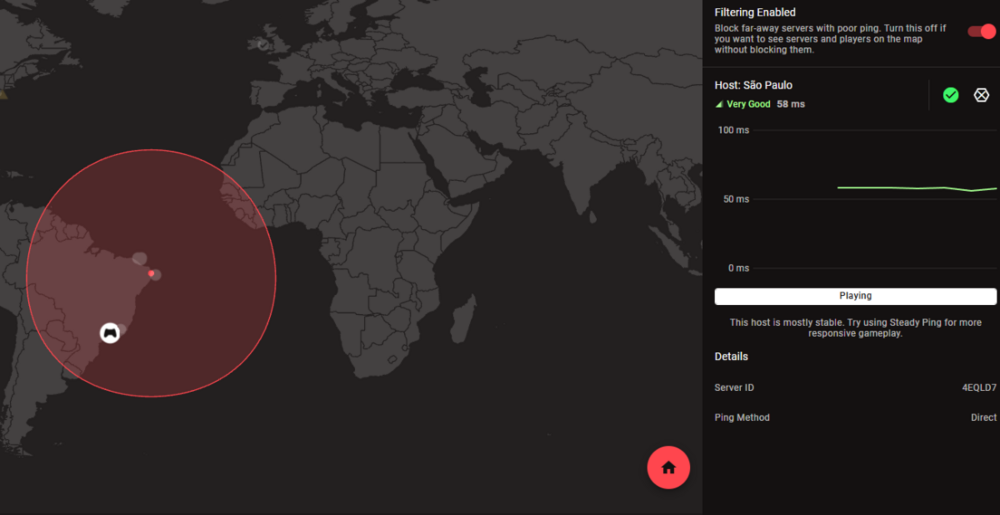
-
Is the Netduma R3 really the best router for me?
Iced Soul replied to Iced Soul's topic in Call of Duty Support
Just to get ahead of myself, I only set it to UPnP and still ended up on a server with an 110ms ping, outside my country. -
Iced Soul reacted to a post in a topic:
Is the Netduma R3 really the best router for me?
-
Is the Netduma R3 really the best router for me?
Iced Soul replied to Iced Soul's topic in Call of Duty Support
Should I use UPnP only? Is putting my PC in the DMZ preventing Geo-Filter from working properly? The Geo-Filter will work if it's in UPnP? -
Is the Netduma R3 really the best router for me?
Iced Soul replied to Iced Soul's topic in Call of Duty Support
I put my PC in the DMZ -
Is the Netduma R3 really the best router for me?
Iced Soul replied to Iced Soul's topic in Call of Duty Support
I believe I did exactly as you instructed me to do and again I ended up on an international server. -
Is the Netduma R3 really the best router for me?
Iced Soul replied to Iced Soul's topic in Call of Duty Support
I didn't close the game client. I'm playing through Game Pass. I'll try 70%. Are all my other settings correct? -
Is the Netduma R3 really the best router for me?
Iced Soul replied to Iced Soul's topic in Call of Duty Support
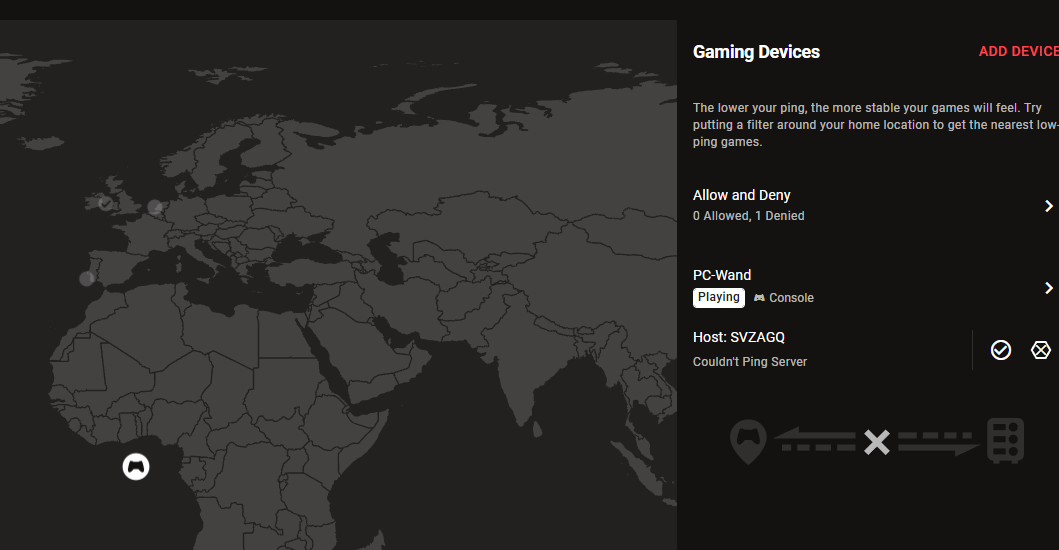
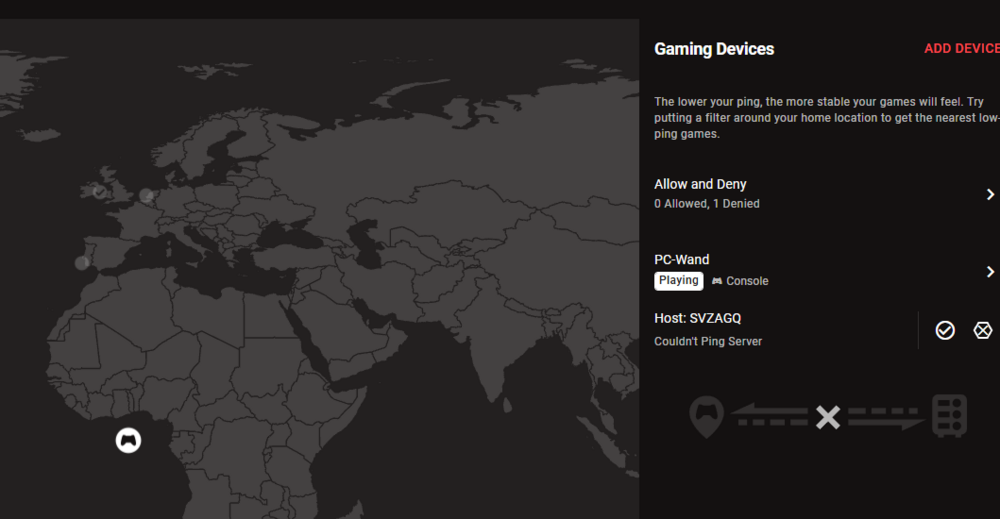
This screen here? See, the host has now placed me in Africa.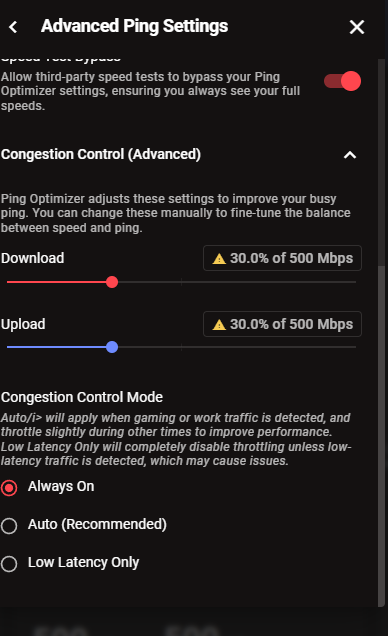
-
Iced Soul reacted to a post in a topic:
Is the Netduma R3 really the best router for me?
-
Is the Netduma R3 really the best router for me?
Iced Soul replied to Iced Soul's topic in Call of Duty Support
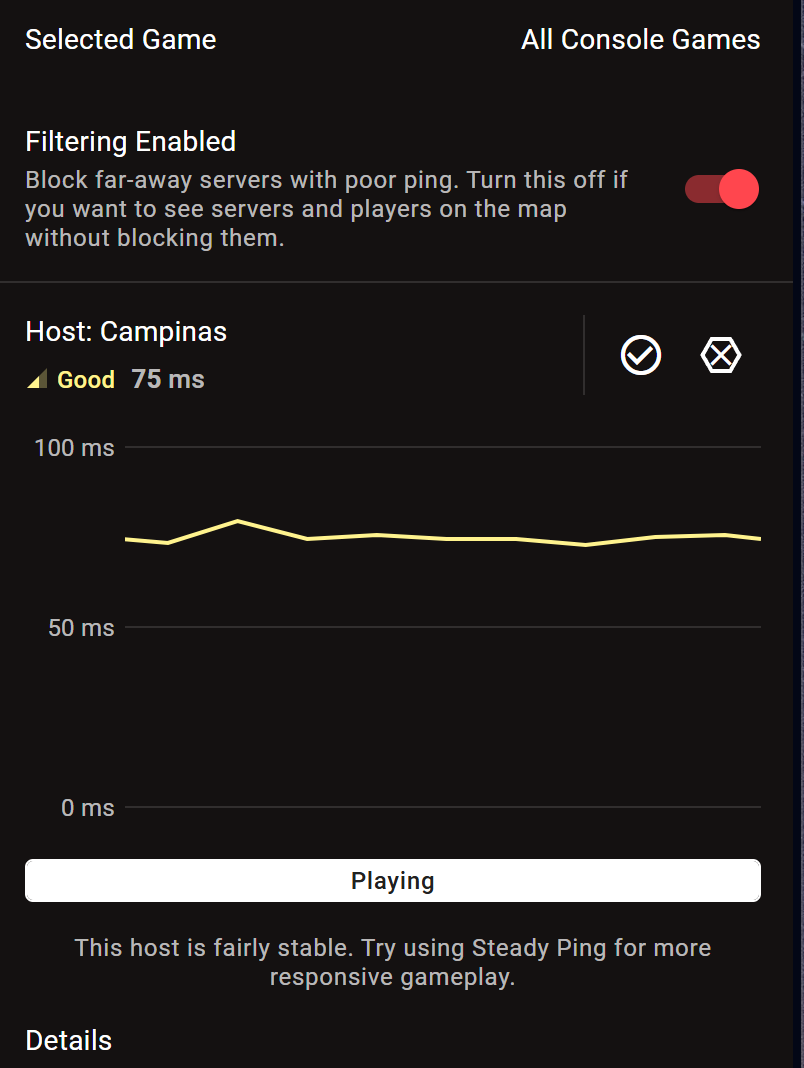
I didn't find what you're telling me with the identical description. I took a screenshot and would like to ask you to please describe the route to me, as it's identified in DumaOS. Is there something wrong with my settings? An important thing to note is that on the Geo-Filter screen, when I click on the Host, it says I'm playing, even though the game isn't even open. What is the role of this host if it's different from my city? Another question. Under "Selected Game," it says "All Games." How do I put Call of Duty there?
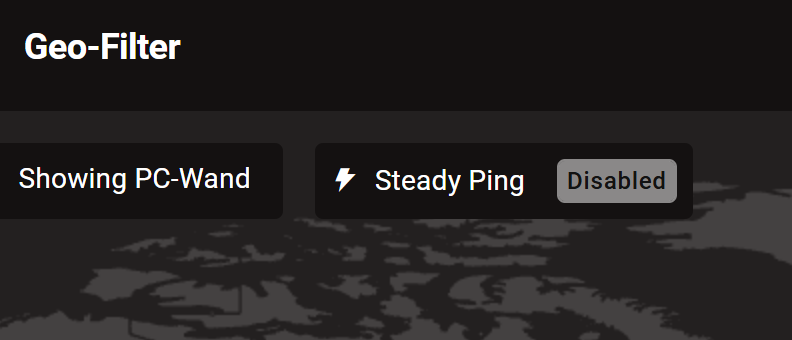
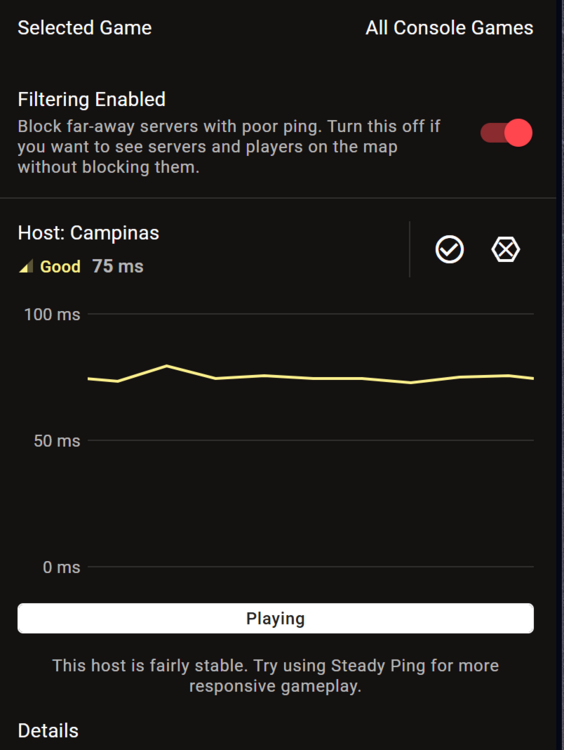
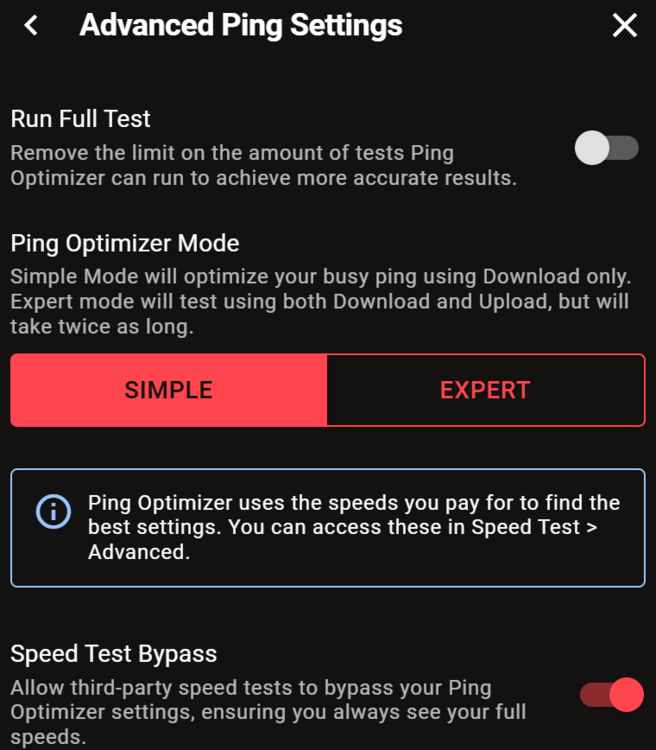
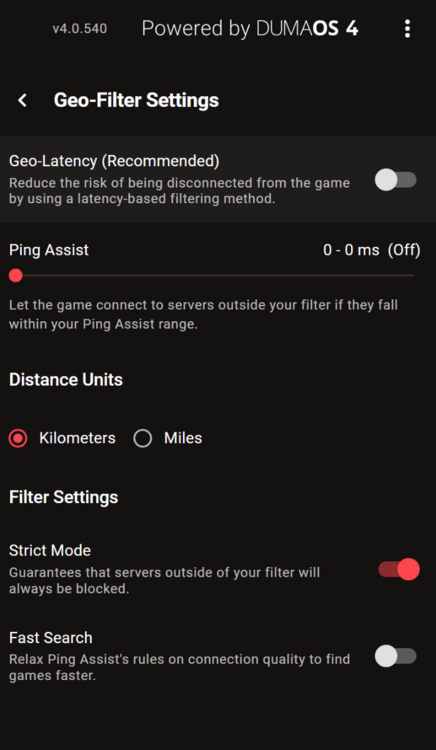
-
Is the Netduma R3 really the best router for me?
Iced Soul replied to Iced Soul's topic in Call of Duty Support
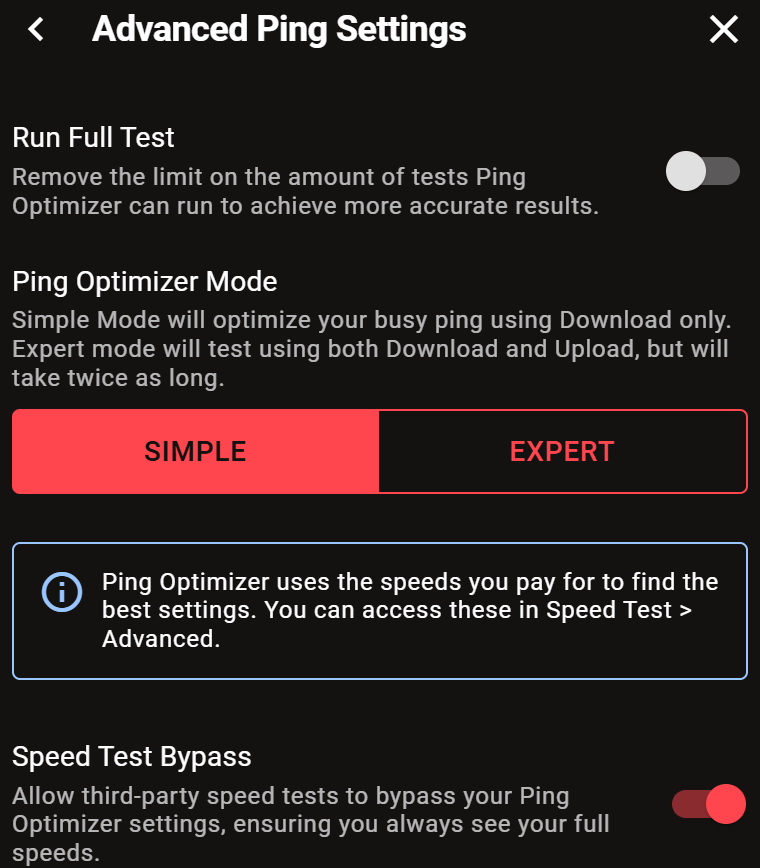
Ok, my friend. PPPoE worked for me. In two weeks, it disconnected a couple of times, forcing me to restart the router. However, the Geo-Filter never works. I even went to a server in Japan. That's absurd, in my opinion. I set my country as the country, and yet I'm constantly being redirected to international servers, forcing me to play with a 90-140ms ping. It's simply unplayable, with packet loss, overshooting, and everything else. One of the reasons I bought Duma R3 was to stop playing on international servers, and nothing has changed for me. How do I fix this? Another issue: the Ping Optimizer doesn't work. It pretends to find my real ping, increasing it by 15ms, and then claims to have optimized it to the value it actually is. How do I fix this? Thank you.