Sergejs Kotovs
-
Posts
42 -
Joined
-
Last visited
Recent Profile Visitors
1425 profile views


-
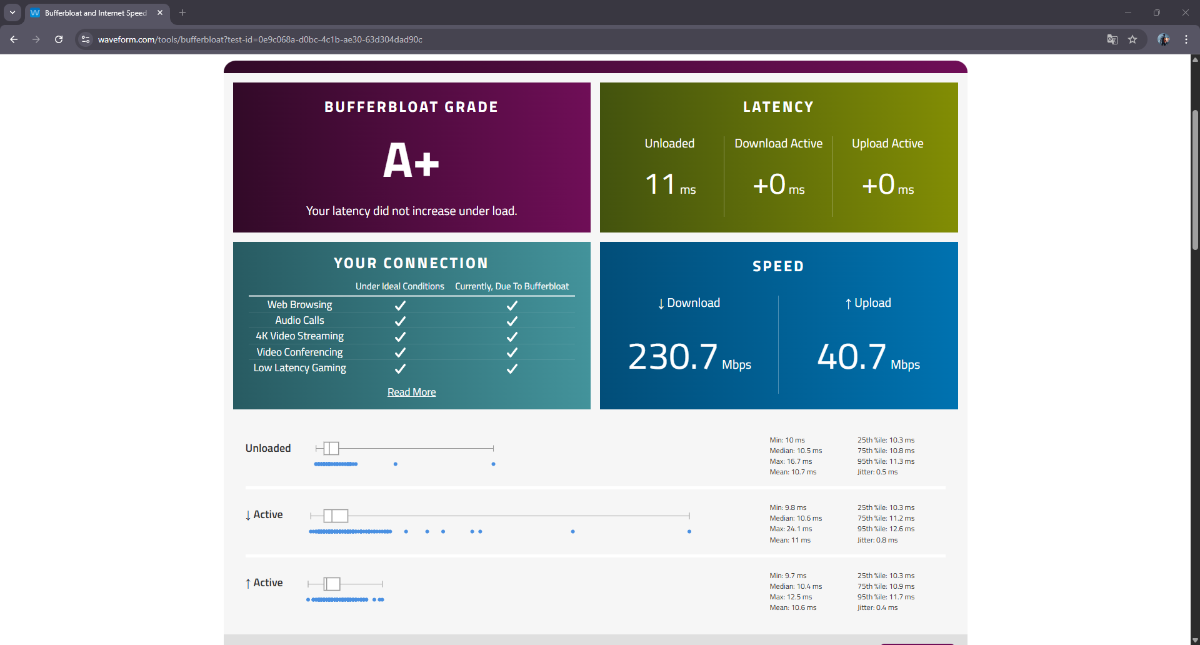
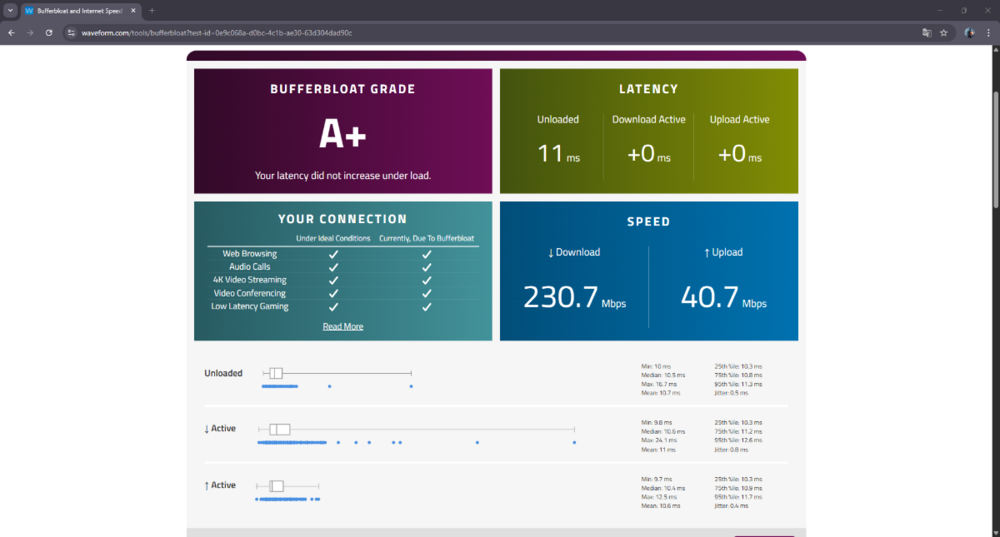
Here are my results today — 10:47 AM, April 21, 2026. And the next day it looks like this… everything is kinda weird.
-
Yeah, Fraser, you were probably right. I checked this morning and everything’s fine. Yesterday it was messed up, now it’s normal. That site is just buggy as hell — screw that site.
-
Hi, I’m experiencing a strange issue with my NetDuma R3 and wanted to check if others have the same problem. When I run a normal speed test (e.g. Ookla Speedtest), I get my full speed: Download: ~220 Mbps Upload: ~40 Mbps However, when I run the Waveform Bufferbloat Test: Upload looks normal BUT download drops massively to around 10 Mbps This is a huge difference (more than 20x lower than expected).
-
.png "Like") BL4CK OPS V3TRN reacted to a post in a topic:
Update
BL4CK OPS V3TRN reacted to a post in a topic:
Update
-
Rodolfo Lima reacted to a post in a topic:
Update
-
To be honest, the NetDuma community isn’t really a typical customer base. We’re more like passionate enthusiasts with a mild addiction. We complain, we debate, we push for more… and yet we’re still here. That says something. We appreciate that updates for the R3 are in progress, and it’s good to hear they’re substantial. But there’s another thought that many people here share — some openly, others quietly refreshing the forum every day. We’re not just waiting for firmware. We’re waiting for the next level of hardware. If a more powerful next-gen router — call it an R4 or whatever it ends up being — were announced tomorrow, I genuinely believe a huge portion of this community would upgrade instantly. Not because of marketing pressure. Not because we’re being manipulated. But because we believe in the idea behind NetDuma, and we want to see it running on hardware that truly matches its ambition. Sometimes the frustration you see here isn’t negativity — it’s anticipation. People don’t get loud about products they don’t care about. The reason discussions get heated is because expectations are high. Give us DumaOS running on seriously powerful hardware, with proper headroom for the future, and that wouldn’t just be another release. It would be a statement. We’re not angry customers. We’re impatient supporters. And that’s a good problem to have.
-
Hi, Quick update from my side. Instead of using the Speedport Smart 4 in pure modem mode, I replaced it with a Vigor 167. VLAN Tag 7 is now configured directly on the Vigor, IPv6 is disabled, and the Netduma R3 is connected behind it. After making these changes, the behaviour improved significantly: Speed tests are consistent Bufferbloat results are clean CPU usage on the R3 is much more stable No more major throughput drops during testing With this setup, everything is now performing as expected. For the moment, I will continue using the Netduma R3 with this configuration. I genuinely like the concept and features of the R3, which is why I have been testing different setups to make it work optimally in my environment. I will monitor stability over the next few days. If future firmware updates further optimise PPPoE/VLAN handling or overall efficiency, that would of course be welcome. For now, I am staying with the R3.

-
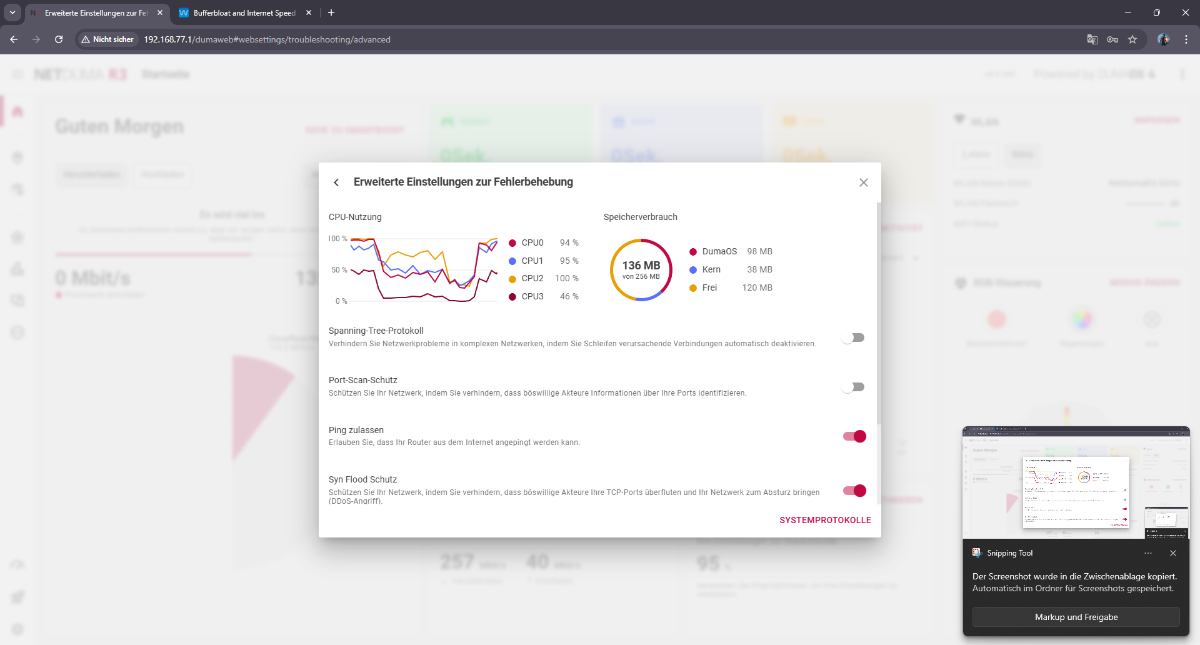
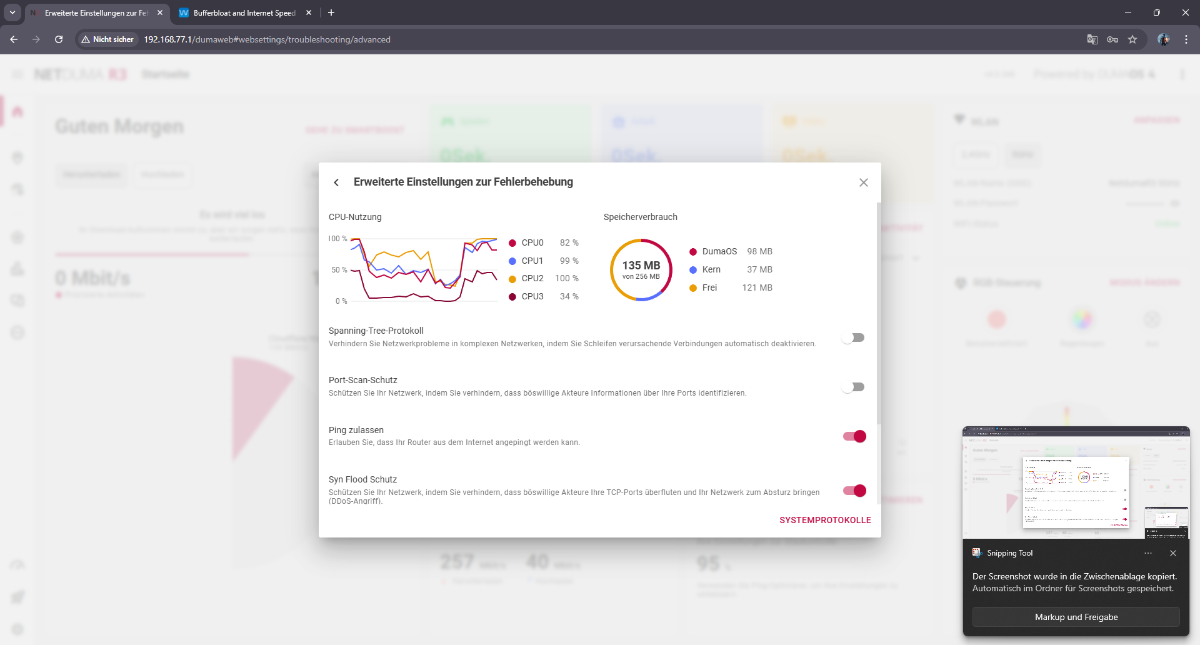
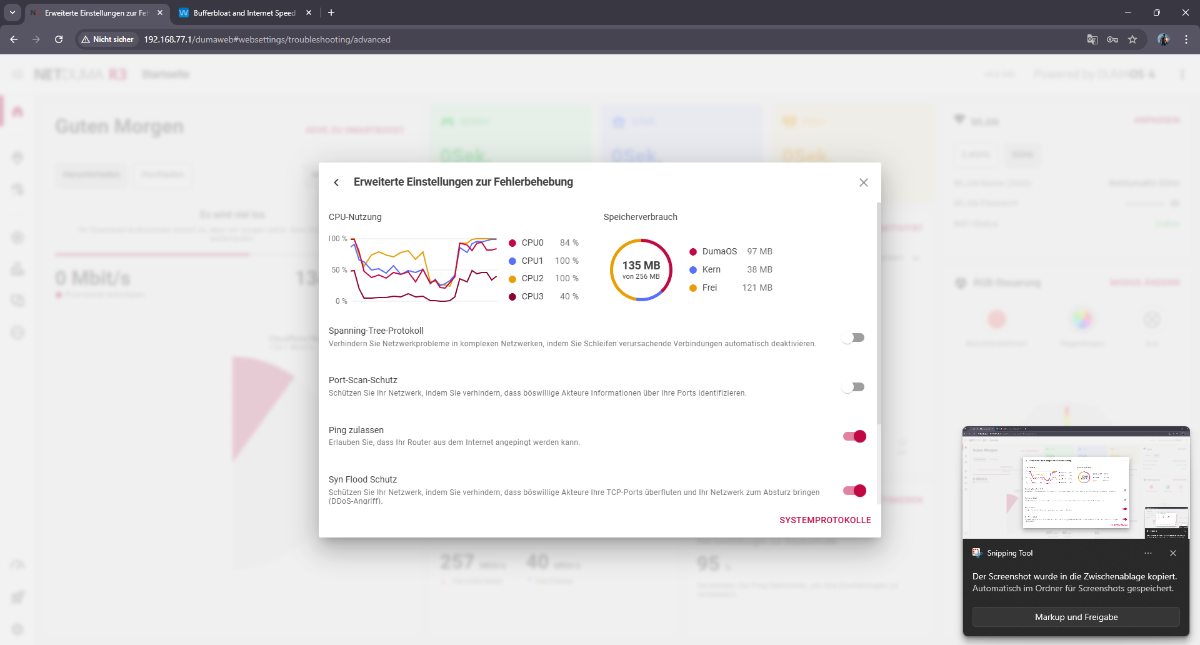
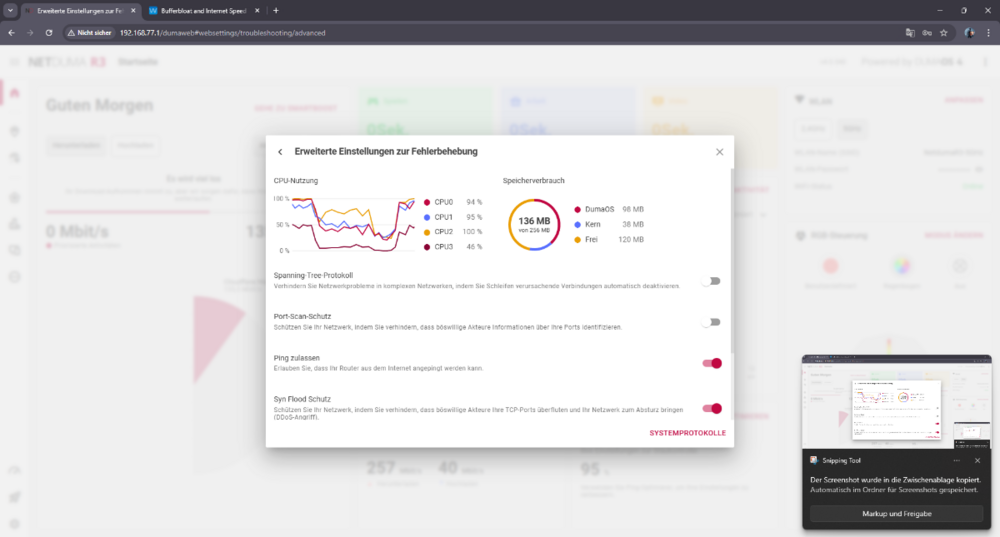
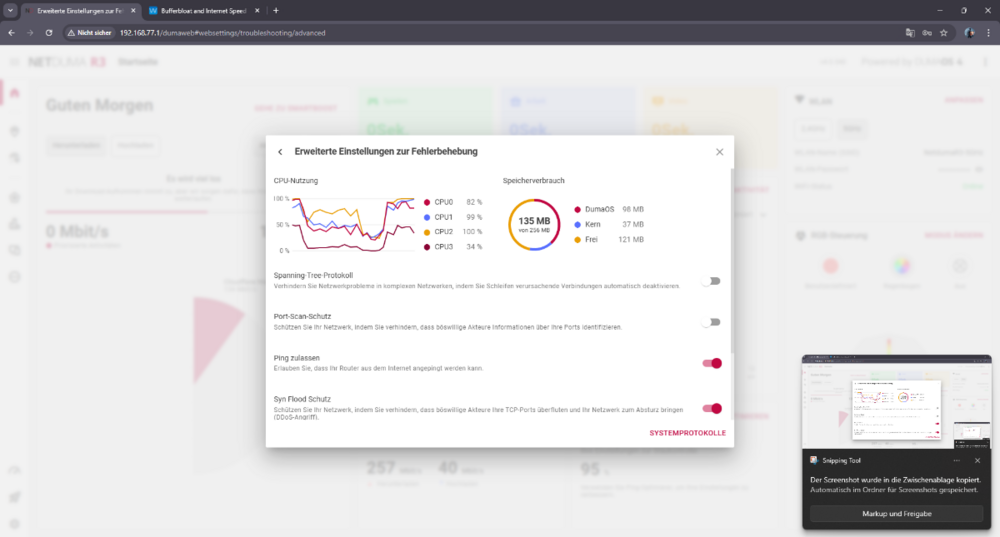
I understand that one possible workaround is to offload PPPoE and VLAN processing to another router in order to reduce the load on the R3. However, in that case the R3 no longer operates as a router but effectively as an IP client behind another gateway. This introduces double NAT, and my provider router does not support DMZ or similar features to avoid this. Using a second router should not be a requirement. From a technical perspective, this behavior is understandable. With PPPoE and VLAN, packets must be decapsulated and processed in software, and when QoS / congestion control is active, all traffic is forced through the CPU. At higher throughput and packet rates, the CPU becomes the bottleneck regardless of whether bandwidth limits are set to 90%, 95% or even 100%. For this reason, the R3 cannot function as a primary router.
-
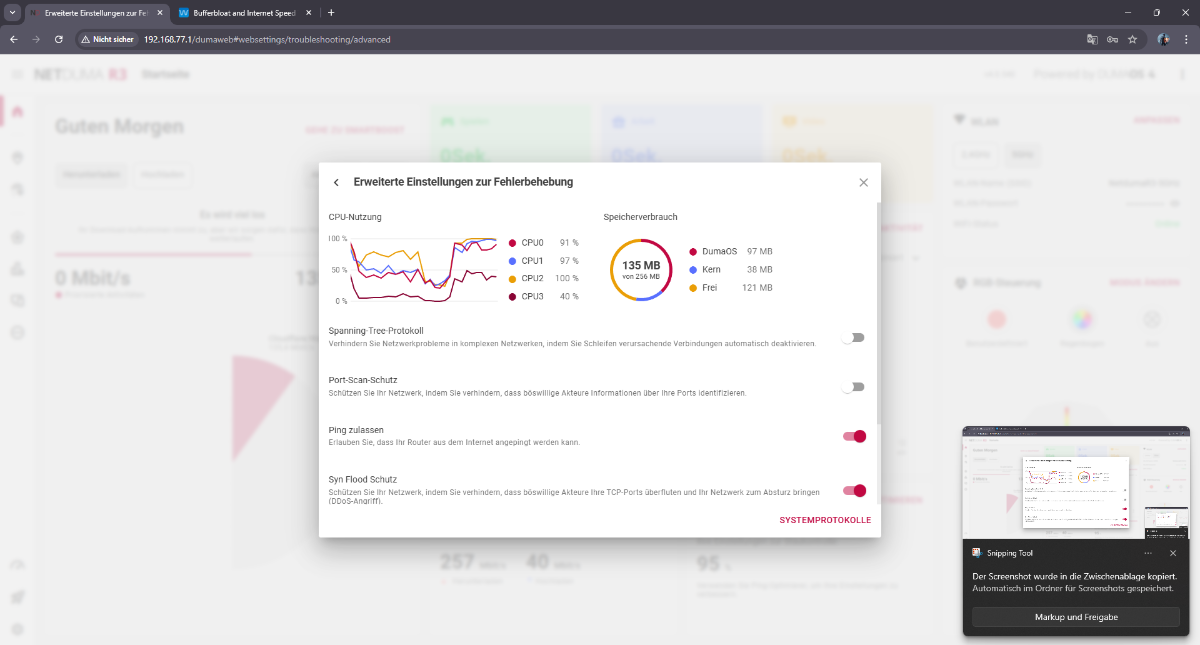
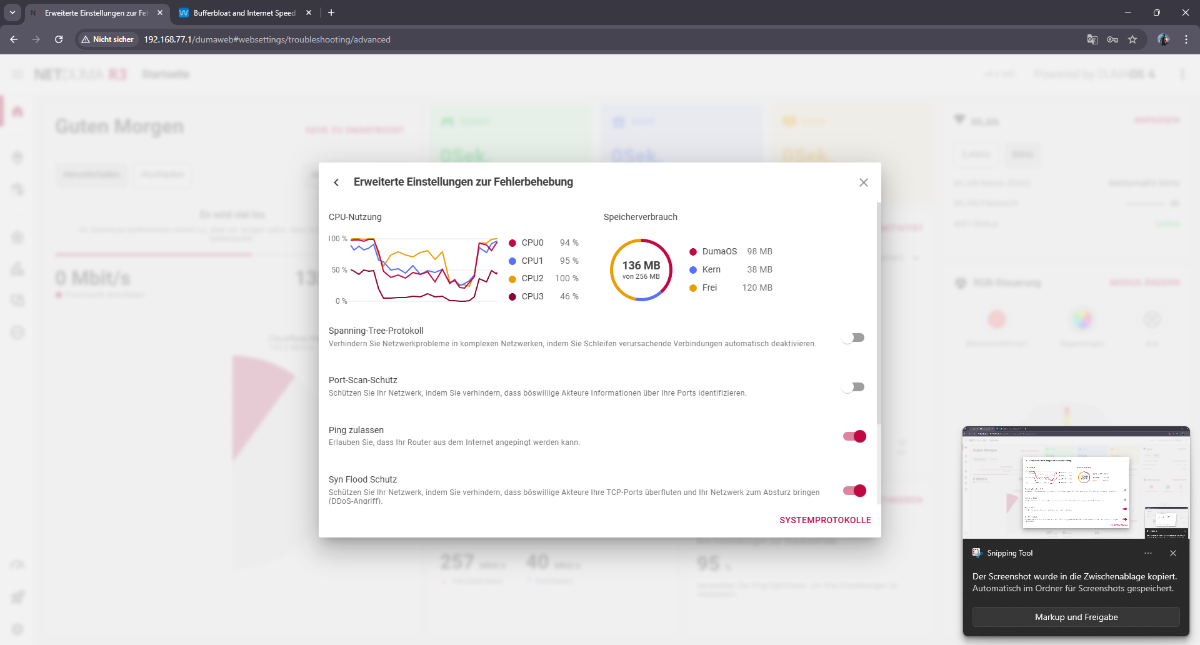
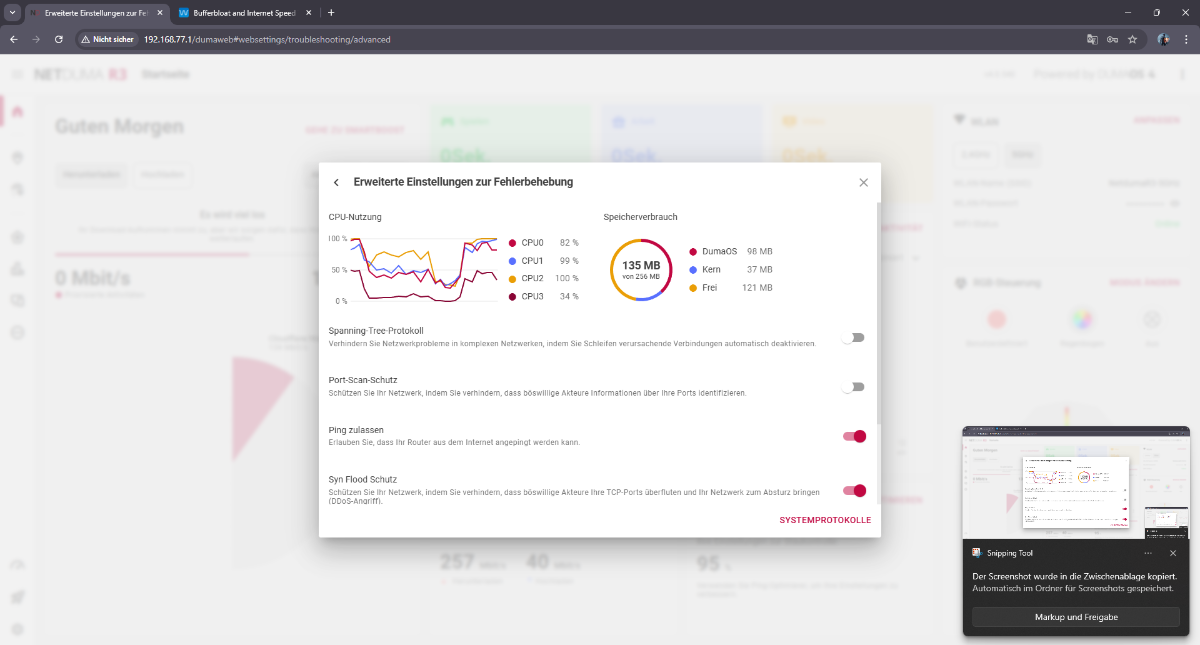
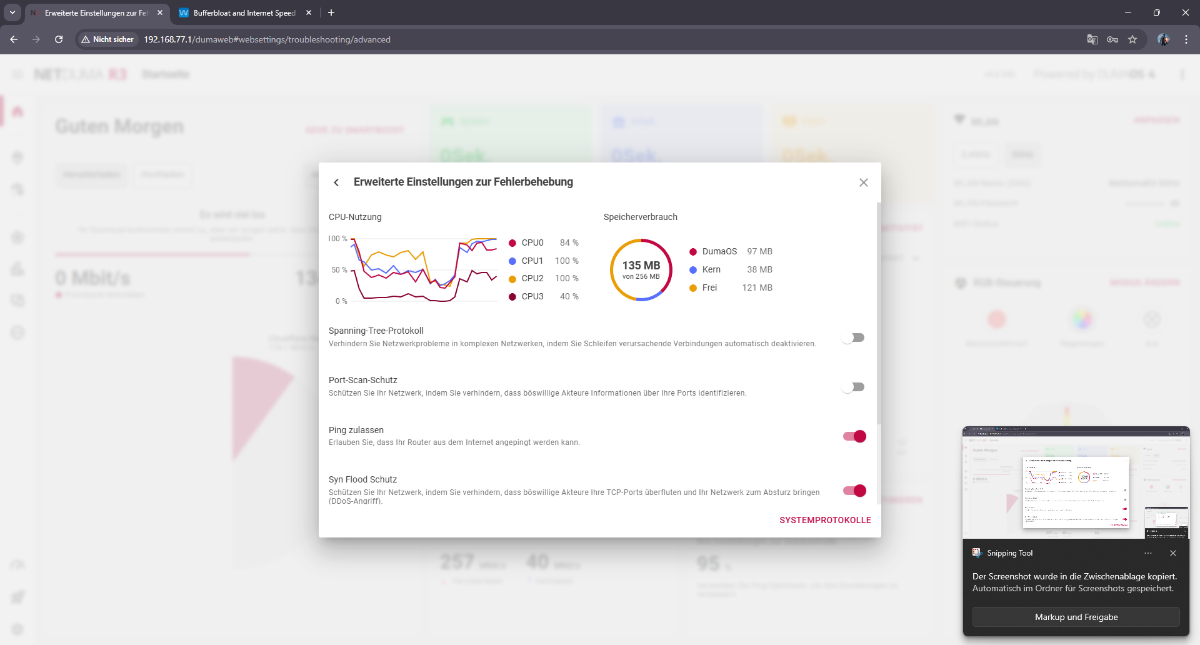
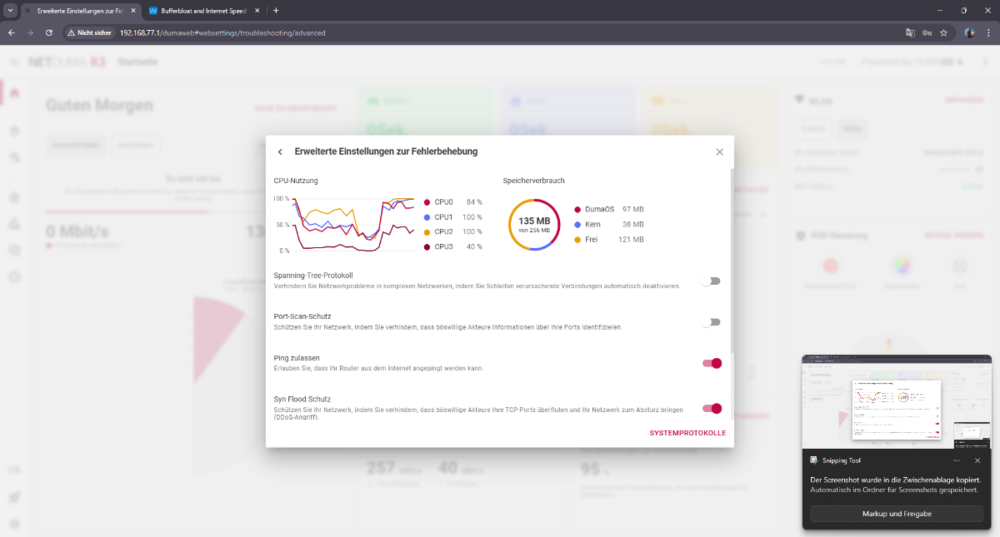
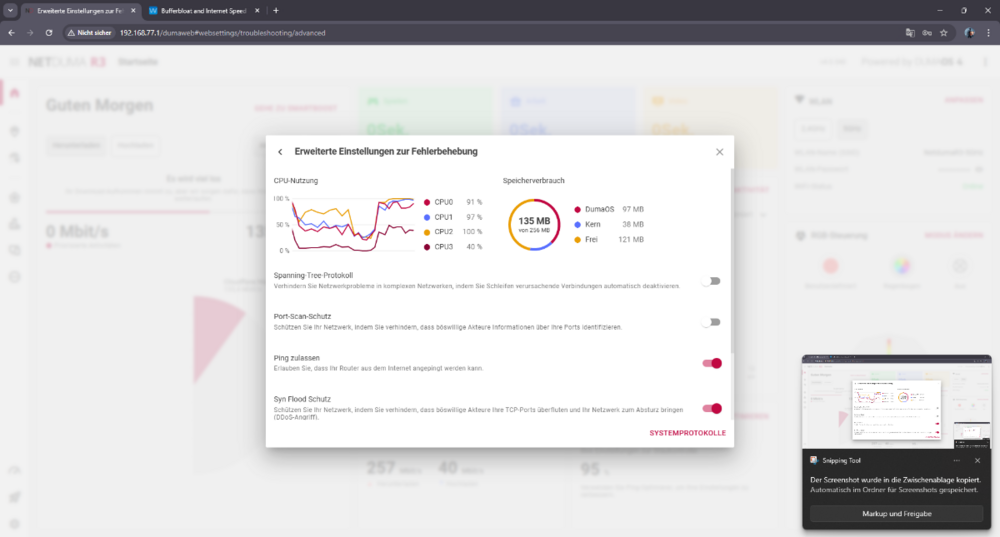
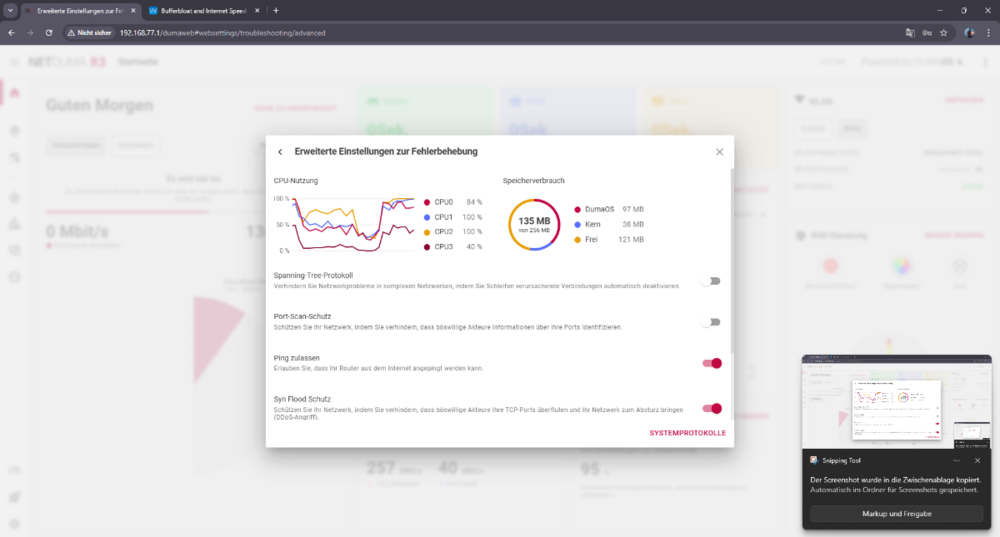
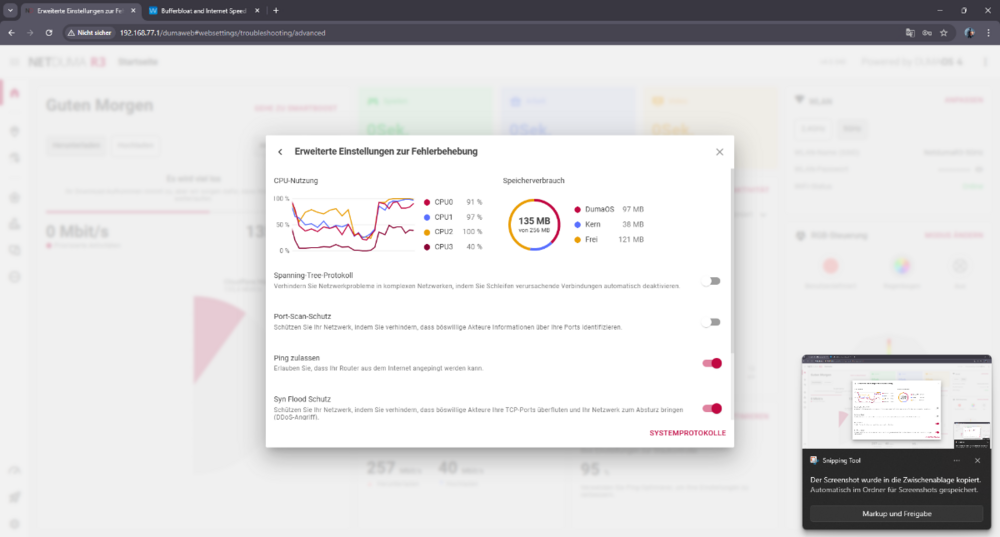
I’m creating a new thread to clearly summarize the real issue, based on extensive real-world testing. My internet connection itself is stable. This is not an ISP or line problem. Bandwidth is set manually and correctly. The core problem is how Congestion Control and Bufferbloat behave under real load. When I reduce bandwidth slightly (for example a small reduction of ~5%), the router behaves as if the bandwidth was reduced massively, sometimes closer to cutting it in half. The reduction is not proportional to the value set. At the same time, bufferbloat testing becomes unreliable: throughput shown in bufferbloat tests is far lower than expected latency spikes heavily under load results fluctuate and look unstable / glitchy real traffic causes spikes, stutter, and lag In other words: small bandwidth changes cause disproportionately large throughput drops, while queue control still fails. Important observations: The built-in speedtest inside the R3 interface is always stable and consistent When QoS / speedtest bypass is enabled, external speedtests immediately become stable and show correct speeds With other routers on the same connection, external speedtests and bufferbloat behave normally and consistently This strongly suggests that under real traffic: the R3 CPU becomes overloaded once the CPU is saturated, Congestion Control no longer works correctly shaping stops scaling properly bufferbloat testing no longer reflects reality This does not look like a tuning issue. All common adjustments have already been tested extensively. The behavior points to a hardware / CPU performance limitation, where the router cannot reliably handle real-world traffic shaping and bufferbloat control at this connection speed. My questions are: Is this non-linear bandwidth behavior and bufferbloat instability under load expected when the R3 CPU is saturated? Is there any real fix or workaround, or is disabling shaping the only realistic option? If this is a hardware limitation, can this be confirmed clearly? The screenshots I attached were taken during active bufferbloat testing.
-
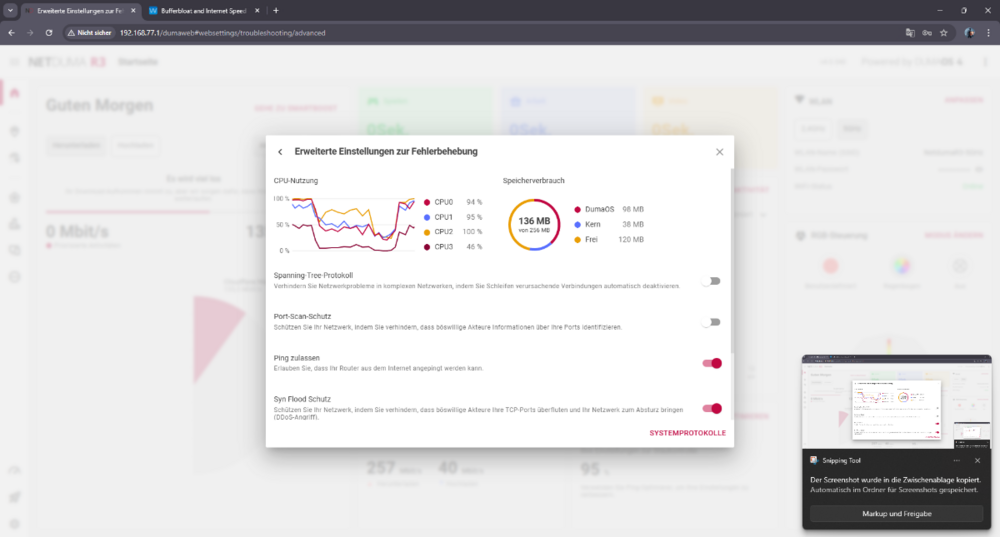
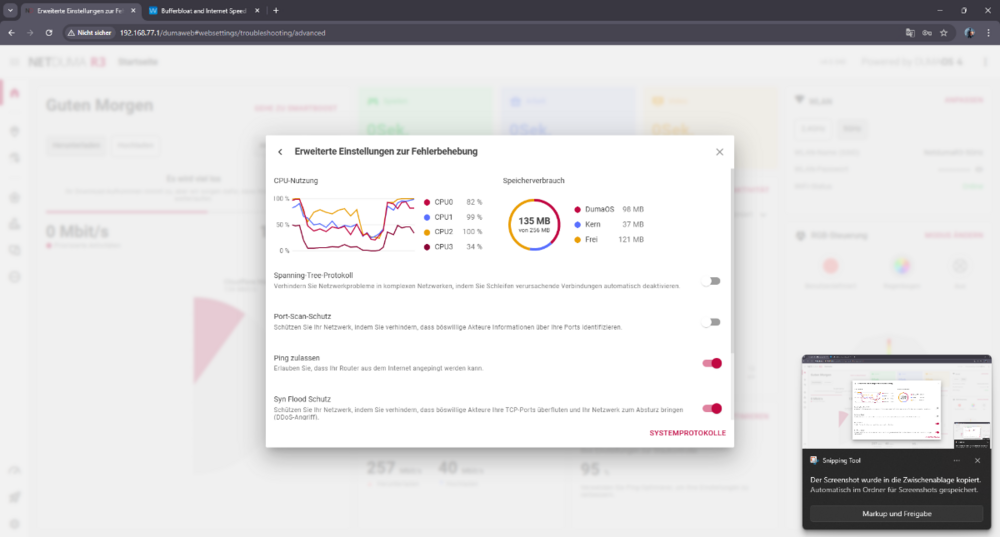
I’ll be blunt. I don’t think there’s any point in waiting anymore. I’ve tested this extensively, and it’s very clear what’s happening: the hardware simply can’t handle it. During real traffic, the CPU gets overloaded, and once that happens, Congestion Control completely falls apart. Shaping becomes inconsistent, queues build up, latency explodes — it just does not work as advertised. This is not about settings, percentages, or tuning. I’ve already tried all of that — repeatedly. Anyone seriously using your routers has. I’ve bought multiple Duma routers over the years. I even sold previous units privately because I kept thinking maybe the next firmware or revision would finally fix things. I bought the R3 again recently hoping something had changed. It hasn’t. At this point it’s obvious to me that this is a hardware limitation, not a configuration problem. And if the hardware can’t reliably shape real-world traffic without maxing out the CPU, then no amount of firmware tweaking is going to fix it. So I’m asking directly: Is there actually a real solution coming, or should I just return the router? If the honest answer is “this can’t be fixed on this hardware”, then please tell me how to proceed with a return, because there’s no reason to keep waiting.
-
Please read the issue carefully and respond to the actual problem, not with a rushed “try +5% / -10%” tuning suggestion. We’ve been dealing with DumaOS QoS for a long time and we’ve already done the basic troubleshooting repeatedly. The problem is not that we don’t understand how percentages work — it’s that the percentage changes do not produce the expected effect at all. In my case, changing Congestion Control from 95% to 85% to 50% does not scale the real throughput as it should, and it does not reliably stop latency/queue build-up under load. So “adjust the percentages” is not an answer here — it’s exactly what’s failing.
-
I’ll be blunt. I don’t think there’s any point in waiting anymore. I’ve tested this extensively, and it’s very clear what’s happening: the hardware simply can’t handle it. During real traffic, the CPU gets overloaded, and once that happens, Congestion Control completely falls apart. Shaping becomes inconsistent, queues build up, latency explodes — it just does not work as advertised. This is not about settings, percentages, or tuning. I’ve already tried all of that — repeatedly. Anyone seriously using your routers has. I’ve bought multiple Duma routers over the years. I even sold previous units privately because I kept thinking maybe the next firmware or revision would finally fix things. I bought the R3 again recently hoping something had changed. It hasn’t. At this point it’s obvious to me that this is a hardware limitation, not a configuration problem. And if the hardware can’t reliably shape real-world traffic without maxing out the CPU, then no amount of firmware tweaking is going to fix it. So I’m asking directly: Is there actually a real solution coming, or should I just return the router? If the honest answer is “this can’t be fixed on this hardware”, then please tell me how to proceed with a return, because there’s no reason to keep waiting.
-
Please read the issue carefully and respond to the actual problem, not with a rushed “try +5% / -10%” tuning suggestion. We’ve been dealing with DumaOS QoS for a long time and we’ve already done the basic troubleshooting repeatedly. The problem is not that we don’t understand how percentages work — it’s that the percentage changes do not produce the expected effect at all. In my case, changing Congestion Control from 95% to 85% to 50% does not scale the real throughput as it should, and it does not reliably stop latency/queue build-up under load. So “adjust the percentages” is not an answer here — it’s exactly what’s failing.
-
Let me clarify the issue clearly. My internet connection is stable and the bandwidth is manually and correctly set to 250 Mbps down / 39 Mbps up. This is not about auto recommendations — please ignore Ping Optimizer recommendations entirely. The problem is that Congestion Control / Ping Optimizer does not work proportionally. Specifically: Whether I set Download to 95%, 85%, or even 50% the actual throughput during bufferbloat / real traffic tests stays roughly the same (around 130–140 Mbps) while latency under load still increases significantly (+50 to +100 ms) So lowering the percentage does not reliably reduce throughput nor prevent queue build-up. The percentage values do not behave as expected. Important detail: The built-in speedtest inside the R3 interface is always stable and consistent The issue appears only with real external traffic / external speedtests My question is: Why does Congestion Control not properly control real traffic, even though bandwidth is set correctly and the internal test is stable?
-
To explain the core issue more clearly: If my bandwidth is set to 250 Mbps, and I apply Ping Optimizer at 95%, I would expect around ~235–238 Mbps on download. Instead, during Ookla Speedtest, download speed often drops much lower than the configured limit, sometimes down to 170–180 Mbps, fluctuating heavily within the same test — while at the same time I still see download bufferbloat / queue build-up. So it feels like the R3 is over-throttling the download, but not preventing congestion, which seems contradictory. Is this expected behavior of Ping Optimizer / Congestion Control on PPPoE, or does it indicate a misconfiguration or a bug?
-
One more important detail: I know my line capacity very well. With other routers on the same VDSL line, Ookla Speedtest is always stable: Download: typically 258–261 Mbps (±2–3 Mbps) Upload: 39–39.5 Mbps almost every run So the instability only appears when using the NetDuma R3. The ISP line itself is stable and this is reproducible across multiple tests and routers. That’s why I’m trying to understand whether this is related to Ping Optimizer / Congestion Control behavior on the R3, or if there’s a specific way it should be configured for PPPoE VDSL to avoid fluctuating download speeds and bufferbloat.
-
Also just to clarify: In Network Speedtest / Bandwidth Settings I’ve entered my exact line rates: 250 Mbps down / 39 Mbps up. Even with Ping Optimizer enabled (and the Congestion Control it suggests), my browser Ookla speedtest download fluctuates a lot and I still see download bufferbloat spikes. So I’m not sure if Ping Optimizer is working correctly, or if I’m using it wrong. Should I ignore the Ping Optimizer recommendation and manually tune Congestion Control? If yes, what would be a good starting point for 250/39 PPPoE and how should I test it properly?