.png.1e8bf7de2d76473075ff0f2c7c5c8f4f.png)

Netduma Alex
-
Posts
3828 -
Joined
-
Days Won
173










About Netduma Alex

- Birthday December 23
-
 Hydros85 reacted to a post in a topic:
NEW R3 FIRMWARE - DumaOS 4.0.1510
Hydros85 reacted to a post in a topic:
NEW R3 FIRMWARE - DumaOS 4.0.1510
-
.png "Like") Tulsigalangal reacted to a post in a topic:
NEW R3 FIRMWARE - DumaOS 4.0.1510
Tulsigalangal reacted to a post in a topic:
NEW R3 FIRMWARE - DumaOS 4.0.1510
-
DOGGAVELI reacted to a post in a topic:
NEW R3 FIRMWARE - DumaOS 4.0.1510
-
TrayDay reacted to a post in a topic:
NEW R3 FIRMWARE - DumaOS 4.0.1510
-
 PharmDawgg reacted to a post in a topic:
NEW R3 FIRMWARE - DumaOS 4.0.1510
PharmDawgg reacted to a post in a topic:
NEW R3 FIRMWARE - DumaOS 4.0.1510
-

NEW R3 FIRMWARE - DumaOS 4.0.1510
Netduma Alex replied to Netduma Alex's topic in Netduma R3 Support
This is actually an intentional change. For most users, we thought that the hostname wouldn't be useful. For example the default hostname for a Windows PC is usually DESKTOP-XXXXXXX, where XXXXXXX is a random series of characters. In this scenario, the name "Microsoft Windows Computer" might be more useful. However I can see that for users who customise their hostnames, or for users with lots of the same type of device, this change is actually a step backwards. Perhaps we could add a toggle to display hostnames instead, or perhaps we could put the hostname in brackets after the assigned name? I'll discuss it with the frontend guys. Due to the Device Manager overhaul, some of the device/icon mappings were broken. If for example we update the name of a device type from the cloud, it might no longer link to the correct icon, which I think is what happened in this case. I will talk to the frontend team and make sure we get non-generic icons for everything. -
V1k1 reacted to a post in a topic:
NEW R3 FIRMWARE - DumaOS 4.0.1510
-
Zippy reacted to a post in a topic:
NEW R3 FIRMWARE - DumaOS 4.0.1510
-
DOGGAVELI reacted to a post in a topic:
NEW R3 FIRMWARE - DumaOS 4.0.1510
-
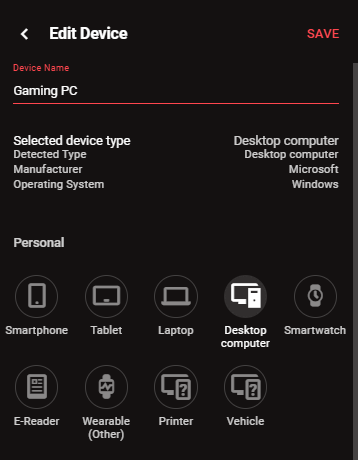
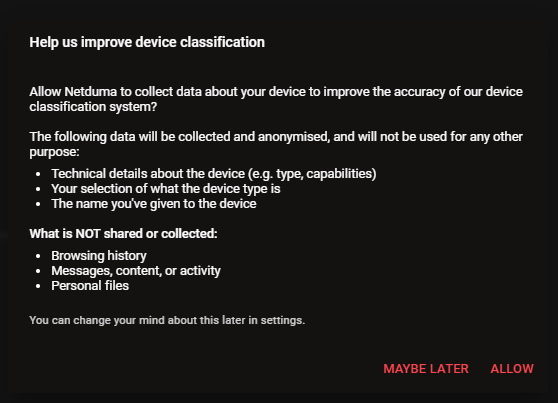
Hi everyone, We are excited to roll out a major new firmware update for the Netduma R3, packed with significant improvements and optimisations we’ve been developing over the last year. This is a comprehensive release. You will experience a noticeably faster user interface, improved Wi-Fi auto-channel selection, new dedicated front panel LED controls, and key memory and security patches designed for long-term stability. Alongside these broader enhancements, we have completely overhauled two core systems: Device Manager & Classification Engine We have implemented a completely new Device Classification backend that allows classification and categorisation rules to be updated dynamically over the cloud. Just as our DPI system automatically updates to support new games, DumaOS can now recognize and categorize newly released smart devices as soon as they hit the market. To help make Device Manager as accurate as possible, users can now optionally report incorrect classifications directly to us. This reporting is purely opt-in, fully anonymised, and directly helps improve detection accuracy for all users. You will be asked if you want to participate the first time you make changes in Device Manager, and you can easily change your preference at any time from the Settings menu. Geo-Latency We have fine-tuned Geo-Latency to work more reliably with our currently supported titles, while expanding support to include more games, such as Battlefield 6. We have also reduced its footprint under the hood to improve overall system performance. Behind the scenes, we have been working hard on several exciting new DumaOS features that we are almost ready to share. Expect to hear more about those very soon. Thank you for your patience in waiting for this new firmware, and thank you for being a Netduma customer. DumaOS-R3-4.0.1510.sig Full Changelog:
- 62 replies
-
- 11
-
-
-
-
Netduma Alex changed their profile photo
-
Hi guys, I'm currently working on Halo MCC, should have it fixed soon. I made some changes to it a while ago because it was too vague and kept coming up on other games (for example Monster Hunter Wilds), it seems these changes were too drastic as they have stopped it from working properly.
-
Forgot to list WPS Support in the changelog! Thanks for the reminder. Yes, WPS is supported in this version. Use the button on the back of the unit to go into pairing mode for 2 minutes.
-
NEW R3 FIRMWARE - DumaOS 4.0.290
Netduma Alex replied to Netduma Jack B's topic in Netduma R3 Support
Hi everyone, we just released a new R3 firmware! Please move your discussion over to the new thread -
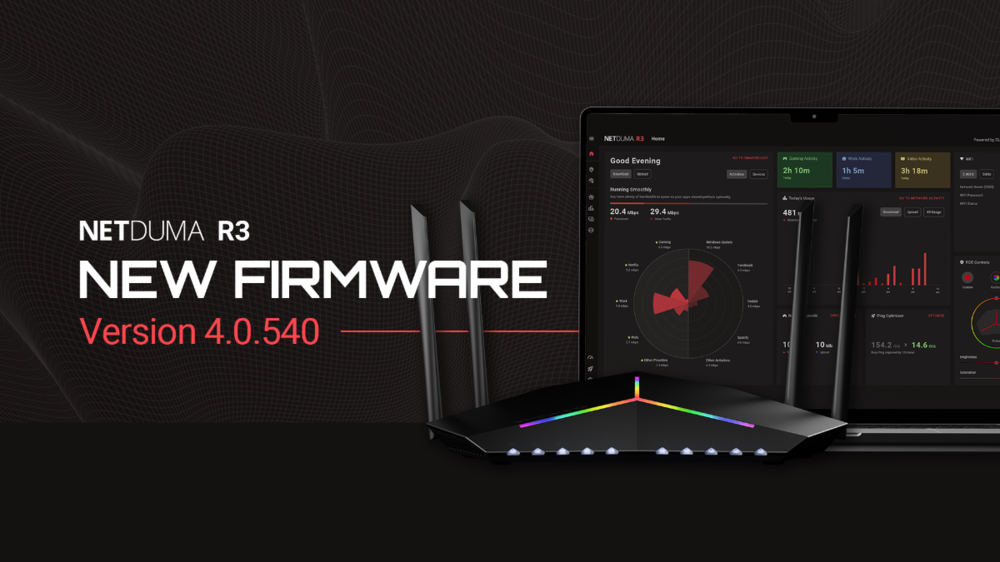
Hi Everyone, We’ve been working hard behind the scenes to get a new update with new features and stability fixes out to you. Important Note: You may see "Critical Error: Failed to load minimum required components" after upgrade. Please ignore this message and refresh the page by pressing CTRL+F5. This will reload the page wihout cache. Changelog: Behavioural Identification is a new feature which identifies traffic based on the way it behaves. This allows us to categorise and prioritise traffic which hasn't yet been added to our DPI database, ensuring day one support for new games. It can also assume and categorise encrypted traffic based on the way that it behaves, which means that, for the first time ever, we can prioritise Gaming, Streaming and Video Calls even while you're using a VPN! New Themes have been added to DumaOS, you can now pick from Traditional Red, Gamer Green, Baby Blue or Cherry Pink WPS Support has been added. Press the WPS button on the back of your R3 to start pairing mode for 2 minutes. Translations have been added to the UI, you can now set your DumaOS to Chinese, Dutch, Spanish, French, Hungarian, Italian, Polish, Portuguese, Turkish and German. If there are any incorrect translations, you can report them in the change language page. LAN Disconnections have been fixed, you shouldn’t be getting random drop-outs for wired devices anymore. Ping Optimiser has been overhauled and should be quicker and more stable than before. WiFi Auto Channel Selection has been improved, you'll get better speeds over WiFi. PPPoE VLAN compatibility has been fixed, you can now use both PPPoE login and VLAN tags at the same time and everything will work. Memory leaks have been fixed, your unit should no longer have to restart because of memory build up. LAN IPs were sometimes not being assigned before, this is fixed now. Many various frontend fixes. Various Stability and Security Fixes There are more new features coming this year that we've been working on as well. Keep your eyes peeled and we'll hopefully share them soon! You can install the firmware via Settings > Troubleshooting > Upload Firmware, and upload the file below: DumaOS-R3-4.0.540.sig We will be pushing this via the One Click Update over the next week or so.
- 534 replies
-
- 26
-

-
-
-
NEW XR700 BETA FIRMWARE: 3.3.363
Netduma Alex replied to Netduma Lew's topic in NETGEAR Nighthawk Support (XR range)
Well no cloud updates were pushed to the XR700 within the last few months (except of course for the one above) so I've got no idea why it would suddenly stop working. I can see you're in the XR700 beta cloud update group, so it's possible you recieved a bugged beta testing update. The update above should work as expected, so if you flush your DPI cloud now and try again, hopefully it starts working. If it doesn't work, it suggests that there may be a bug with either the cloud update or the cloud update process which will need to be investigated. -
NEW XR700 BETA FIRMWARE: 3.3.363
Netduma Alex replied to Netduma Lew's topic in NETGEAR Nighthawk Support (XR range)
Hi all, We've started to roll out a new DPI update to all Nighthawk Pro Gaming units. 25% of users will currently recieve this update, and that will increase to 100% by the end of the week providing we don't run into any unexpected problems. This update will include: Improved support for Black Ops 6 Improved support for Counter Strike 2 Additional games for Traffic Prioritisation More Media and Work From Home protocols Your unit will automatically download the update once it's available to you, it will check every 24 hours for a new version. -
Hi Xaniene, Orders placed before 1pm UK time on a working day will be dispatched the same day. Orders placed after this time will be dispatched the next working day. Delivery is handled by the courier you select at checkout (usually UPS), with the estimated delivery time displayed when you choose your shipping option. All routers are shipped from the United Kingdom. While delivery estimates are very accurate, they cannot be guaranteed. During the Setup Wizard, you'll be given the chance to define your priorities. I would suggest putting Gaming at number 1, followed by Video & Streaming. If required, you can also choose to prioritise specific devices over others. For example you may choose to prioriise your TV to give it more bandwidth for Crunchyroll. Just make sure to do the Speed Test and Ping Optimiser during Setup Wizard, and you should be good to go. Check here for more details: https://support.netduma.com/docs/dumaos-4/
-
Do the issues with game freezing still occur when you disable Steady Ping? I wonder if Zombies has a variable ping rate, and I wonder if that might throw off Steady Ping. I'll do some internal testing to figure this out.
-
We are working on more improvements for wifi. There is a newer R3 firmware just released which may help, as there is a patch which reduces memory usage and therefore disconnections and reboots.
-
@David824 Try opening Ping Optimiser on your R3, go to ADVANCED settings and change to Low Latency Only mode. This will make the R3 behave in a similar way to the R2 in terms of how it throttles. The R3 is more selective with throttling and will only apply throttle when needed, the bufferbloat scores may have been affected by this.
-
Could you send a screenshot please?
-
Low ping servers and setup question
Netduma Alex replied to gearsniper550's topic in Netduma R3 Support
On the first question: It's possible that Geo-Filter is picking up the ping from the relay server rather than the actual game server. This is a bug we've been investigating and will have a fix for soon. On the second question: Yes, unfortunately you do need to add each game separately if you play on PC. -
Hello, If this is not causing issues with lag, then it may be fine, but I would suggest upgrading to the latest firmware and seeing if the problem persists. You can download the latest firmware here: