


Netduma Fraser
-
Posts
86486 -
Joined
-
Days Won
1864
Everything posted by Netduma Fraser
-
Welcome to the forum! Sorry to hear you're having this issue, is Traffic Prioritization actively prioritizing when the TV is being used? What are your internet speeds?
-

Geofilter M.W2019 works fine, but M.W2022 doesn't.
Netduma Fraser replied to xenomaid's topic in Call of Duty Support
You can't block a server that has been whitelisted, we have to remove it from the whitelist before you can force. All those IDs there are from the HK servers that appear with the white circle is that correct? -
Entonces, ¿no tiene habilitado el filtro geográfico en el dispositivo en el que está jugando Fortnite? No, puedes usar el Geo-Filter normalmente para Warzone.
-
So what I would suggest is an extension of what has been suggested already, set reserved IPs for devices on the router outside the DHCP range - identify the MAC address/device that shows up for your daughters device when the network privacy/random MAC is disabled and ensure it has a reserved IP. Once you've done that then disable DHCP entirely. This should keep each device on the IP that it has. If your daughter then tries to get around the Traffic Controller rules by enabling the network privacy option, the router will read it as a new device but as DHCP will be disabled it won't be able to give it an IP address and therefore it won't be able to get internet and so she will be forced to disable the option again to get any internet (depending on what your rules are).
-
some problems XR500
Netduma Fraser replied to Wantox81's topic in NETGEAR Nighthawk Support (XR range)
That could be for a number of reasons, there are a lot of variables, how have you identified that it's actually your internet line and not the game servers or local congestion for example? -
When you mean disconnects do you mean it's actually losing internet access and your dashboard doesn't load correctly for example or it's kicking you out of a game but the console still has internet?
-
Geofilter M.W2019 works fine, but M.W2022 doesn't.
Netduma Fraser replied to xenomaid's topic in Call of Duty Support
Do you have that server in Hong Kong added to the allow list or has it always appeared with the white circle around it? If so could you provide the ID of the Hong Kong server please as it's quite possible it has been whitelisted by mistake which will make it very hard for you to force servers until we remove that whitelist. -
XR1000 Random DNS Issue
Netduma Fraser replied to DimeRider27's topic in NETGEAR Nighthawk Support (XR range)
If it happens again, see if you have access to the router interface, if you do please get the log from the System Information page and post it here, that should give us some insight as to why it may be happening. -
some problems XR500
Netduma Fraser replied to Wantox81's topic in NETGEAR Nighthawk Support (XR range)
Possibly, if the fritz is stabilizing the connection before hand but it really depends what you mean by erratic and what the cause of that is. -
Desafortunadamente, la forma en que funciona Fortnite es que solo intentará buscar un servidor y, por lo tanto, filtrará cuando haya encontrado un juego y se cargue en el lobby previo al juego. Esto tiene la desafortunada consecuencia de mantenerte en esa pantalla hasta que te devuelva al lobby y permitirá que otras personas de tu grupo aún se conecten ya que no han bloqueado el servidor. Mi recomendación sería deshabilitar el Geo-Filter pero aún así usarlo para que pueda ver dónde está el servidor y hacer ping a él. Esto le permitirá salir y volver a buscar un juego mucho más rápido que simplemente filtrar normalmente.
-
Connection problem with Playstation 5
Netduma Fraser replied to ZeDoQueijo's topic in NETGEAR Nighthawk Support (XR range)
It's the top option but you've disabled that already, are you using Armor by any chance? If so disable that and see if it works please. -
DumaOs Beta 3.3
Netduma Fraser replied to [email protected]'s topic in Feature Ideas & Improvements for DumaOS
Hey, welcome to the forum! We don't have a beta for the XR1000 currently but if it comes up I'll make a note! -
They are very cool, a lot of expense has gone into those designs, I'm not sure we'd do anything quite that extreme but it would be epic.
-
New Firmware? New Router?
Netduma Fraser replied to Harley's topic in NETGEAR Nighthawk Support (XR range)
We're working really hard on the XR firmware range at the moment and I've been told it shouldn't be too much longer. Of course actions speak louder than words so we'll do our best to get it out ASAP.- 1 reply
-
- 1
-

-
As above, that would be the easiest thing to do, here is a picture of the stats just in case: The cable diameter is 2.0mm
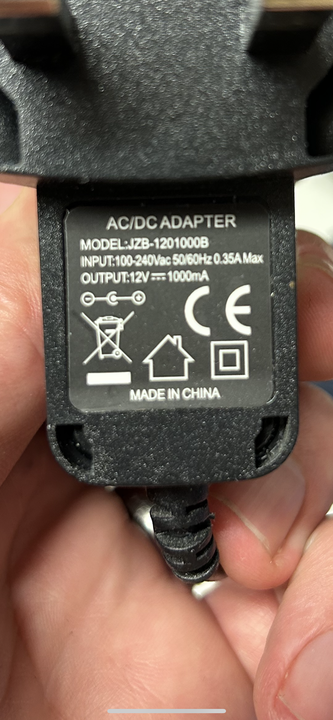
-
Comme ci-dessus, si vous pouvez fournir une capture d'écran de la page HybridVPN, nous pouvons vous conseiller au mieux.
-
High ping Warzone 2
Netduma Fraser replied to Copacabanah's topic in NETGEAR Nighthawk Support (XR range)
Hey, welcome to the forum! If the issue is the server locations you're playing on and you're unable to use the Geo-Filter if you're not the party leader for example then there isn't anything you can do. It would be best to try and get party leader every time so you can all benefit from playing on a server that you'll all have a decent connection to. -
xr1000 issuing multiple ip addresses
Netduma Fraser replied to WESTC0AST's topic in NETGEAR Nighthawk Support (XR range)
Hey, welcome to the forum! That's fine, when the DHCP lease renews it won't always give the device the same IP address as it had before. It won't negatively impact you in any way. -
less than 10 servers showing for WZ.2 ??
Netduma Fraser replied to craigbarrick's topic in Call of Duty Support
Are you searching for a game in that screenshot? I'd recommend having a look at our optimal settings guides to help you get setup: https://support.netduma.com/en/support/solutions/folders/16000090646 -
XR500 setup with Virgin Media Hub 3.0
Netduma Fraser replied to endo2406's topic in NETGEAR Nighthawk Support (XR range)
You can absolutely do that, I would just say don't get too bogged down trying to get those values down and get gaming and see how it feels! If you really want to get into it: Saturate your connection with downloads, streams etc while following this guide https://support.netduma.com/en/support/solutions/articles/16000074717-how-to-test-your-internet-ping It's best to start with a high value for Congestion Control (set to Always), say 95% then check the results, decrease by 10%, test, decrease by 10% etc, until you get to a value that is pretty good and then try 5% either side of that value to see if it can be improved. It's important to note that Download & Upload on Congestion Control don't have to be the same value and that you may have a better experience with differing values. -
XR500 setup with Virgin Media Hub 3.0
Netduma Fraser replied to endo2406's topic in NETGEAR Nighthawk Support (XR range)
Are you just measuring using the test or are you going off your experience in game? Bufferbloat cannot occur when Congestion Control is active as it prevents the connection being saturated which is when bufferbloat occurs. -
Which setting is being turned off exactly? There isn't a way to disallow everything other than specific IP addresses. You can use Traffic Controller though, is that what you're currently using?
-
some problems XR500
Netduma Fraser replied to Wantox81's topic in NETGEAR Nighthawk Support (XR range)
When you've rebooted it, have a look at the System Information page and take a screenshot, when it next starts to happen take another screenshot of the System Information page and provide them both here please. That's difficult to say but the R2 does see more updates so any issues are likely to be resolved faster. -
That's just for how to test the NAT, the advice to open it is the same for every platform.
-
Please do use the guides above and that should get you sorted! If not post back and we'll be happy to help further.
.png)