Netduma Fraser
-
Posts
87501 -
Joined
-
Days Won
1946
Everything posted by Netduma Fraser
-
No its not but that's a good suggestion, I'll add it to our list.
-

ANNOUNCEMENT: Introducing the Netduma R3
Netduma Fraser replied to Netduma Lew's topic in News & Announcements
It's most likely in spam, if not I can resend it -
I can send you a screenshot of the order on the backend if you would like that for your records?
-
R2 Firmware update not applying
Netduma Fraser replied to way2fast900rr's topic in Netduma R2 Support
Does a reboot from the interface reset it as well? Reboot from the interface then attempt the upgrade as fast as you can, if that doesn't work, reset then update asap -
XR1000 firware and duma os 3.3
Netduma Fraser replied to AnarchyAli's topic in NETGEAR Nighthawk Support (XR range)
Thanks, I've passed in on to a dev to take a look and will get back to you. -
5GHz is more susceptible to interference, in relation to the router location where are you trying to use 5GHz? Could you provide a screenshot of your QoS page please?
-
Great to hear that, thanks for the update!
-
ANNOUNCEMENT: Introducing the Netduma R3
Netduma Fraser replied to Netduma Lew's topic in News & Announcements
I would expect updates to be more frequent than the XR range yes Email us [email protected] with your order number and what the correct address should be. It's worth getting it right so there are no issues when shipped. -
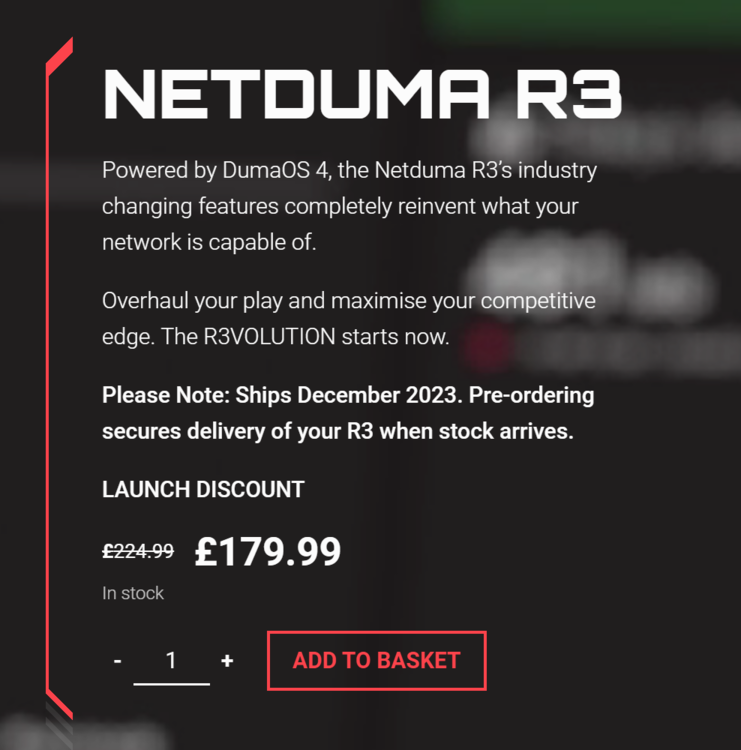
It's not a code, it's a public discount, go on Netduma.com: If you make a topic we can help with your issues.
-
Puede registrarse aquí para ser agregado a la versión beta cuando esté disponible. Debido a circunstancias fuera de nuestro control, estuvimos esperando una compilación durante bastante tiempo, lo que significaba que no podíamos hacer nada. https://forms.gle/Jg6BnARJKoEPKeU28
-
NEW XR500 BETA FIRMWARE: 3.3.535
Netduma Fraser replied to Netduma Lew's topic in NETGEAR Nighthawk Support (XR range)
You would have had to, it never applied to the entire router. You'll need to use Do NOT VPN these services, then it will apply to your entire PC. -
We don't have a specific date yet, depends when they arrive and we'll want to check them over which will take a few days. People should have them by Xmas.
-
The R2 will be getting more updates including DumaOS 4 at a later date
-
XR1000 firware and duma os 3.3
Netduma Fraser replied to AnarchyAli's topic in NETGEAR Nighthawk Support (XR range)
That's fine, whatever you have now will be fine, go to the System Information page, on the logs panel click the icon and you can download it -
XR1000 firware and duma os 3.3
Netduma Fraser replied to AnarchyAli's topic in NETGEAR Nighthawk Support (XR range)
If you could get the log now there may be some indications of what is happening and what may cause it. A new update isn't far off though so hopefully that should resolve it (if it's not an NG issue) -
R2 Firmware update not applying
Netduma Fraser replied to way2fast900rr's topic in Netduma R2 Support
What happens when you try to update? Put Ping Assist to 0 so you guarantee the servers just within your radius. Make your changes then reboot the router from the interface, wait 4 minutes before accessing again, next time you lose power it should keep your settings. -
XR1000 firware and duma os 3.3
Netduma Fraser replied to AnarchyAli's topic in NETGEAR Nighthawk Support (XR range)
Sounds like it's probably losing power momentarily rather than it doing so otherwise as I couldn't think of anything router wise that would cause it to happen that frequently -
The router hasn't launched yet, the only people who have the router currently are staff and a handful of people we got to beta test
-
Did you upgrade to the intermediary firmware and then to the correct version?
-
XR1000 firware and duma os 3.3
Netduma Fraser replied to AnarchyAli's topic in NETGEAR Nighthawk Support (XR range)
Have you disabled QoS? If so that would disable Adblocker as well -
Problem with QoS Nighthawk XR450
Netduma Fraser replied to Agudo's topic in NETGEAR Nighthawk Support (XR range)
I would keep Share Excess enabled for now and experiment with Congestion Control as that should resolve the issue without limiting devices to a small amount of bandwidth. Phones use Private/Randomized MAC addresses which make them appear as a new device every time they connect. You can disable this on the phone itself and that will stop it. -
Take the dumaweb part out of the URL, does that allow you to load? If not if you try with the IP instead does that work?
-
Unplug for 10 minutes, plug in, wait 2 minutes, hold reset for 30 seconds, release, wait 4 minutes then check
-
I believe that one is more DPI than ports. It doesn't do Auto Congestion Control but it does allocate bandwidth based on need/your priorities
-
Give it a reboot, wait 4 minutes then attempt access, if it still does it go to routerlogin.net/adv_index.htm and re-install the firmware, wait 4 minutes then access and see if it works please
.png)