


Netduma Fraser
-
Posts
86509 -
Joined
-
Days Won
1867
Everything posted by Netduma Fraser
-
Remove then save and it should be removed
-

NEW XR500 BETA FIRMWARE: 3.3.535
Netduma Fraser replied to Netduma Lew's topic in NETGEAR Nighthawk Support (XR range)
We can take a look at that, it's unlikely to be a widespread QoS issue though otherwise we'd have heard about it by now -
If you disable DHCP entirely does that resolve it at all? If it's a DHCP issue that would be something for Netgear to resolve and my hopes would not be high for a hotfix to be honest.
-
Netduma R2 can't join Activision Friends for COD/Warzone
Netduma Fraser replied to checkitout's topic in Netduma R2 Support
It is most likely the Geo-Filter but as you are already aware adding them to your allow list would be the solution, does that not help? That is something that has been suggested before so we'll take a look! -
Ahh I see, it's not possible to change the LAN MAC and getting around a ban isn't something we would help with either
-
Have a look at this guide: https://support.netduma.com/en/support/solutions/articles/16000076587-dumaos-optimal-settings-guide-open-nat if that doesn't work let us know what you tried and where you're checking the NAT Status.
-
If you want to change the WAN MAC address what you did is correct, this will reflect on the ISP modem/router. You can't change the MAC address of the router for LAN though. What's the use case? Maybe I can provide an alternate suggestion.
-
Are you on DumaOS now or are you still on the original pre DumaOS firmware? It's the WAN port MAC address so this would not be reflected on your PC, you'll be seeing the LAN MAC address of the router. If you check the ISP modem/router the R1 is connected to you should see the changed MAC address.
-
That would be great to double check, good we've narrowed down where the problem is and can look into it if necessary, may be one for NG though. Keep us posted!
-
It is a stripped down version but it will be improved. If there are any issues with connecting to the VPN or it fails you've get a log but you won't see anything otherwise.
-
Issues with r2 not saving on powercycle or updating firmware
Netduma Fraser replied to Aylinka's topic in Netduma R2 Support
It's worth a try again, they may have more time now to see why it appears to be accepting it without completing it -
Issues with r2 not saving on powercycle or updating firmware
Netduma Fraser replied to Aylinka's topic in Netduma R2 Support
They will force an upgrade through remotely so when it's done you'll be on the latest firmware, should also fix being able to upgrade in future as well. No need to send back. Post back when it's accessible and we'll get it done. -
Okay that'll be it then, if you're not having any problems like that then you can ignore it - lag compensation may be on your side. On the mobile app they group together so not always easy to see the individual servers
-
Issues with r2 not saving on powercycle or updating firmware
Netduma Fraser replied to Aylinka's topic in Netduma R2 Support
I think this probably slipped their mind, they were quite busy at the time, are you still accessible? If so I'll chase them to do it tomorrow, thanks for checking in. -
It may seem like a strange request but could you take the period . out of your WiFi SSID then reboot the router and then connect the console and see if it works first time please?
-
Using a VPN you're not going to get a good connection and you're going to run into NAT issues etc - do you get the issue with the VPN disabled? If not then that'll be the issue.
-
Geo fencing multiple consoles
Netduma Fraser replied to jordan's topic in NETGEAR Nighthawk Support (XR range)
What is the service you've added the device with? -
NEW XR500 BETA FIRMWARE: 3.3.535
Netduma Fraser replied to Netduma Lew's topic in NETGEAR Nighthawk Support (XR range)
Check the file on your PC, the PC may have changed the file extension if it's trying to open it with a program -
We don't have any specific recommendations, whatever you pick won't get you those full speeds so it depends if you want to focus more on hardware or software
-
DumaOS Mobile App Release: 1.2.2
Netduma Fraser replied to Netduma Liam's topic in News & Announcements
Make sure the router software is up to date, check the app store to see if there is an update for the app and make sure you're connected to the router WiFi, it won't work otherwise. -
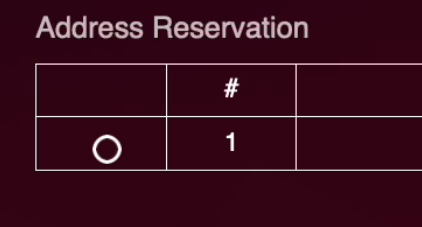
You have to click the circle to select the rule. Are you leaving the consoles in an instant on/standby state by any chance? As that would make a lot of sense why the network test makes it then connect.
-
Geo fencing multiple consoles
Netduma Fraser replied to jordan's topic in NETGEAR Nighthawk Support (XR range)
This shouldn't be happening unless you are adjusting the Geo-Filter while on the game such as disabling/re-enabling, expanding the radius, moving location etc, does that sound applicable? Otherwise please provide a screenshot of your Geo-Filter page please. -
Exactly as above, by default it is admin / password if you didn't change it in the Setup Wizard.
-
That's most likely the Adblocker you have running on the web browser - you can see it has a 1 on it indicating it is blocking something on the page, disable that, refresh the page and it should work
-
Cela devrait être dans la prochaine version à venir. C'est généralement à Netgear quelles fonctionnalités sont présentes
.png)