

Netduma Fraser
-
Posts
87836 -
Joined
-
Days Won
1979
Everything posted by Netduma Fraser
-
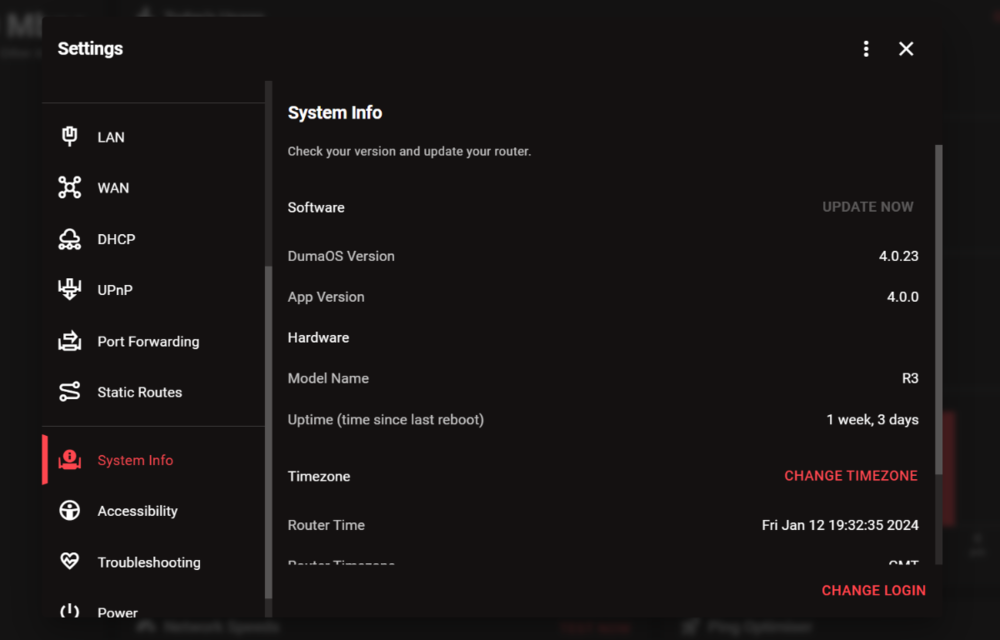
You actually downgraded the router to a version that had the issue. We fixed the issue and ensured we put it on routers before it was sent out. I've sent you .23 via PM, you can upgrade from Settings > Troubleshooting, once complete I'd recommend doing a factory reset
-
 What firmware are you on specifically? Yes it should be able to yes, though the cloud for it will be outdated
-
Gaming PC Always shows inactive on geofilter
Netduma Fraser replied to JoshuaOrmston's topic in Netduma R3 Support
Are you not seeing any icons on the map at all? Does the above apply to you? -
That's very strange, have you set it in a modem/bridge mode or anything like that?
-
Could a Windows Update cause problems?
Netduma Fraser replied to JHuntVols's topic in NETGEAR Nighthawk Support (XR range)
It would definitely be applying at that point but it would be better to just tell the router what speeds you're getting so QoS can be more effective and you also can't go below 50% for Congestion Control currently. Here you go: https://www.pingman.com/kb/article/initial-hops-100-packet-loss-6.html -
Won't be today, early next week I believe now
-
Here you go, taken from mine:
-
They won't have a hotfix, I know that for certain. It's a 10 year old router, if it was expensive I'd suggest returning it and at least getting an R2 second hand
-
I've given the team loads of information on the issue so they should be able to get it resolved. A new firmware should be available early in the week and general fixes included in that may help with this.
-
No it won't be the same, each server may have different capacities, a different amount of players on it at that time for example. The difference in ping you're seeing on 2 & 3 is good - pretty low actually so you should have a good experience on them. Its when it gets higher than a difference of around 30 ms that you could see degradation in game quality and that's a good time to try another server.
-
We didn't get people to do it that way for a reason, but anyone that did they didn't get it bricked. If it happens there won't be anything we can do unfortunately.
-
Which firmware are you on currently exactly?
-
NEW XR500 BETA FIRMWARE: 3.3.535
Netduma Fraser replied to Netduma Lew's topic in NETGEAR Nighthawk Support (XR range)
Could you get the logs from the System Information page when it happens please? -
It looks like you've specifically added it to your denied list, allow it instead then it should work
-
2 & 3 will definitely be the processing delay, 1 it's possible it's processing delay if the server is severely under load, otherwise you could be connecting to a relay server which we'd need to look at
-
No you should be all good in terms of the physical setup, now you can just experiment with the R3!
-
We don't give out any ETAs, should be this month if all goes to plan
-
It should be okay to do that yes, to be honest I don't think we'd have the ability any more to do what we mentioned in the first post so that's your best bet really.
-
New firmware should be early next week. That's either Steady Ping or the in game ping includes processing delay, all games have it but not all choose to include it in their ping calculation. It's not something we can calculate. If the in game ping is up to 30ms higher roughly then the game should play well, anything higher than that could indicate the server is under heavy load and it's best to try to force a different server. The 100 possible could be that it's using a relay server, we'd need to investigate that.
-
R3 PS5 Gaming traffic not prioritizing.
Netduma Fraser replied to JasonKnight's topic in Community Discussion
You only need one or the other really -
I've sent you .23 via PM, you can upgrade from Settings > Troubleshooting, once complete I'd recommend doing a factory reset
-
Problema dati non rilevati server in dhcp
Netduma Fraser replied to Damiano Calafiore's topic in Netduma R3 Support
I think it is likely to be more of a coincidence as we know there are definite improvements to make there, it would be best to check whether it still happens when there is a new firmware with Geo improvements -
NEW XR500 BETA FIRMWARE: 3.3.535
Netduma Fraser replied to Netduma Lew's topic in NETGEAR Nighthawk Support (XR range)
What affect is this having, preventing you from viewing websites for example? -
Are you changing settings while you're already on the game?
-
Problema dati non rilevati server in dhcp
Netduma Fraser replied to Damiano Calafiore's topic in Netduma R3 Support
Does the tim modem has any specific settings that can be changed or any settings that differ from the other routers?