


Netduma Fraser
-
Posts
86509 -
Joined
-
Days Won
1867
Everything posted by Netduma Fraser
-

NEW R3 FIRMWARE - DumaOS 4.0.290
Netduma Fraser replied to Netduma Jack B's topic in Netduma R3 Support
This update was specifically supposed to fix that so if you could reset and then check please -
NEW R3 FIRMWARE - DumaOS 4.0.290
Netduma Fraser replied to Netduma Jack B's topic in Netduma R3 Support
Are you definitely showing on this version in Settings? Are ALL devices connected to the router or are some connected upstream? -
Is the server still showing with the white circle around it? Does it have the same ID or a new one?
-
NEW R3 FIRMWARE - DumaOS 4.0.290
Netduma Fraser replied to Netduma Jack B's topic in Netduma R3 Support
Check Network Activity when it's happening to see if you can see which device is being used when that happens, then identify what that device is doing please and let us know. How long is it taking to reduce to that level? To prevent people lowering their bandwidth too much that it causes issues but it has been requested to remove the limit so it'll likely be done in one of the next versions. A lot of people have a favorite firmware that seems to work best for them, if that's yours no worries, we'll work on a new firmware, if you'd like Early Access to try the next one whenever it is released for testing let me know. -
xr1000 duma os 3.3 wrong topic whoops
Netduma Fraser replied to zxeffects's topic in Netduma R3 Support
Waiting for a fix from the OEM as far as I know and then it should be available once that is available -
Cant join party chat or discord ps5
Netduma Fraser replied to Ramoned92's topic in Netduma R3 Support
If you disable the Geo-Filter does that then work? If so you'll need to add whatever is blocked on the map to your allow list (click on the icon and allow it in the ping window) and that should let you into those services with the Geo-Filter enabled, it may take a couple of times to get all the servers but then you shouldn't need to do it again. If you could then get the IDs of those servers we can add them to the permanent whitelist. -
That's the R3, that's fine I don't need that information, I mean a picture of what the R3 is plugged into - the ISP cable you said about
-
Thanks for the reminder, will now remind Alex
-
HybridVPN on XR450 no longer loading
Netduma Fraser replied to dissonant's topic in NETGEAR Nighthawk Support (XR range)
Oh I see, thank you, all this talk on configs I misunderstood which you were referring to - if you upload a router config it will reboot the router with your then previously saved settings, this is normal. If you upload the config captured when you had that VPN issue then yes restoring that config could then bring the issue back so it would be best to resolve the issue, setup everything then download a fresh config. Also I would not recommend restoring a config captured from a different firmware version. -
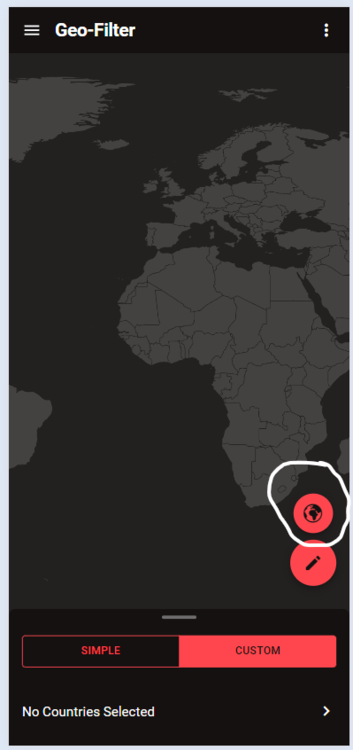
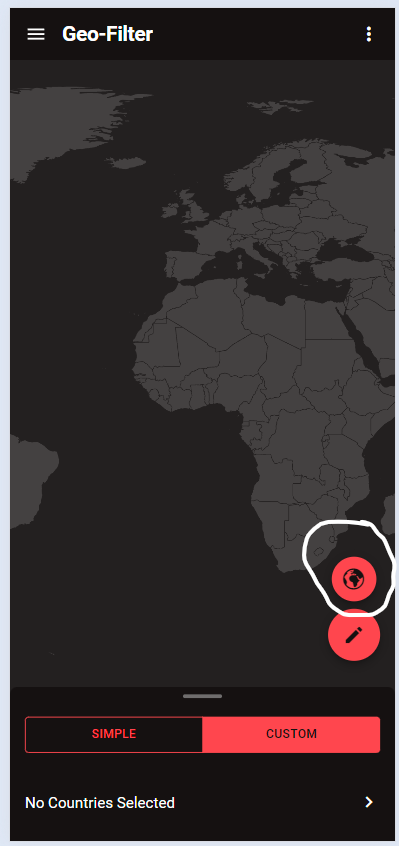
You need to select the custom/polygon filter instead of the radius and then you should have the option:
-
Could you clarify please?
-
Could you resync the cloud and try again please?
-
NEW R3 FIRMWARE - DumaOS 4.0.290
Netduma Fraser replied to Netduma Jack B's topic in Netduma R3 Support
Just use speedtest.net for this, did you factory reset after the update? -
Try with 5GHz instead - WiFi is subject to interference so: Use a WiFi analyzer to find the least congested channel and change to that Experiment with the widths to see what gives better results Ensure it's in an elevated position - not on a metal surface Ensure there aren't any electrical / wireless devices e.g headphones etc within close proximity ~3 feet if possible Set the antennae to this position _ | | _
-
R3 loses ppoe connection every 24 hrs
Netduma Fraser replied to extremeborg's topic in Netduma R3 Support
I'll have to pass that log on to a colleague to have a look at, no indication I can see, I'll get back to you -
HybridVPN on XR450 no longer loading
Netduma Fraser replied to dissonant's topic in NETGEAR Nighthawk Support (XR range)
That's uptime 6 minutes so it does indicate it rebooted, could you provide the config you're using that causes it please? -
Thanks for the request, I'll add it to the list to be looked into
-
Added you both!
-
Can't log into dumaos.com after latest firmware update
Netduma Fraser replied to PattPatt17's topic in Community Discussion
While connected to the router via a wired Windows PC, open command prompt, type ipconfig press enter and then post a screenshot of the results here please. -
NEW R3 FIRMWARE - DumaOS 4.0.290
Netduma Fraser replied to Netduma Jack B's topic in Netduma R3 Support
Where are you testing the speeds? How long does that take to happen? -
Can't log into dumaos.com after latest firmware update
Netduma Fraser replied to PattPatt17's topic in Community Discussion
Use http://192.168.77.1 can you access that way? Also it's not dumaos.com if that is what you were trying -
Can't log into dumaos.com after latest firmware update
Netduma Fraser replied to PattPatt17's topic in Community Discussion
What do you see when you try to login? If it's not accepting the credentials you'll need to do a factory reset -
NEW R3 FIRMWARE - DumaOS 4.0.290
Netduma Fraser replied to Netduma Jack B's topic in Netduma R3 Support
Do you know if you were connecting using HTTPS or HTTP? What do you see via the app when you can't login exactly? There will be something triggering it - for example if you put the PS5 in a standby state that would do it What do you see when you try to login? -
R3 loses ppoe connection every 24 hrs
Netduma Fraser replied to extremeborg's topic in Netduma R3 Support
Do provide the log when you can, might be worth setting a static WAN IP if your public IP stays the same, otherwise may be best to use the DMZ instead for the moment until we figure it out -
Basically the same thing, are you able to connect it via ethernet at all? Have you split the WiFi bands? If not do that and connect it to 2.4 or 5GHz then, set the reserved IP again (it may appear as a different device) then check again.
.png)
