Netduma Fraser
-
Posts
87496 -
Joined
-
Days Won
1946
Everything posted by Netduma Fraser
-
Jeff that kind of item is high in demand, therefore it's value is higher than allowed. However, if you're my secret santa I'll turn a blind eye.
-
Hey guys, it's getting close to the holidays so I thought what better way to get into the spirit of giving and community than by doing a Secret Santa! If you want to take part just comment down below with your location Please keep in mind you may have to send your gift abroad and this can be costly, especially if it is a heavy item. However I will do my best to regionalise it to save on costs for everyone. Please keep the gift price to around $30/£20/€25 so that everyone gets something of equal value. Signups will end 23rd November at which point I will close the thread and contact all those participating and let them know who their Secret Santa is. Remember it's all just a bit of fun!
-
Awesome, look forward to seeing it! Haha don't worry they'll be available very soon!
-
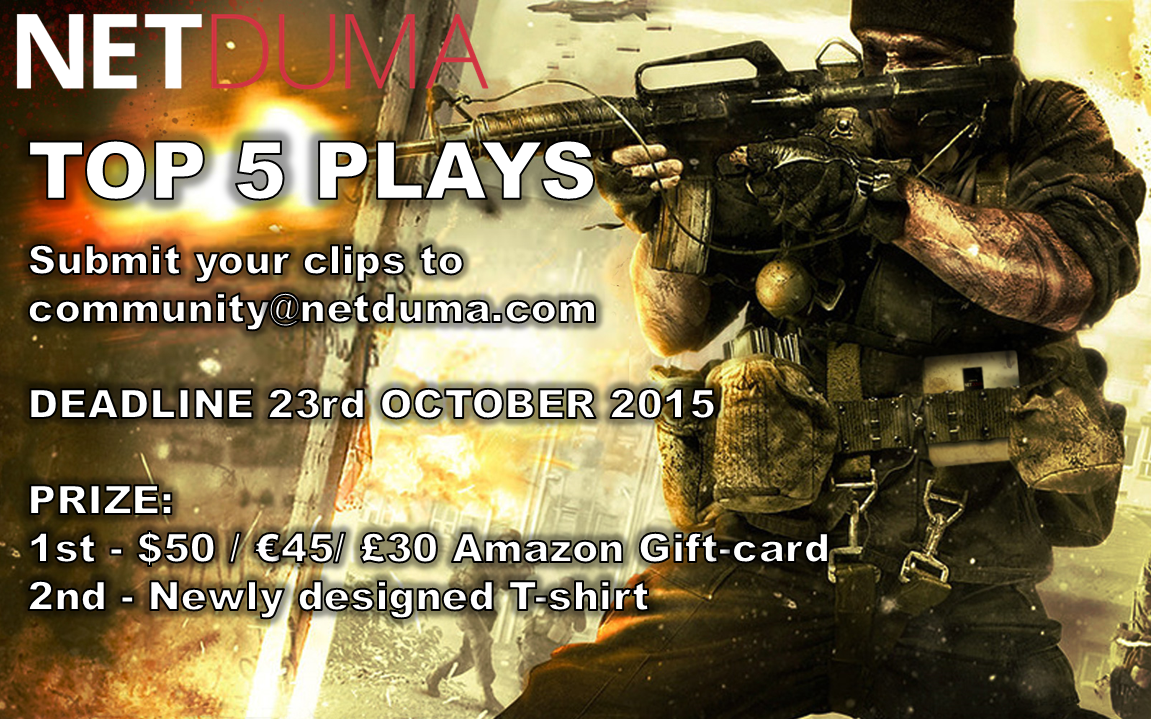
Hey guys, a lot of you are making videos now which is awesome to see, if you weren't aware we are doing another Top 5, this time with some prizes! Same as before send your ~30s clips to [email protected], at least 720p quality if possible, please don't overlay any music on it. Any games are accepted, good luck! Deadline is this Friday so get them in quick!
-
Hey all, Chive972 has been fantastic in assisting with French support often going above and beyond, doing 1 on 1's & translating the wiki for us. It can be very hard to give such a good level of support using Google Translate which can often result in not understanding each other so we are very glad to have Chive on board, I know I feel a lot happier knowing that Chive is available to help us take such good care of our French customers. Thanks for all you do Chive and welcome to the mod team!
-
 Fantastic to hear that!!
 -
Hey all, I'm sure you all know or have come across lukasz on the forum, either through his fantastic videos on YouTube that he posts almost daily or from the helpful support posts he does. I believe he also coined the term DumaArmy which has now spread far and wide. He also created the DumaArmy design which (when I manage to finish everything) will be available on t-shirts for you all to purchase. With all this In mind I think we can all agree that lukasz encompasses the very best that our community has to offer, I hope you'll all join me in congratulating lukasz. Welcome to the Moderator team, you've earned it
-
I've gone ahead and pinned your thread, very informative, thanks!
-
Calling all Destiny Players!
Netduma Fraser replied to Netduma Fraser's topic in News & Announcements
I would be inclined to agree with this, they use P2P and dedis so even if you block a far away player they still may sneak through by going through a dedi that you can connect to, so whilst we do everything we can to get you a great game, sometimes those with a terrible connection can sneak in. -
Calling all Destiny Players!
Netduma Fraser replied to Netduma Fraser's topic in News & Announcements
Awesome to hear that! It's pretty pretty positive, when you receive the router go through this guide http://wiki.netduma.com/doku.php?id=fine_tune_netdumathere are destiny settings towards the end. Also go to settings > miscellaneous and tick both auto and bleeding edge cloud and then apply -
As your issue has been resolved Derick, ill close this thread as its quite an old one
-
Of course! Added now
-
Calling all Destiny Players!
Netduma Fraser replied to Netduma Fraser's topic in News & Announcements
Just to double check, go to settings > miscellaneous and apply auto and bleeding edge cloud and apply if you haven't already -
Calling all Destiny Players!
Netduma Fraser replied to Netduma Fraser's topic in News & Announcements
Have you unticked strict mode Ctap? Spartan can you PM when you're available for a 1 on 1 please -
I see your point but the idea is to make this a place where everyone can chat about things they find interesting and get to know each other more. For example, I'm not much of a football fan but Luke is and so are others so they have their own little place to discuss it now. If you're going through the off topic forum and you see sports, makeup, politics etc as a long list different threads, you're going to get bored by the time you find a topic you actually want to comment on. So it would be easier if they were filtered out so you don't have to look at them at all. Hope that explains my reasoning If you have any topics you think should have their own forums I'm very happy to add them. Just a few off the top of my head that I've thought about adding: Graphic design (GFX) Tutorials etc
-
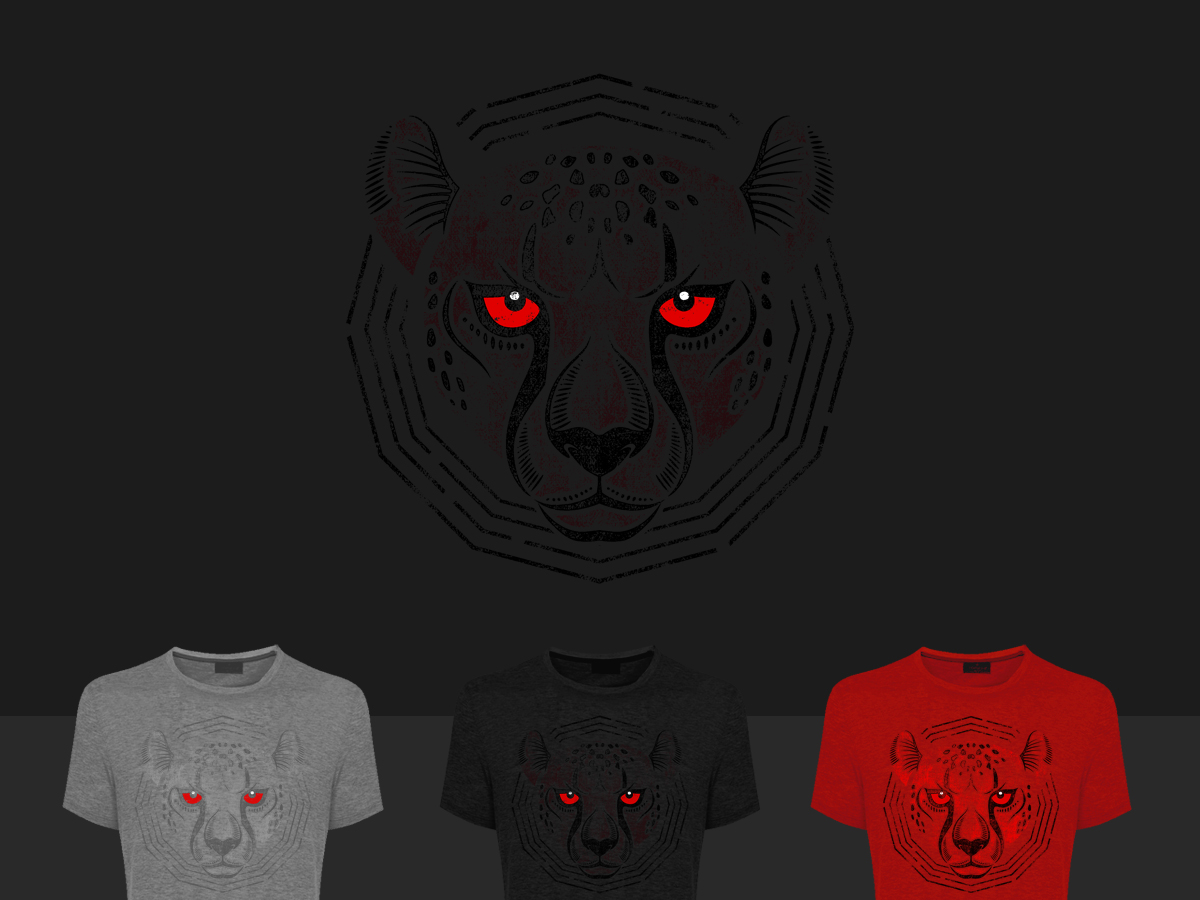
Hey guys, so we voted on the t-shirt and the most picked design was: is there anything else you would want to change/add to this before we finalise the design. We will be adding our logo/motto to the front/back/sides whichever looks best. This is your last chance essentially to get some feedback in before we make these I know what you're thinking, we want the duma army t-shirt as well! I am sorting that in the background as well and have PM'd lukasz/quickfaith so I can proceed and get those out to you
-
Calling all Destiny Players!
Netduma Fraser replied to Netduma Fraser's topic in News & Announcements
When are you available to have the 1 on 1? Sorry we haven't managed to get it done yet -
It is a lot better in terms of support for us to have it like that. I could do a small category with News and announcements in there just above potentially. Changed console to reflect this now
-
Not really possible, due to the way IPB works, I'm sure this would be possible editing root files though
-
The reason its not at the top is so that new members who come to the forum can get support straight away, if its an issue for everyone I can change it to its own little category at the top
-
Hey guys, you may have noticed the forum as undergone some changes, please let me know your thoughts/further things you want me to do/implement. Support category is now the first category of the forum so it can be found easily by new members, I've streamlined this now to just include two things: Wiki, with links to the most important/frequently asked about issues, clicking on the issue will take you straight to the wiki page. General support, instead of having lots of different forums for support, any support will happen here. General forum now contains: Off topic/general - this is a merge of off topic and general, you can discuss anything here. Introductions Technobabble Sports New category for gaming includes: PC eSports Console Let me know if you want game specific in each of these or not. NETDUMA category contains any of the forums that relate to us specifically, they include: News and Announcements Feedback and Suggestions New games for the Geo-filter NETDUMA gameplay videos We have an International category now for other languages/countries, please let me know if you want any languages/countries added: NETDUMA Deutsch NETDUMA Español NETDUMA Français NETDUMA Countries Australia, United States, Canada I've also implemented a local time, so in every post just under your post amount it says what your local time is Other things to come: New emoticon pack Increase recent topics window from 5 posts to 10 More themes Forum badges Let me know your thoughts on all this, do you like it, dislike it? Any feedback or things you want changed/implemented just let me know P.s. no posts have been lost at all, they've been merged with another forum in all cases.
-
Calling all Destiny Players!
Netduma Fraser replied to Netduma Fraser's topic in News & Announcements
Lets do a 1 on 1 spartan when you're free, just give me a PM when you're available this week and we can sort out a time -
Calling all Destiny Players!
Netduma Fraser replied to Netduma Fraser's topic in News & Announcements
What are you pinging to the game and where are they located in comparison to you? -
Calling all Destiny Players!
Netduma Fraser replied to Netduma Fraser's topic in News & Announcements
Whats the distance you've set it to? -
Calling all Destiny Players!
Netduma Fraser replied to Netduma Fraser's topic in News & Announcements
What settings are you using?