.gif.09c9795f713c10c309d68122b089d26c.gif)
DARKNESS
-
Posts
2446 -
Joined
-
Days Won
29
Everything posted by DARKNESS
-
.thumb.gif.4a8d59f41391d88092e62269cfe1e7ec.gif) @Jeofel08Same way buddy to add the way you can tell your games detected is by looking at the udp logs
@Jeofel08Same way buddy to add the way you can tell your games detected is by looking at the udp logs -
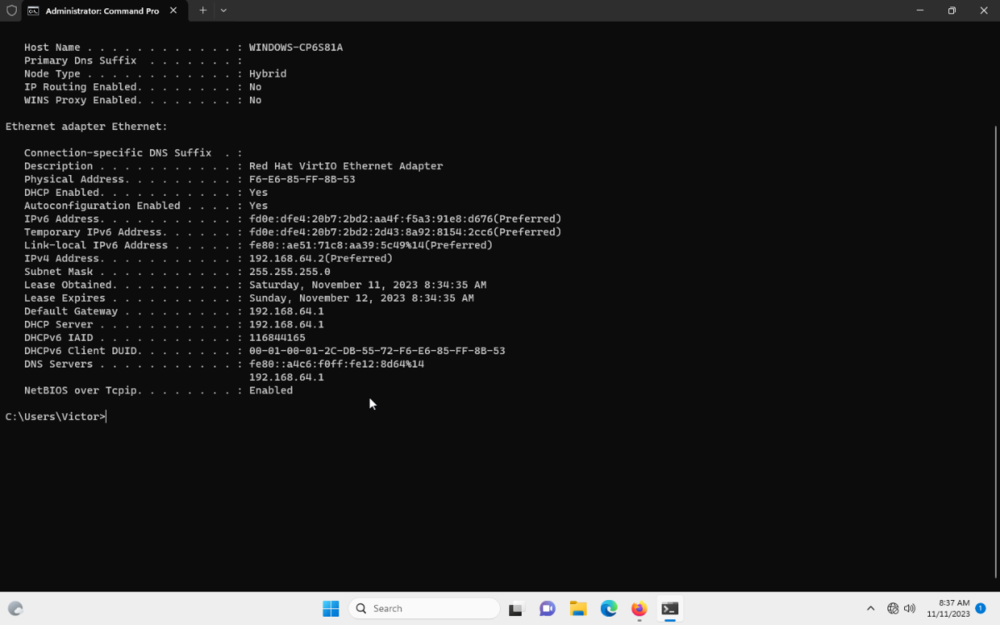
@AZXHere the footage I think the vm might not be registering the IP which is indeed weird from the gateway I put it in dhcp automatic to see what i'd get and clearly am not getting the gateway 192.168.1.1 and yes I am using ethernet that the only way you can get internet under the vm to my knowledge though the network works fine though If I were to try and access to 192.168.1.1 there no response on browser 1699673907314661.mp4
-
Setting up my R2 - encountering many problems
DARKNESS replied to Brycedonovan24's topic in Netduma R2 Support
@Brycedonovan24You can download the file through your phone if you have no internet access and install it like that instead it works though that if you have internet on the phone alternatively you can also just connect straight to modem and get the file like that since you'll have internet access doing so -
@Netduma FraserSo I got geofilter to work on the XR1000 doing a reset though after some testing though now I can't get my consoles connected to the wifi they connect however they lose internet access. I tried reserving the IP and that didn't work either and I tried deleting the reservation and that doesn't work clearly as shown on the footage. Screen Recording 2023-11-10 at 9.06.25 PM.mov 1699668713594281.mp4
-
netduma r3 Netduma R3
DARKNESS replied to HANDSOME KING's topic in Feature Ideas & Improvements for DumaOS
@PentolI am just looking at it from the market perspective though they could in theory release it at the end of 2024 which would make some sense then since docis 4.0 should be more widely available- 61 replies
-
- 1
-
.png)
-
- handsome king
- ideas for life
- (and 2 more)
-
netduma r3 Netduma R3
DARKNESS replied to HANDSOME KING's topic in Feature Ideas & Improvements for DumaOS
@PentolBest guess 2025/26 since there currently overhauling the UI so it going to take some time till it fully polished and ready for another iteration though should be worth it hopefully and as ISP start providing docsis 4.0/2G networks globally it should be expected for the next router to be capable or running 2G connections as a minimum standard though who I am to speak well just have to wait and see... -
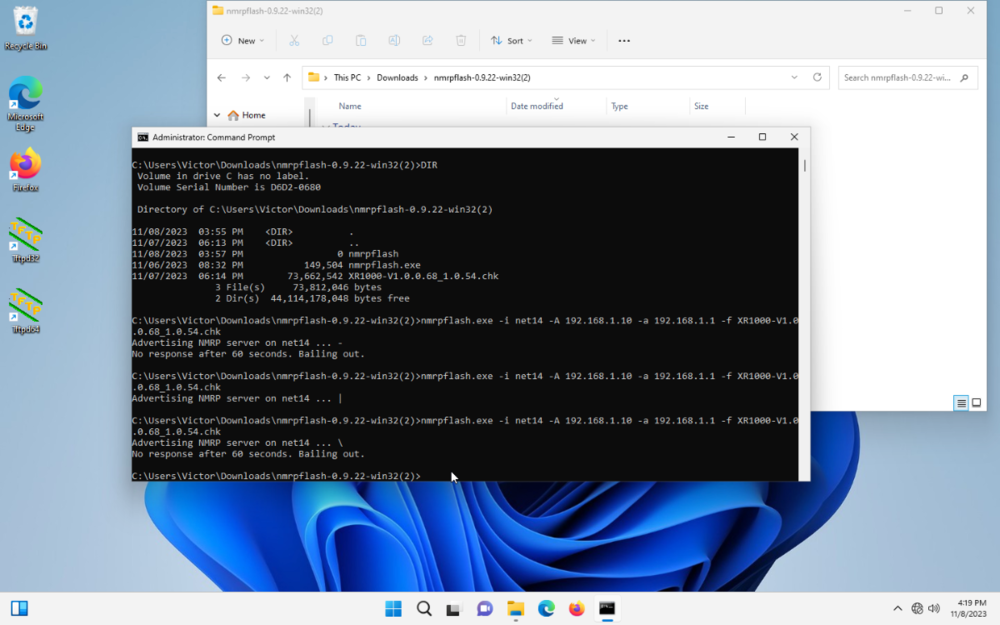
@AZXMy guy I've followed all procedures just to always come to a dead end I had Ncap installed if you saw the files in the footage I've tried everything disabling firewall so forth same bs. TFTP on mac responds however it timeouts so there not much to it and then nprmflash on mac is a headache were you have to download another software and code it into the terminal in order for it to work and that also came to a dead end. Might be the fact that the router was bricked by the individual that sold it to me heck if i know am not the clown who engineered the router by not even having a guide I contacted netgear and no response after showing them proof so I am having an awesome time that been wasted and what funny is that the product had warranty till just a few months ago and I didn't know that till I looked the up the serial number irony 😂
-
@AZXIf you can explain how this makes any goddamn since I love to know 😂 1699551688485209.mp4
-
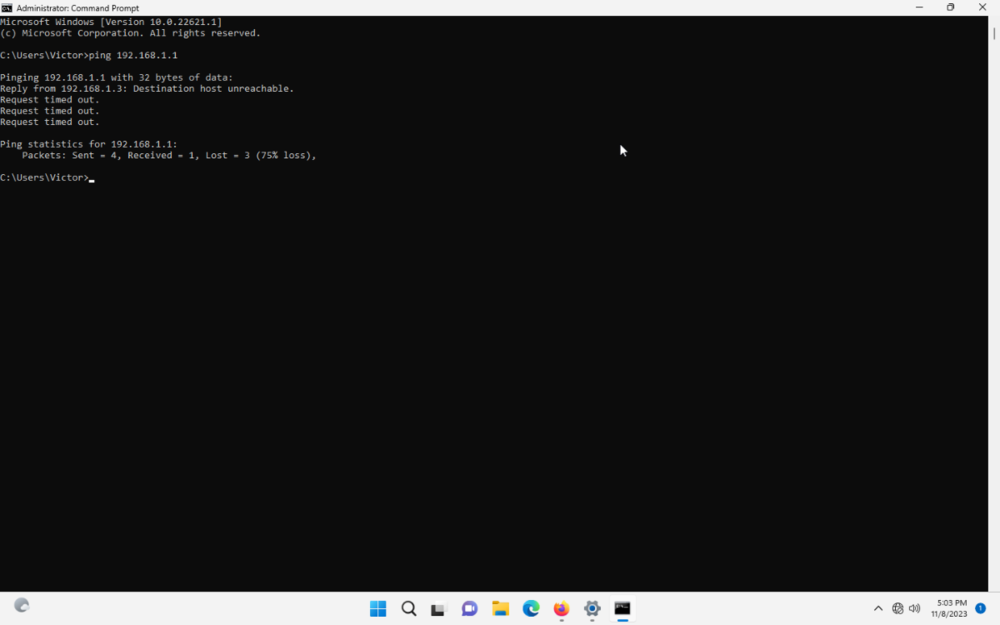
@AZXAnother thing I find strange is pinging looking at the video above about netgear fix I get timeouts for no reason to add am connected to the lan not the internet port
-
@AZXSo there's only two blinks the first one which is the one that only that last for 15 seconds and then the one that last indefinitely so which one am I going after?
-
@AZXSame result 1699477844416557.mp4
-
@AZXSo I retried it using a vm and still didn't work I've tried the the following Holding the reset button while interference reboots Powering it on Once it fully powered on and setup+Holding the reset button after and before Changing the IP 192.168.1.10 to 192.168.1.2 the gateway is 192.168.1.1 no changes 1699399747835794.mp4
-
@Netduma Alex Application name: Realm Royale Device type used for capture: MAC OS/PS5 Any other comments: Not detected I've reported this previously repeating it again with additional captures REX#1.pcapng REX#2.pcapng REX#3.pcapng
-
What your doing is called boosting mate which is considered cheating
-
@WillemtheKillaYeah they do play against you though it not always going to appear on the map and you make it sounds as if some users don't play with high ping when there clueless😂
-
@WillemtheKillaThat not the case bud that just showing peer connections
-
@WillemtheKillaIt either placebo or SBMM don't know how people enjoy that sweating there nuts each match but each to there own 😂
-
@LocosanoMouse and keyboard is superior by all means personally I rather have no aim assist since it pulls your aim to the wrong spot when targeting several players though there are certain users who prefer it so there that it all about preference and the type of game your playing cod is majority dominated by controller if am correct. Though the real cheesy part is that there are users who abuse the system by tricking the system to think there using a different device like a controller when in fact there using a mouse and keyboard. I personally consider that cheating I don't give a crap what anyone says when your not using the system the way it was designed only exceptions is if your disabled or it something doesn't work for your device and you need to modify it using external software.
-
Geofencing Issues with Rainbow Six: Siege
DARKNESS replied to CrashGames's topic in Netduma R2 Support
There really isn't you either play without it or get disconnected till you find a match or increase your radius as i said before...cod is different as the servers allow to be denied before your put into a match so it keeps queque till it finds a reasonable ping though this only works in certain games -
Issues with r2 not saving on powercycle or updating firmware
DARKNESS replied to Aylinka's topic in Netduma R2 Support
@AylinkaI believe he's off today and they only got one person running the forums from the company so you'll have to wait till then I guess... -
Geofencing Issues with Rainbow Six: Siege
DARKNESS replied to CrashGames's topic in Netduma R2 Support
I mean that literally how it works bud if it connecting you to an outside server and it kicking you it working the way it should since it outside your radius it does the same thing in different games you just have to figure out whether your able to find low ping servers trying several times or increase your radius based on the fact the games forcing you to play on higher ping do to sbmm and the only thing you can do is try to mitigate the higher ping servers by figuring out the servers that your able to connect and have low ping. An example is APEX LEGENDS once you get to diamond and above your either forced to play on EU or NA WEST/CENTRAL so that means anyone on the east get screwed over.... -
That just placebo or the game being broken the way aim assist works for controller is when you move your character while aiming the stick it pulls you towards the player somewhat it not aimbot it an assist so if you are not precise with your aim then that your problem.Though knowing activision tactics it can just be the simple fact there manipulating your matches to an extent.
-
Issues with r2 not saving on powercycle or updating firmware
DARKNESS replied to Aylinka's topic in Netduma R2 Support
@AylinkaIf your using Firefox as I can see somewhat you can use the link below which explains the instructions https://support.mozilla.org/en-US/kb/https-only-prefs the reason for this is that it just how the UI was designed and so it has some issues with certain stuff enabled so forth like saving cache on a browser and forcing HTTPS when it not necessary on a network that your accessing. I am not part of the netduma team am just hear to assist -
Issues with r2 not saving on powercycle or updating firmware
DARKNESS replied to Aylinka's topic in Netduma R2 Support
@AylinkaHave you tried disabling https and or use incognito when accessing the interference? -
Netduma - Auto Detect speed
DARKNESS replied to Jeofel08's topic in Feature Ideas & Improvements for DumaOS
@Netduma FraserTrue indeed though would it be possible in the future to add multiple different benchmark services for convenience? Just a thought not necessary...