

.gif.09c9795f713c10c309d68122b089d26c.gif)
DARKNESS
-
Posts
2381 -
Joined
-
Days Won
19
Posts posted by DARKNESS
-
-
- No it DHCP and it was stuck on main interference
- As for cc there should be the option for advanced users
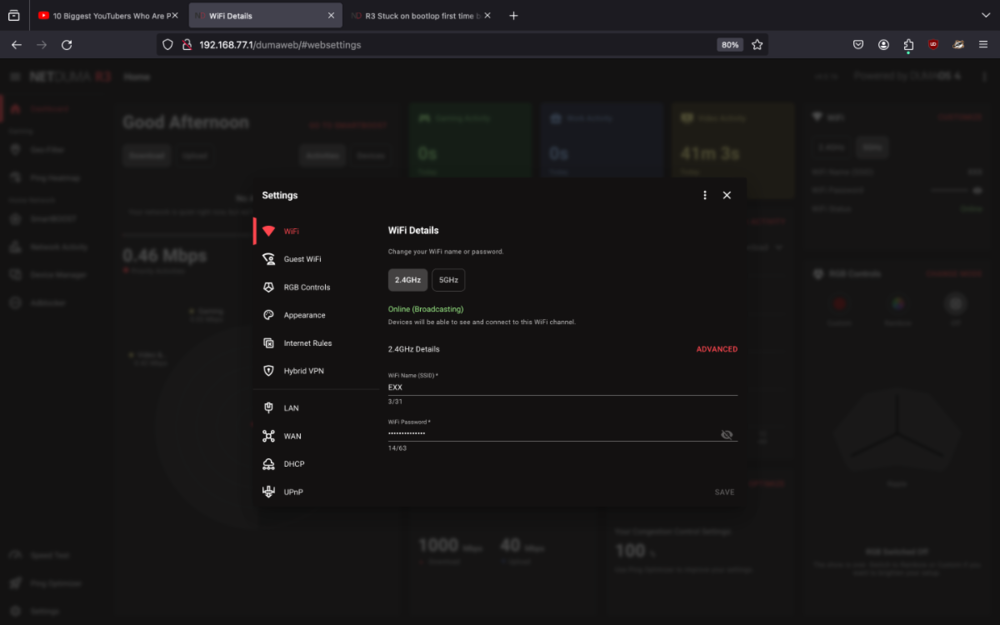
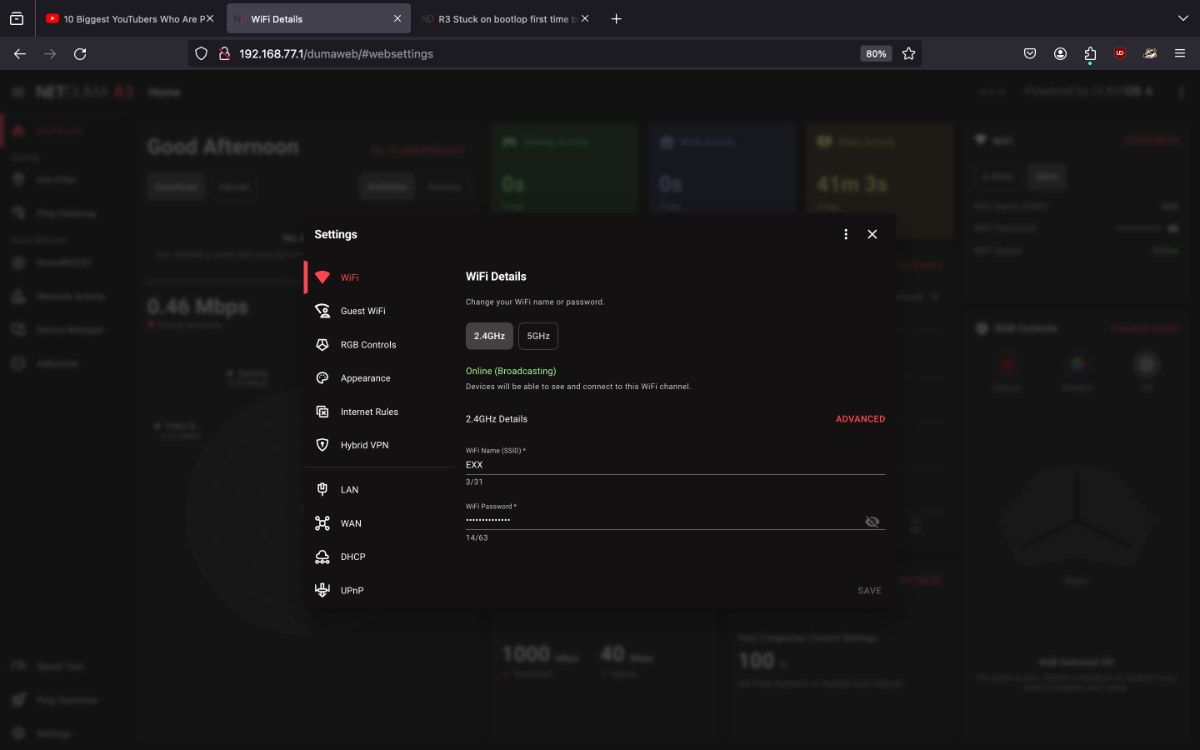
- I like simplicity and I had the my network named X and now it can't because your forced to have 3 letters
- There no option called troubleshooting in settings all you see is the following
-
@Netduma FraserThought this would've been a smooth experience clearly it wasn't had to do a hard reset and now it up and running however I noticed there are more issues than expected such as the following
- Congestion control your not allowed to go below 50%
- Ping optimizer not doing anything and saying ping is optimal/failing to do ping test
- SSID having to be longer than one letter
- In addition did you guys remove the log section? So then how would replicate the issues found by users doesn't make any sense at all
-
@euphidraProton VPN is owned by a government agency it basically a fake vpn disguised as a real one I would do some deep research before using certain vpns if I were you buddy unless your not doing anything illegal etc but knowing that the government will still look into you if you type certain things sounds amusing 😂
-
There is alternative to downloading the older firmware for android users
https://apkpure.com/dumaos/com.netdumasoftware.dumamobile/versions
-
@Netduma FraserI was able to replicate same issue here some footage I deleted data just to be sure
-
@Netduma FraserI would release a beta before it launches for testing for certain users I don't mind testing early mines arrives dec 18th
-
@Netduma FraserIs the update estimated to be early next year or is it releasing this month?
-
Hmm interesting I'll test it myself tomorrow and see If I get the same thing
Did you guys try clearing the cache/data on browser and selected the correct model?
-
@TheMW2Ghost So what your setup like exactly? Yes it normal behavior if it not the primary router
-
@TheMW2GhostAre you able to access the UI on the R2?
-
@TheMW2GhostTo add duma isn't a live service it a router mate even if there cloud went down it wouldn't affect your network
-
@TheMW2GhostDid you reboot the modem when connected to the R2 to refresh the IP that it sets on the R2?
-
-
-
@gearsniper550Well buddy did it ever cross ur mind to do a reboot
-
@Netduma FraserSo what are the exact changes to geo 2.0 that makes it work with most games now?
-
-
@Netduma FraserSo are they shipping now or is this just a misleading title?
-
@Matthew_DBest way to check whether it active is by using google on the console and searching your websites vpn and checking whether it active alternatively you can do a speed test and it'll be slower do to the limitations around 20mbs max uploads is less...
-
@Netduma FraserWould be nice addition in a future update though I ain't smart phone guy especially when you'll need to access the advanced settings unless you were able to implement all settings on the app/mobile browser then it would make more sense to me personally? Though it is convenient for certain users using the QR code
-
@Netduma FraserQuick question will the R3 have a network prompt like on the XR1000 when it booted for the first time on the browser etc?
If not I think it would be convenient as to just load in into the UI like on the XR when doing the setup instead of typing 192.168.77.1 though not necessary it just for convenience and to know whether the device is connected
-
@Netduma FraserWell see when all the details are fully unveiled and I get to testing and checking out the differences for myself as of currently my opinion stays the same
-
@DerlandesYour not going to be missing too much id say the most unique new feature is the anti-jitter though it hasn’t been fully detailed as to what it actually does specifically. As long as the DPI is updated it should be all good on my opinion I use all operating systems and it just how you tweak them and whether the packets are detected properly etc
-
@CathPacket loss is typically related to ISP or equipment being faulty it not something that should be appearing on the network unless the network is being throttled at a certain time though you can mitigate this from happening by using prioritization rules if you know it other users in the household causing all packets to be taken away. Though Smart QOS pretty much alleviates that by just being automatic and leaving bandwidth to each device as that didn't use to be the case before it was more complicated and now it more convenient for users.
.png)

R3 Stuck on bootlop first time booting
in Netduma R3 Support
Posted
@Netduma FraserI see sneaky couldn't see that 😂