
Krush
-
Posts
5610 -
Joined
-
Last visited
-
Days Won
64
Everything posted by Krush
-
It seems that there is probably a translation error between Italian and Spanish... for some... I looked at your pingplotter tests: Did you put the R3 behind the DMZ of the ISP router? for the test...
-

DUMAOS 4.0 on the NETGEAR XR1000 router?
Krush replied to met foxit's topic in NETGEAR Nighthawk Support (XR range)
LoL... As soon as I have more information, you will be the first to know 😉! L -
DUMAOS 4.0 on the NETGEAR XR1000 router?
Krush replied to met foxit's topic in NETGEAR Nighthawk Support (XR range)
... As said above! The announcements have been made, the lame assumptions, are just assumptions in your mind...😉 -
DUMAOS 4.0 on the NETGEAR XR1000 router?
Krush replied to met foxit's topic in NETGEAR Nighthawk Support (XR range)
You should stop commenting with lame assumptions... Apart from the management of netduma and netgear. Nobody knows the ins and outs... It was announced upon release of R3 that DumaOS 4.0 will not be ported to the XR series. -
yes definitely don’t do it!
-
I understand your question in relation to this (and it will be analyzed by the developers, I think), but my question is more is there a real impact on your gaming experience?
-
Yes, I saw that you had complaints about this in your topic as well as in other topics posted by other users... It seems to me that Fraser has answered your question. But what doesn't work for you, might work for someone else. 😉 Personally, I don't mind having a higher ping with steady ping on game servers that are obviously poorly stabilized. This generally improves my gaming experience. I am not basing myself on something visual that will undoubtedly be “fixed” by the team but on my feelings in the game.
-
Hence the whole point of using steady ping?!! In your case...
-
I assume you play on PC? You may need to remove the geo-filter device and deactivate it. And start the configuration again so that steady ping is no longer taken into account.
-
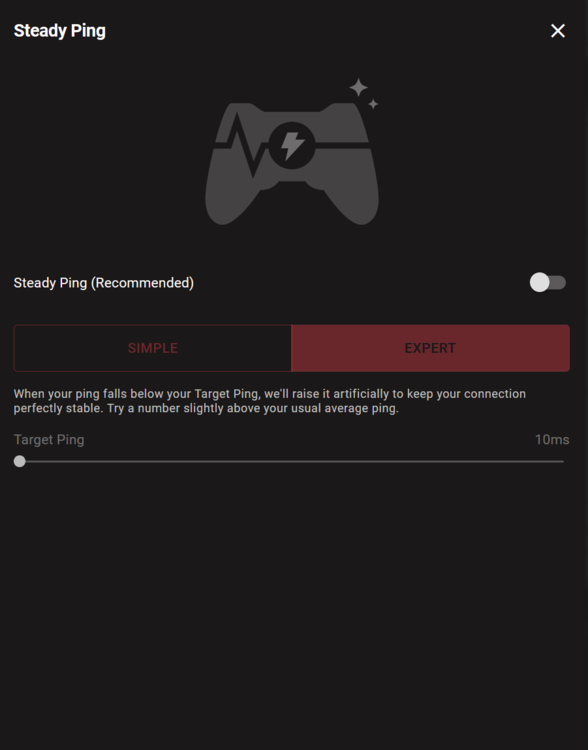
Welcome ! This is a consequence of steady ping which provides a minimum upstream buffer of 10ms to stabilize your connection to the game server. You can deactivate it by clicking on it!
-
Hi! Don't worry about that! This will be fixed in the next FW. 😉
-
Hi! @THarris23 Sometimes it's good to ignore certain comments...👾 The delivery time is 2 to 3 working days excluding public holidays + clearance times for certain destinations. So if you ordered it in the last few days, you will be able to enjoy it next week. You will receive a follow-up email by DHL (remember to check your spam emails just in case). Don't hesitate to post if you have any questions after your installation, we will help you answer your questions if necessary!
-
Ok ! Comme indiqué sur ta capture : Tu tentes d’accéder en https...donc en cliquant sur http (+ se souvenir de ce paramètre), ça marche ? Au pire : il te suffit de taper l'ip du xr500 par défaut : soit 192.168.1.1, soit 10.0.0.1. Ne t’inquiète pas pour les critères de sécurité, c'est une connexion en local (de ton PC à ton routeur).
-
Salut, Quelle adresse ip as tu pour la passerelle d'accès au XR300 ? Tapes ipconfig dans le terminal windows powershell !
-
Yes, indeed to see how you configured your R3!
-
I had a setup like that! I solved the problem with a managed switch with integrated QoS where I could limit the bandwidth on each port. (netgear gs105ev2) It wasn't the best in fact, but I was less bothered by the use of the bandwidth that my roommates could consume at the time!
-
Yeah, take the test! I imagine you want to put all your peripherals behind the TP-Link? Otherwise, you can tinker and put the TP-link and the R3 behind the ISP router one in DMZ the other with a port opening specific to your PPTP VPN. And only put the devices that need the VPN behind the TP-Link...
-
Ok, it may just be incorrectly located on the geo-filter! It could help if you gave the server information indeed!
-
R3 no longer pick up Call of Duty(Series) Packets
Krush replied to Chaiyoabc's topic in Netduma R3 Support
Set the xbox port to automatic and restart it until port 3074 is taken into account automatically! -
R3 no longer pick up Call of Duty(Series) Packets
Krush replied to Chaiyoabc's topic in Netduma R3 Support
Yep, as explained above this is due to the fact that the Xbox uses a port other than 3074. -
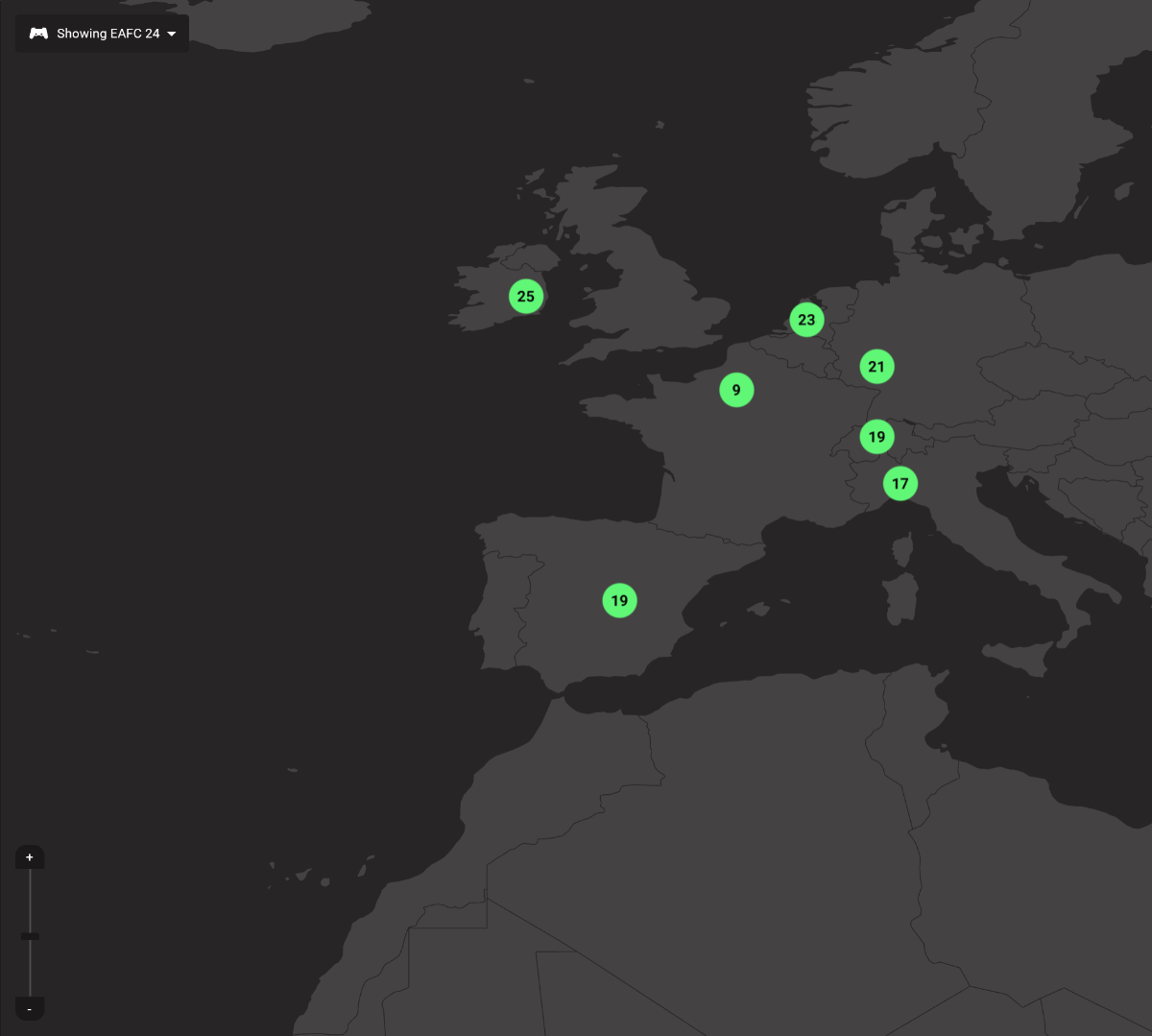
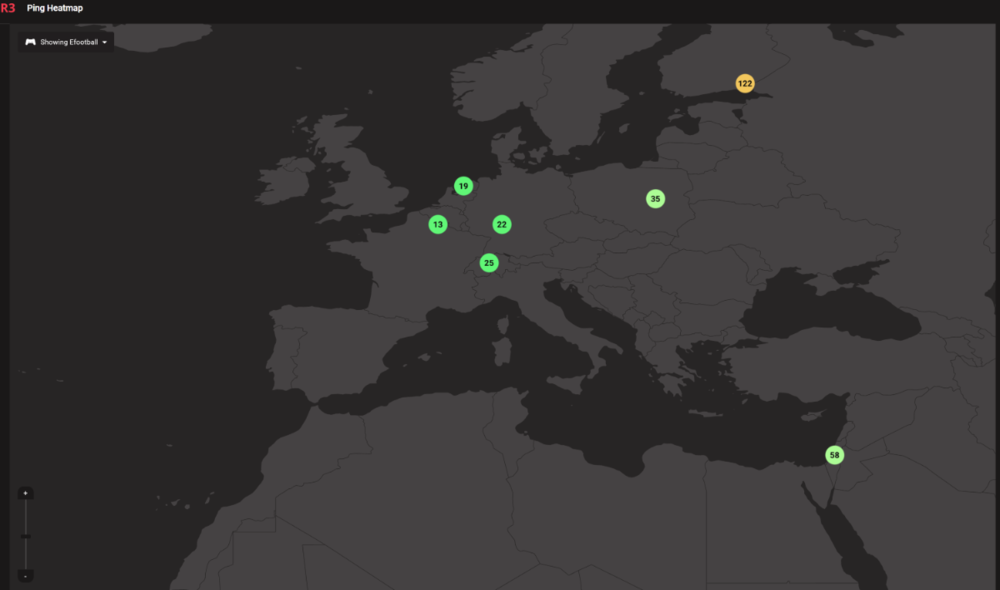
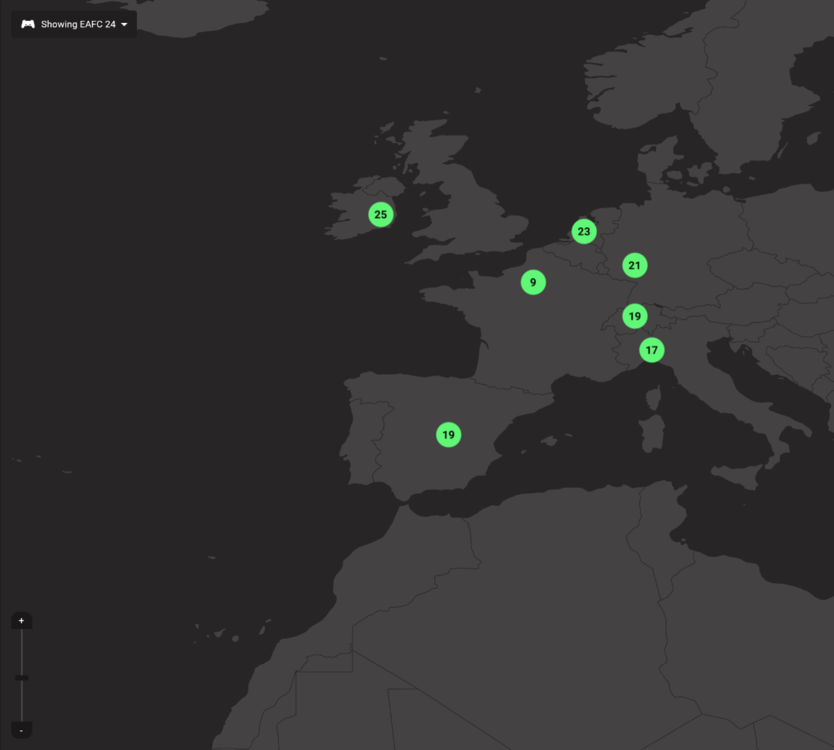
This is due to the fact that there is no server located there for efootball but Eafc yes! I can see it with ping heatmap!
-
Hi ! From memory, you can put them in AP mode. In this way the R2 will manage the QoS of the devices connected to it!
-
You can write in Turkish, Google translate is there!
-
Do you mean that you access the game on a blocked server or just that you can ping a blocked server? (disabling auto ping is normal)
-
From what I see, no, it blocks servers outside the selected zone. There's just no server...!?
.png)