
Krush
-
Posts
5580 -
Joined
-
Last visited
-
Days Won
62
Everything posted by Krush
-
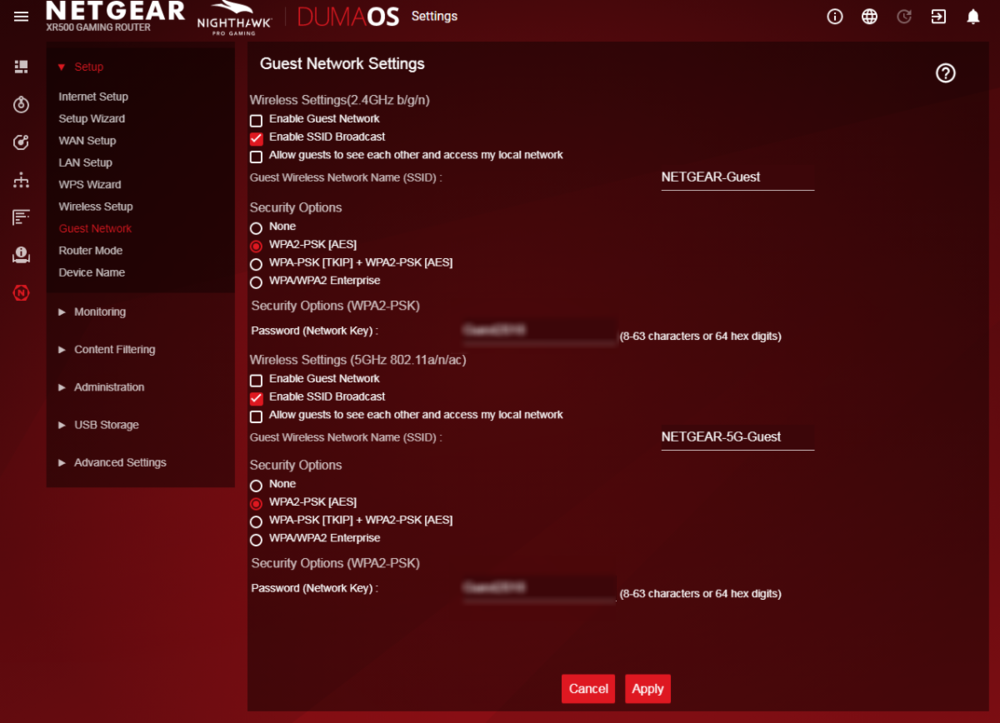
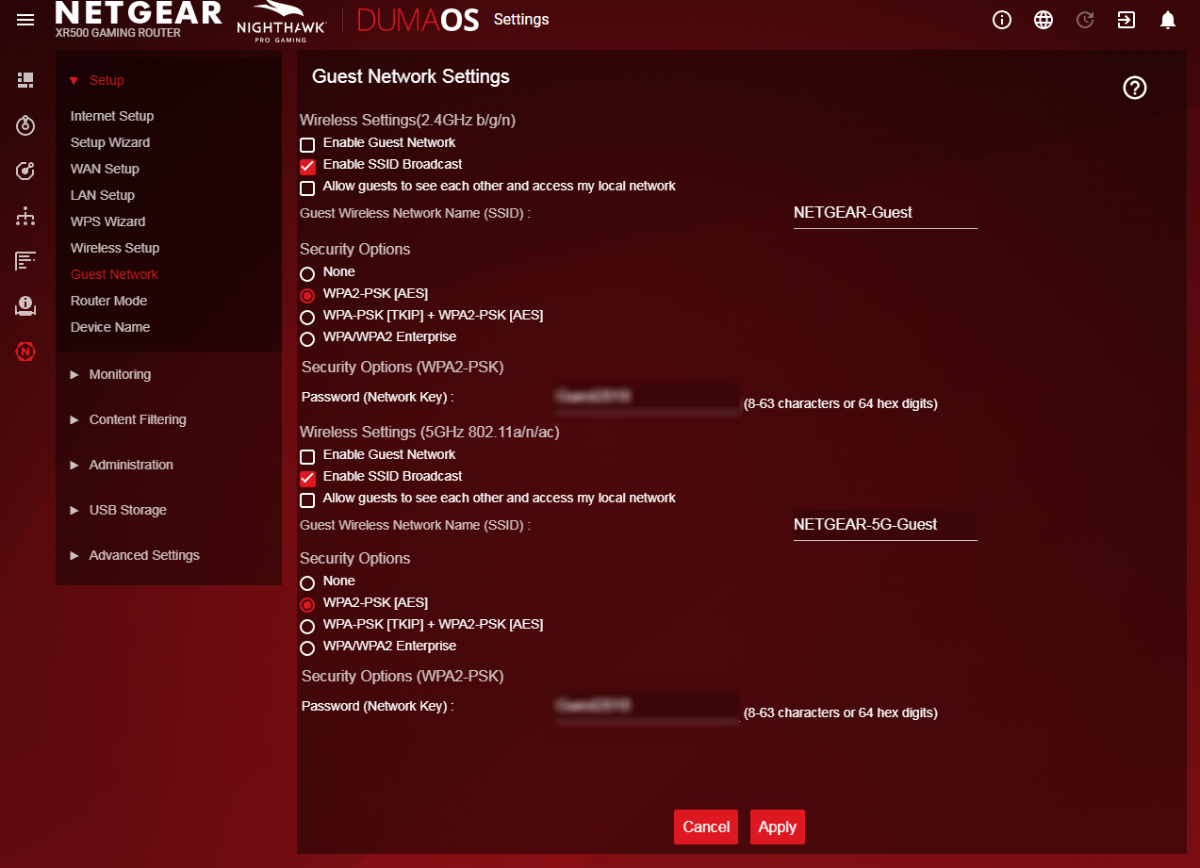
It seems normal to me that you don't have access to the administration page via the guest wifi, it is its role not to give access to the peripherals which are connected to it on the local network (guest)! To separate the bands, you just have to uncheck the box "Enable smart connect" Don't forget to put 2 different names (ssid) to differentiate them! You can disable the guest wifi part, if you don't need it!
-
NEW XR700 BETA FIRMWARE: 3.3.363
Krush replied to Netduma Lew's topic in NETGEAR Nighthawk Support (XR range)
I think this has already been asked, duma side! the software being separated. But, I think Netgear won't deal with updates anymore... XR700 no longer built/marketed... (old router) Except maybe a security update, LoL! -
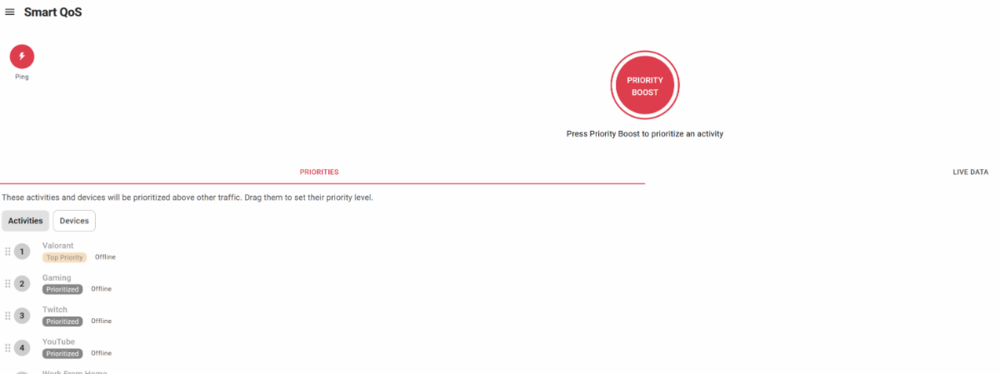
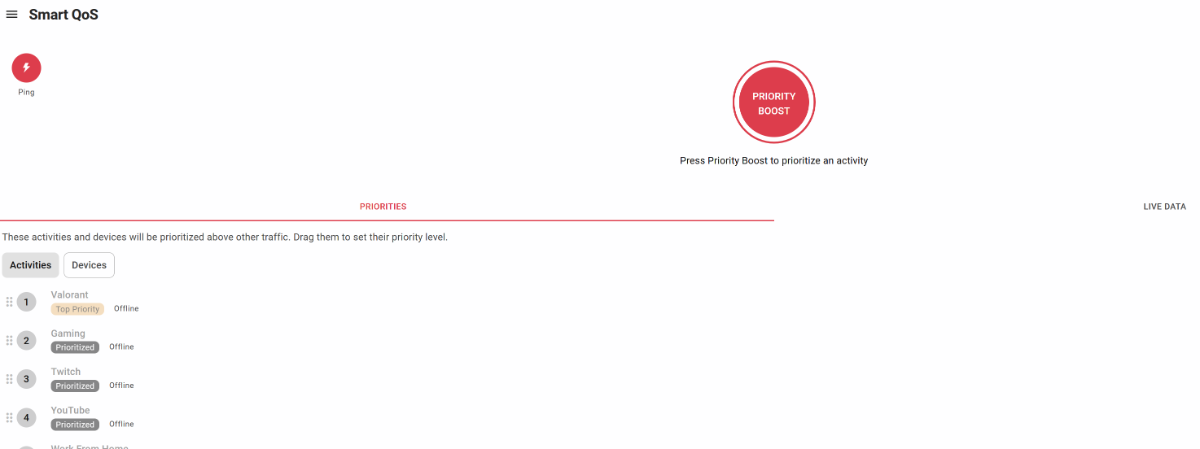
You can try by prioritizing the apps in this way and optimizing control congestion to 70/70% and reduce it until you no longer have any peaks by using apps with bandwidth! This is only an example but the game you are playing must be highlighted on SmarQoS in any case if it is recognized by the DPI...

-
Sorry, I said a minute... but I meant let the chart fill up...
-
At first without! To see if you have spikes in your connection alone. If this is not the case, you can try with apps that consume bandwidth and optimize SmartQoS accordingly!
-
Hi ! You can put a dns type like 8.8.8.8 (Google) Run for 1 mins and send screenshot.
-
NEW XR500 BETA FIRMWARE: 3.3.535
Krush replied to Netduma Lew's topic in NETGEAR Nighthawk Support (XR range)
Hi ! You will never get more than 950Mbps on a throughput test with a 1Gbps ethernet card or the test is truncated. It may also be limited depending on the CPU of your device used for the test. Regarding the dumaOS Benchmark Test, the lower speeds given compared to that of your ISP connection are due to the test server which is either not optimized, or is degraded due to your ISP's peering. The best solution to connect the different variables of its IP connection remains the Iperf tools... -
...DFS channel not supported by device?...
-
NEW XR500 BETA FIRMWARE: 3.3.535
Krush replied to Netduma Lew's topic in NETGEAR Nighthawk Support (XR range)
Hi ! This is purely graphical, setting the max DL speed to 950 Mbps is the max hardware speed on an RJ45 port! -
If there could be a remaster of MW3 with FOV, clearly I'm taking it and raising my RD clan! (the Pro Report asset ... hihi) Unfortunately, the last times I went back to multiplayer it was a niche hack like BO2 because of cross gen (xbox)
-
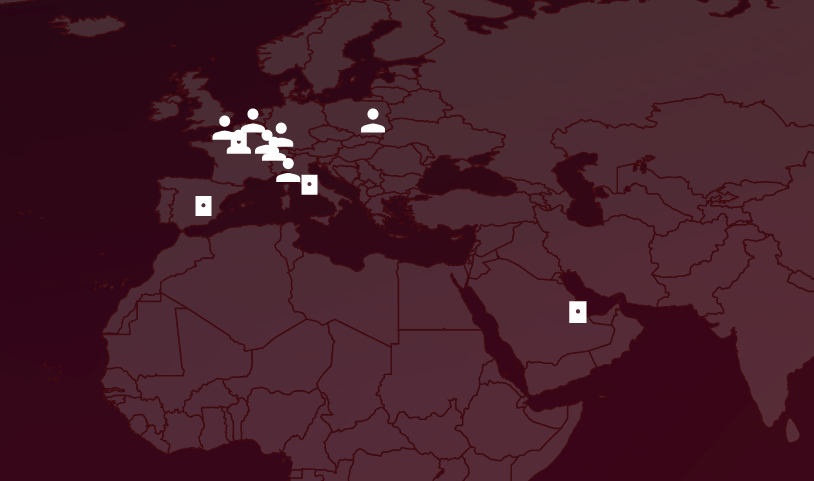
If you are in Cyprus apart from hoping for lag compensation... there is nothing more to hope for with DumaOS on this game (COD)... You can always try different server with geofilter...
-
NEW XR500 BETA FIRMWARE: 3.3.535
Krush replied to Netduma Lew's topic in NETGEAR Nighthawk Support (XR range)
it stings...40... Do the test with a "listed" MAC or netbios device first! -
NEW XR500 BETA FIRMWARE: 3.3.535
Krush replied to Netduma Lew's topic in NETGEAR Nighthawk Support (XR range)
In this case, you will have to manage a network card on your PC or other to keep access to its administration page, the subnet will simply allow you to have faster access to the interface! If I understood correctly your peripherals behind your AP in wifi, are not recognized (noname) automatically on device manger but they are listed on the DHCP of the XR500? You have to restart them so that the netbios is recognized... -
NEW XR500 BETA FIRMWARE: 3.3.535
Krush replied to Netduma Lew's topic in NETGEAR Nighthawk Support (XR range)
Is it an access point connected in RJ45? Can you assign it an ip fix or DHCP on its interface? I found a combination with a manageable switch so that it does not appear in device manager and disrupts the different functionalities! Just assign it the same ip fix outside the DHCP range as a device on your local network, whose ip is fixed! AP works like a switch so is transparent with respect to the router which delivers the ip in DHCP... -
NEW XR700 BETA FIRMWARE: 3.3.363
Krush replied to Netduma Lew's topic in NETGEAR Nighthawk Support (XR range)
It was just to know if the lan switch was not physically blocked at 1 Gbps, which does not seem to be the case with QoS disabled! Let's say I have a 8Gbps DL line (which is the case) using the SFP+ port as Wan, I could download via the XR700 Lan switch on 6 machines at the same time at 110 MB/s, or even aggregate 2 ports Lan for transfers / downloads at 220 MB/s in principle! -
Hi ! SmartQoS is not visible on the PC/Desktop view, you will need to use this link to access it: http://192.168.77.1/dumaweb/#smartqos
-
netduma r3 Netduma R3
Krush replied to HANDSOME KING's topic in Feature Ideas & Improvements for DumaOS
Hi Because it's still in the beta test phase on the r2! -
NEW XR700 BETA FIRMWARE: 3.3.363
Krush replied to Netduma Lew's topic in NETGEAR Nighthawk Support (XR range)
Hi @e38BimmerFN If you have a connection higher than Gbps... Could you check for me by placing the wan on the SFP+ port and performing 2 simultaneous tests on 2 different machines behind the XR700's integrated rj45 switch? Just to see if the flow is shared or if it can deliver more than one Gbps... -
Ok, donc même si le débit est en sfp"+", le débit reste limité en wifi, parcontre le switch intégré gère combien Gpbs en partagé ?
-
Not sure... SFP... after that it only has wifi 5 so no interest!?
-
it's not a "worldwide" standard (Vive la France hehe!) as shown in this table, but we'll go through it for sure! I can't wait to see a DumaOS router with a Wan SFP+ or RJ45 10G, and game consoles equipped too! For the moment except on PC (if the servers follow) it's still bottleneck unfortunately!
-
I don't know the price difference between an integrated switch on a 1G vs 2.5G router but just a 2.5G Wan would allow for better Wifi6 performance... 6E Then there are a lot of hardward / softward constraints on the routers... For example, my ISP router allows me to have 10G (8G in Gpon) in SFP+ (with an SFP+ compatible switch behind) but the integrated switch of the 4-port RJ45 ISP router only allows me to have 1G shared... (stupid) Environment (OS) + speed, it's paid for... and it's very expensive!
-
If you want to get the best performance for the game on your PC, just put it in performance mode and choose xmp mode for your RAM! For OC your graphics card, I recommend MSI after burner "Free "and test with 3D mark in demo mode, "also free"! There's nothing to complicate, just take the time! https://store.steampowered.com/app/223850/3DMark/ http://download.msi.com/uti_exe/vga/MSIAfterburnerSetup.zip All the information is given on the internet, just take the time to do the research!
-
FIRMWARE: 3.3.308 Smart QoS (Hit Detection)
Krush replied to TODDzillaInLA's topic in Call of Duty Support
In a world of care bears... -
FIRMWARE: 3.3.308 Smart QoS (Hit Detection)
Krush replied to TODDzillaInLA's topic in Call of Duty Support
Definitely don't do that! I guess it sounds like a good feeling, but it's a waste of time...

.png)