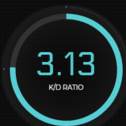
Popular Post Chaiyoabc Posted March 15, 2025 Popular Post Posted March 15, 2025 Hey Netduma fellows, Hope you’re all having a great day! I wanted to share the best settings I’ve found for improving my online gaming experience. Now, I’m not sure if the Netduma team will be happy about this because, honestly, none of these settings are related to the Netduma router. I’ve been using Netduma routers for over five years, starting with the R1 model. Sometimes, they performed great; other times, not so much. Over time, I began to question whether using QoS alone was the best approach—until I was introduced to SQM (Smart Queue Management). Some of you might already be familiar with SQM, CAKE, and FQ_CoDel, but let me tell you—SQM is an absolute game-changer when running on high-performance router hardware with OpenWRT. My Solution for Consistent Performance The key to getting good, consistent results (which has helped me maintain a 3+ K/D ratio in every FPS game) was: 1. Using a high-performance router that supports OpenWRT 2. Enabling CAKE as the QoS algorithm Since CAKE requires significant CPU power, I chose the Flint 2 router, which can efficiently shape over 500 Mbps of traffic while running CAKE. The Best Part? Set It and Forget It The only tuning required is adjusting overhead and MPU (Minimum Packet Unit) settings. Other than that, once set up, it just works. That’s all I wanted to share. Hope this helps someone out there struggling with network consistency! jonnyg56, RiotControll, Behringer-93 and 3 others 3 3
jonnyg56 Posted March 15, 2025 Posted March 15, 2025 I did the exact same thing about 3 mths ago and I have not looked or messed with the flint 2 since... It just works once setup 👍 Like you I have owned the XR500 & R2 and was forever messing trying to get my bufferbloat under control or hit detection in COD was off or freezing etc etc, I was a constantly messing trying to get it consistent which I think is partly due to living in a busy house hold with 3 boys playing on there PC's and streaming etc but since moving over to Open-WRT everything just works including my Call of Duty games. The only thing that is lacking in the factory Open-WRT on the Flint is Geo-location but if you flash 23.05 or newer there is something called Geomate which I am yet to try, until I pluck up the courage to flash the Flint I'm using the R2 purely for the Geo-location. KinGzzy Cake is like QOS for Open-WRT supported routers if you are interested head over to forum.openwrt
jonnyg56 Posted March 15, 2025 Posted March 15, 2025 You don't have to use a Flint2 Open-wrt is supported on 100's of routers.The Xr500 can be flashed with Open-wrt.... If it's something you really want to look into you will need to do some research as everyone's internet connection/requirements are different.
Krush Posted March 15, 2025 Posted March 15, 2025 I would also like someone to explain PMU 😁... MPU to me like a 6-year-old child.
Alexmeer Posted March 15, 2025 Posted March 15, 2025 8 hours ago, Chaiyoabc said: Hey Netduma fellows, Hope you’re all having a great day! I wanted to share the best settings I’ve found for improving my online gaming experience. Now, I’m not sure if the Netduma team will be happy about this because, honestly, none of these settings are related to the Netduma router. I’ve been using Netduma routers for over five years, starting with the R1 model. Sometimes, they performed great; other times, not so much. Over time, I began to question whether using QoS alone was the best approach—until I was introduced to SQM (Smart Queue Management). Some of you might already be familiar with SQM, CAKE, and FQ_CoDel, but let me tell you—SQM is an absolute game-changer when running on high-performance router hardware with OpenWRT. My Solution for Consistent Performance The key to getting good, consistent results (which has helped me maintain a 3+ K/D ratio in every FPS game) was: 1. Using a high-performance router that supports OpenWRT 2. Enabling CAKE as the QoS algorithm Since CAKE requires significant CPU power, I chose the Flint 2 router, which can efficiently shape over 500 Mbps of traffic while running CAKE. The Best Part? Set It and Forget It The only tuning required is adjusting overhead and MPU (Minimum Packet Unit) settings. Other than that, once set up, it just works. That’s all I wanted to share. Hope this helps someone out there struggling with network consistency! I tried CAKE before but couldn’t get it working properly. Maybe my router isn’t powerful enough.
DARKNESS Posted March 15, 2025 Posted March 15, 2025 @KinGzzyThere's something called google search .... jonnyg56 and Behringer-93 1 1
Chaiyoabc Posted March 15, 2025 Author Posted March 15, 2025 In addition to be more specific about OpenWRT and cake - it works on whatever router that support OpenWRT. I have Flint 2 because it is capable of shaping traffic at 500-600 mbps. Heck I even had 6 years old Linksys Wrt32x with latest version of OpenWRT installed. It worked well but I had to force 100/100 mbps in order not to kill the CPU lol - I highly recommend to install ‘qosmate’ plugin. Its the best qos i have ever tried. You can literally customize everything. It allow you to choose between HFSC and CAKE. You can customize in what packet to prioritize for specific device ip. You can adjust Overhead MPU, RTT and many more. You can also try different diffserv and check if gaming packets are actually in right category class. - There is also plugin that work like Netduma’s geofilter but unfortunately, it is not as good as Netduma geo. i am not an expert so I cant explain them all
Krush Posted March 15, 2025 Posted March 15, 2025 "Tiercé" Winner! It's going to get difficult to find excuses for not having a ratio of 3... https://www.waveform.com/tools/bufferbloat?test-id=04eb79f1-8ce2-4fd9-baf3-7182b8c17e96
Administrators Netduma Fraser Posted March 15, 2025 Administrators Posted March 15, 2025 Glad you're all having an open converstation about networking, that's great! If I could ask you to take the conversation elsewhere though, this is the Netduma support forum, so not the place to be promoting alternative routers Krush, Zli, VeeDot and 2 others 3 2
Tony23 Posted March 15, 2025 Posted March 15, 2025 While I understand Fraser, I would like to learn more about that and see what else is possible. Cant we take the conversation to some discord? Zli 1
Administrators Netduma Fraser Posted March 15, 2025 Administrators Posted March 15, 2025 40 minutes ago, Tony23 said: While I understand Fraser, I would like to learn more about that and see what else is possible. Cant we take the conversation to some discord? That's totally fine, it's great that we can faciliate learning about networking to the point you're looking at it more in depth, however when it comes to promoting the use of other routers/software it's just not something we can have on the forum. You're welcome to all converse via PM and of course take it somewhere else like a Discord server Behringer-93 1
noob Posted March 16, 2025 Posted March 16, 2025 Hello everyone, just a heads-up: I met a guy online who uses an insane script and it works like a charm! He told me not to worry about bufferbloat, and after comparing it with QoSmate R3 on the XR1000, his script is by far the best. I can't quite explain it, but my gameplay feels much snappier and my shots register way better.
Chaiyoabc Posted March 16, 2025 Author Posted March 16, 2025 8 hours ago, noob said: Hello everyone, just a heads-up: I met a guy online who uses an insane script and it works like a charm! He told me not to worry about bufferbloat, and after comparing it with QoSmate R3 on the XR1000, his script is by far the best. I can't quite explain it, but my gameplay feels much snappier and my shots register way better. What is your link speed. What link type FTTH?
noob Posted March 16, 2025 Posted March 16, 2025 1000/1000 FTTH I would say, in order of effectiveness for my gameplay: this guy's script is number 1, Qosmate is number 2, and R3 is number 3.
Chaiyoabc Posted March 17, 2025 Author Posted March 17, 2025 13 hours ago, noob said: 1000/1000 FTTH I would say, in order of effectiveness for my gameplay: this guy's script is number 1, Qosmate is number 2, and R3 is number 3. Would you mind sharing the script. I would like to try as well
Administrators Netduma Fraser Posted March 17, 2025 Administrators Posted March 17, 2025 On 3/15/2025 at 9:55 PM, Netduma Fraser said: Glad you're all having an open converstation about networking, that's great! If I could ask you to take the conversation elsewhere though, this is the Netduma support forum, so not the place to be promoting alternative routers I'll close this topic now VeeDot and Behringer-93 1 1

Recommended Posts