


iOrcus
-
Posts
206 -
Joined
-
Last visited
-
Days Won
1
Everything posted by iOrcus
-

Eliminating bufferbloat has changed gaming for me
iOrcus replied to Megatf's topic in Netduma R3 Support
@ Rodolfo Lima settings?. I only do port-forward on the R3 for open NAT in Call Of Duty. What do you mean by controlling the bandwidth? To assign bandwidth to different devices in your house? If so, we don't have that feature on the R3. The ONLY thing I do is set my bars for the download and upload in congestion control. Besides that the only tweaks we have left is the smartboost. We are limited in the R3 in terms of tweaks we can do compared to R1 & R2 routers. -
Eliminating bufferbloat has changed gaming for me
iOrcus replied to Megatf's topic in Netduma R3 Support
@Tony @Rodolfo Lima @D3mon1c @Proud R3 Owner I have 1G of fiber plan (1000 up and 1000 down) . if you guys dont have fiber it will be more challenging to get EXCELLECT results. for my gaming pc im assigning 60 mbs Reserved of bandwidth to the followings: call of duty (series) call of duty ports (TCP) & (UDP) & i also make my gaming pc the ONLY device in the house with (x5). with the congestion control you guys have to play with it to find the perfect spot. im currently running with 81% for download & 84% for upload. i mainly ONLY play call of duty and my hit reg is NUTS!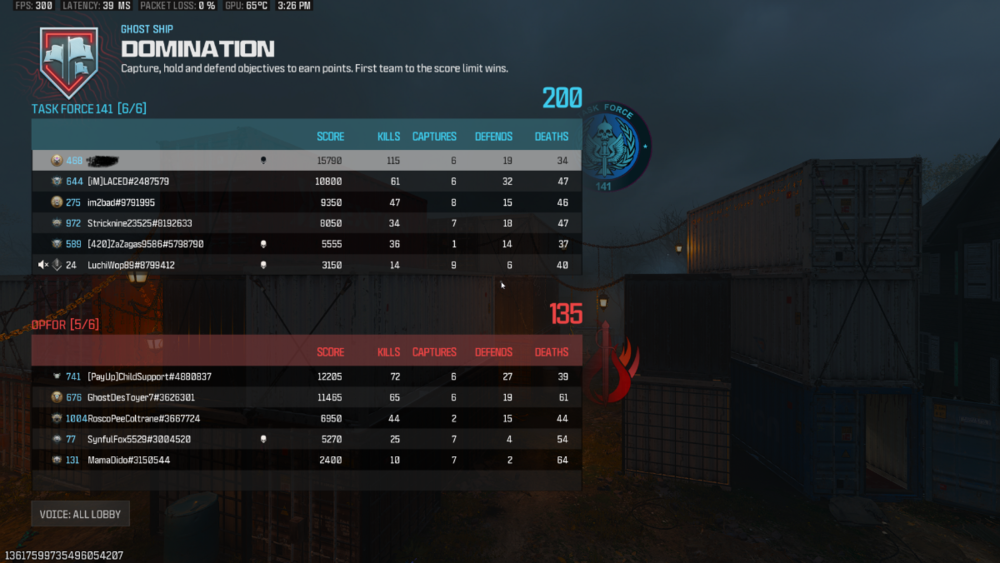
-
@pdoidy30 try this to see if it helps you. closed your game of choice. Use (SIMPLE) and place the radius on the servers you want to play ONLY (hopefully its more than 1-2 servers for short queue times). Avoid your local servers. Resync the cloud. Launch the game and try to find a match. If for some reason the game puts you in your local servers make sure you block/ denied them, back out to the main menu, go back and search for another match do this until you block all your local servers if the game keeps trying to place you there. Once you feel like you block them all. Quit the game Resync the cloud again. Launch your game once again and try to find a match. If the game keeps trying to place you on your local servers even after you blocked them. Downgrade to firmware version 266 only if you're on firmwares like 285/290 there's some weird bugs when it comes to the Geo-Filter. NOW! you will be dealing with another bug on firmware 266 with the smartboost where your bandwidth will decrease overtime. ( me personally I'd rather deal with that than the Geo-Filter issues until a BETTER firmware comes out) I Daily restart my router and I'm good to go for the day. Hope this helps.
-
Eliminating bufferbloat has changed gaming for me
iOrcus replied to Megatf's topic in Netduma R3 Support
@Megatf i just feel super BAD for the enemies!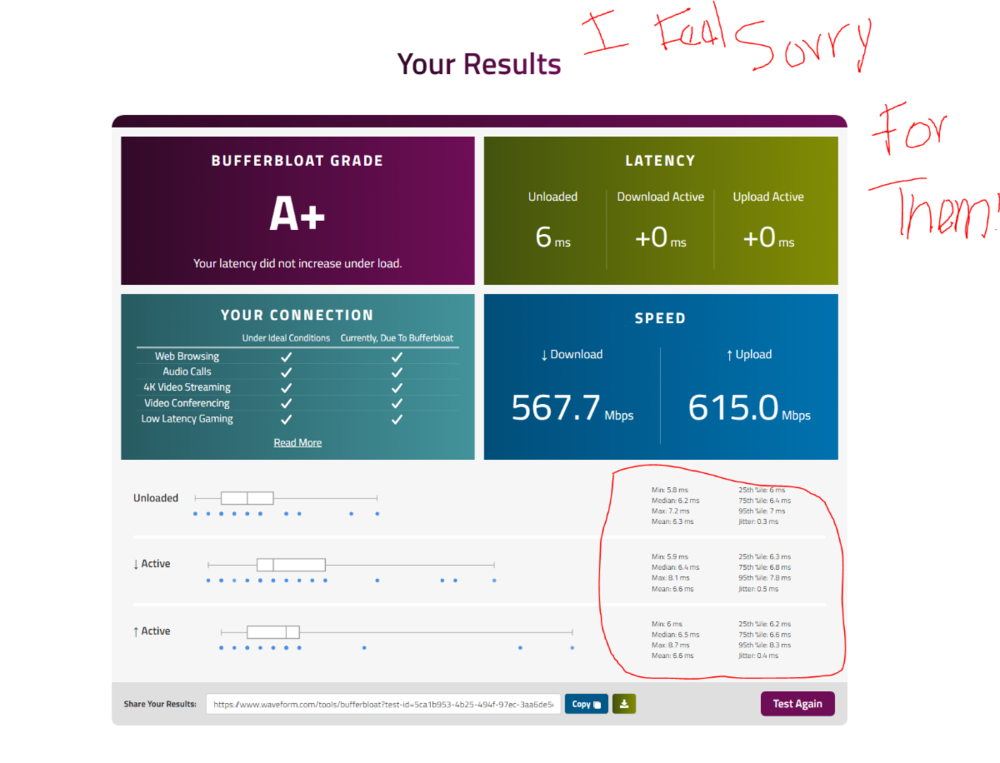
-
Simple question will there be any new firmwares for the R1?
-
Vous How can I translate all this to English?
-
You're right. Atlanta and Chicago servers are so BAD!
-
Thank you will try later this week
-
@Netduma Fraser@Netduma Fraser how would I locked myself on a EU server when I live in USA? Meaning I want to game to think I'm from there? Any tips
-
@Netduma Fraser what's in the new firmware? What are the fixes or new features added?
-
Ok thank you
-
@Sgt-Greco does the expressVNP slow down your connection and has a lot of packet loss? being playing on Washington dc server with it and im dealing with 5% packet loss playing b06 beta and warzone.
-
@Burtchnasty so how is it so far? Did turning it off made a difference?
-
Seems normal now for me as well
-
Same issue here.
-
Never mind. I'd figure out lol. Thanks
-
I can't see it. Need to go watch a tutorial rn. Thanks btw
-
Sorry I'm new to this. Where do I get the files from? I'm already trying the free trial. I'm on my cell rn
-
Thank you brother. I'm going to try out for the expressVNP free trial now. Which vpn inside the neduma I should pick? Is there a video I could watch?
-
@Sgt-Greco does it really get you less sweat lobbies?
-
Ok thank you
-
Oh I forgot to ask you. On smartboost, is it better to create different profiles to add devices or should I just add them in a single profile? What's the pros and cons if any? @Netduma Fraser
-
ok thanks
-
I was scrolling through topics on here and couldn't find anything related to this. I need help creating new vlans on the R3 for for all my devices at home.


.png)