


e38BimmerFN
-
Posts
954 -
Joined
-
Days Won
3
Posts posted by e38BimmerFN
-
-
On 9/1/2024 at 5:12 AM, GigaLabs said:
Hey Netduma Team,
Do you think the SFP port on XR700 is compatible with 10 Gbit/s Technologie XGS-PON ?
Some providers sell 1gb/s (my current use of XR700, directly to the fiber) and also 10gb/s...
What do you think ?
Thanks a lotI got a 10Gb SFP to ethernet adapter for my XR700 and R9000, both work with this adapter. Thought I don't have a 10Gb ISP connection. Works on the CAX80 and CM3000 cable modems.
-
That would be correct.
There are many online resources for IPv4 and subnetting standards online.
No.
-
Networking standards for IPv4 don't allow for this. Especially not a home class routers.
-
Just FYI, played The Division 1 game for about two hours last night with the xbox wirelessly connected to the R1 and played with a friend with MS Chat running. No issues.
-
Ok, so I connected my R1 with v.207 loaded to a NG CM series cable modem and then connected my Xbox One X (Not Series X) via 2.4Ghz and logged in. Just had a long private xbox chat party conversation about NG routers wtih a friend of mine over the wireless thru the R1. Could hear and talk just fine. Last time I checked was with a different NG modem and the R1 and Xbox One at the time was all ethernet connected. Not sure if the CAX80 would have been a cause of my last reporting of the R1 and MS Xbox chat not working or something else. The CAX80 would have been in modem only mode. I'll check with some gaming and in game chat to see if that works. I'll have to come back to this after a while. I believe the CAX80 will be back in play then so I'll check again on this.
Would be good if other R1 users can test this out as well if they still have one.
-
Just wondering two years later if this was fixed in v.207 FW?
-
You'll need to contact the ISP and have them send a tech out and have one wired PC connected to there modem. Have them review the ping plotter information and results.
Something I mention to cable modem users so may not all apply to your ISP or configuration but give some direction:
Have the ISP check the signal and line quality UP to the modem. Be sure the ISP provisions the modem correctly.
Be sure there are no coax cable line splitters in the between the modem and ISP service box.
Be sure your using good quality RG6 coax cable up to the modem.
Start with removing any amplifiers, signal attenuators, or splitters from the coax.
From there check the line for kinks, damage, moisture in the line.
Check the connectors for improperly made ends, foil touching the copper coax line, loose connections, bad/old/cheap connectors, or corroded connections. Replace them if you do.
Be sure to power OFF the modem for 1 minute then back ON.
https://www.duckware.com/tech/solving-intermittent-cable-modem-issues.html
https://highspeed.tips/docsis-events/Good Luck.
-
Something to try and see if this might help recover the wifi radios:
On 9/11/2023 at 5:24 PM, user12a said:The 3.3.363 bin killed my WiFi on the XR700. I have not been able to recover it.
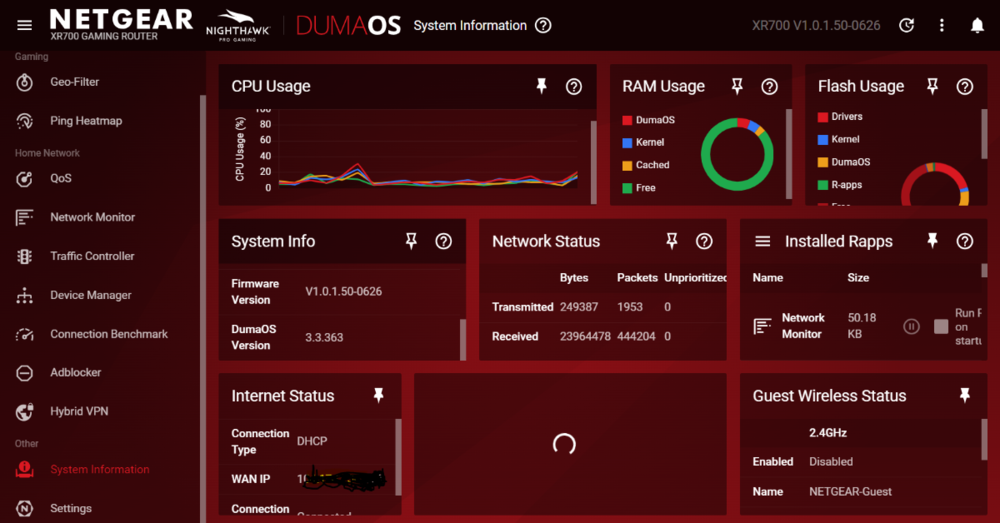
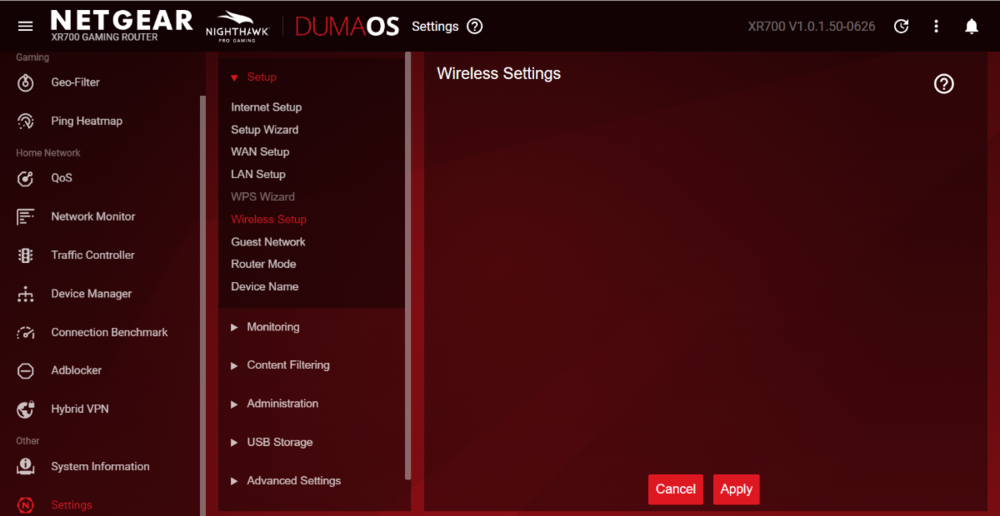
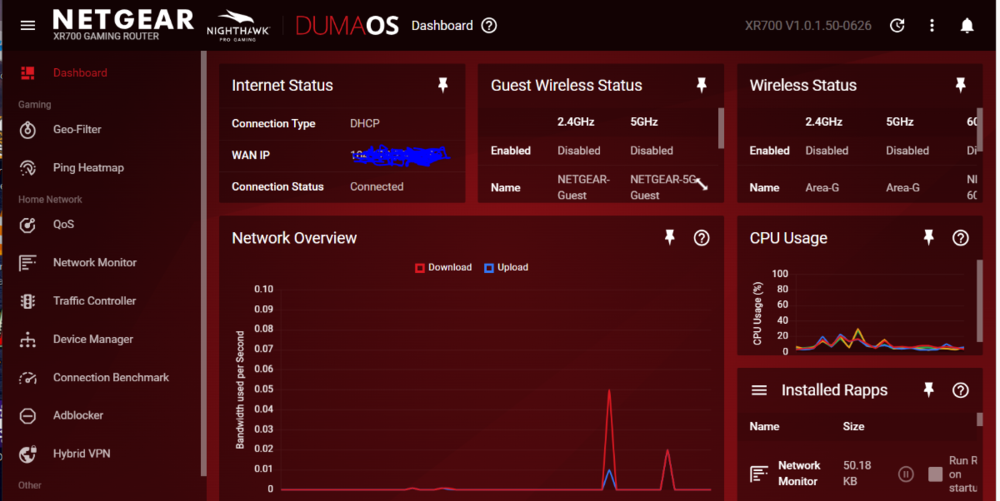
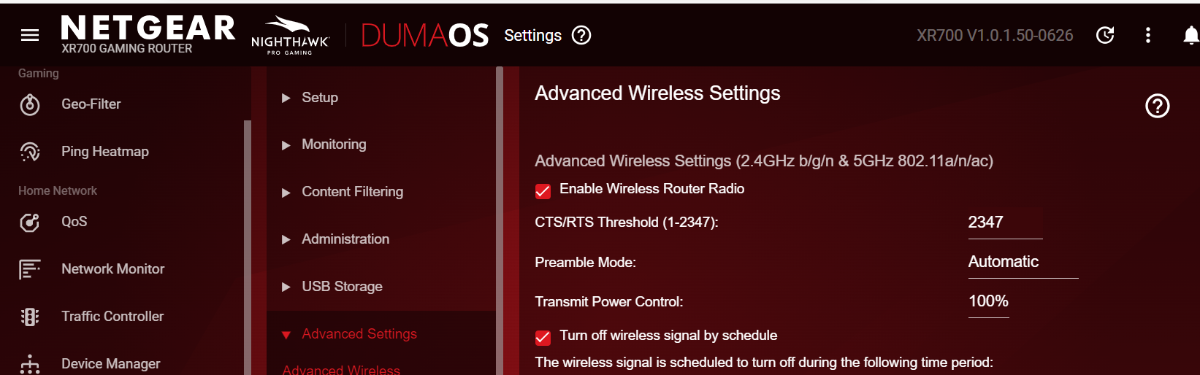
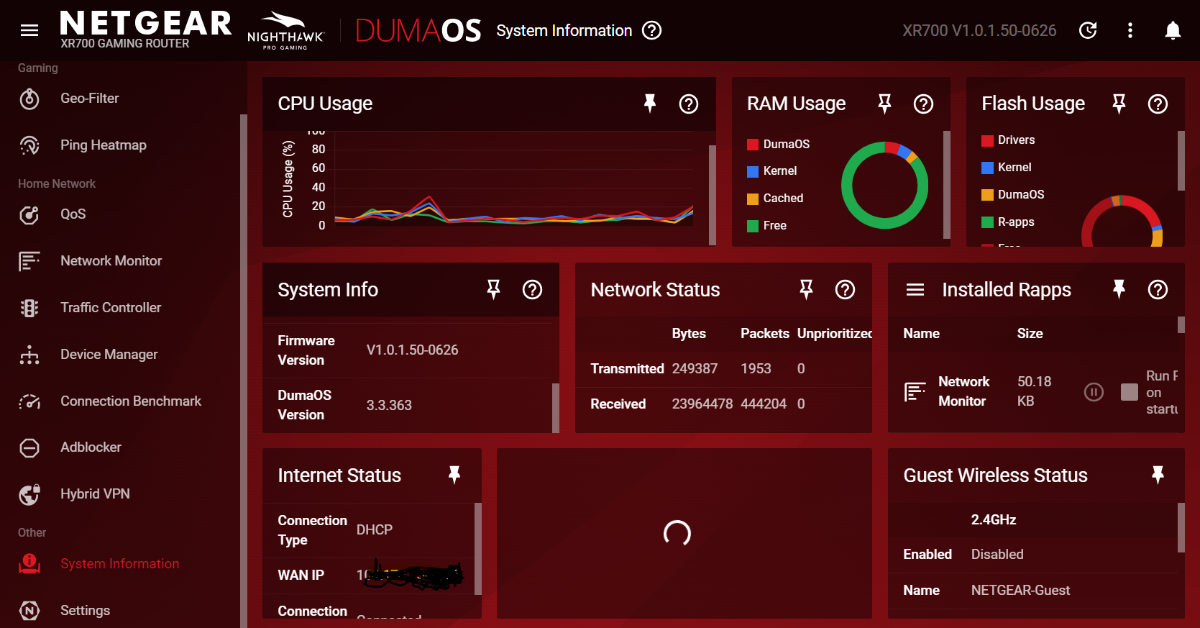
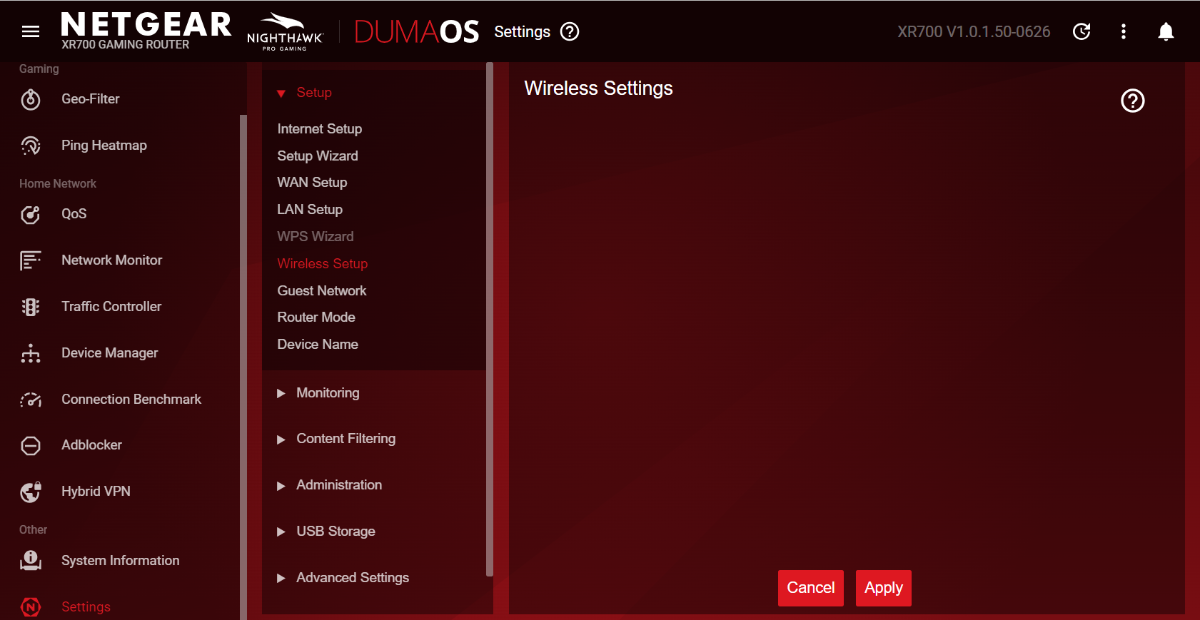
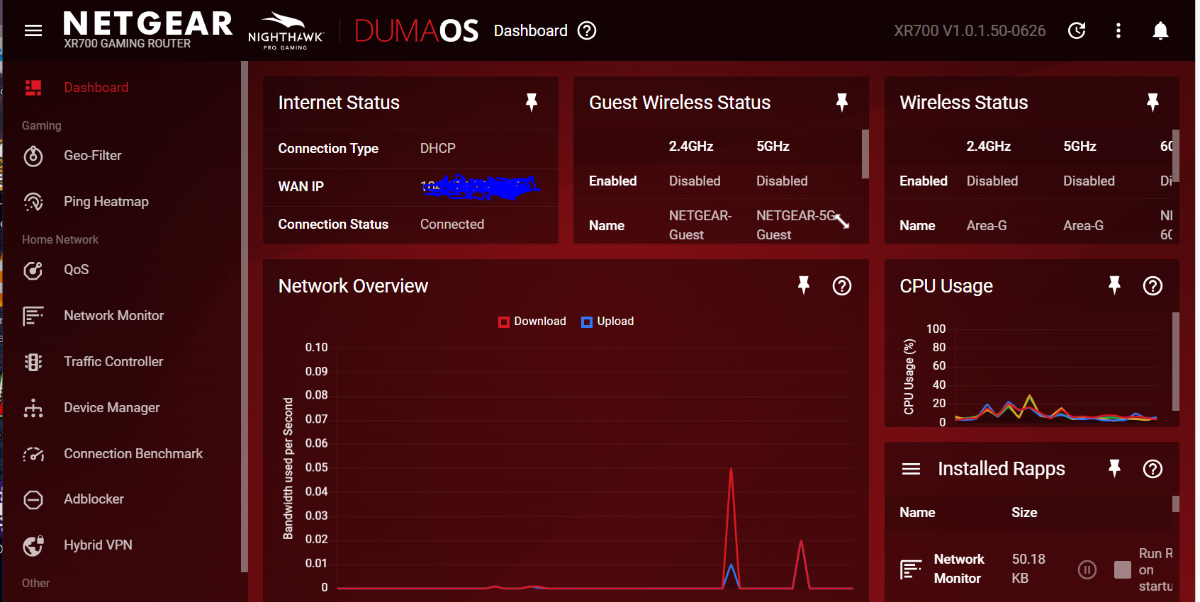
I just got word on the new bin release and updated mine today. Everything looked fine initially. Did all the speed test and checked all the basic settings. As I was clicking through to see all the new settings, suddenly a small window popped up and mentioned some illegal command even though I have not changed anything. It froze. I reset both my computer and the router. Then I noticed that that 2.5/5 wifi lights are dimly lit, perhaps 50% intensity and flashing even when the router was initially turned on and stay in same state. Usually they remain off until wifi is established. Then I noticed there is no wifi. The wifi setting page is blank. The dashboard showed the wifi is disabled. But the advanced wireless showed that wifi is enabled. I tried resetting with the paperclip through the reset hole. Nothing changed afterwards.
Then I downgrade the FW to a version 20 with telnet and went in to reset the NVRAM to factory condition. I went through all the new router setup but wifi still will not come back. I have also upgraded back to 3.3.363 and same wifi problem. I tried the wifi button on the router but did not do anything. I went in the setup and changed the wifi enable off and back on. It did nothing. The wifi lights remained to be about ~50% intensity but not flashing, and the AD light is at full intensity. The radio is not on. No SSID detected as the radio is not transmitting. I have spent a few hours and cannot get the wifi back to work. It is kind of a bummer after waiting this long and then the new bin half bricked my router without wifi. Now I have to go back to my R9000. I actually have another XR700 but I wouldn’t touch that one.
Can anyone help?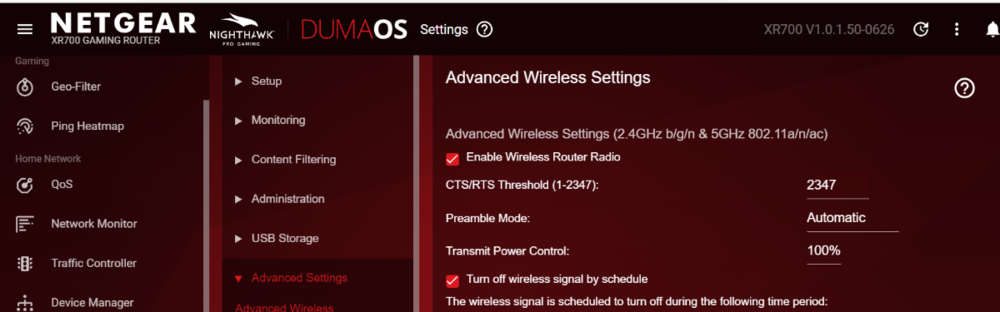
-
I wanna confirm with you that your telnet process WORKS. I had a 2nd XR700 that I got off fleabay last year and probably spent too much money on it. It was loaded with DD-WRT and I thought if I got it, I could revert it back to NG stock FW. Ya, that didn't work entirely. After loading NG stock FW, the wifi radios become non functional. After going thru TFTP and such, I talked to someone about it and they said DD-WRT has a bad method of changing NVRAM items around on this particular model router. Would need to find something to blow that away and we couldn't find anything or information to resolve that. So Router sat for months collecting dust. YOU DID. THANK YOU VERY MUCH. After connecting to the router, it already had v.20 loaded and just enabled Telnet and after running the commands, BOOM, back up fully. Only took a few minutes.
I can't give enough KUDOS to you and Kamoj as well. I've used his stuff before. Just didn't know he would have this info. Possible that this may work for other models though I can't confirm that.
So this one XR700 is now working and back on NG stock FW. I might leave it on v.20 FW for now as I have a 2nd XR700 that's loaded with the Duma Beta. Ya I have two XR700s. Hehe.
Please let Kamoj know this works for getting NVRAM and WiFi Radios back up and running should there be some bad state, OR if the XR was loaded with DD-WRT and NG stock FW was sent, users will need to load up v.20 FW, enable telnet, then run the R9000 commands from the telnet console and after the reboot, the unit should be fully back online and working normally.
THANK YOU AGAIN.
💘💯
On 11/1/2023 at 4:04 PM, jodafi said:Regarding the WiFi (and Duma not lodaing) problem. I had same problem and found the solution... It is to reset the nvram. Here´s what I found.
"Execute these commands through telnet into the router, courtesy of kamoj at snb.
WARNING: These commands will erase all your settings and should not be tried out if you are under warranty. Use at your own risk.
To make a real "Factory reset" issue these commands:
For R7800:Code:
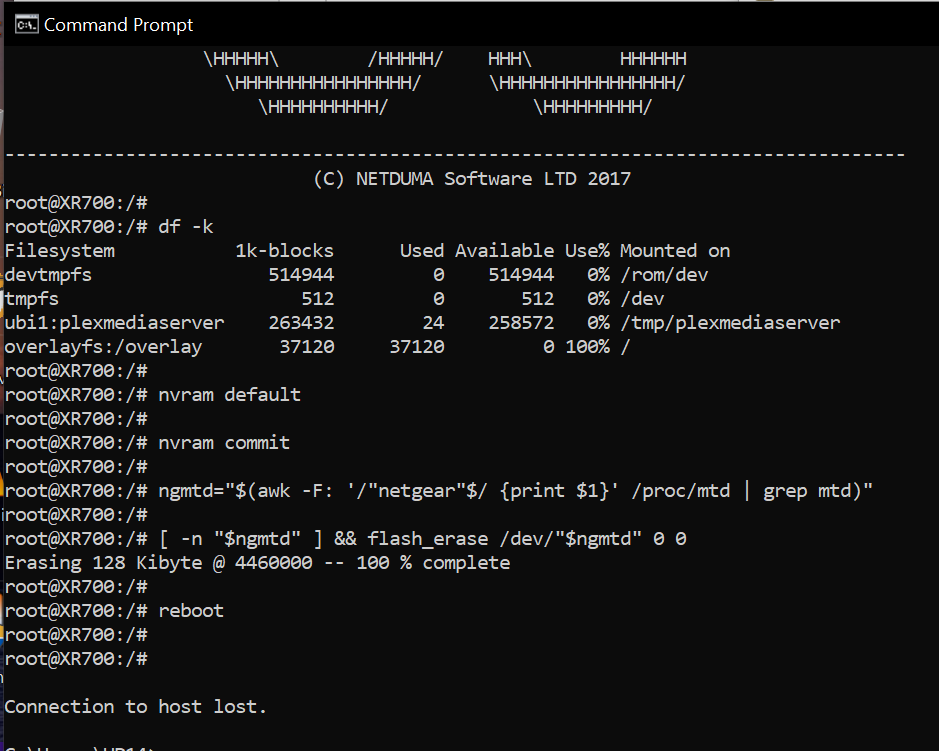
nvram default
nvram commit
mtd erase netgear
reboot
For the R9000 ( the mtd command does not exist so you should try these commands instead:Code:
nvram default
nvram commit
ngmtd="$(awk -F: '/"netgear"$/ {print $1}' /proc/mtd | grep mtd)"
[ -n "$ngmtd" ] && flash_erase /dev/"$ngmtd" 0 0
reboot "
By the way, the R9000 command works on XR700 also
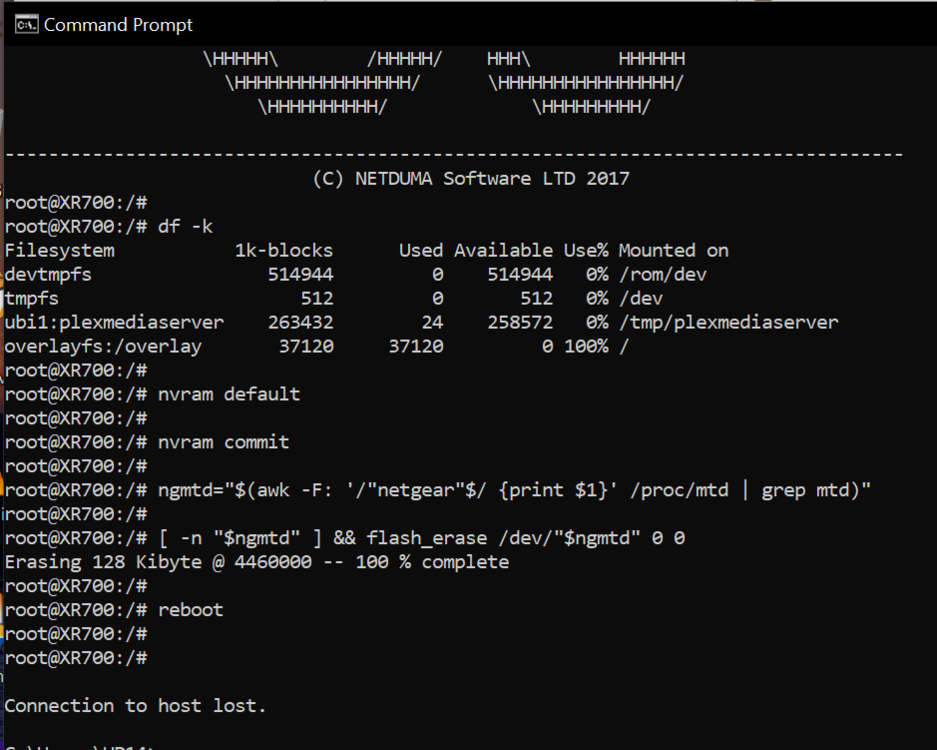
- Netduma Fraser and kamoj
-
.png) 2
2
-
Did you first test packet loss with Pingplotter app on a wired PC connected directly behind the ISP modem or ONT with out the XR router being in the middle?
What brand and model ISP modem or router are you using?Whos your ISP service.
-
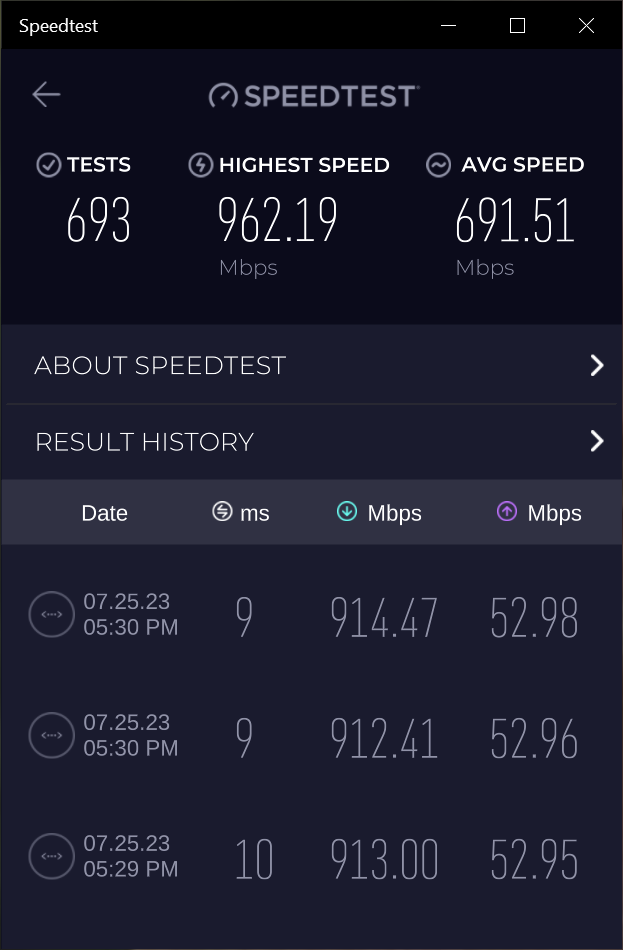
What got on my XR700 with a 1Gb/50Mbps ISP service line with the beta FW loaded:
-
Last version was .50 for the XR700.
I presume if that fails as well, the wifi radio maybe a bust. If this is the case, only option would be to disable all radios on the XR router, then connect up a different router or wifi MESH and configure AP mode on this system and connect it to the XR router. Then you can continue to use the router portion. Besides there are better wifi systems than the XRs radios. I wasn't really impressed with the used one I got several months ago. Even with Dumas Beta loaded.
-
On 9/12/2023 at 11:08 AM, user12a said:
There is no problem downgrading and upgrading FW in the normal interface, Usually the TFTP method is not reliable as the handshake is not always established.
I just need to get my XR700 wifi fixed as it is relating directly to loading the Duma update bin. I had no problem previously but seem to be relating to this 3.3.363 bin specifically. It was working perfectly until I tried this 3.3.363 bin. This is an expensive router to be broken like this. I wouldn't recommend anyone else try this bin upgrade without this issue being fixed.
Can you send me a new bin that can fix the wifi ? Apparently you guys are aware of this issue.
Have you downgraded back to NG stock FW? The last version that was released from NG?
-
Try using NMRPFlash to TFTP. This is supposed to have the ability to catch the point where TFTP is enabled and send the FW to the router.
-
If keeping both wifi enabled, then needs to ensure wifi channels on each unit are far apart and keep the two units far apart in placement as well.
-
Disable ALL wifi radios on the ISP modem, configure the modems DMZ/ExposedHost or IP Pass-Through for the IP address the NG router gets from the modem. DMZ will work here and is recommended.
-
-
8 hours ago, Fuzy said:
Hi @e38BimmerFN
If you have a connection higher than Gbps... Could you check for me by placing the wan on the SFP+ port and performing 2 simultaneous tests on 2 different machines behind the XR700's integrated rj45 switch? Just to see if the flow is shared or if it can deliver more than one Gbps...
Unfortunately my ISP doesn't have anything over 1Gb yet. I asked last week and the agent had no idea if the ISP was going to put something faster out. My ISP still hasn't put up support for IPv6 yet.
Sounds like someone gave some feedback though. In addition, I presume two or more devices should see same speeds if the SPF port was being used for the internet access. Though remember, all the RJ45 ports on the LAN side are 1Gb max. So you'll not see much over 900Mpbs there.
-
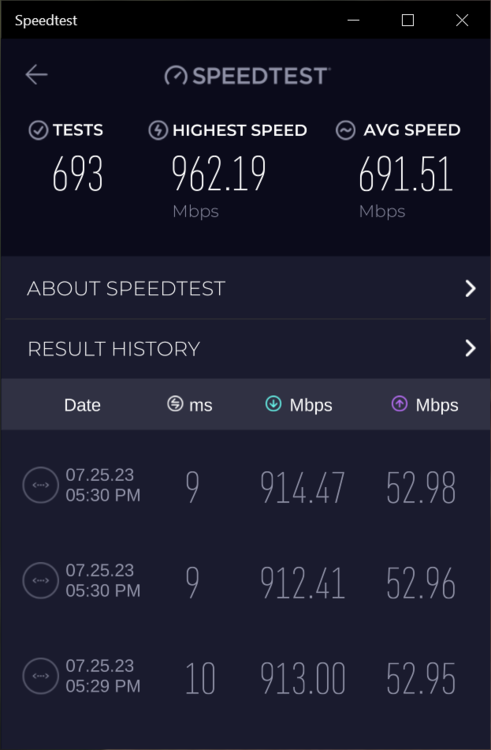
Just checked again with the wired PC and speeds and there much better than before. Given some settling in time, looking great now:
-
Ok so I felt confident enough to put the XR on the main home network. Got it pre-staged and configured for what we use here.
10Gb SPF enabled and then connected to a CAX80 2.5Gb port running in modem mode.
Saw some extra LAN activity on the main LAN as is a ARP storm. Possible system was settling in or something. All quite now.
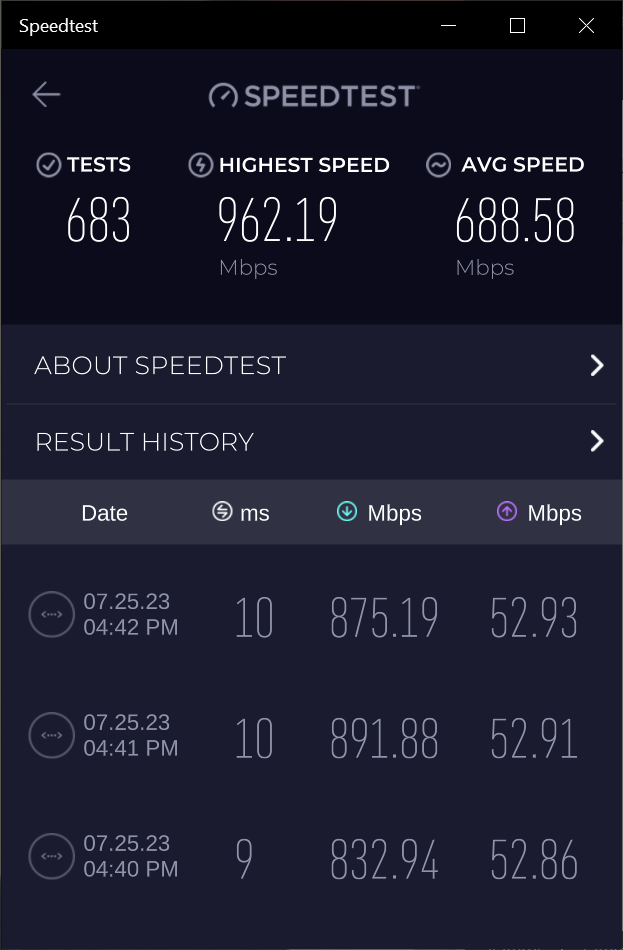
Ran some speed tests:
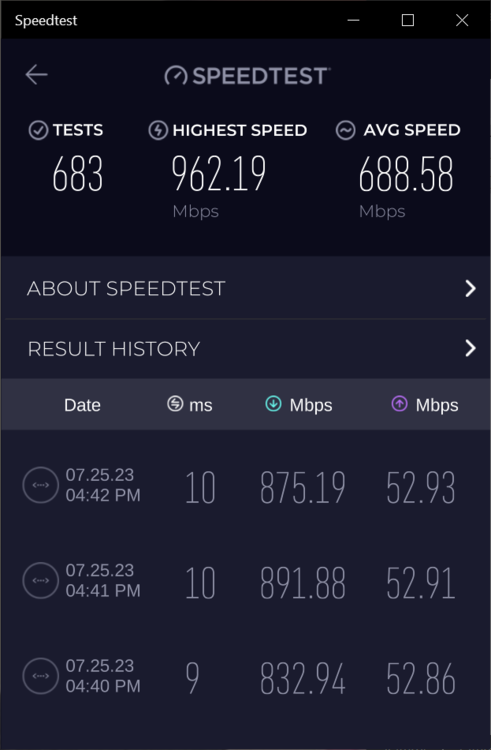
WIred speed with QOS enabled:
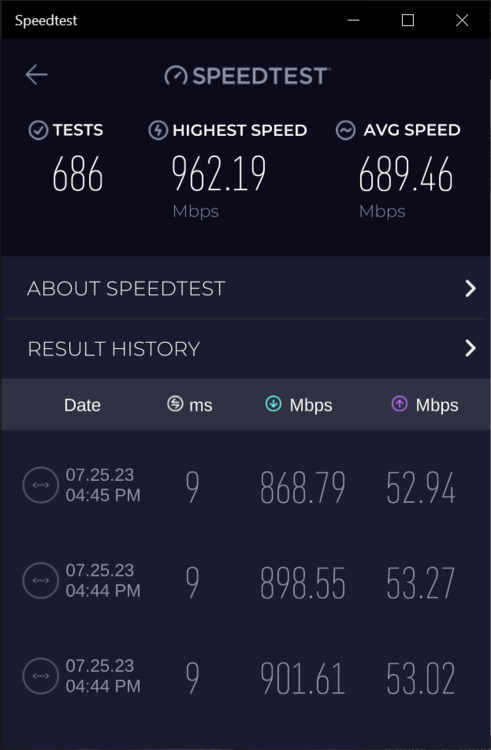
Wired speed with QoS Disabled:
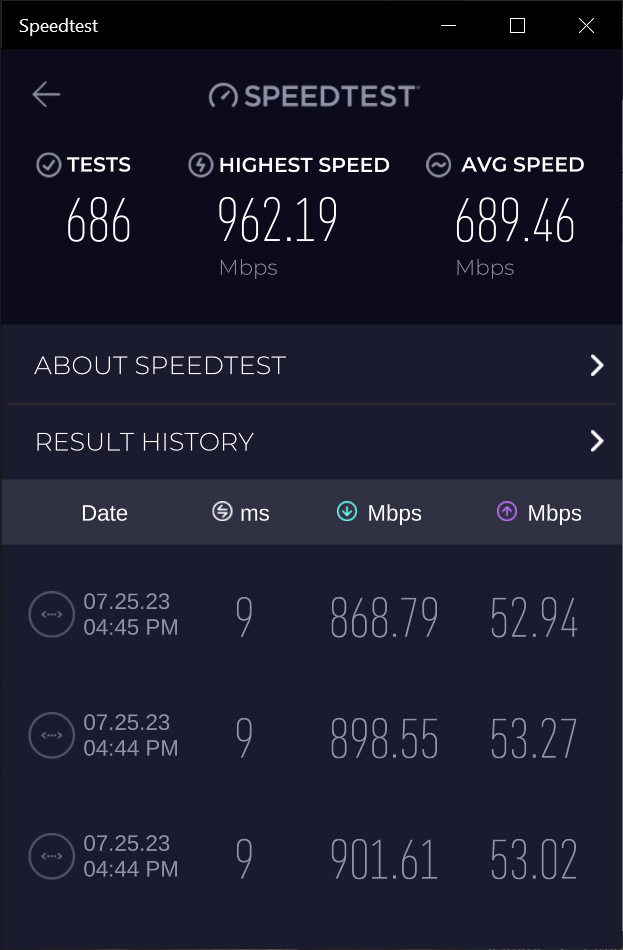
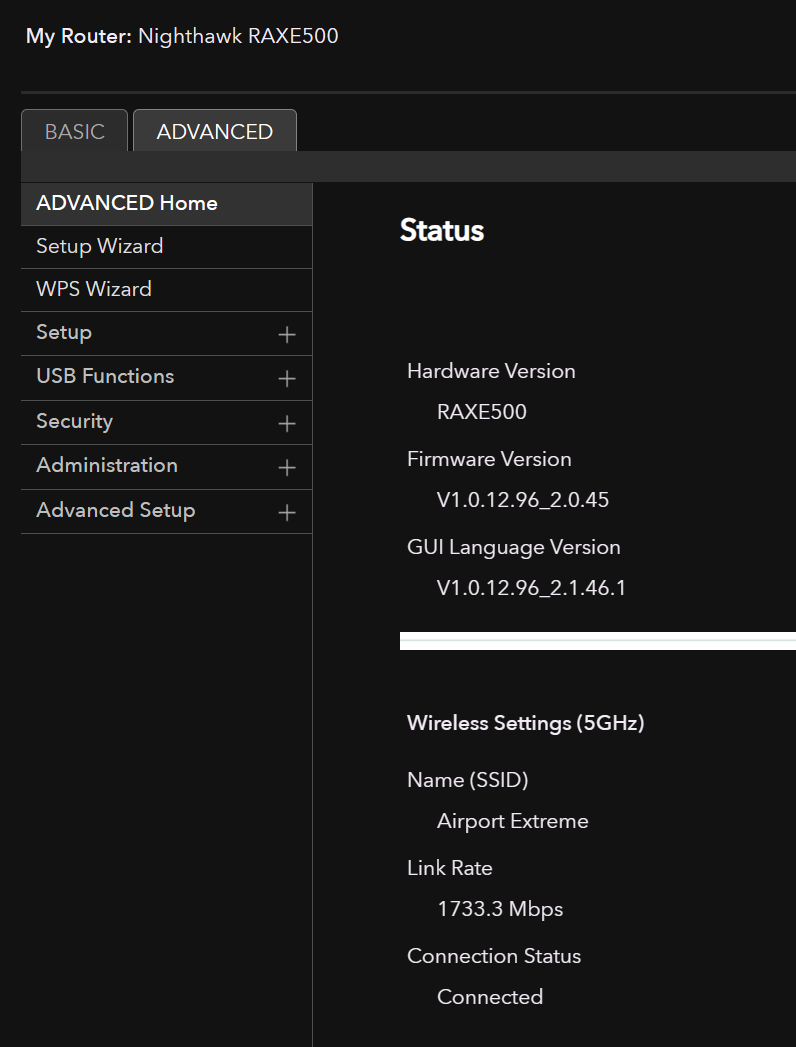
NG RAXE500 in wireless bridge mode connecting at 1733Mbps: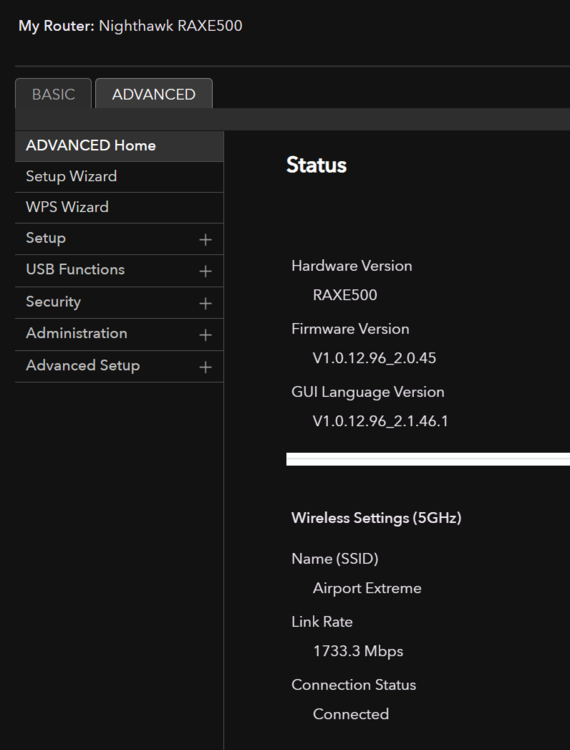
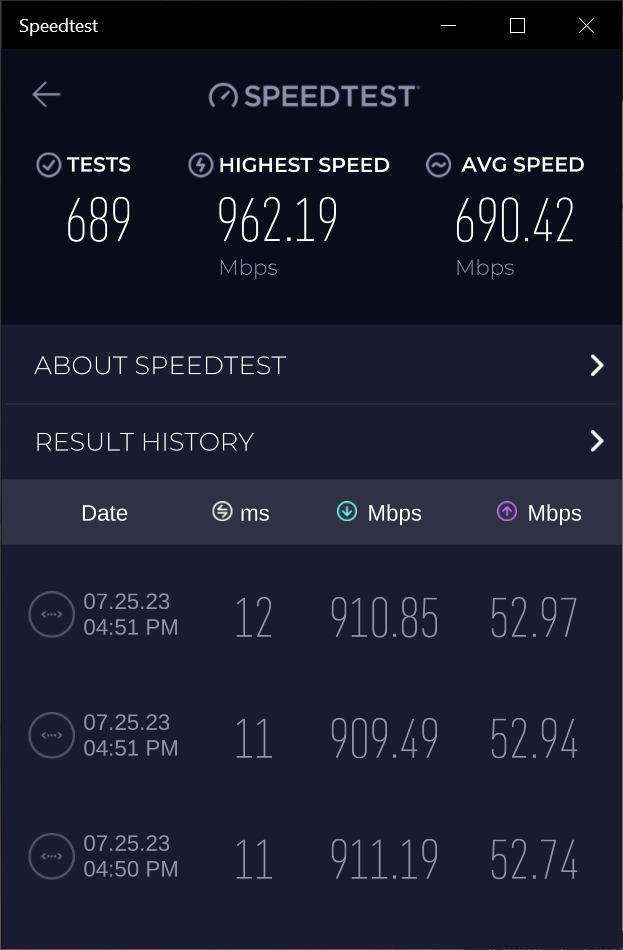
Speed results thru RAXE500 in bridge mode:
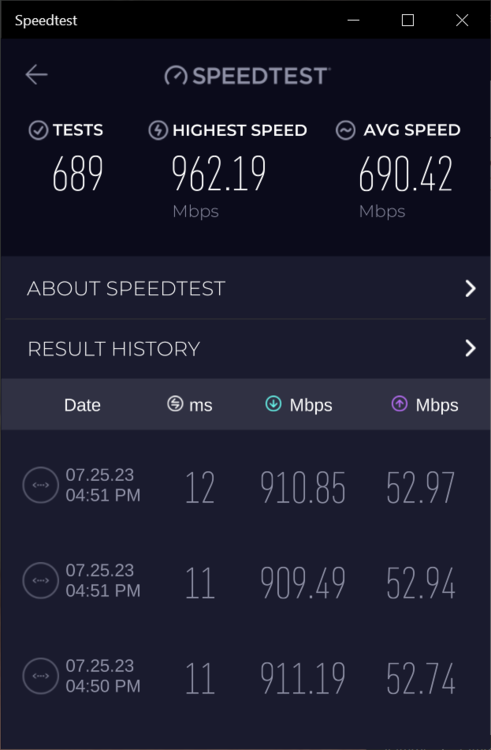
Will let this run for a while and see how things go.
-
OK, I believe I got this beta loaded on the XR700.
Used a wired PC, Windows 10x64 and MS Edge.
Factory reset performed after file was sent and router came back to ready.
Walked thru the setup wizard.
Ran in to a couple of items seen in the browser:Not sure what these two blank screens are prior to reaching the DUMAOS screen:


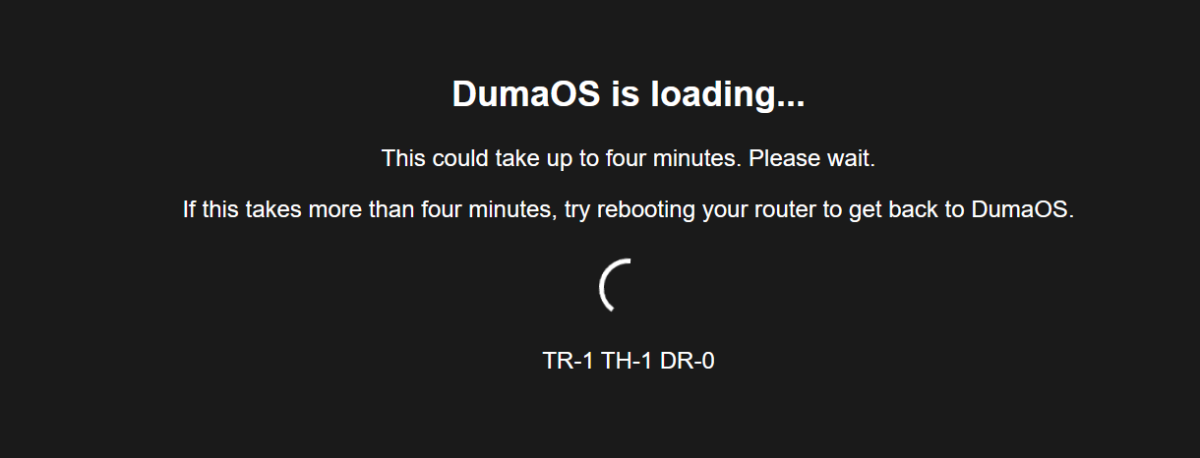
I got to this screen and waited about 5-6 minutes and never moved passed so I power cycled the router and got to the router log in and dashboard successfully:
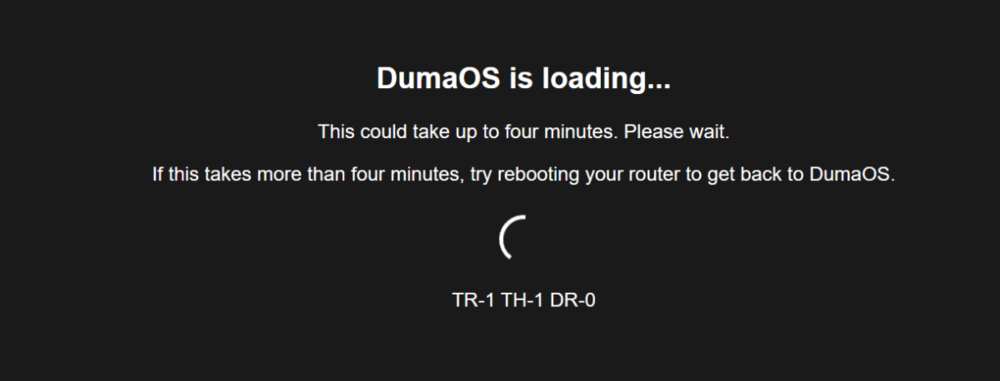
I think saw samething when upgrading my XR500 to OS 3.3 beta too.
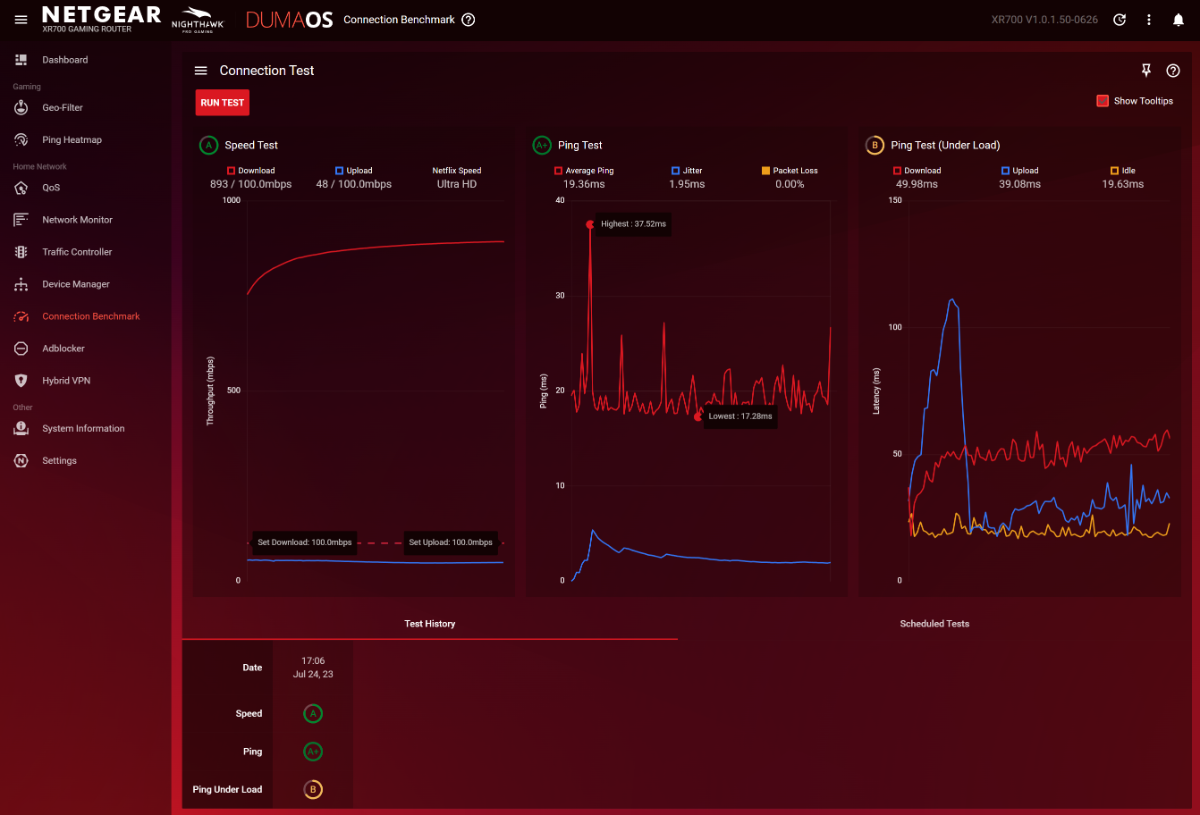
Connection Test is looking good and near to spec for a 1Gb/50Mbps ISP service:
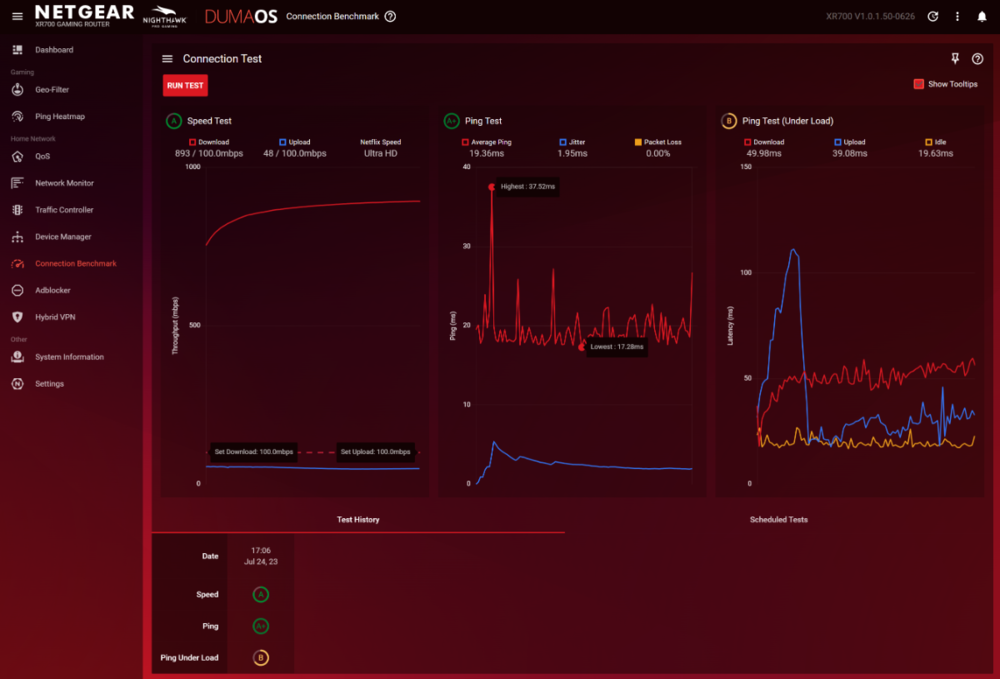
Left QoS enabled and all other features as default for now.
Set default DHCP IP address range .100 to .200.
10Gb SFP sure gets hot. Will be testing this out with a CAX80.
Need to run this for a couple of days before putting it live on the home network. Feeling good about the beta.
-
Great to finally see this. Glad something came out and hopefully will make it to final release.
-
-



Slow wifi on xr1000.
in NETGEAR Nighthawk Support (XR range)
Posted