Jayo1177
-
Posts
13 -
Joined
-
Last visited
Everything posted by Jayo1177
-
Performance on latest FW 1.0.2.86
Jayo1177 replied to Jayo1177's topic in NETGEAR Nighthawk Support (XR range)
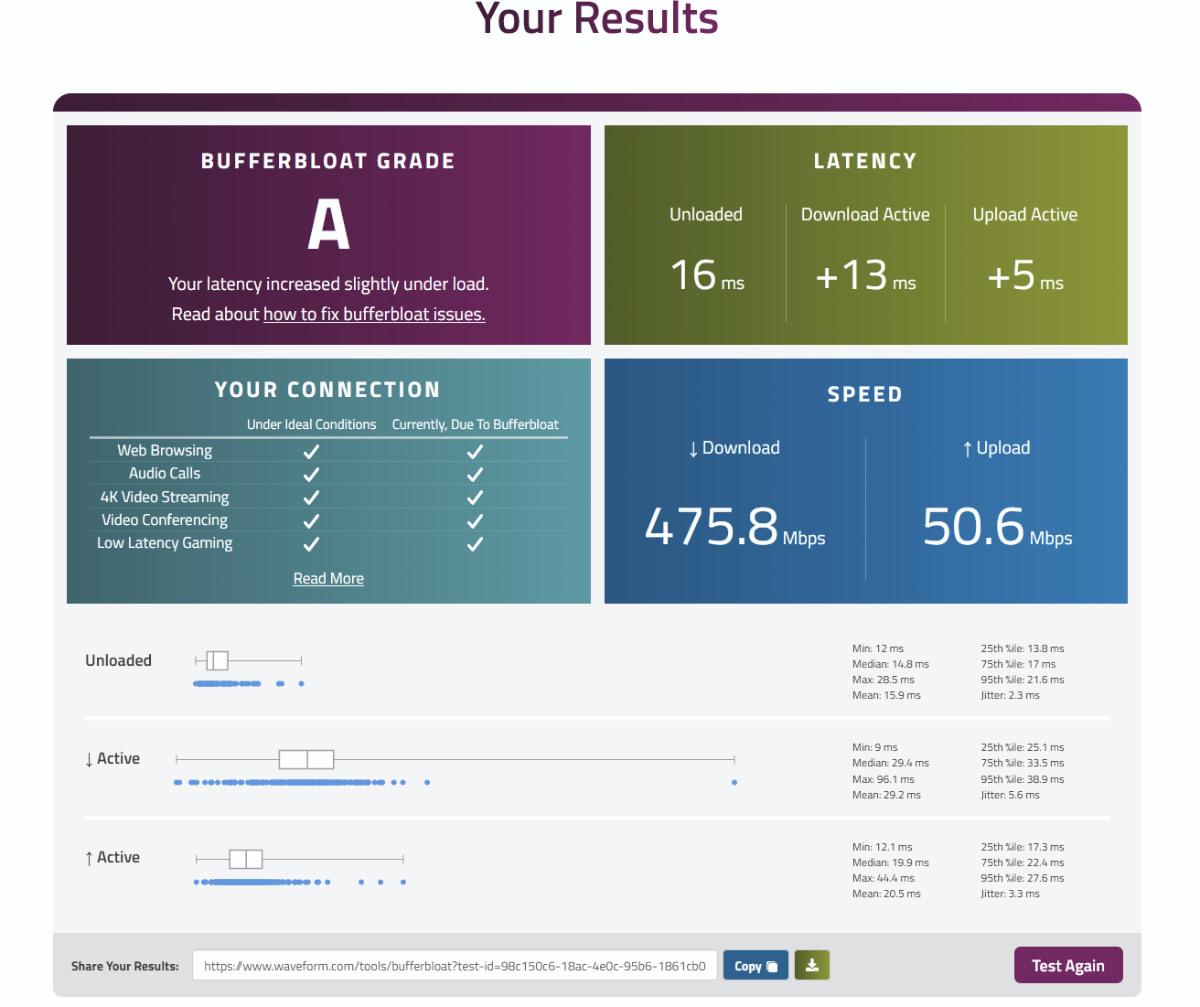
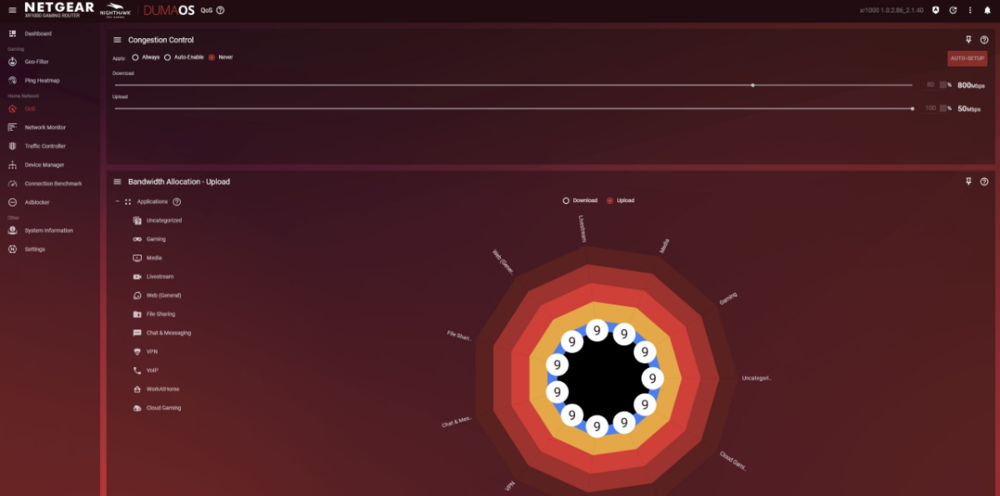
Alright that's fair. In the end. Ultimately, I was able to set a 50% download limit for congestion control achieved good scores for bufferboat consistently: This is a great outcome, assuming when auto-enable is engaged I have the best of both worlds, minus the ~100mbps extra I was able to achieve with Qos completely disabled. It seems couunter intuitive to me that 50% would fair better than higher values i.e., 60 - 70%. That introduced 10 - 15ms to the active download latency. Though perhaps you've explained that through your last comment already & just an indication that CC is doing it's job now.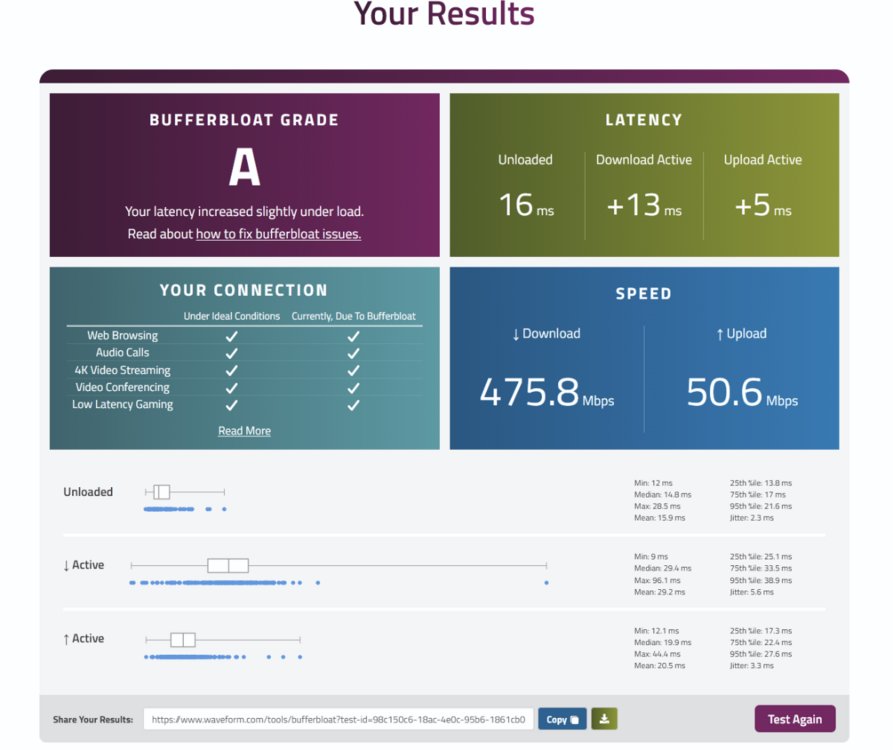
-
Performance on latest FW 1.0.2.86
Jayo1177 replied to Jayo1177's topic in NETGEAR Nighthawk Support (XR range)
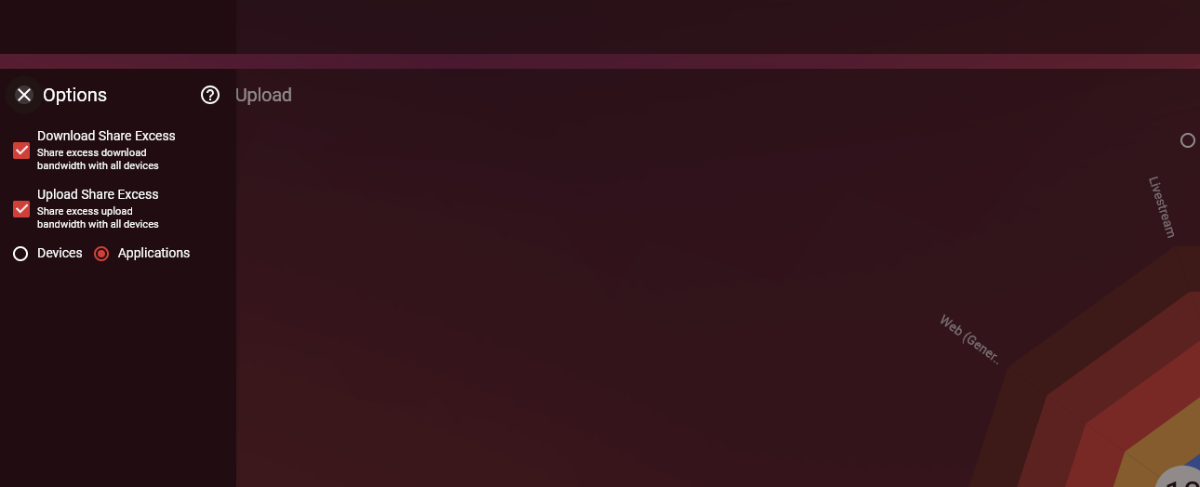
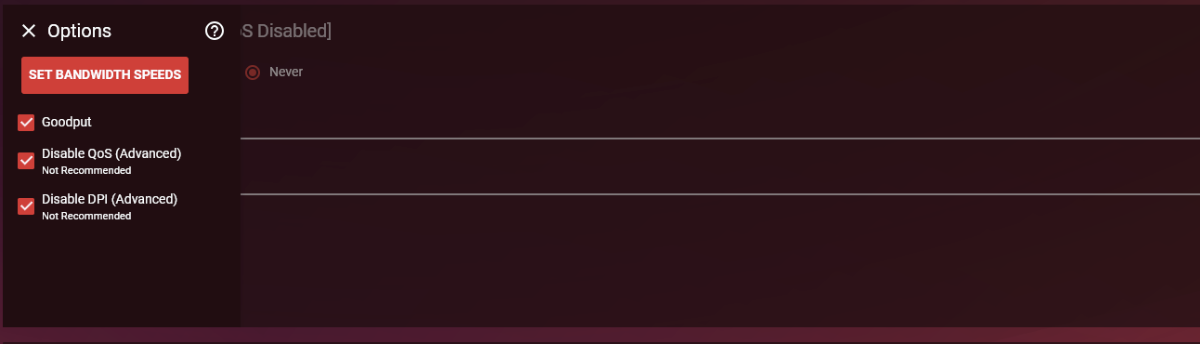
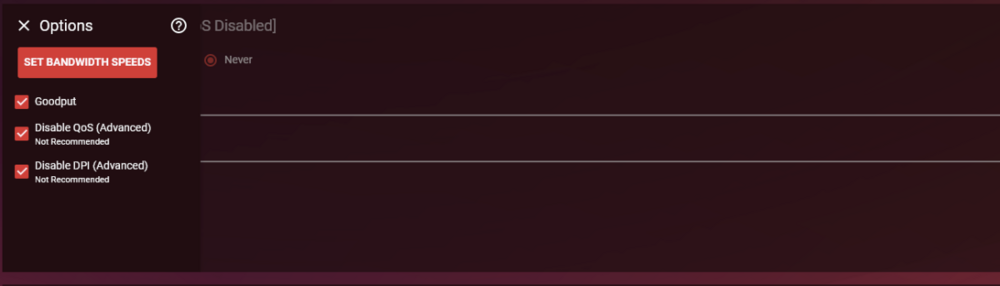
For completeness sake: These were checked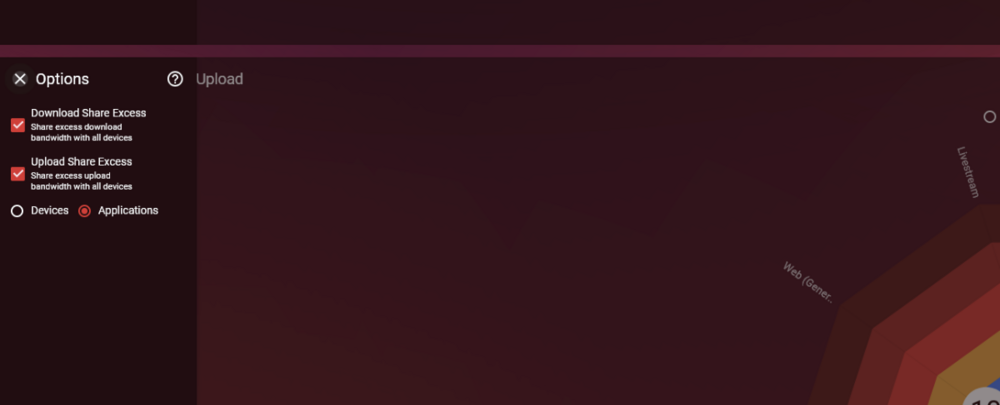
-
Performance on latest FW 1.0.2.86
Jayo1177 replied to Jayo1177's topic in NETGEAR Nighthawk Support (XR range)
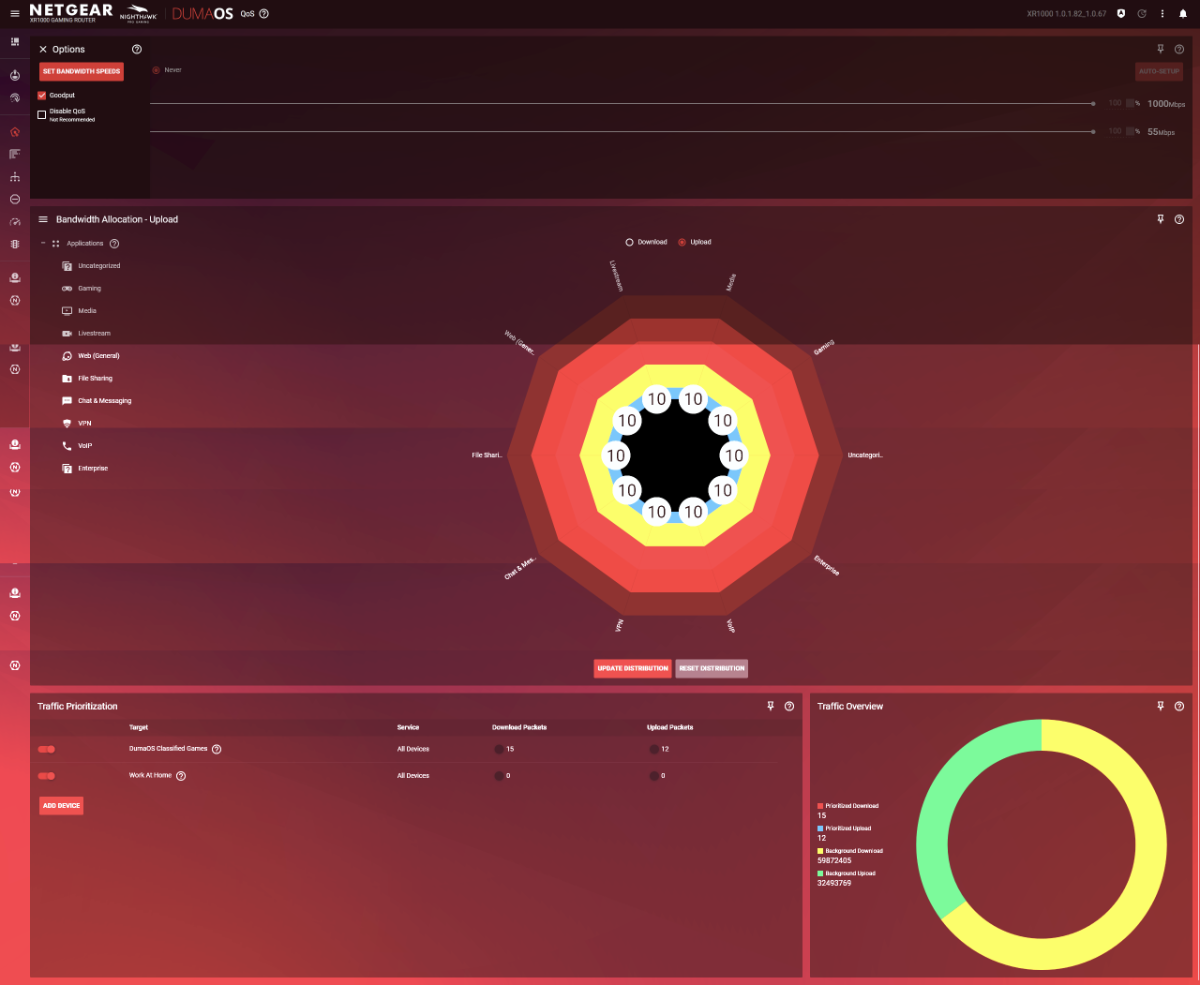
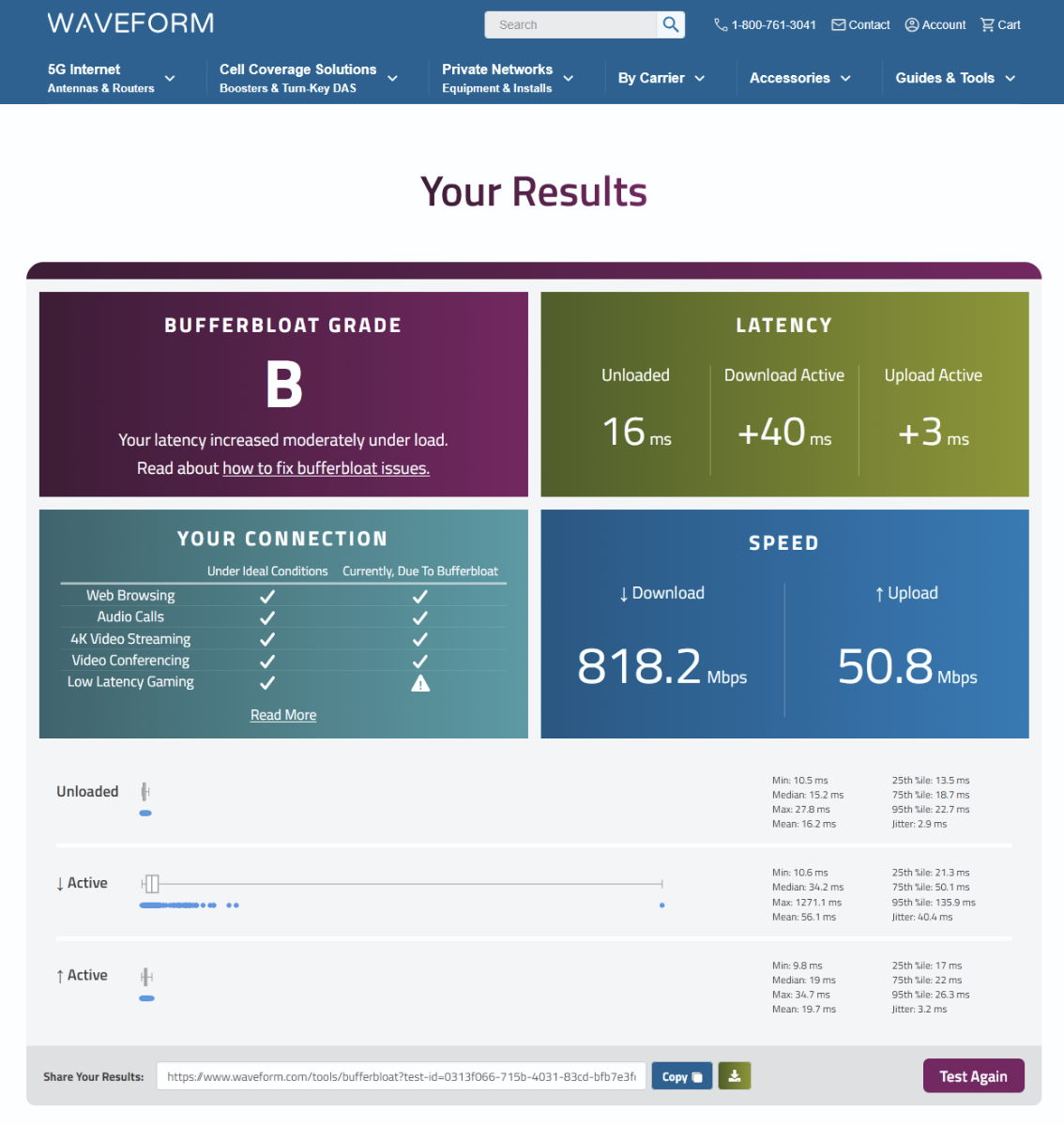
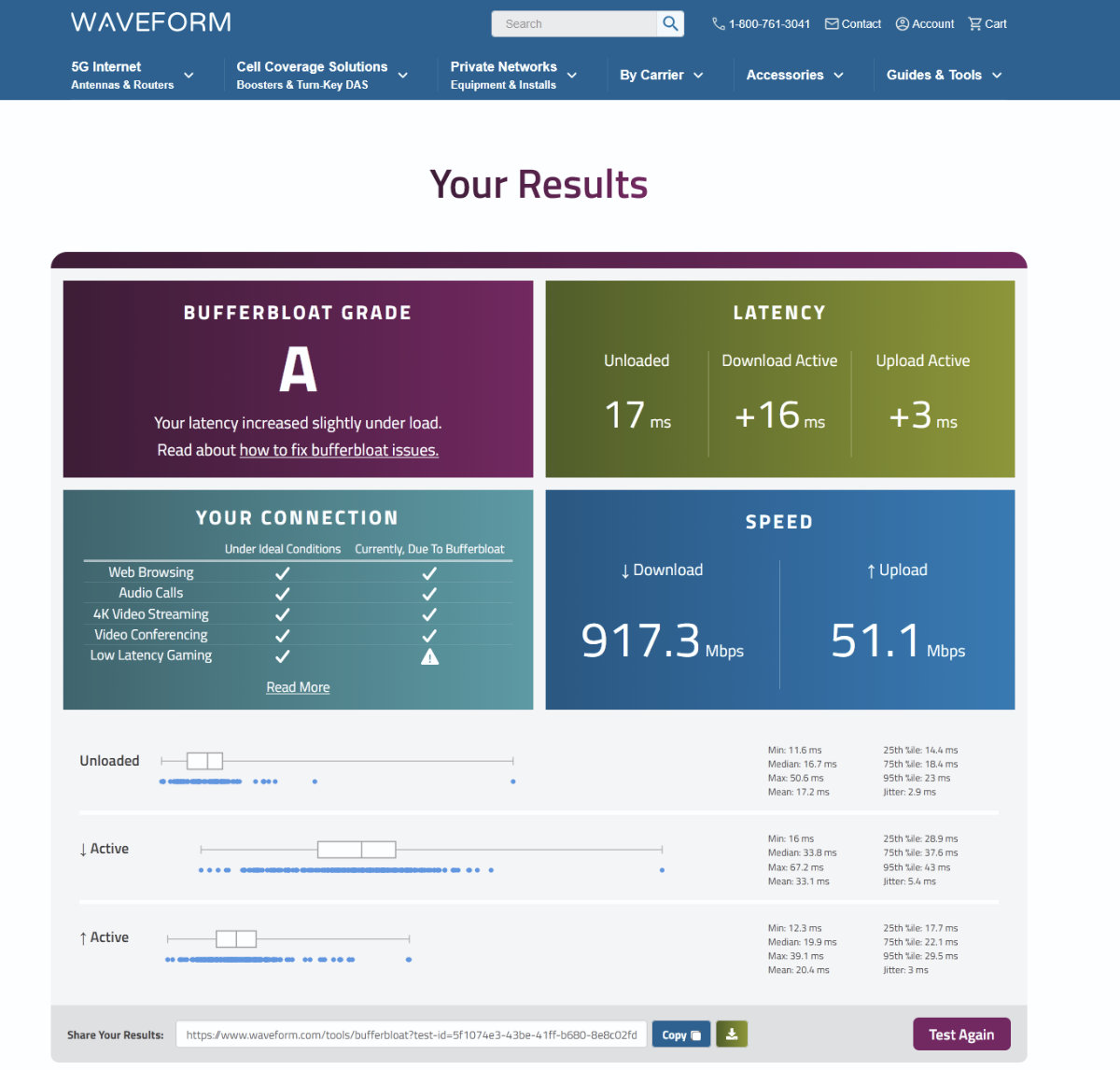
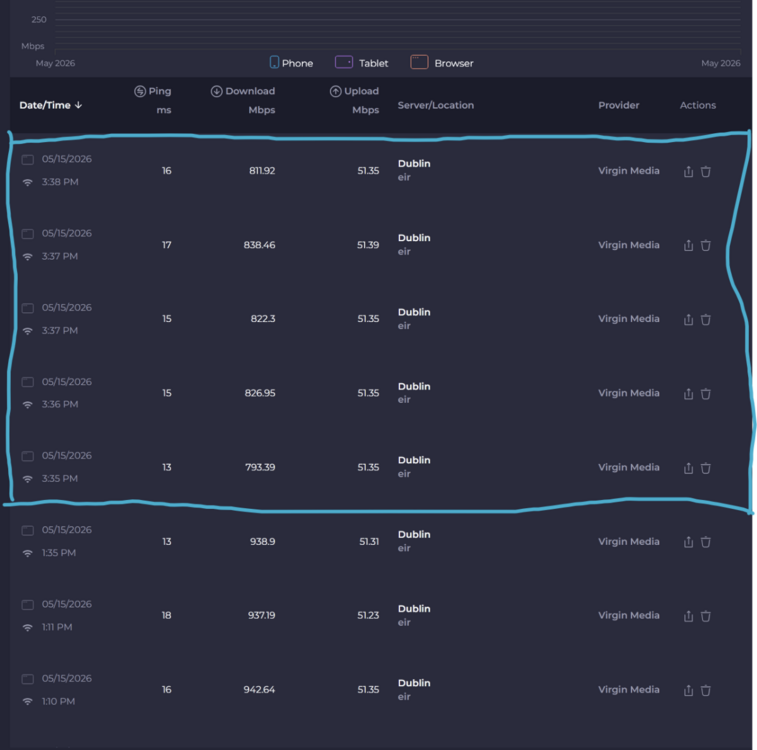
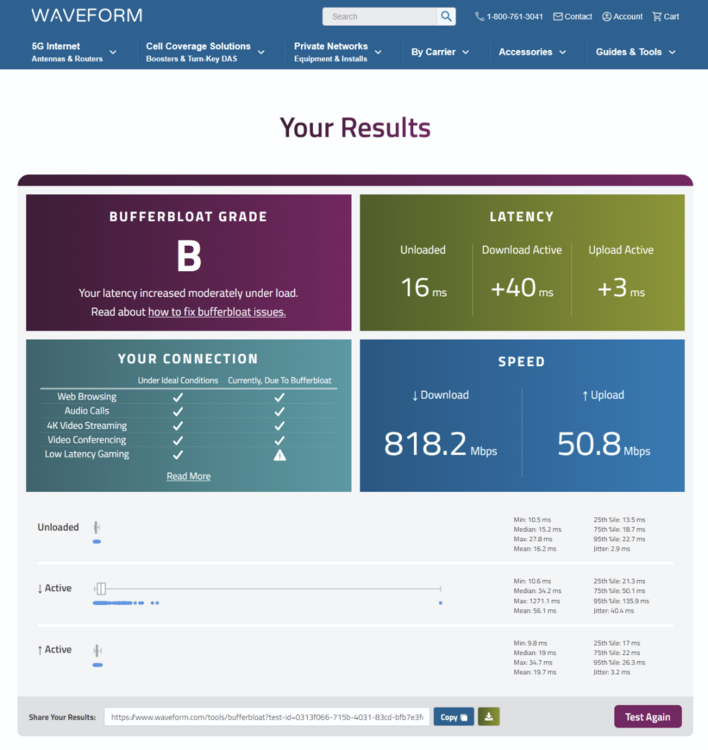
Switched QoS back on, reset distributions for download && upload. Only traffic prio is defaults as pictured (snagit artifacts with HDR capture): Defiitely the best result with QoS on so far from speedtest.net: Waveform Bufferbloat loaded ping has doubled though: So still depressed slightly. Seems somewhat contradictory. I'm not sure what results are best to rely on.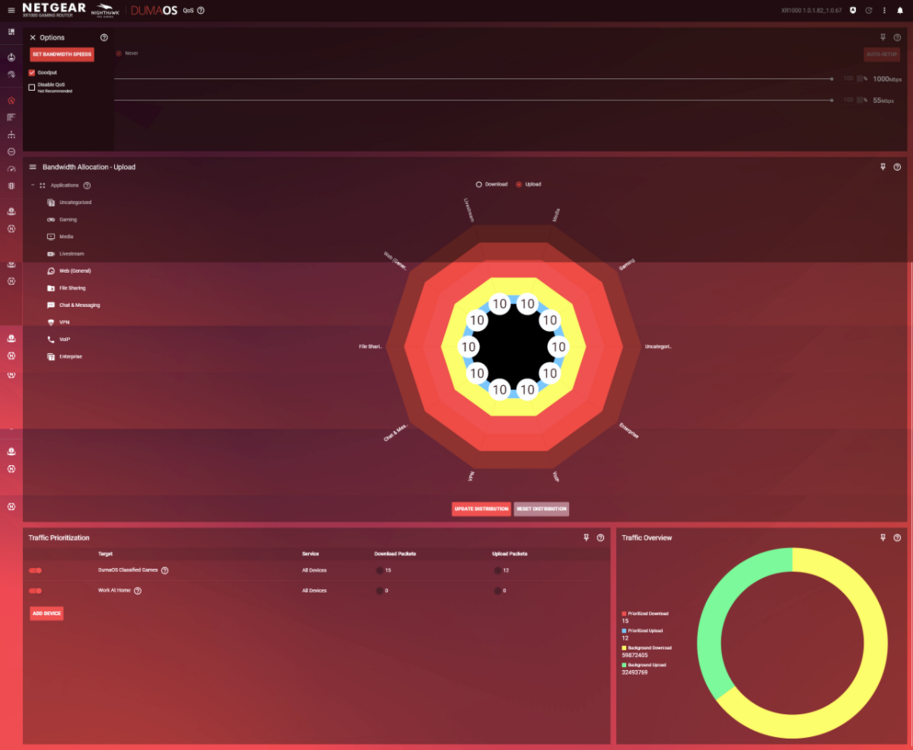
-
Performance on latest FW 1.0.2.86
Jayo1177 replied to Jayo1177's topic in NETGEAR Nighthawk Support (XR range)
Also no, all connections are through the XR1000 -
Performance on latest FW 1.0.2.86
Jayo1177 replied to Jayo1177's topic in NETGEAR Nighthawk Support (XR range)
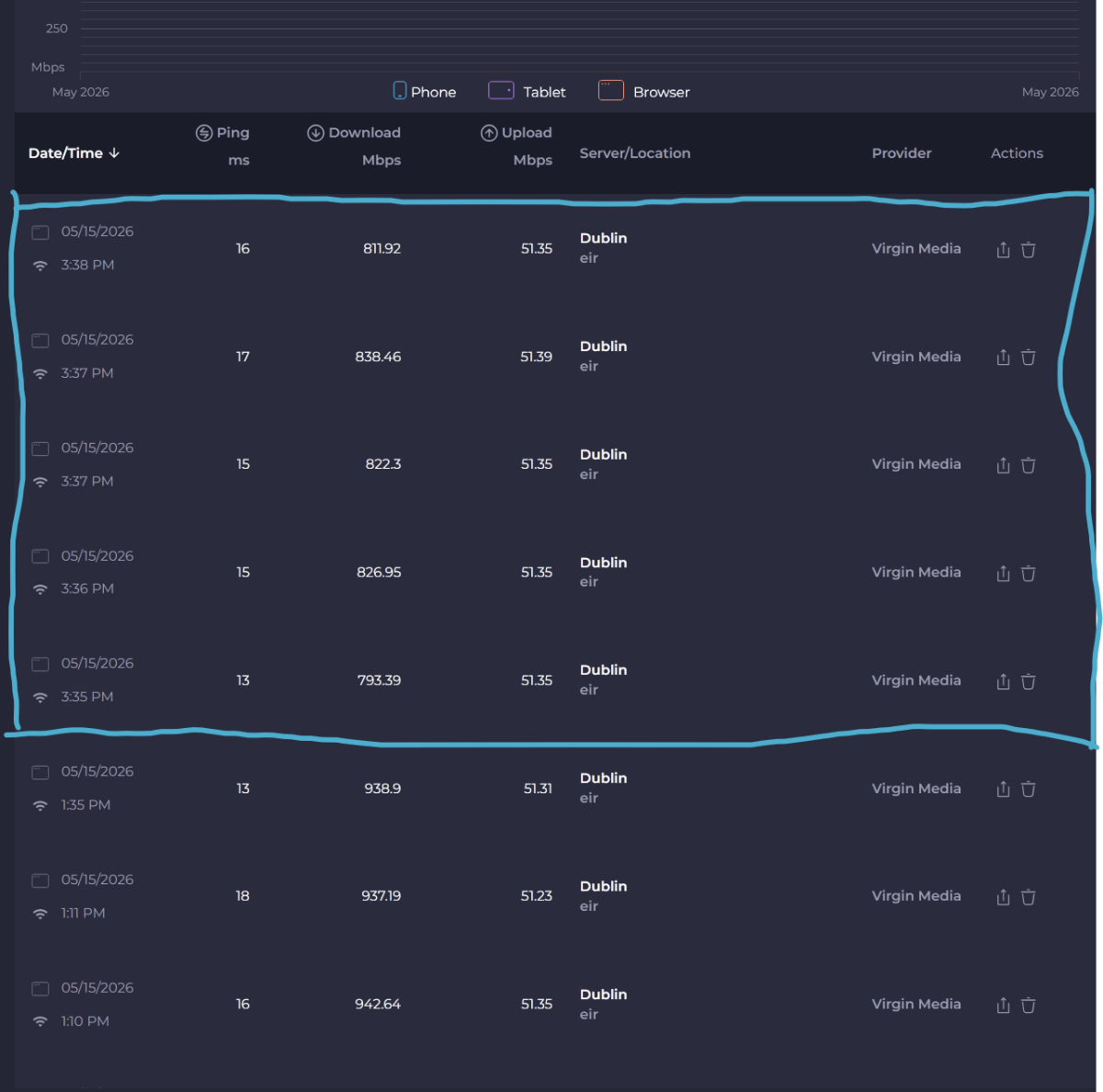
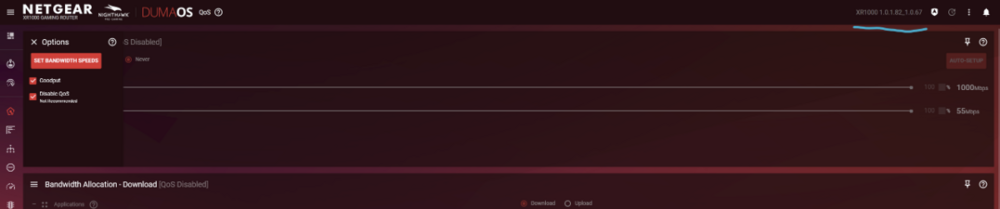
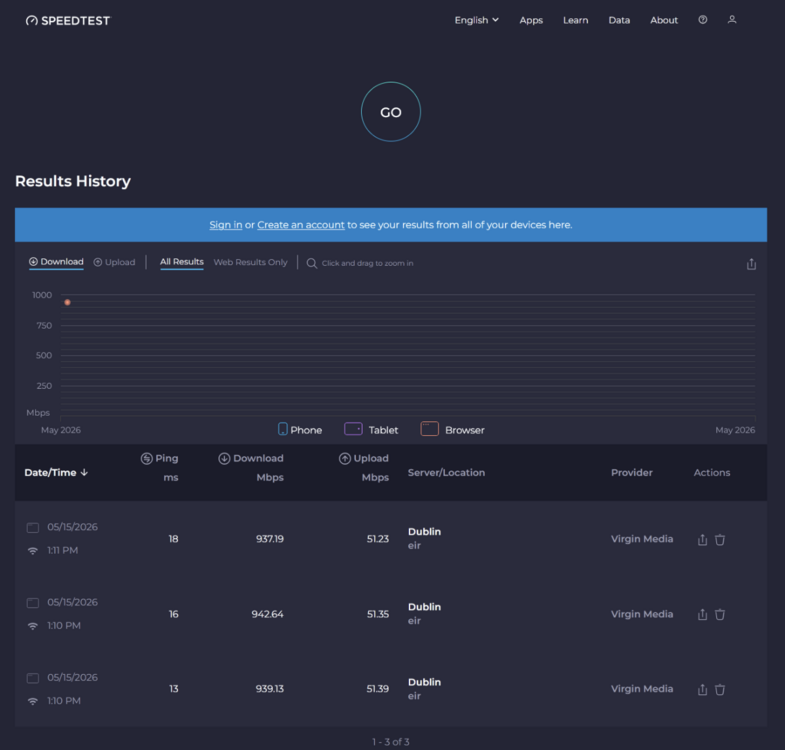
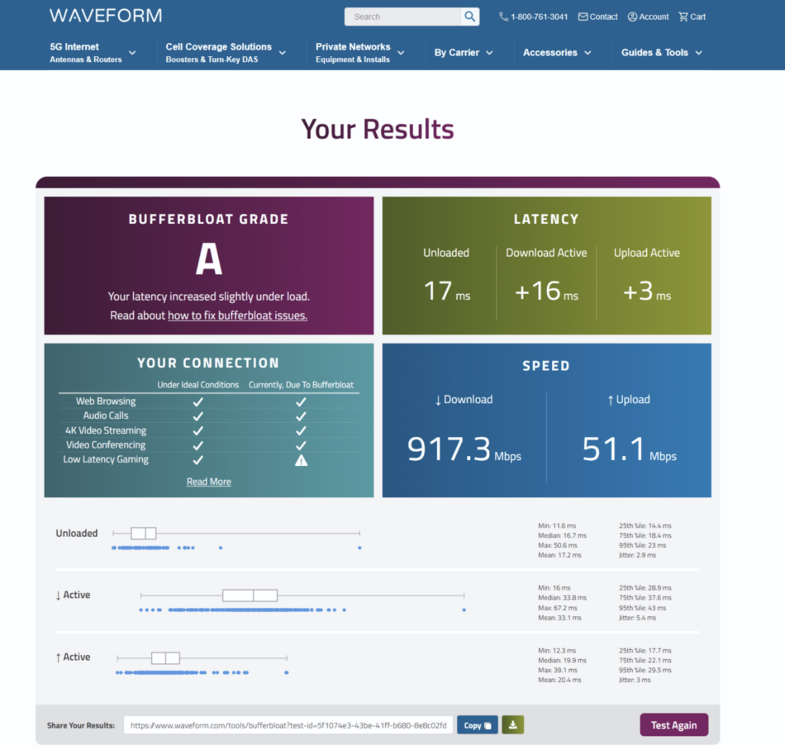
Armour wasn't enabled. I just wanted to add here to see if there's any final recommendation or path forward. I've reverted again to the prior .82 firmware & configured the same as previous with QoS fully disabled & get the following results: I guess it's not so much to confound more but just to ask is there any route forward for QoS being enabled? I bought this router for these features specifically but right now there doesn't seem to be much reason to use the XR in place of the ISP router, solely. I'm not sure how much of a heightened risk I may be at for the lack of security patching. Thanks again Fraser for all the recommendations/advise up until now.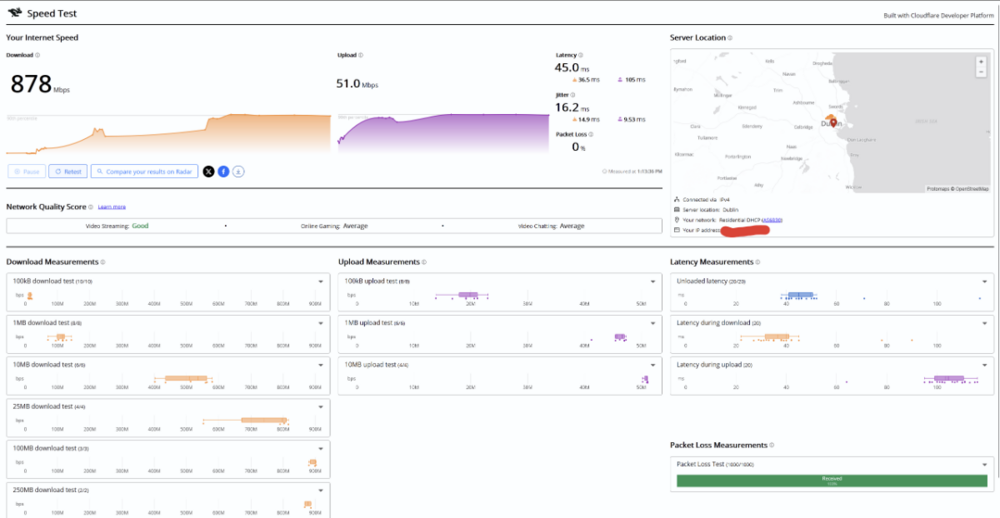
-
Performance on latest FW 1.0.2.86
Jayo1177 replied to Jayo1177's topic in NETGEAR Nighthawk Support (XR range)
All tests discussed were done via Ethernet -
Performance on latest FW 1.0.2.86
Jayo1177 replied to Jayo1177's topic in NETGEAR Nighthawk Support (XR range)
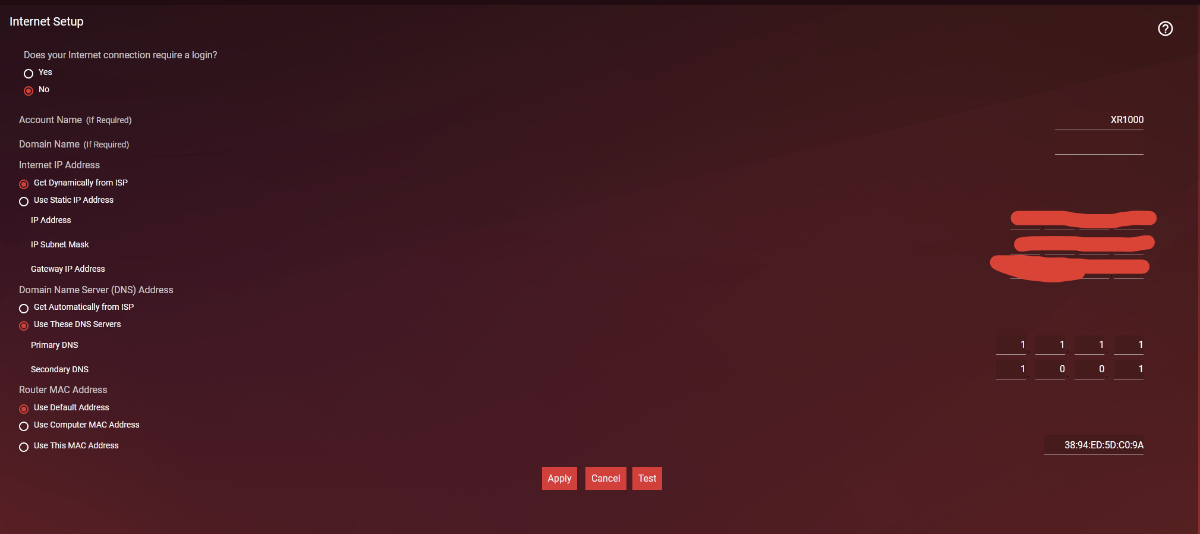
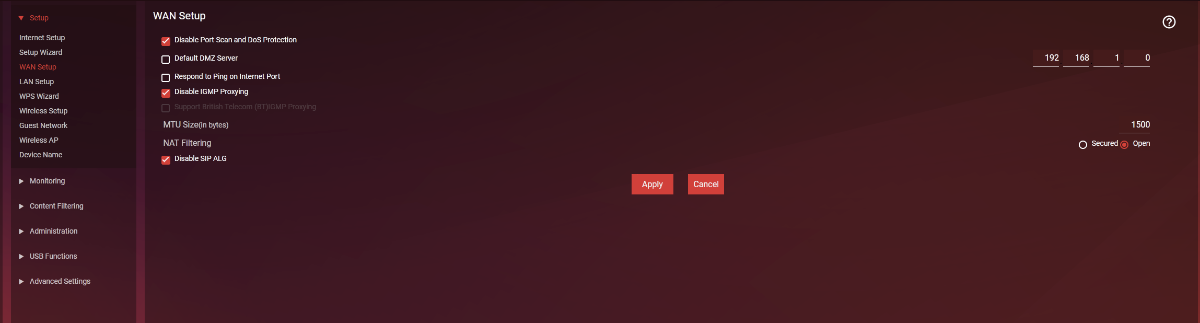
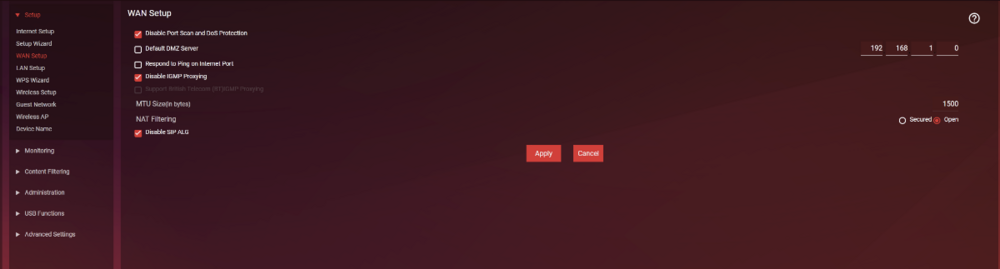
From the factory reset I would have only selected what's pictured previously, DNS to cloudflare. Under WAN setup DoS & Port scan, IGMP, SIP ALG are disabled. I set up my wireless of course as well. Only my phone was connected there.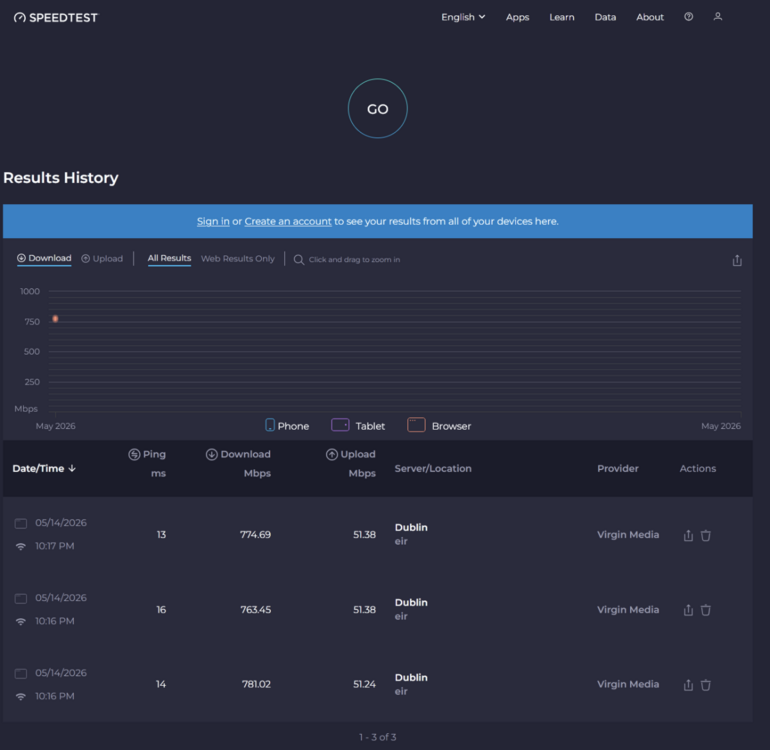
-
Performance on latest FW 1.0.2.86
Jayo1177 replied to Jayo1177's topic in NETGEAR Nighthawk Support (XR range)
Brought it up alright. It's shy of the ISP's stil strangely but better. Would there be any other advise? Appreciate all the help!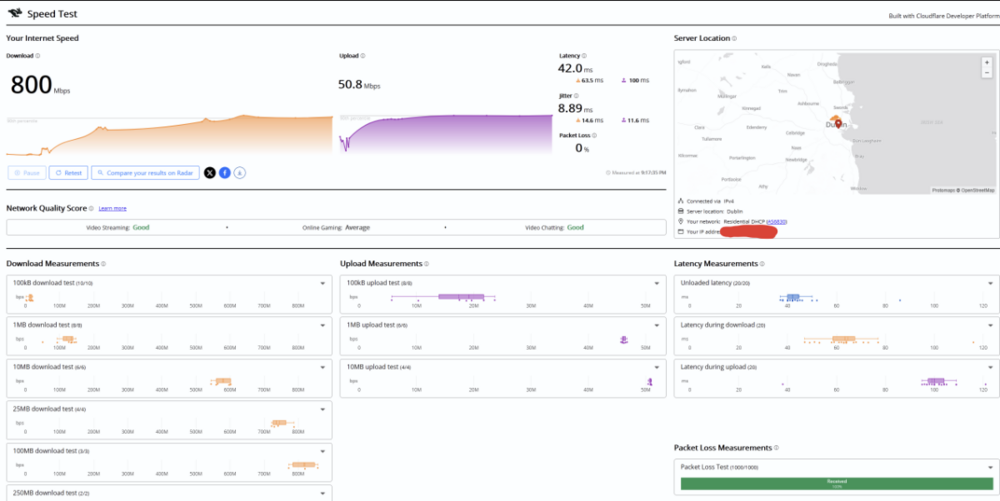
-
Performance on latest FW 1.0.2.86
Jayo1177 replied to Jayo1177's topic in NETGEAR Nighthawk Support (XR range)
Thanks for the guidance on this one. Done as specified. I got it out of modem mode & was able to add the XR to the DMZ at 192.168.0.126. Results present similarly to when the ISP router was in modem mode. QoS fully disabled: It's a mystery to me. I'd be happy with the older firmware version but it seemed a bit less stable in other ways though speeds were better, running that in the configuration you just advised. For sure I'm happy for any other suggestions should they exist.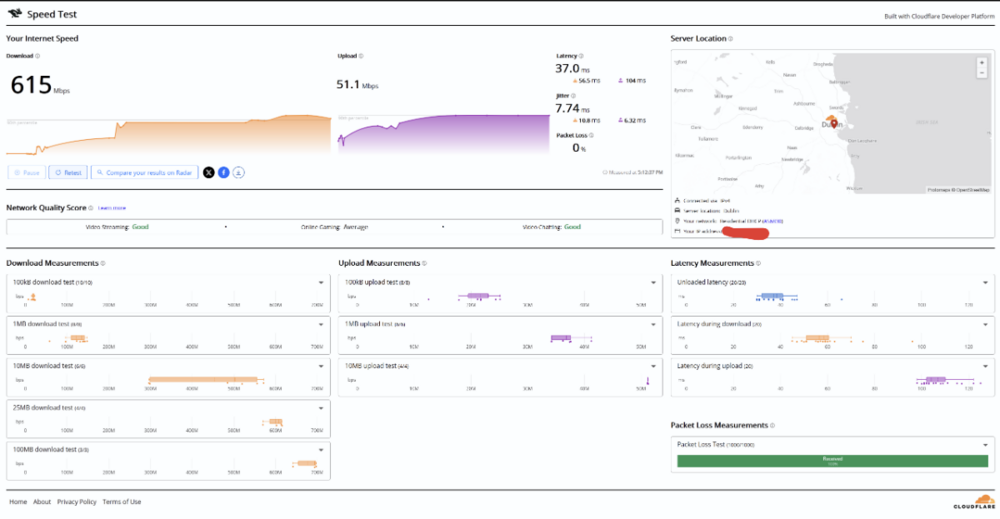
-
Performance on latest FW 1.0.2.86
Jayo1177 replied to Jayo1177's topic in NETGEAR Nighthawk Support (XR range)
Heya Fraser, Appreciate the response. That's fair. Although I can only speak to my experience & I have noted tangible differences in the firmwares. I've had a mission where I suspected it was ISP though the engineer that came to my home did the line test through the XR1000 & from their Virgin Media Hub 5. Full throughput on the router & as I mentioned half that rate from XR1000 lan port (when I opened the NAT type things did improve but it's depressed in comparison to prior firmware with secured NAT. There isn't a lot of flexibility the ISP's router fimware. I'll apologise I'm not to familar with DMZ settings or where I might get relevant addresses and figures for them. However, ISP router is in modem mode. Previously I did have my Nvidia Shield on the ISPs router & since reconnected it to the XR when I noticed it. It hadn't changed anything that I've noticed Also I did have QoS set to never & any Congestion Control distributions reset for this troubleshooting. -
Performance on latest FW 1.0.2.86
Jayo1177 replied to Jayo1177's topic in NETGEAR Nighthawk Support (XR range)
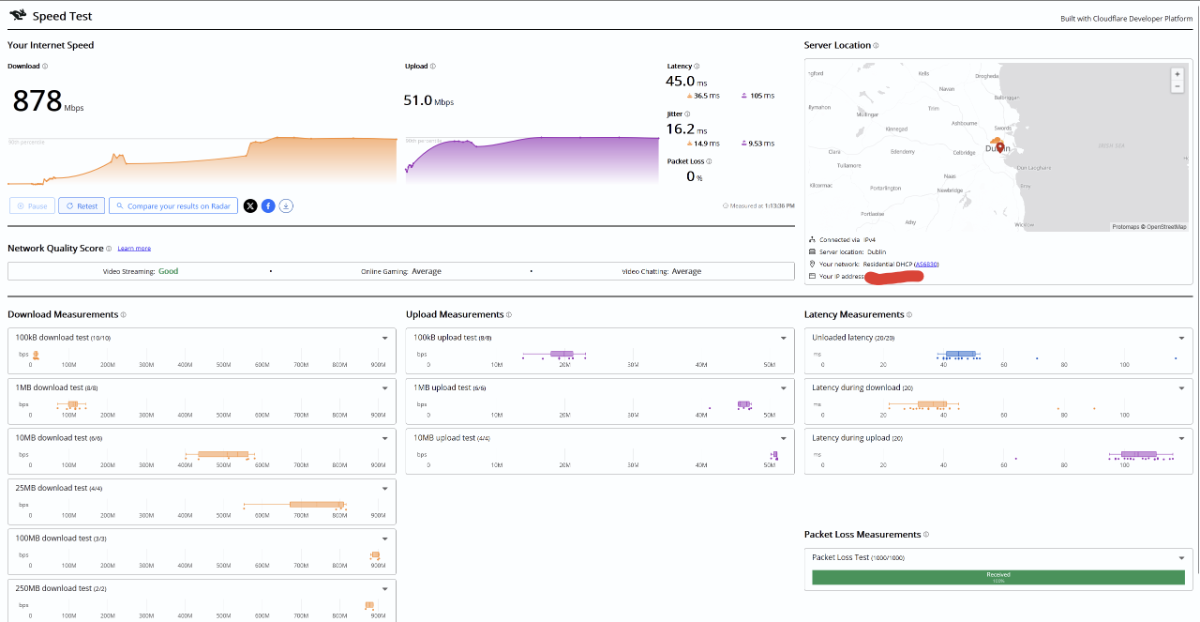
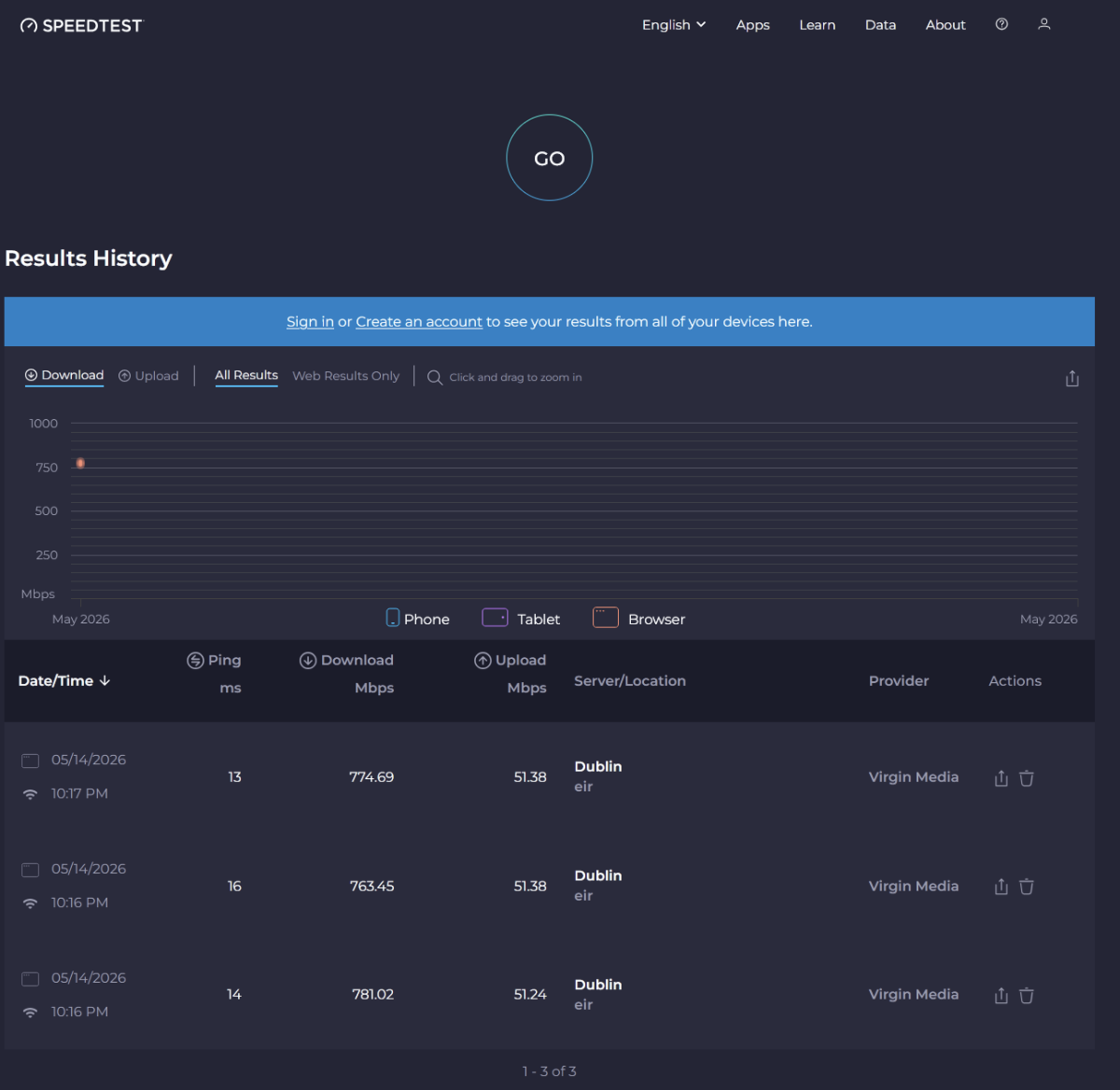
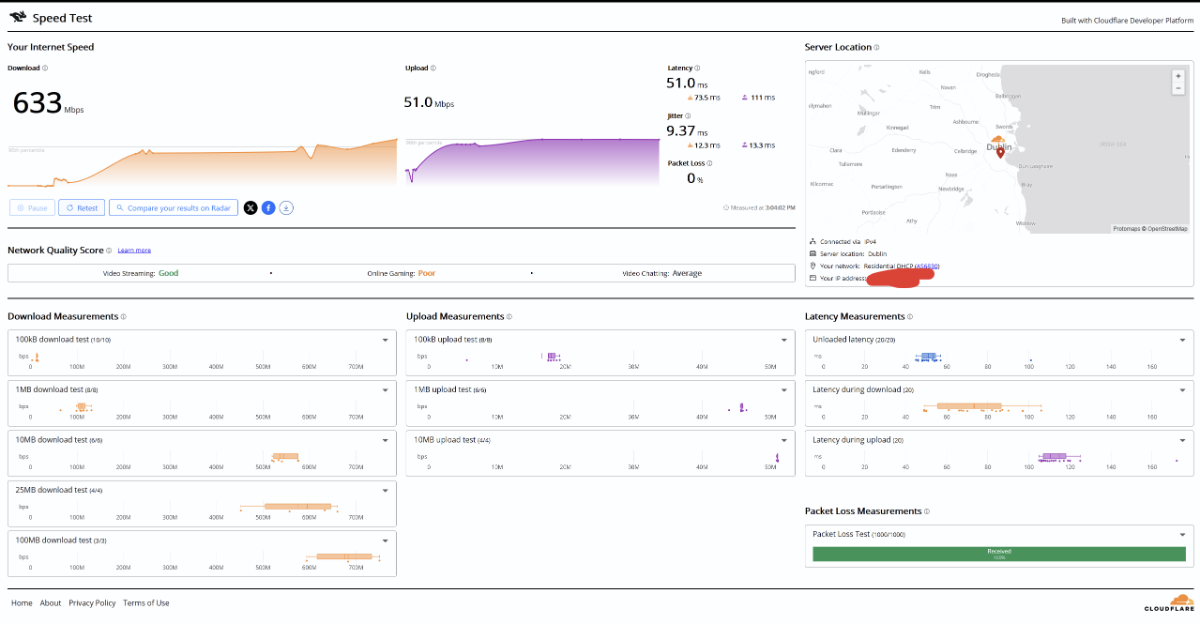
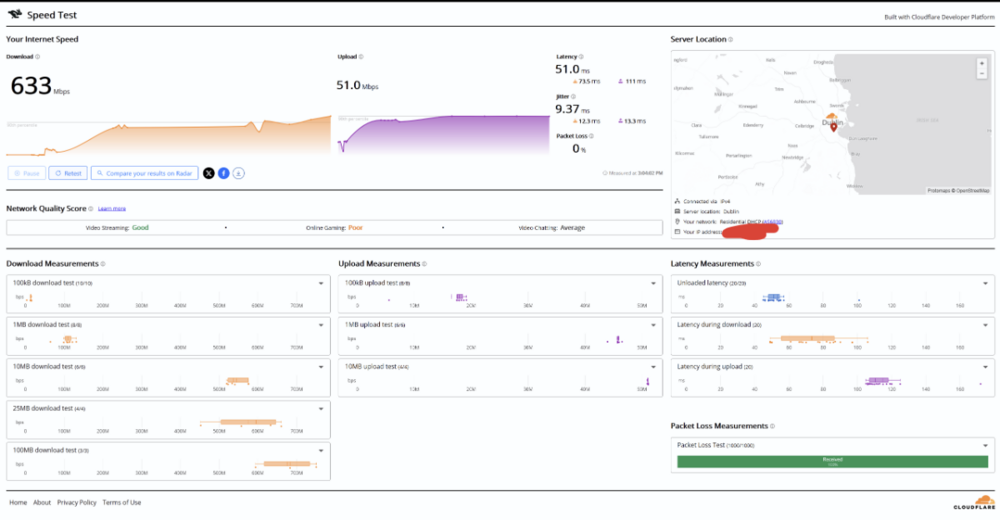
You'll note that here I have improved overall speed at 633 but RTT latencies don't seem ideal & it's still depressed in comparison to 1.0.2.82. -
Performance on latest FW 1.0.2.86
Jayo1177 replied to Jayo1177's topic in NETGEAR Nighthawk Support (XR range)
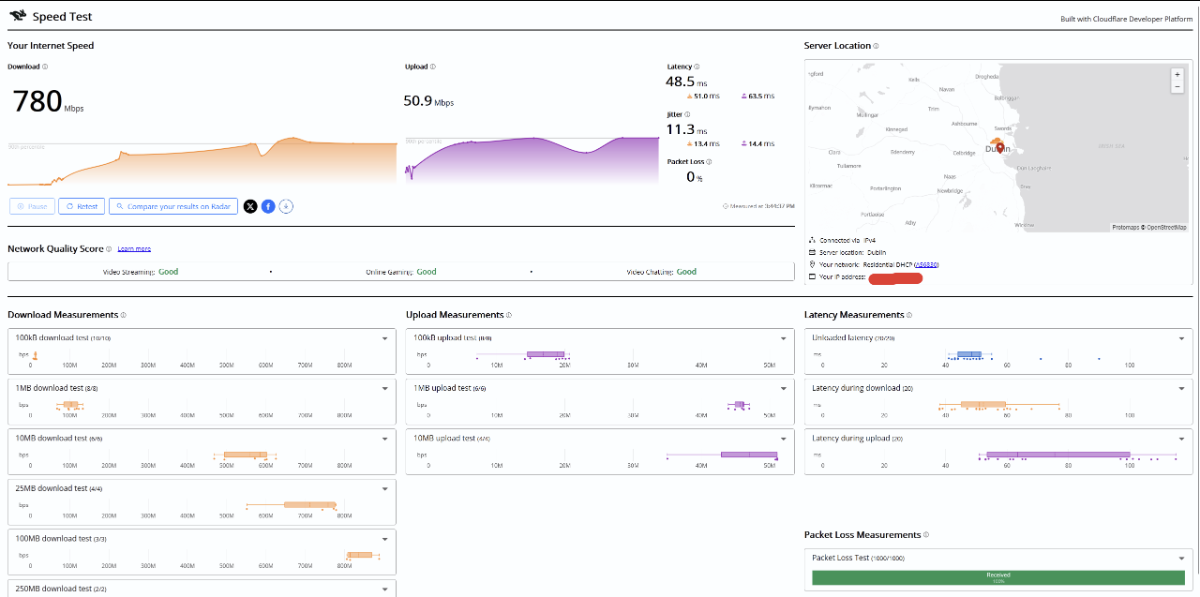
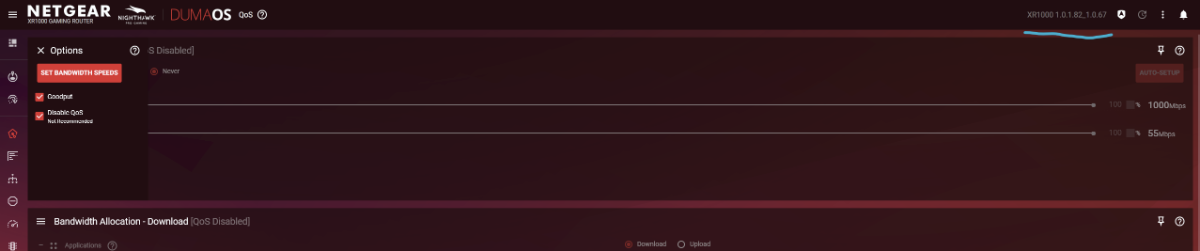
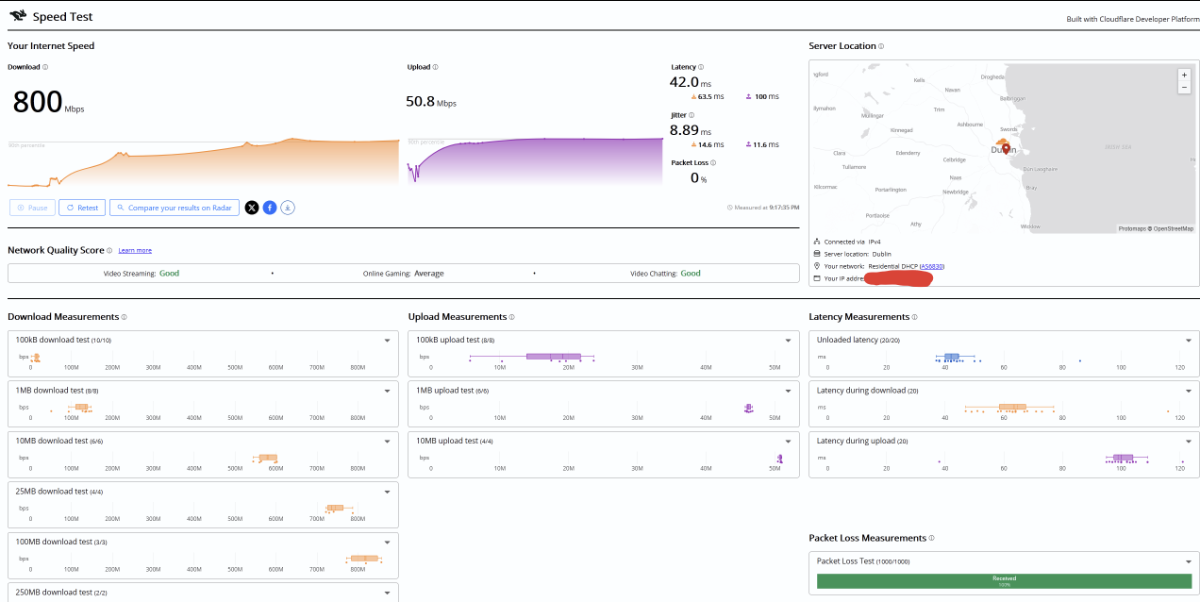
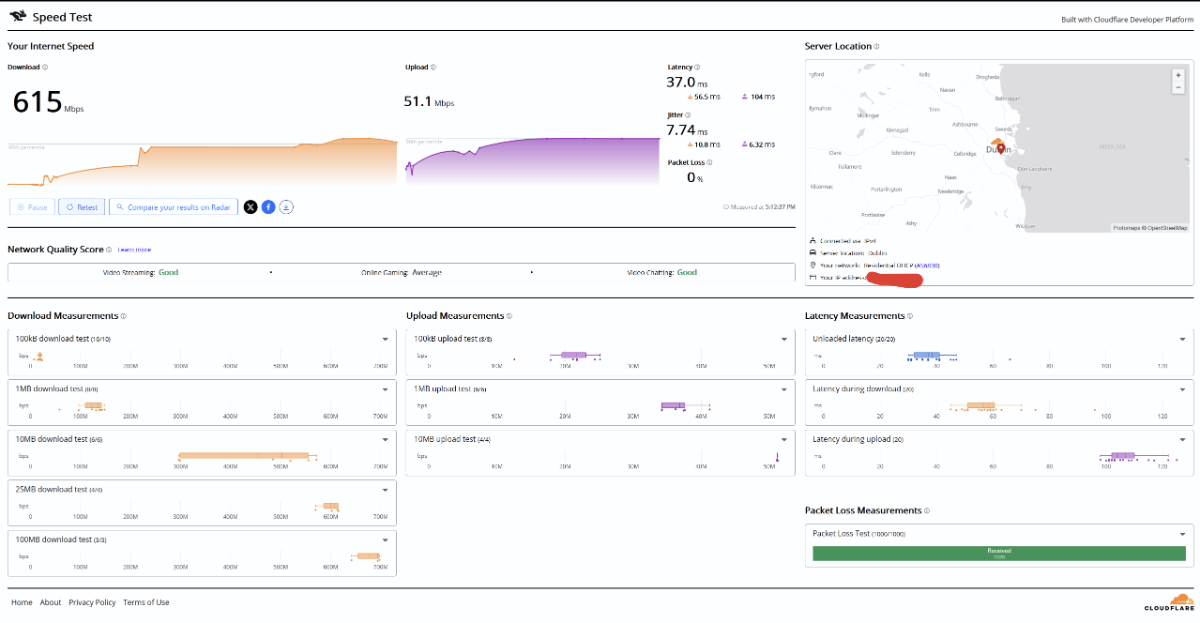
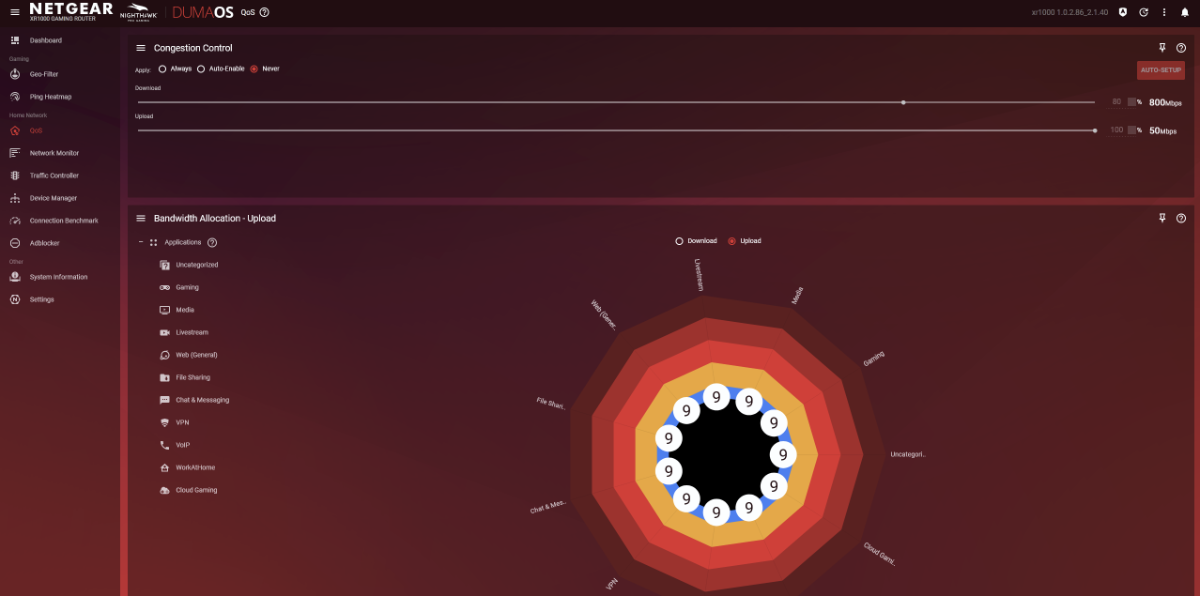
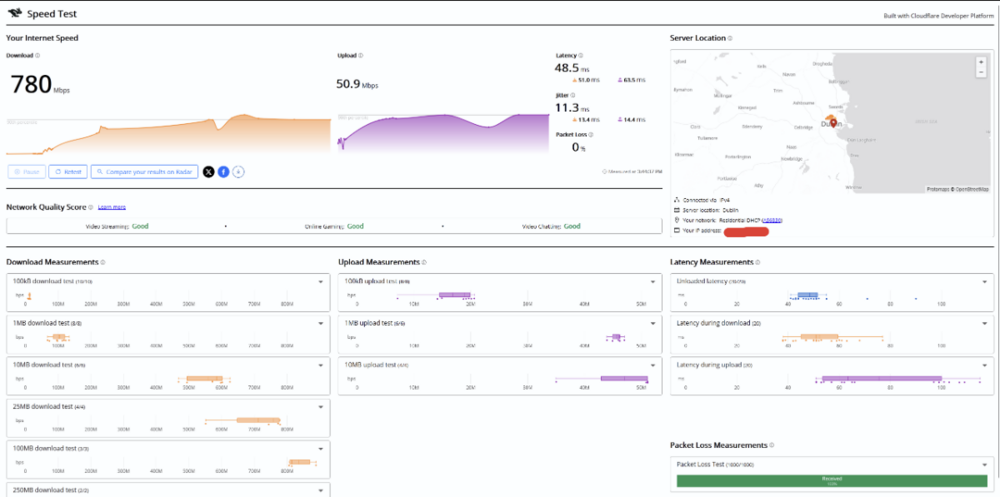
Hi again, I just wanted to offer some additonal evidence for my issue: Here's a speedtest from speed.cloudflare: Since the factory rest & viewing other articles on the forum I've since set nat filtering to open & configured my DNS (1.1.1.1 & 1.0.0.1) so here's some screenshots from DumaOS: I have QoS disabled for now so nothing extraneous would be limiting performance, I guess. Appreciate guidance on this matter. I've seen naterings of a beta firmware. I wonder if this would assist my issues without having to roll back.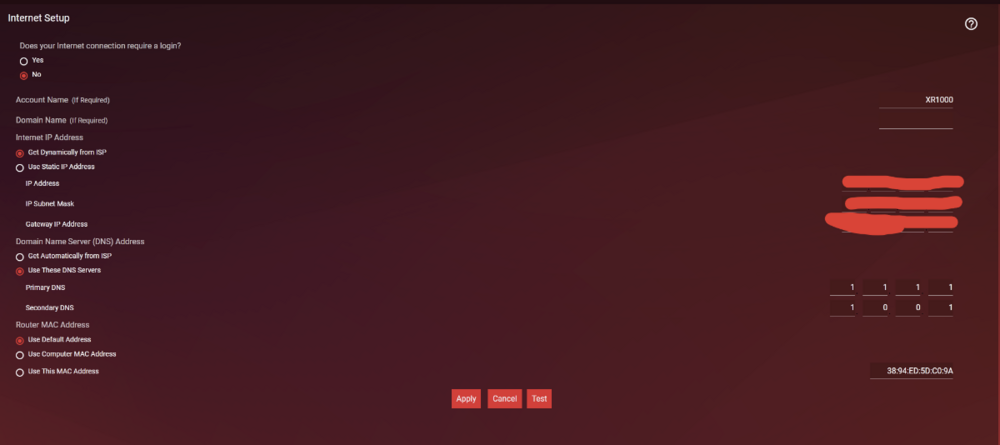
-
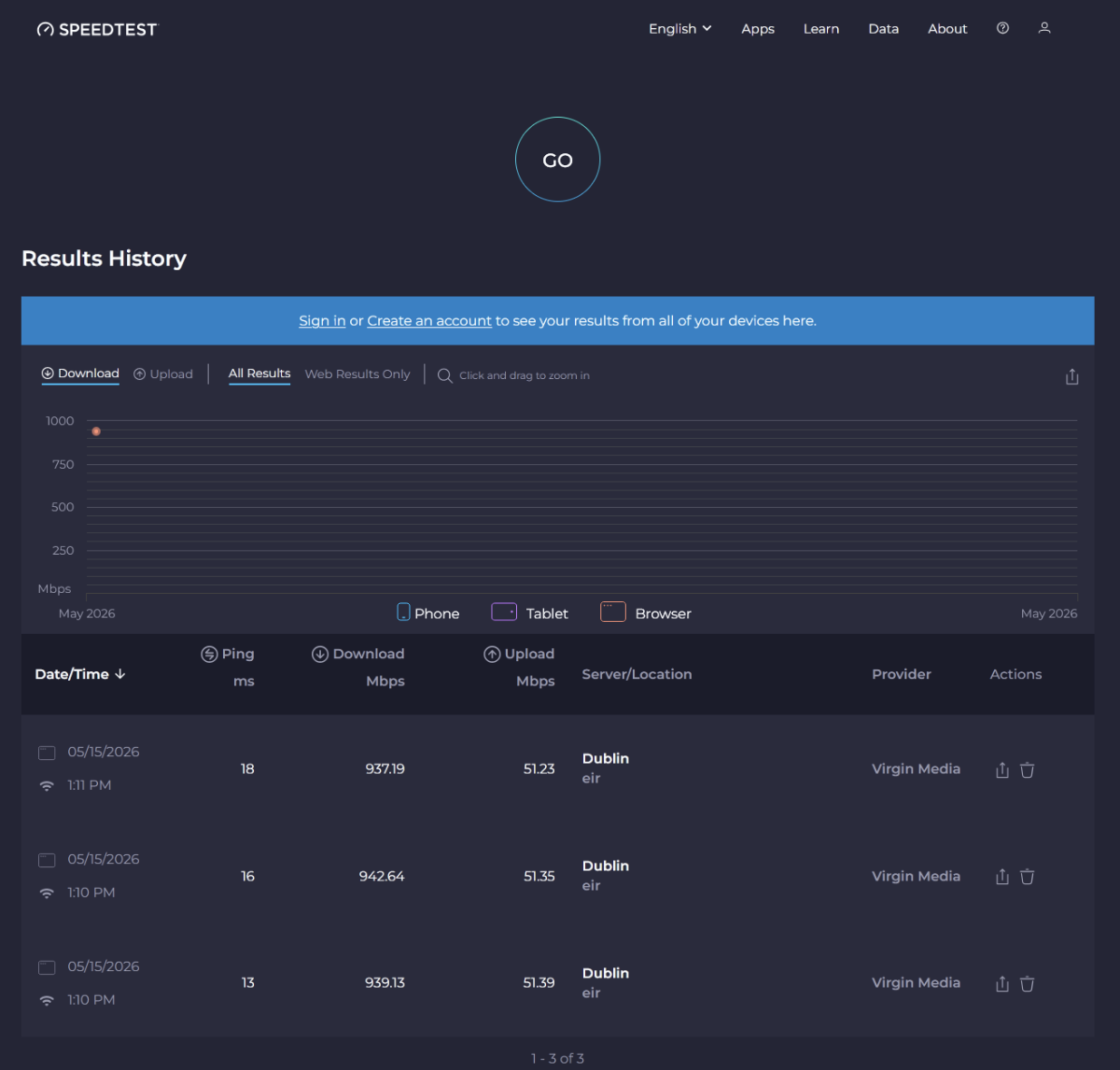
"Hi Netduma team, Just wanted to inquire for some insight. I've recently needed to revert to the prior firmware version 1.0.2.82 from 1.0.2.86. It was depressing my performance significantly. I've made the same configuration on the prior fw. I get 1gbps and on the latest firmware I was getting depressed to 500mbps. Upon reversion, I am not getting fully what ISP router provides. 932-950mbps on ISP router via ethernet & maximally 820 via XR1000. I wonder if there's a particular advise you might be able provide? I'm happy to advise on any settings I have currently. With the understanding from the router speed analyster over 800 will present innacurately but shouldn't a speedtest be unaffected by this? Is depressed performance a known issuue on 1.0.2.86? Is there more fw updates expected? I feel like whatever vulnerability patch quoted in the latest fw could be depressing performance?" I commented this on another post but figured it might be better to create a new post. I've since upgraded back to .86 & performed a factory rest. I figured maybe it would be best to be on the latest FW for support