04tsx
-
Posts
35 -
Joined
-
Last visited
Everything posted by 04tsx
-
My settings for Good Hit detection MW3 <R3 Router
04tsx replied to Spritekid242's topic in Call of Duty Support
Yup. Unplugged my r3 for that exact reason. No matter what I did I felt a second behind. But game plays normal if directly plugged into modem. On ps5 -
I can see you’re on Fraser. And I’m waiting patiently to try new firmware that I still don’t have access to. Remember @fraserwe are watching you 👀
-
Hook me up with some access too
-
Soon?
-
Soon….
-
Coming soon…..
-
It’s inconsistent with me. I think it comes down to servers and ur isp mostly
-
Soon…..
-
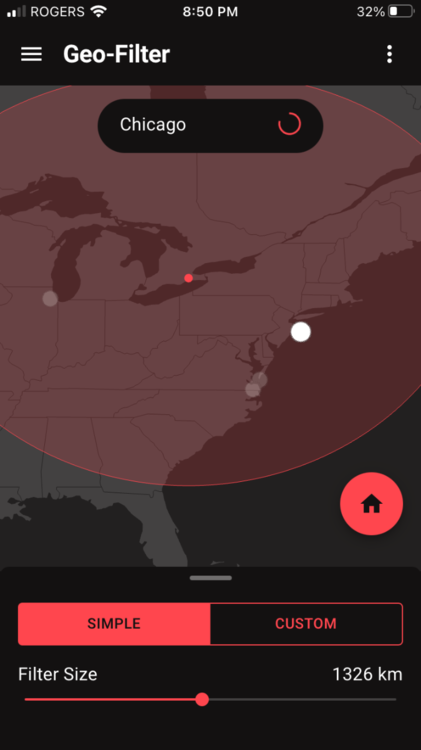
On geo filter you will see multiple severs in that area. Prob 5 and yes one is where that circle is.
-
Soon…..
-
Soon…..
-
Soon….
-
This is the longest soon of my life
-
What’s ur settings
-
congestion control not work with waveform
04tsx replied to justin peryea's topic in Netduma R3 Support
Disabled lan as well. Same like u did on wan… disable ad blocker. Then under smartboost settings allow third party app to by pass cc… trying to think off the top of my head… that could be under ping optimizer settings. Sorry. Just at work and can’t access it -
congestion control not work with waveform
04tsx replied to justin peryea's topic in Netduma R3 Support
Yes. That’s what u want disabled. Enable smartboost. That’s why ur cc is greyed out -
I draw my area that I want to play in. It seems that worked better for me. Hasn’t left my area once. Don’t need to block anything either
-
Can someone explain what a hybrid vpn is?
-
Shut off steady ping
-
Disable steady ping for starters
-
If it’s the Speedtest on the PlayStation then that’s your problem. Look up how to run google browser on ps5 then from that google look up internet speed test. Do the test that way
-
Reserve ip. Under smart boost go to favorites. Add reservation. Pick the ports you want through there. That’s what worked for me on my ps5. No other way worked
-
Thanks. It didn’t work the first time. But after messing around and going back to try it again it gave me open Nat on cod
-
Shut down the app and restart it
-
It says Nat type 2 now after reboot. But all those ports still say inactive….
.png)