
Crazy Cat
-
Posts
163 -
Joined
-
Last visited
2 Followers


-
Good morning and happy Sunday everyone, I need help configuring the ProtonVPN service correctly in HybridVPN. Any configuration file generated by Proton Hybrid shows a failed status. I don’t understand what username and password I’m supposed to enter (I’m in the advanced section), and/or if the files generated by Proton are not valid. For username and password I tried using my own credentials, “1 and 1” (as suggested by NolagVPN), and also leaving it blank, but nothing worked. Can anyone please tell me how to fix this?
-
.png "Like") Crazy Cat reacted to a post in a topic:
XR700 and 2.5 Gbps
Crazy Cat reacted to a post in a topic:
XR700 and 2.5 Gbps
-
Good morning and happy August bank holiday, I need some advice please. My provider has increased the speed of my contract only now, unlike a few years ago, sfp modules are no longer used but everything is managed via ont so I can't use the router's 10G port and can only get 1G/1G on wan. First question, is this correct? Is there anything I can do? Then I wanted to know how to make the most of the connection on a wired device, which has the ability to do this and the cable is a cat 7. The ethernet is on port 1 of the router, if I do the aggregation can it be used to get higher speeds? Last question I wanted to know if to date there is or if you are thinking of making your own router too, not necessarily via netgear, that supports these speeds via wan. Thanks in advance to those who will read and help me. Good day to all
-
Crazy Cat reacted to a post in a topic:
QOS DumaOS 3.0
-
So I am only obliged to turn qos on if I want to make changes within the traffic prioritization section, otherwise it works normally even if I turn the game off and on over the days. Right?
-
Good morning and good Sunday, I noticed that with the latest update of the XR700 (XR700 V1.0.1.50-0626) when disabling qos the Traffic Prioritization section is no longer editable although it continues to work. I wanted to know please if my games continue to receive priority anyway. Thank you
-
Netduma Fraser reacted to a post in a topic:
Firmware broken
-
valuable as always, thank you very much
-
Crazy Cat reacted to a post in a topic:
Firmware broken
-
i have been trying them all since this morning but nothing works, thanks for the advice anyway. i just hope some of the admins can answer soon. @Netduma Fraser some advice?
-
If, as I think, the fw is broken, is there a way to restore it via usb?
-
After deactivating ipv6, I can no longer log into the router. It keeps loading the operating system. Naively I even tried to do a factory reset and now I'm even without internet, what can I do? Xr700 latest fw dumaos 3.0 (XR700-V1.0.1.50-0626)
-
 Crazy Cat changed their profile photo
 -
Traffic Prioritization Settings: Modern Warefare (BO4)
Crazy Cat replied to East's topic in Call of Duty Support
CALL OF DUTY MODERN WARFARE: PACKET BURST PROBLEM Unfortunately, restoring the bandwidth in the qos flower did not work. I also tried to prioritize up and down 10mbps but that didn't work either so I went back to my usual settings. All of this I tried with both mtu 1500 and 1492 (ps4) in the wan interface no touched. Then around the forum I read the post of someone who recommended to lower the anti-bufferbloat scroll lines a little bit (even if then turn it off) to make room for some packages that could get lost but this for me led to see strange things in the game (people who cared without the stimulant in their hands and opponents who ran standing still in the same position) so I went back to 100% and turn it off, but I think these are strictly personal settings. Failing to capture the ps4 traffic with wireshark, the last thing I tried was the second suggested set of rules and it went really well. For 5 games I didn't have any packet explosions (never happened since the game was released) but then they slowly reappeared, but not as before. Neither as number nor as importance of lag (lag yes but smaller). So after all the attempts made in these 3 months (and they were really many) I can say with 99% certainty that the key to solve this problem lies in finding the perfect set for traffic priority and here you need help from netduma with cloud updates by studying the case. It's not their fault what clearly happens, but the game that doesn't work well for those with strong connections. Even on reddit those who have this problem are people with very fast connections. We are lucky to use this router and so we can study, try and experiment with traffic priority and all the settings that this OS makes available to us, others probably will never solve it since activision does nothing. In conclusion if you can't or don't know or don't want to do a data traffic acquisition with wireshark I suggest you to try this set of rules and see what works best for you (I haven't tried to use both of them) you can try if you want but in my opinion it's not a good idea, but I could be wrong. The following rules are to be created in the traffic priority by deleting the already existing ones and deactivating the option games classified dumaos. Instead of XXXX you have to write your udp port that changes according to the device you are playing with, those detected so far are 3074 (for ps4 and pc) and 3075 (for xbox) First set of rules (consisting of 2 rules) Source XXXX : XXXX Destination 30000 : 45000 Protocol UDP Source 30000 : 45000 Destination XXXX : XXXX Protocol UDP Second set of rules (consisting of 2 rules) Source XXXX : XXXX Destination 45000 : 65000 Protocol UDP Source 45000 : 65000 Destination XXXX : XXXX Protocol UDP I would like to specify that this result is not the result of my work, I just did a lot of tests collecting as much information as possible from the work of others. These rules are approximate and the fact remains that the best ones will be those created by you by analyzing your traffic. A thank you for all this goes to @East @GHOST-1-EC @kinel -
Traffic Prioritization Settings: Modern Warefare (BO4)
Crazy Cat replied to East's topic in Call of Duty Support
Hi, it's nice to hear you and hear these words and thank you again for your interest. The strange thing is that upnp only reports the porda udp 9308 and no other port even the 3074. I have the console connected with cable and I don't use upnp or forwarding ports but only dmz (I tried all 3 settings one at a time but nothing has changed). That's right, this experience as in the video but not so serious, this guy also has other serious connection problems. I just posted a video in a post to Fraser's response on the analysis of the netcode done by the boys of battlenonsense. If you don't want to see it all (but I recommend it in general and not just for my problem when you have 10 minutes) see from minute 6 to minute 8. I just found a youtube video of a guy who has the same same problem as me, but sometimes I have it a little more serious. -
Traffic Prioritization Settings: Modern Warefare (BO4)
Crazy Cat replied to East's topic in Call of Duty Support
Sorry if I answer only now, but not having quoted me, I had not received notification and I had not yet opened this discussion. For an explosion of packages (the correct technical translation is packet burst, I apologize but as you will understand I speak through a translator) and is signaled by the game with 3 orange squares that appear in the center of the left side of the screen. The ping reported by mw ranges from 38ms to 45ms. I'm having real lag, sometimes light, sometimes really heavy. I give an example, today I happened to move on myself from a standstill to shoot an enemy whose footsteps I had heard, straight I have the north, in the way of turning around I completely lost the frames finding myself west without understanding anything, I lost the 270 ° view completely. I hope I managed to explain and that the translator helped me. You may report other examples but this I think is one of the most important to make people understand. If you want you can see this video that explains many interesting things. However look from minute 6 to minute 8 for the meaning of all the icons in the game, including mine. -
Traffic Prioritization Settings: Modern Warefare (BO4)
Crazy Cat replied to East's topic in Call of Duty Support
Hot first impressions with new settings (I only played one game). So many you have told me that in the end I decided to try a game without dmz and with upnp, I must tell you that it seemed to be going really well, even better than dmz but I will have to do other games. For absurdity I use dmz and not upnp precisely for security reasons, in the sense that if I use dmz (just because I am a console, I would never have thought of it from a PC) all the doors have always been open but only for that device, while with upnp any device that requires a port (computer, etc ...) the ports would be opened. Now you could say to activate upnp only when you play, true but if while playing (therefore upnp is active) someone uses the computer, etc? You understand that it becomes the dog that bites its tail. However even with upnp I had an explosion of packages so this does not solve my problem unfortunately. A strange thing that I noticed instead of upnp is that it only opened one door, the same since I turned on the console (udp 9308) even while I was playing there were no other doors open, how is it possible? Obviously I was typing on update during the game. Once the meaning of the 3 orange squares (all 3 full of color) was officially released with that of the half-dotted one it is loss of packets, I documented myself at the computer level and as you say too much bandwidth causes it so I tried to give ps4 with qos 10 ownload and 10 upload but nothing has changed except that I received a very slow game and always with the explosion of packets. Other information that I can give is that mine is a pppoe connection therefore with mtu 1492 which also imposed on ps4 and I receive the error of the fragmented ip (I tried with 1500 and not by error but it is wrong and I went back to 1492 anyway also with 1500 I always get packet bursts). I swear guys I don't know what to do anymore, now of course I have given up on the competitive game on this title but even if it were now just to play with friends or alone I would like to have a fluid experience. I also wrote to activision but it seemed to be talking to a bot, they told me that they let me know when they would have a solution but 2 months have passed now. I have always played cod alone (except battlefield 4 and fifa 14) and I have never had any problems to date. Another thing I was wondering about upnp, I saw that as a moderate nat, I have always had nat open on all games, will it give me problems with people I invite to my room? Thanks always to all of you who listen to me and who seek a solution with me, even just by advising. Thanks so much @East @Grafti @Bert @kinel @Netduma Fraser -
Traffic Prioritization Settings: Modern Warefare (BO4)
Crazy Cat replied to East's topic in Call of Duty Support
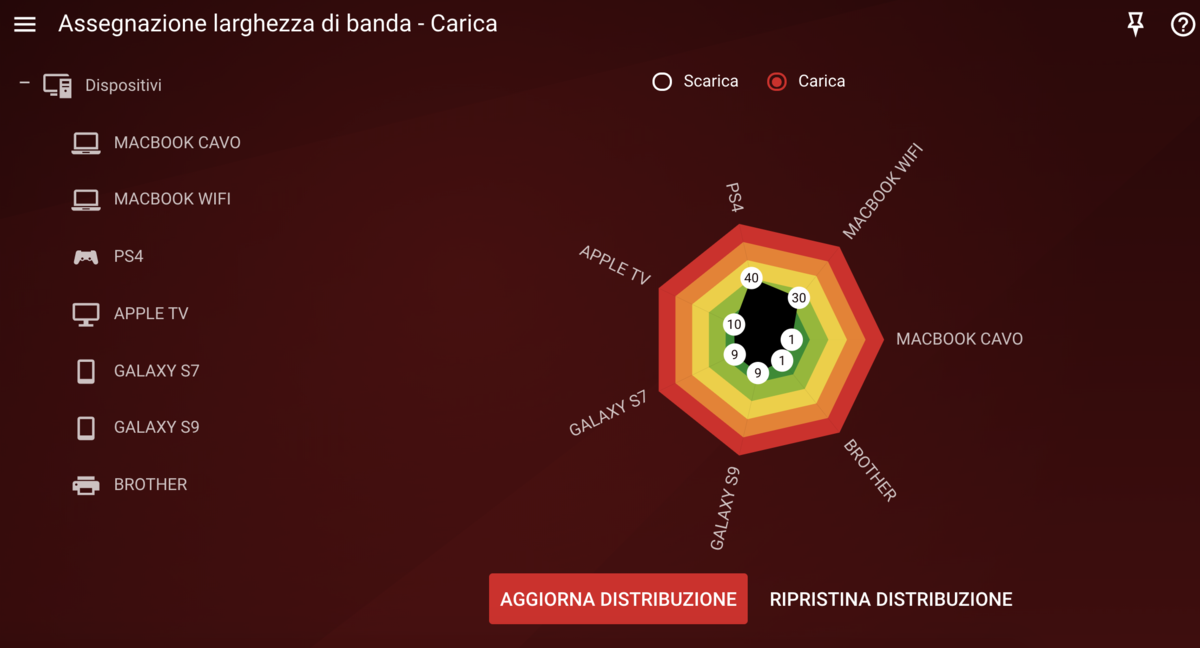
@East I just ran upnp as per your advice and the only port I see even if I enter the game is that of the console (since I didn't believe it I was constantly typing on reloading) but what happens? However from the game settings both at the end of the public and private ip address I see xxx.xxx.x.x:3074 @Grafti I understand what you say to me and I understand that he is saying it for me and I thank you again, but I already told you in the previous post the reasons that push towards certain choices. However, with my pa game settings always and only on 2 dedicated servers (the Italian one and the American one) it is very rare that I connect to peer to peer, I lost many days before finding the right ping to get this result. All my friends who are playing with me have no problems and obviously the servers are the same because I am making room. I repeat my settings: console fixed ip address console fixed ip address in dmz no upnp no port forwarding anti-bufflebloat never and cursors download and upload 100% my bandwidth set download 900 upload 200 (speedtest reports 930 download and 220 upload) qos active no bandwidth sharing (both download and upload) I have these settings from the first day of this router and this is the only game where I have problems. Obviously before, as a traffic priority I used only classified dumaos games. It was this game that brought me to experiment because I have lag problems and not hit problems. For completeness I also report 2 screenshots (download and upload) of the qos flower.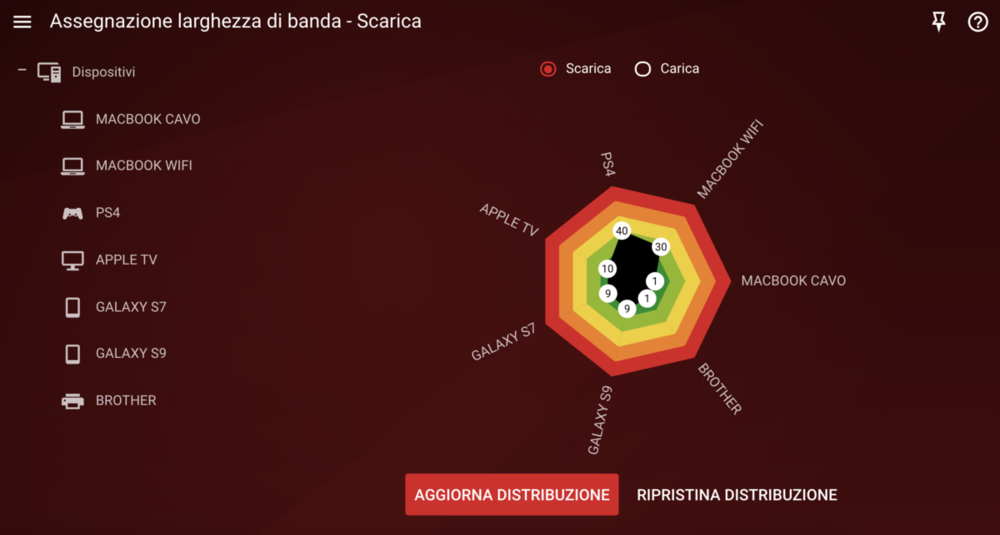
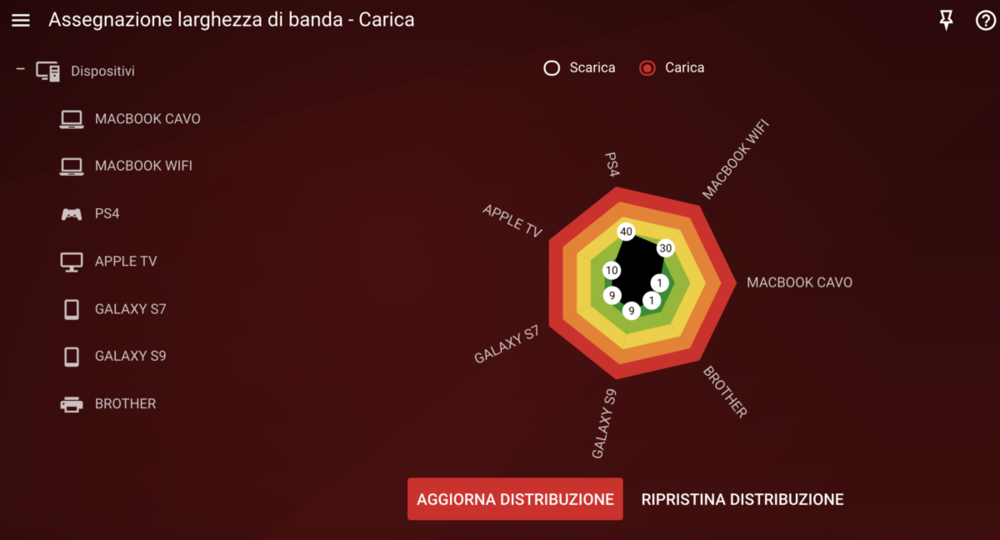
-
Traffic Prioritization Settings: Modern Warefare (BO4)
Crazy Cat replied to East's topic in Call of Duty Support
Hello and first of all thank you for your interest and for the help you want to give me. Speaking of mw (I would have liked to have had this info before when I was playing bo4 where I had problems recording shots) I have no problems like on bo4, it is rare that the shots do not register but I have a lag problem (on bo4 I didn't have them ) and these lag are reported by the game as packet explosions (3 orange squares). Obviously after reading your post the first thing I did was to try your rules and with your fingers crossed (believe me it's not a joke, it's really stressful to play in these conditions especially if you are used to playing at certain levels) but unfortunately they didn't work. Rightly in the first post you said that these rules (above all I think regarding 30000-45000) could change depending on the game console (3074 or 3075) and location. So the second thing I did was download wireshark but I can't get it to read ps4 traffic (if you have any advice on wireshark it would be welcome). So I thought that not being able to create the exact rules for me to try to go along with the doors that I am sure in use, but I don't understand why dumaos does not allow me to write the 2 rules for a single door (example 80:80 - 1: 65535 yes, but once added not the other way around or 1: 65535 - 80:80 yes, but once added not the other way around) and it remains a mystery and a sin not to try until the end. Also because since I wrote my rules (compared to the first post, I reversed them all and the game would seem to run much better) the only thing is that I added port 3074 also in tcp (I spoke with some users on reddit and they say that port 3074 on ps4 is to be opened also as tcp even if not reported by activision). Can you think of how to turn these rules? Because if I succeed I am convinced to solve the problem completely. I will also try to do what you told me now and I will compare them with the current ones to understand which ones give a better experience and if they will be the same I will obviously use yours to avoid the rules 1: 65535. I hope I have been precise and that the translator will help me, otherwise it will be a disaster to read this post. PS: my udp console port is 4 digits -
Traffic Prioritization Settings: Modern Warefare (BO4)
Crazy Cat replied to East's topic in Call of Duty Support
Sorry and how is it that in the first post of this topic @east managed to give the reverse rules for the same port range? However in general I'm looking for any rule that allows me not to have the explosion of packages that causes stuttering. Does anything come to your mind? I'm trying them all believe me, I don't know what to do anymore.