


euphidra
-
Posts
352 -
Joined
-
Last visited
-
Days Won
1
Everything posted by euphidra
-
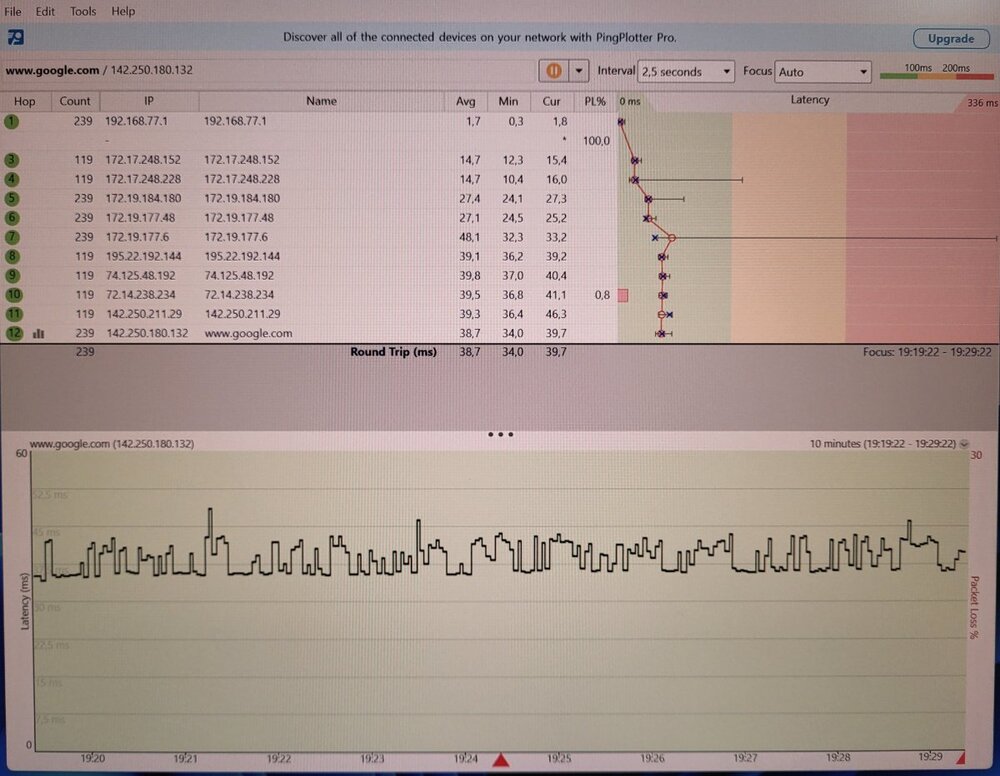
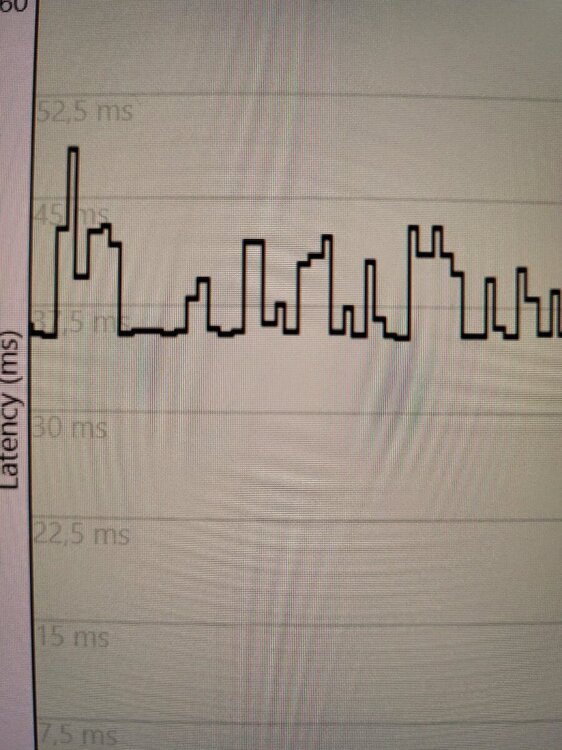
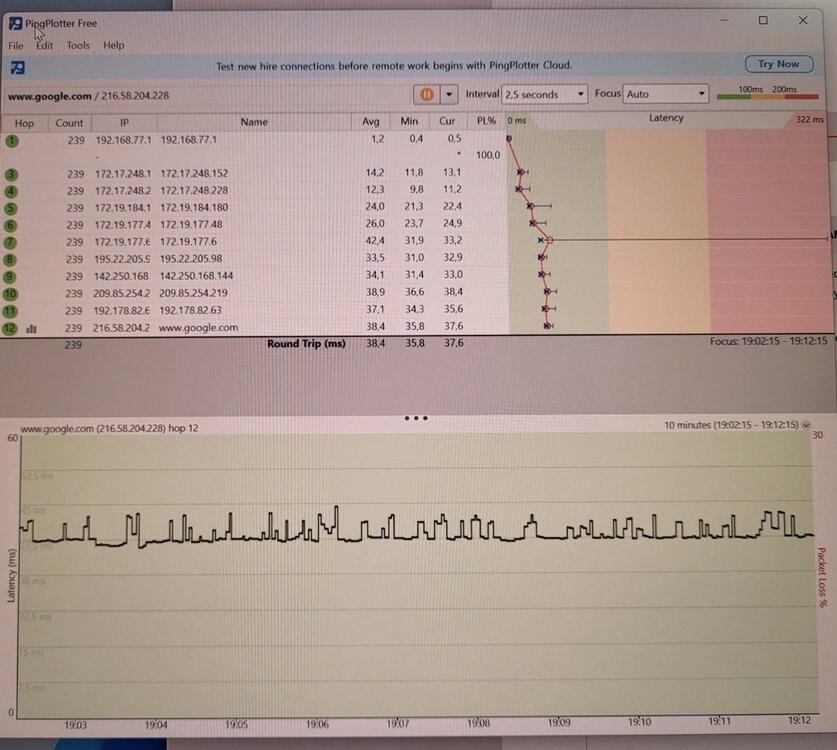
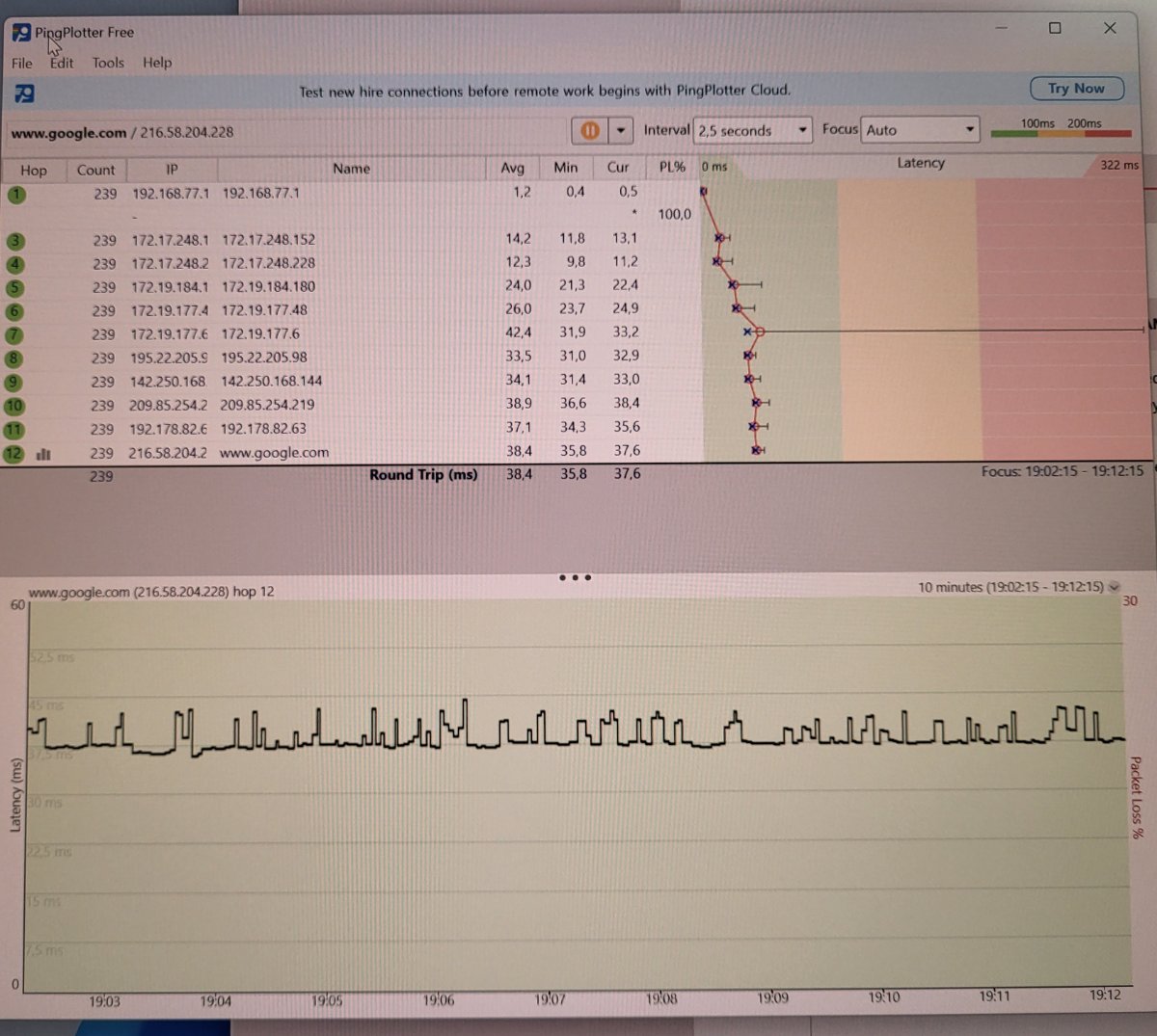
@Netduma Fraser Version 4.0.23 Test with Pingplotter Free. Each step of Pingplotter is 7.5ms. I set the steady ping on expert to 50ms. Is that right? Congestion is at 70% download and 70% upload at ALL TIMES. The steady ping simple mode automatically pings at 8 - 10ms? I play Efootball 2024 on Playstation 5 (Put on Playstation and not Game Consoles). R3_2024-01-04T19_02_46.572Z_logs.txt
-

Firmware 4.0.23 does not work the steady ping graphics
euphidra replied to euphidra's topic in Netduma R3 Support
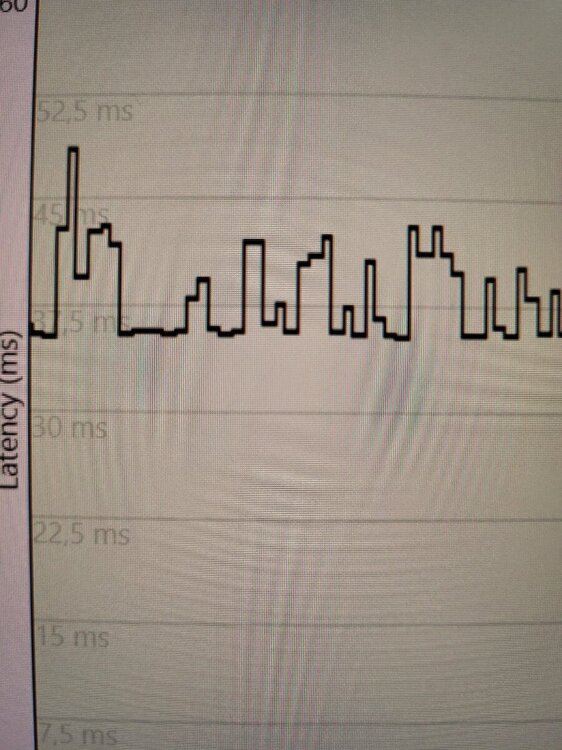
@Netduma Fraser Version 4.0.23 Test with Pingplotter Free. Each step of Pingplotter is 7.5ms. I set the steady ping on expert to 50ms. Is that right? Congestion is at 70% download and 70% upload at ALL TIMES. The steady ping simple mode automatically pings at 8 - 10ms? I play Efootball 2024 on Playstation 5 (Put on Playstation and not Game Consoles). R3_2024-01-04T19_02_46.572Z_logs.txt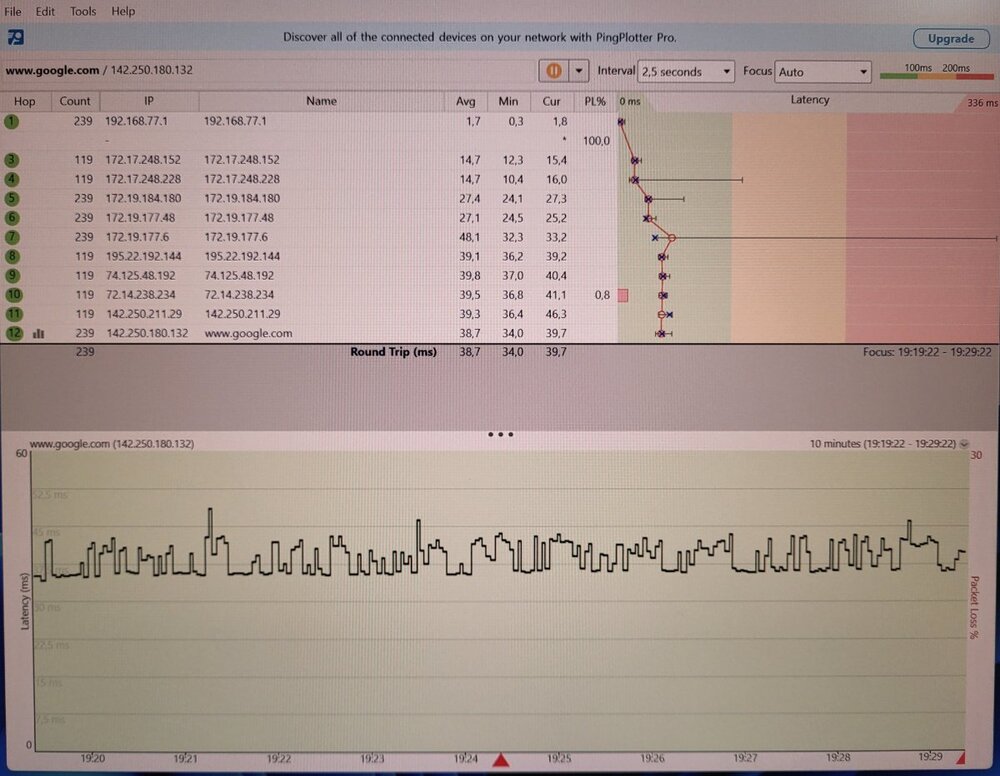
-
@Netduma Fraser But does version 4.0.23 need a hard reset after its installation? From the menu or the rear button of the router? I have never reset. Only reversed. Pingplotter is more stable on Netduma R2 while on R3 the Ping is unstable with PC tests. You need any settings to reset and load the devices anyway. For Hybrid VPN, improve the Qos on VPN (or include it inside gaming) and which gives ping from the connection point of the VPN and not as Netduma R2 that has always been the ping from where the provider connects.
-
Firmware 4.0.23 does not work the steady ping graphics
euphidra posted a topic in Netduma R3 Support
@Netduma Fraser Hi Fraser, I downgraded from version 4.0.23 to 4.0.20 (automatic update from 4.0.16). I've only done two reboots without any factory resets with each firmware update. Version 4.0.21 and 4.0.23 are not good. Smartboost doesn't work and not even on 4.0.20. 4.020 does not ping on the servers and does not show the steady ping graph but stabilizes it (which does not happen on 4.0.21 and 4.0.23). I hope you have a new firmware to send me and who knows a beta with Hybrid VPN to try like on Netduma R2. Thank you. -
@Netduma Fraser Hi Fraser, I downgraded from version 4.0.23 to 4.0.20 (automatic update from 4.0.16). I've only done two reboots without any factory resets with each firmware update. Version 4.0.21 and 4.0.23 are not good. Smartboost doesn't work and not even on 4.0.20. 4.020 does not ping on the servers and does not show the steady ping graph but stabilizes it (which does not happen on 4.0.21 and 4.0.23). I hope you have a new firmware to send me and who knows a beta with Hybrid VPN to try like on Netduma R2. Thank you.
-
And how much percentage should I put. I use TIM FTTC 200 mega modem in PPPOE. Doing the ping optimizer test consecutively gives me ping fluctuations. What could I do? With Netduma R2 everything was easier to set up the router. @Netduma Fraser
-
@Netduma Fraser I use 70% download and 70% upload. The problem is the router because Netduma R2 doesn't do this and the LG Soundbar app both work on the 5Ghz band. This Netduma R3 router has a lot to fix. Even the bufferbloat on Netduma R2 has all the positives and here I have to ignore them 29 / 5.000
-
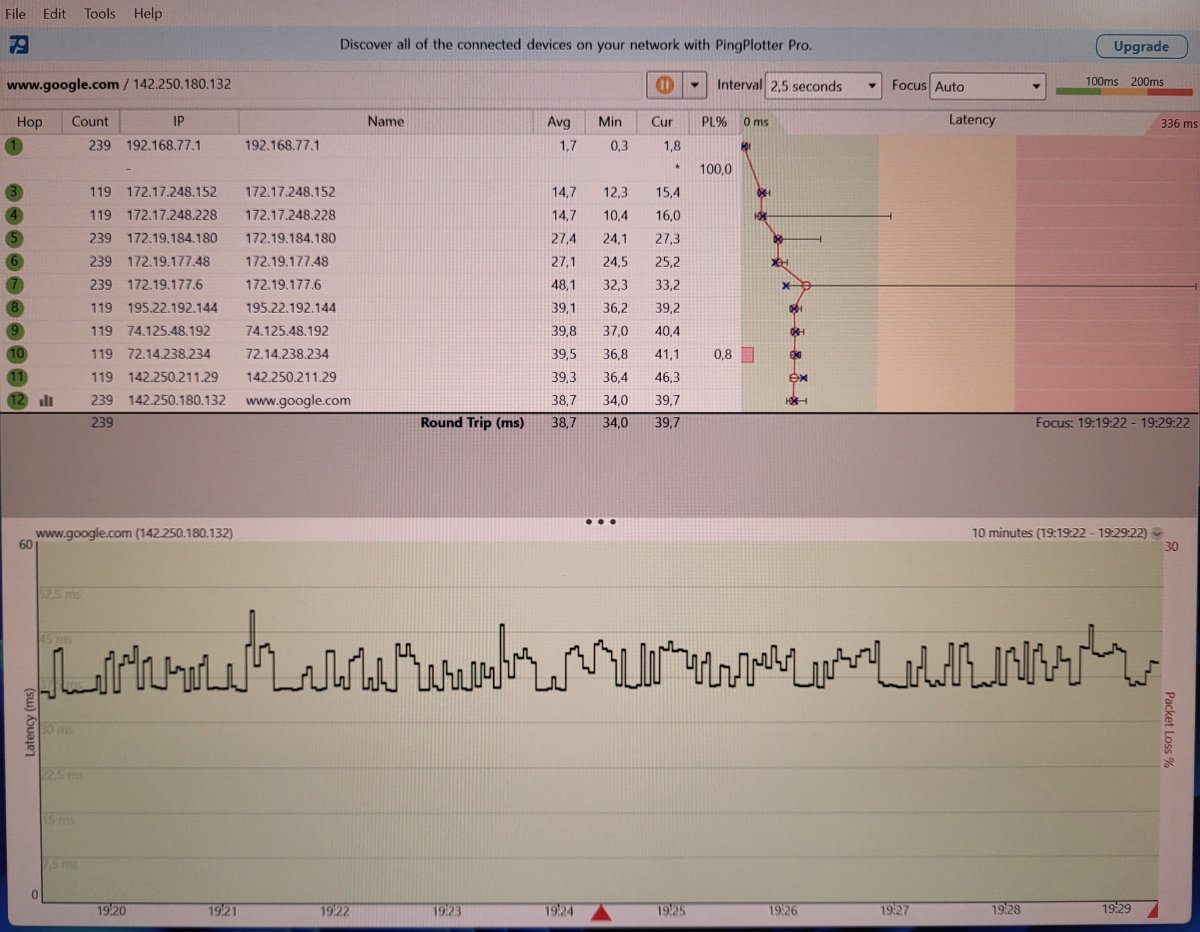
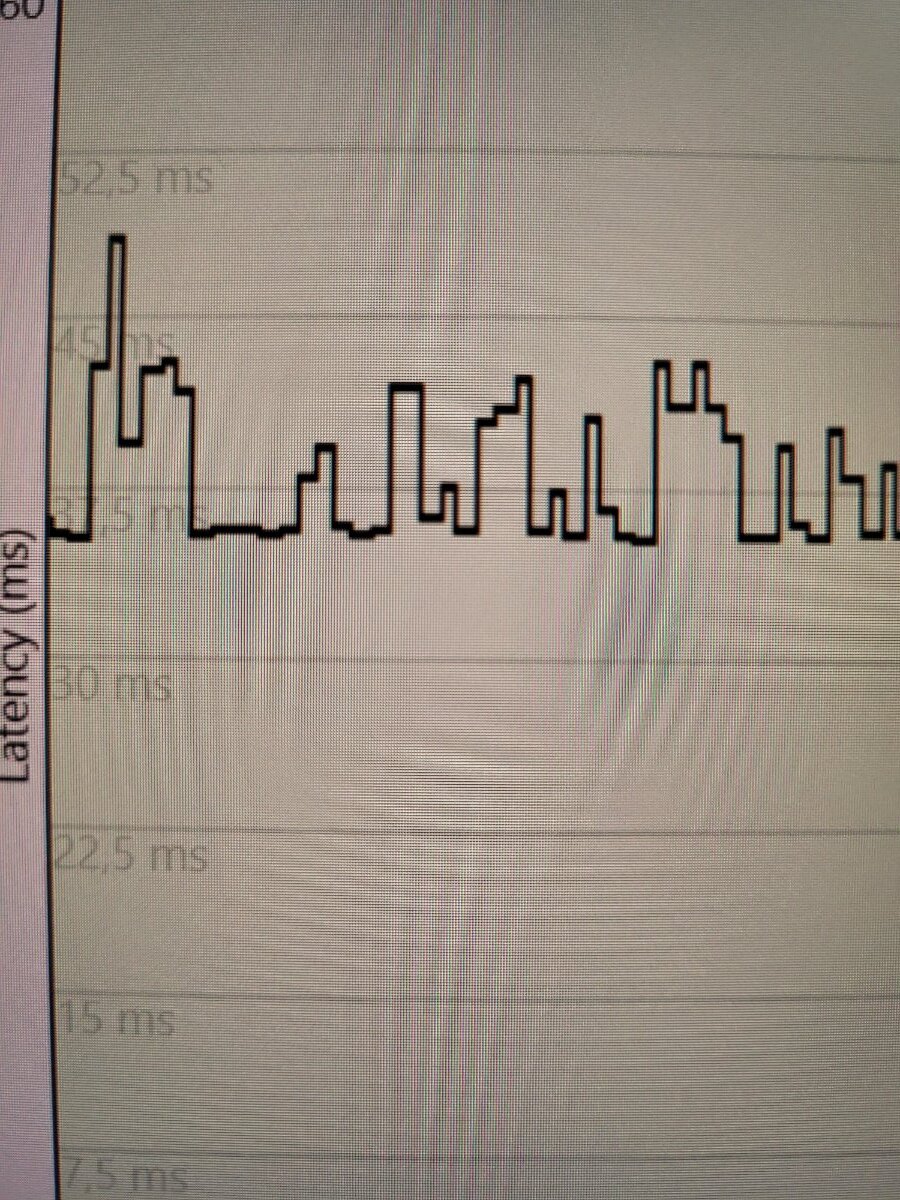
@Netduma FraserI have a PC pingplotter with constant ping changes with firmware 4.0.23. This problem can be solved. With only the TIM HUB PLUS + TECHNICOLOR modem the ping is linear. Thanks Fraser for advice or do a firmware downgrade? In case of downgrade to which firmware version? Bufferbloat test with speed test bypass disabled and ping optimizer on auto https://www.waveform.com/tools/bufferbloat?test-id=9480718b-8502-4737-a9c0-fb72eb92be75
-
Hi Fraser you hear sometimes on the eFootball 2024 game when the ping stabilizes (Steady ping) the graph does not appear. What could it be due to something to be optimized on version 4.0.23 or the server not communicating? Sometimes it happens that it does not stabilize the ping and is without graph. And sometimes it works. This happens on the server in Switzerland. In the previous firmware 4.0.19 or 4.0.20 I don't remember it was better. I try to give my impressions of what happens to me to help you. For the LG soundbar app the problem is on the router and not the app (I received a response from LG that they have no problems with Android 14). Practically now I have the two soundbars connected separately, one on 2.4Ghz and one on 5Ghz (On the Netduma R2 they were connected in the same wifi frequency at 5Ghz). Even if I unify the two wifi bands I cannot connect them both which should connect them (as they currently are) one to 2.4Ghz and one to 5Ghz. In all devices I use fixed IP. If you have subsequent versions with improvements you could send them to me. Thanks Fraser.
-
Hello Fraser, Merry Christmas to everyone and to you on the Netduma team. By chance there is version 4.0.26 to send me. What features does it have? Thank you.
-
@Netduma Fraser Excellent firmware this 4.0.23. Much improved. When you have later versions you can send them to me. This update is on track. Improved geofilter and also ping servers in ping heatmap. I played without ping fluctuations with steady ping which was bad with previous versions. We will see if it improves on Smartboost given that when activated it is activated but when closed, for example, YouTube or Twitch the priority always remains active even if you update the router page. Speed test in PPPOE improved. To improve the wifi signal with functions that the Netgear XR1000 had beamforming https://kb.netgear.com/25347/What-is-beamforming-and-how-does-my-NETGEAR-router-use-this-feature and OFDMA (Orthogonal Frequency-Division Multiple Access) https://kb.netgear.com/it/000059685/Cos-è-la-faccialità-OFDMA-Orthogonal-Frequency-Division-Multiple-Access?language=it
-
@Netduma Fraser Here is the bufferbloat in PPPOE with ping optimizer 70% download and 70% upload and latest firmware just sent. I did 2 reboots of the router. I don't understand those danger triangles with 0ms that you told me to ignore. On Netduma R2 it gave me all positive scores. https://www.waveform.com/tools/bufferbloat?test-id=e70bf25e-b98e-4af9-80dd-d383dac02a37
-
V4 0 20 pagina geofiltri non si aggiorna
euphidra replied to Damiano Calafiore's topic in Netduma R3 Support
Thanks Fraser. Can I install without doing any factory reset from the menu and reset button? You could insert a backup at least for the device settings so you don't have to configure everything again. -
Thanks Fraser. Can I install without doing any factory reset from the menu and the reset button? You could insert a backup at least for the device settings so you don't have to configure everything again.
-
V4 0 20 pagina geofiltri non si aggiorna
euphidra replied to Damiano Calafiore's topic in Netduma R3 Support
Is it version 4.0.21 or later? If it is later it is possible to have it. Thanks Fraser. -
Is it version 4.0.21 or later? If it is later it is possible to have it. Thanks Fraser.
-
Hybrid VPN on The Netduma R3 - Current Status
euphidra replied to Netduma Fraser's topic in Netduma R3 Support
When will HybridVPN arrive? -
The device is different but still LG OLED TV. Obviously LAN cable on the TV near the router and wifi on the other TV further away. So I believe that in wifi it does not detect NOW traffic in VIDEO & STREAMING. I tried with YouTube always on the TV in wifi and smartboost detects VIDEO & STREAMING traffic. As regards the eFootball game on Playstation 5, the Smartboost GAMING turns on only when it enters the eFootball divisions (Gaming does not turn on either in the game console menu or in the eFootball menu). The firmware is 4.0.21 Thanks Fraser if you solve the problem. Sometimes the DUMAOS app on the smartphone does a reconnection but I see that the router remains connected and does not restart while the app reconnects.
-
It doesn't detect Now on wifi but with a LAN cable on the other TV it does. I tried to put only Now in priority but it turned on and off immediately after a few seconds. To improve the speed of the speed test in PPPOE which gives low speeds compared to DHCP.
-
It seemed to work. For example, in WIFI the smartboost does not detect NOW in Video & Streaming while on LAN it does.
-
Smartboost works better with 4.0.21 compared to 4.0.20
-
@Netduma Fraser Thank you. Hi Fraser, I also need firmware beyond 4.0.20 which updated automatically. Thank you.
-
Geo-Filtering doesn't work & other grievances
euphidra replied to Zer0Aspect's topic in Netduma R3 Support
Hi Fraser, I also need firmware beyond 4.0.20 which updated automatically. Thank you. -
@Netduma Fraser I connected the two soundbars but on two separate frequencies. The soundbar closest to the router is at 5 Ghz (automatic channel) while the one furthest from the router is at 2.4 Ghz (automatic channel). Not even both on the 2.4Ghz wifi band I was able to connect. With the Netduma R2 both soundbars were connected to 5 Ghz. I don't know why. Fraser looks why there is this problem. The two LG soundbars detect both wifi bands but does not complete the configuration on the LG Soundbar app. Thanks Fraser if you solve the problem. I use fixed IP on all devices with DHCP from . 100 to .250 On DEVICE MANAGER I see all the connected devices. The 2.4 Ghz band gives me a yellow wifi icon on the soundbar while on the TV near the soundbar it gives me a red wifi icon (But the wifi on the TV works perfectly so I don't know if it's just a display problem). You need to optimize the wifi signal like the Netgear XR1000. R3_2023-12-21T16_45_42.943Z_logs.txt
-
@Netduma Fraser The firmware has updated to version 4.0.20 but I cannot configure the two LG soundbars. That is, I can do one but at 2.4Ghz and not 5Ghz (It has a fixed IP set on the router but it can't find the LG Soundbar app with the fixed IP set giving many soundbars in the list). The other soundbar only connected to 2.4Ghz and it took it to find the fixed IP of the router set manually). What is the problem that with Netduma R2 it didn't happen and I was connected to both soundbars at 5Ghz (I use automatic channel wifi in both bands by default). You have a firmware fix to try to see if it works. Thanks Fraser.

.png)