
Proud R3 Owner
-
Posts
418 -
Joined
-
Last visited
-
Days Won
2
Everything posted by Proud R3 Owner
-

NEW XR700 BETA FIRMWARE: 3.3.363
Proud R3 Owner replied to Netduma Lew's topic in NETGEAR Nighthawk Support (XR range)
@Netduma Fraser I haven't tried that yet but I will when I'm home next. @Mobel That makes sense but it's a bit confusing. I was expecting something like the web gui where when you reboot it tells you it'll take 3-4 minutes letting you know it's rebooting. The error message just looks like something went wrong with the reboot command (until you figure out you don't have Internet anymore). -
NEW XR700 BETA FIRMWARE: 3.3.363
Proud R3 Owner replied to Netduma Lew's topic in NETGEAR Nighthawk Support (XR range)
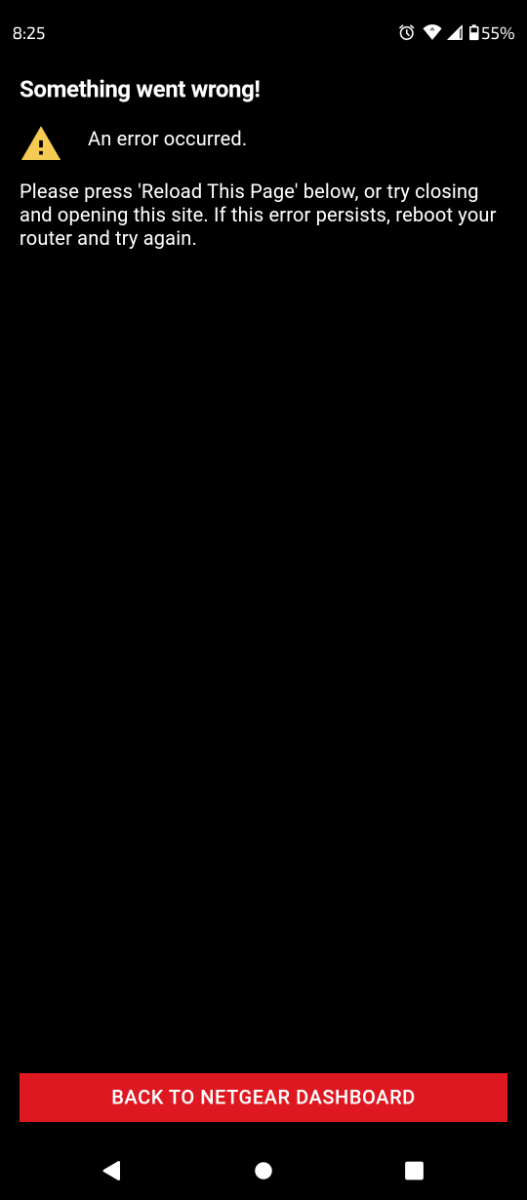
Nothing to lose sleep over, @Netduma Fraser, but when using the app - settings then reboot I get this error screen. This comes after the confirmation pop-up. It does still reboot the router but I just thought you'd like to know. This is on Android 12 - App v3.3.28
-
FIRMWARE: 3.3.308 Smart QoS (Hit Detection)
Proud R3 Owner replied to TODDzillaInLA's topic in Call of Duty Support
Hey I wonder if you set your Xbox IP static in the lan settings in reservation table, then set your Xbox as dmz in wan settings if you'd have the same issue. Wouldn't really be a fix but a possible workaround. -
NEW XR500 BETA FIRMWARE: 3.3.535
Proud R3 Owner replied to Netduma Lew's topic in NETGEAR Nighthawk Support (XR range)
Aww that setup screen is way cooler looking than the one we got on the xr700 😕 -
NEW XR700 BETA FIRMWARE: 3.3.363
Proud R3 Owner replied to Netduma Lew's topic in NETGEAR Nighthawk Support (XR range)
Well that's why I'd like to see this beta as official, at least we can keep getting security updates on 3.3 -
NEW XR700 BETA FIRMWARE: 3.3.363
Proud R3 Owner replied to Netduma Lew's topic in NETGEAR Nighthawk Support (XR range)
@Netduma Fraser Hey are you guys gonna submit this beta to NG for official release? -
netduma r3 Netduma R3
Proud R3 Owner replied to HANDSOME KING's topic in Feature Ideas & Improvements for DumaOS
I had thought about it after getting the Archer ax11000 and being disappointed a bit. I thought Asus might have done it a bit better. Honestly it came down to netduma. After having this much control and power on the xr700 I wasn't willing to go back to a similar gaming router that was watered down. If the xr700 would have had an 8 antenna configuration with tri-band that didn't give you a full useless band (802.11ad) and have mesh capabilities - it would have been the perfect router for the era it was released. I only use the xr700 as a router, the wifi is completely disabled on it. I have an older c5400x and the ax11000 both setup as hardwired APs with smart connect on and they cover my entire house and 1/4 acre yard with excellent signal. -
netduma r3 Netduma R3
Proud R3 Owner replied to HANDSOME KING's topic in Feature Ideas & Improvements for DumaOS
@DARKNESS No just 1 port to 1 switch. We have multiple wired TVs, consoles and PCs. I've got a wife and 4 kids with a rather large house. Matter of fact I use a c5400x and an ax11000 as APs - I don't even use the wifi on the xr700. We just have a lot of stuff to hardwire. We use wireless as well but only when we have to. -
netduma r3 Netduma R3
Proud R3 Owner replied to HANDSOME KING's topic in Feature Ideas & Improvements for DumaOS
@DARKNESS 4-5 ports? Sounds more like a small switch bud. I have my house hardwired cat8 and have all 6 ports used going to gigabit switches on the xr700. I've used a lot of routers and to me the TP-Link Archer ax11000 and Asus ROG rapture gt-ax11000 got it right on a lot of levels. I honestly think with stronger hardware, a few more bells and whistles including DumaOS - you'd have a game changing router. -
netduma r3 Netduma R3
Proud R3 Owner replied to HANDSOME KING's topic in Feature Ideas & Improvements for DumaOS
I mean honestly I'd take 8 lan ports with 2 able to trunk and if the sfp port was set to wan then the 2.5Gb port could switch to lan. Then they could come out with gaming smart switches that go with the DumaOS 4.0 with a 2.5Gb link port. That would kinda be baller imo. And RGB logo a waste of money??? Don't you know when you add RGB you automatically get higher speeds... Cuz you know... Science. Honestly I think the RGB logo would be nice as some people have their router incorporated with their gaming setup on the desk. That way it could add to the aesthetic of the whole concept people would go for. I'm not really like that personally but some are. Honestly if it didn't have that I wouldn't care. I stick with the xr700 purely for the unadulterated raw power it has and I think if NetDuma came out with something even more powerful cutting the Netgear bs out (cuz you know that's where most issues come from ie DHCP issues and getting official fw out) people would ditch the 700 and 1000 and move strictly to netduma. -
NEW XR700 BETA FIRMWARE: 3.3.363
Proud R3 Owner replied to Netduma Lew's topic in NETGEAR Nighthawk Support (XR range)
Oh sorry read that a bit wrong then. I retract that statement then about taking that bug, it should totally be fixed lol. 😆 I'm totally digging this new fw btw, I've drastically reduced ping in most games with the optimizer and setting geo for ping assist only. -
NEW XR700 BETA FIRMWARE: 3.3.363
Proud R3 Owner replied to Netduma Lew's topic in NETGEAR Nighthawk Support (XR range)
Why would it be a bug if I can get 800Mbps download on a PC on lan with 350Mbps download from another PC on lan with QoS disabled and my ISP is giving me ~1200Mbps? I don't see anywhere near that with my QoS enabled as my sliders are set to 53/95 as per ping optimizer. I did get a -12ms in ping though which is what I'm after. Ping optimizer tests indicate I'm getting about 30ms without optimization. I've set my geofilter up in the middle of the ocean with ping assist at 40. I'm seeing game servers at 19-30ms now instead of ~50-70ms. If that's a bug, I'll take it. If I need max throughput I'll just disable QoS and I'll get all the bandwidth my ISP dishes out. I'd still like to utilize that extra 200Mbps with QoS enabled, but I'm not gonna stress about it. -
netduma r3 Netduma R3
Proud R3 Owner replied to HANDSOME KING's topic in Feature Ideas & Improvements for DumaOS
R3 would be a beast - octacore, 2GB ram, 1GB flash, tri-band (not 801.11ad though WiFi 6 def), 8 detachable high gain antenna, smart connect/ mesh, zero wait dfs, airtime fairness, 8 port gigabit lan, 1 2.5Gb wan with an sfp port (also able to assign as wan). Slap some fans on the CPU/vrm and maybe have the feet longer with rubber bottoms and an exhaust fan pushing air out. Boom. DumaOS 4.0. MAYBE an RGB badge on the top. You know you'd buy one.- 61 replies
-
- 2
-
.png)
-

-
- handsome king
- ideas for life
- (and 2 more)
-
NEW XR700 BETA FIRMWARE: 3.3.363
Proud R3 Owner replied to Netduma Lew's topic in NETGEAR Nighthawk Support (XR range)
You won't see over 1Gbps over the rj45 wan or the lan ports. If your modem uses a 2.5Gb port and you're using sfp for your wan, then you'll see a combined throughput >1Gbps IF you're not using QoS. QoS can only use 1Gbps as a soft cap for some reason so if that's on that's your total throughput limit. Don't forget total throughput is shared over all the lan ports and wireless. -
NEW XR700 BETA FIRMWARE: 3.3.363
Proud R3 Owner replied to Netduma Lew's topic in NETGEAR Nighthawk Support (XR range)
I've done that, with QoS off you can get over 1Gbps total throughput on 2 or more devices using separate lan ports. I'd really like to see the 1Gbps cap on QoS taken out so we can set our QoS speeds to what we actually get. I get closer to 1.2Gbps with my 8611 and sfp+ but since I like the QoS features I'll never see it. -
NEW XR700 BETA FIRMWARE: 3.3.363
Proud R3 Owner replied to Netduma Lew's topic in NETGEAR Nighthawk Support (XR range)
That ping tho 👀 Wish I could reach single digits in Ookla. Best I can get is ~14ms. Sfp+ is OP AF. -
NEW XR700 BETA FIRMWARE: 3.3.363
Proud R3 Owner replied to Netduma Lew's topic in NETGEAR Nighthawk Support (XR range)
Same. Some lucky people on my ISP also got mid split and we're able to get 8 channels and an ofdm. Nowhere near me but I've seen big rolls of fiber around my area. I'd ditch my 8611 for an ONT in a heartbeat to get 1Gbps symmetrical speeds. Great thing about the xr700 and what really sold me was the sfp+ port. Our router won't bottleneck for a long long time lol. Oh yeah and DumaOS...and seriously buff internals... Etc etc.. -
NEW XR700 BETA FIRMWARE: 3.3.363
Proud R3 Owner replied to Netduma Lew's topic in NETGEAR Nighthawk Support (XR range)
I use the sfp+ port as well and yes it does get a bit toasty. That being said I get almost 1.2Gbps down with it instead of about 950 on the gigabit WAN. I also use the Motorola MB8611 with the 2.5Gbps port so my ISP is the bottleneck there. I have to say I'm jealous of your ISP as I only get 35Mbps up. Wish they'd change nodes to a mid split so I could get 1000/100. Anyway I've been playing with the mobile app and I love the ping optimizer. Absolutely brilliant. It's so sad we probably won't see any newer software for the xr700...BUT... that being said if NetDuma ever puts out an absolute monster of big buff hardware into a router along with newer tech and great aesthetic appeal... TAKE MY MONEY 💰💰💰💰💰 -
NEW XR700 BETA FIRMWARE: 3.3.363
Proud R3 Owner replied to Netduma Lew's topic in NETGEAR Nighthawk Support (XR range)
I think they're throwing us a bone with this "early access" honestly. The way it sounds this will probably be the last firmware netduma puts out for the xr700 so keep that .img file! I for one am glad to at least see 3.3 on this thing. That being said it would be nice of Netgear to at least make it official and keep security updates going for it even if this will be the latest version of DumaOS. -
NEW XR700 BETA FIRMWARE: 3.3.363
Proud R3 Owner replied to Netduma Lew's topic in NETGEAR Nighthawk Support (XR range)
That's strange since my parents have my old Netgear X4S R7800 and it still gets updates. 🤷♂️ -
NEW XR700 BETA FIRMWARE: 3.3.363
Proud R3 Owner replied to Netduma Lew's topic in NETGEAR Nighthawk Support (XR range)
Why would this possibly never come out as an official Netgear firmware?