
Tripper
-
Posts
558 -
Joined
-
Last visited
-
Days Won
2
Everything posted by Tripper
-
@Netduma FraserI upgraded to the R3 can I get access to the beta please.
-

Adding New Games and Applications to DumaOS
Tripper replied to Netduma Lew's topic in Feature Ideas & Improvements for DumaOS
When does the next dpi update come out? -
Adding New Games and Applications to DumaOS
Tripper replied to Netduma Lew's topic in Feature Ideas & Improvements for DumaOS
Application name: Marvel Contest of Champions - iOS Device type used for capture: PC Any other comments: Loading up the game and playing online. Marvel contest of champions.pcapngMarvel contest of champions2.pcapng -
Adding New Games and Applications to DumaOS
Tripper replied to Netduma Lew's topic in Feature Ideas & Improvements for DumaOS
Application name: Clash of Clans - iOS Device type used for capture: PC Any other comments: Loading up the game and playing online. Clash of clans.pcapngClash of clans 2.pcapng -
@Netduma FraserNever mind, I figured it out. I had it set to bandwidth test mode. I conducted a real stream and ran a speed test, which capped my speed, and I didn't experience any dropped frames.
-
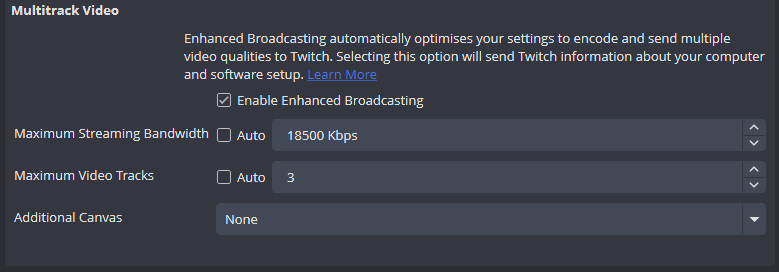
I tried turning off multitrack, but I'm still experiencing dropped frames. I also can't opt out of the beta, as no option is available. Additionally, I checked the Stats for Nerd, and it seems the upload isn't being recognized, which might be causing the dropped frames, right?

-
@Netduma FraserDo you want new Wireshark captures? It might be using different servers since I'm in the beta.
-
I'm just streaming to twitch on OBS
-
It doesn't make a difference I still get dropped frames
-
Adding New Games and Applications to DumaOS
Tripper replied to Netduma Lew's topic in Feature Ideas & Improvements for DumaOS
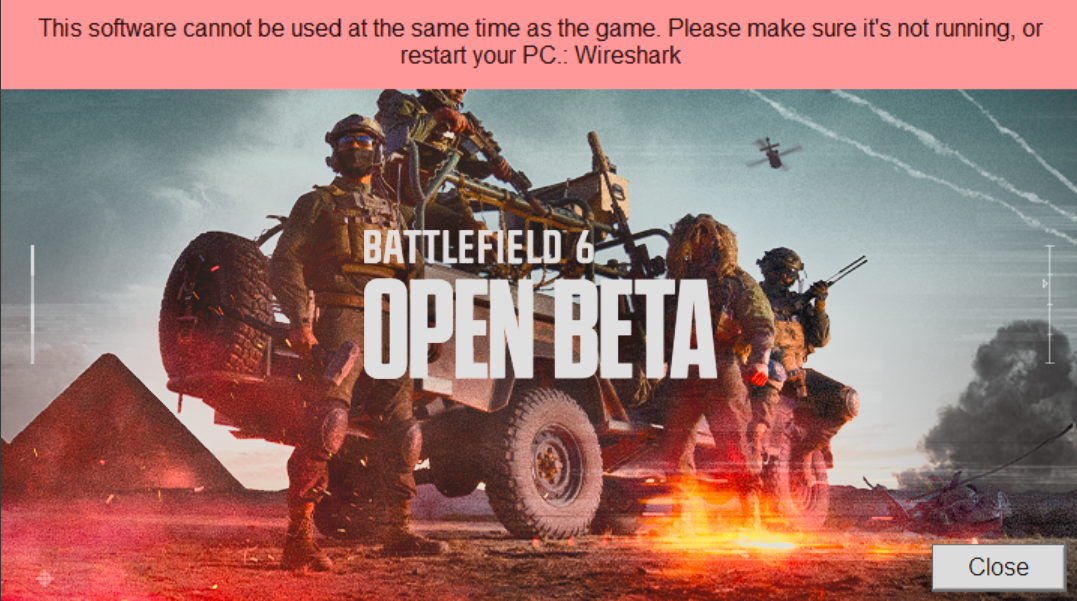
I can't use Wireshark with Battlefield 6 on PC. I'll try to get some captures on Xbox instead.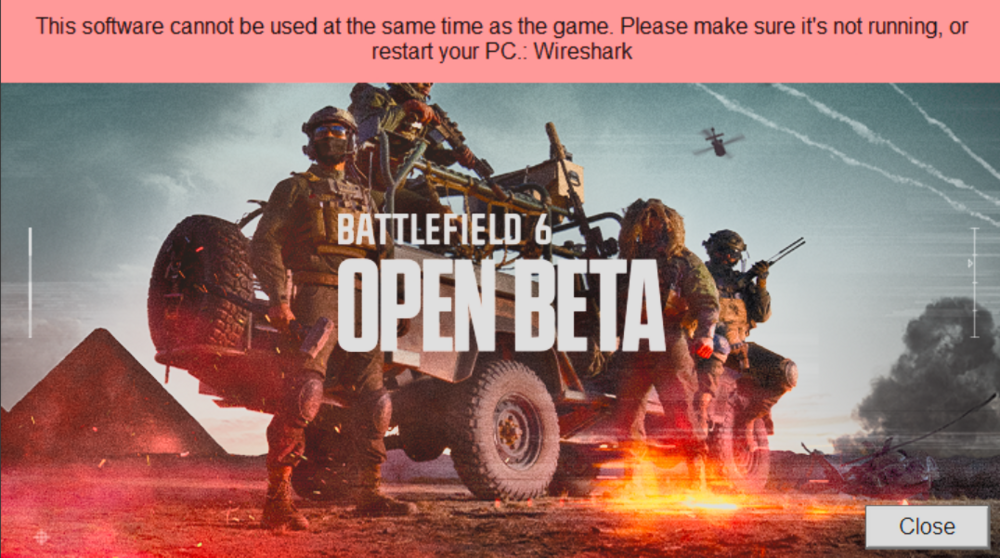
-
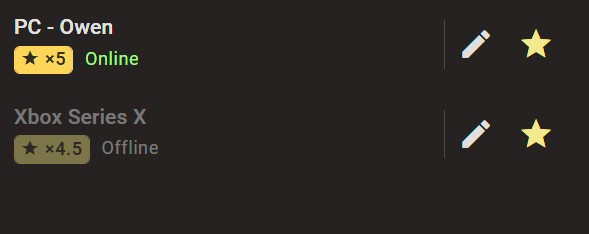
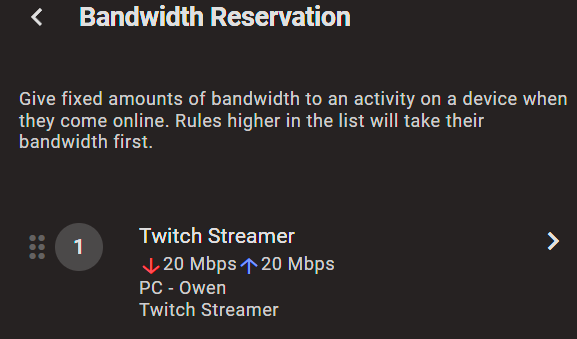
-
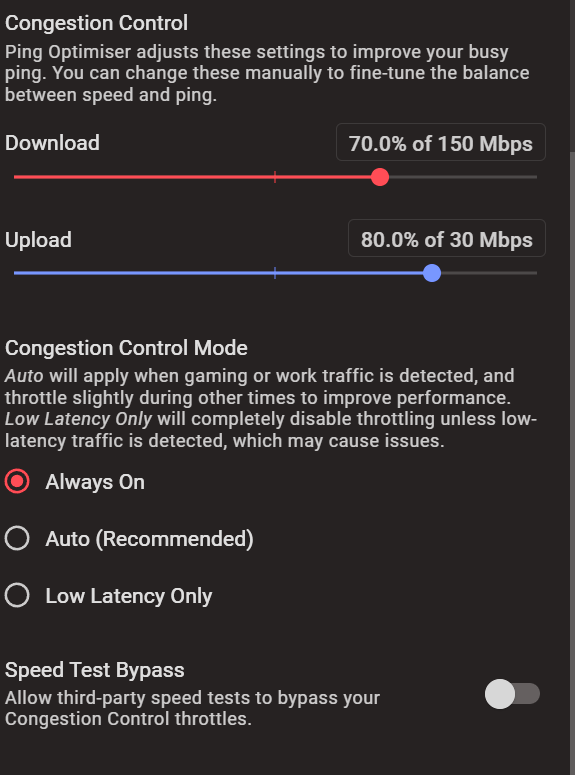
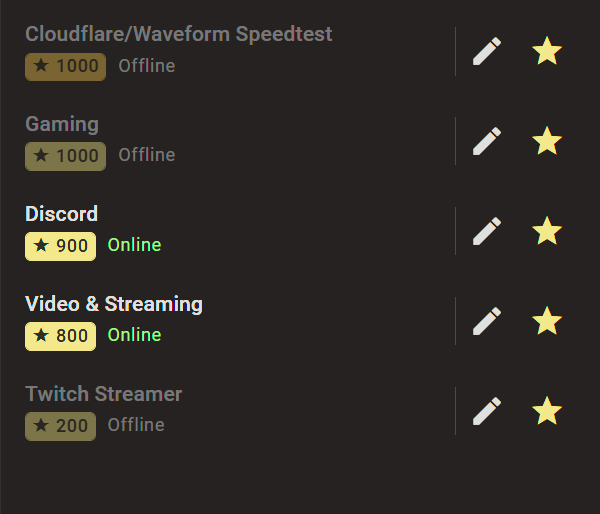
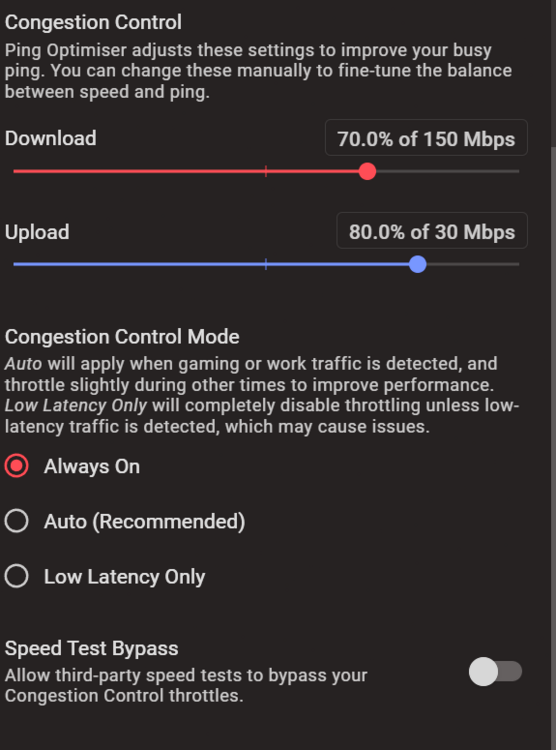
My settings
-
150 Mbps Down 30 Mbps Up
-
When I run a speed test on my phone, it doesn't help. The bandwidth is still consumed, even with Bandwidth Reservation set to 20 Mbps, and it's still causing me to drop frames in OBS.
-
@Netduma Fraser I'm enrolled in the Twitch 1440p beta, which has a maximum bitrate cap of 20 Mbps. The Twitch streamer preset in Smart QoS limits upload speed to 8 Mbps. Does Bandwidth Reservation modify this upload cap?
-
Adding New Games and Applications to DumaOS
Tripper replied to Netduma Lew's topic in Feature Ideas & Improvements for DumaOS
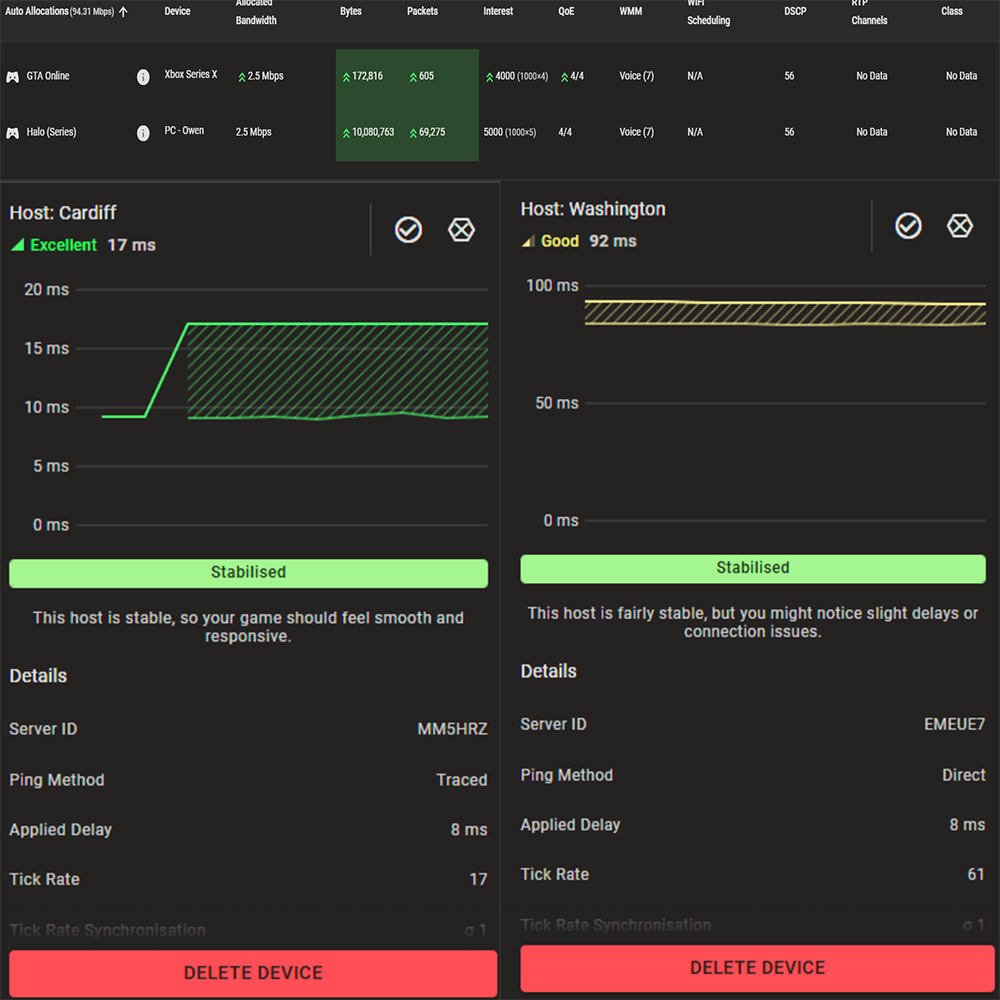
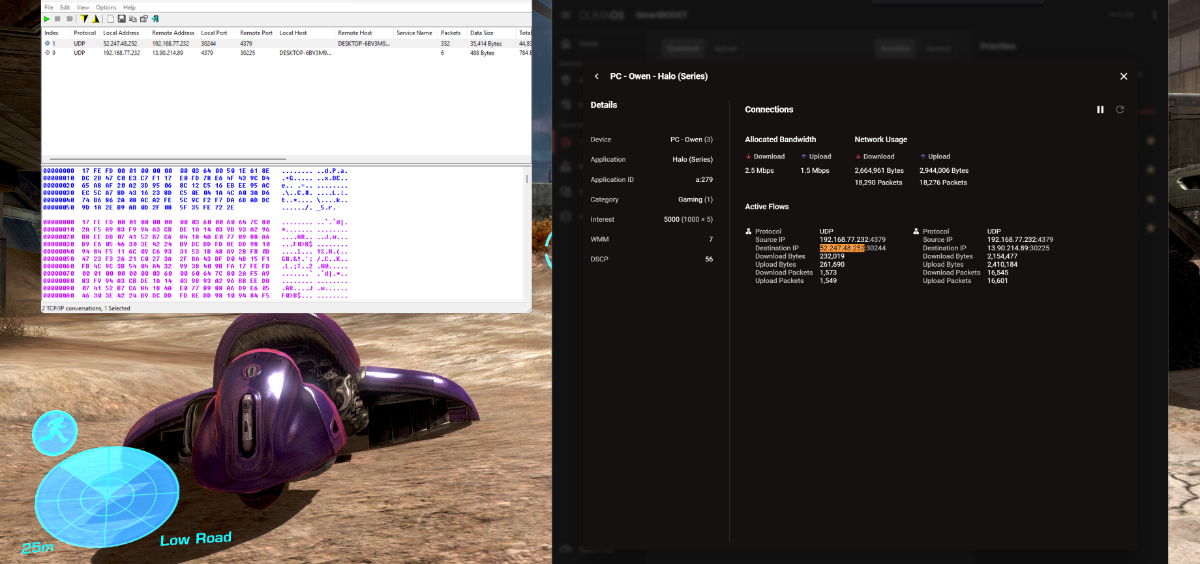
@Netduma Fraser@Netduma Alex GTA 5 & Halo MCC are now detected. Thanks!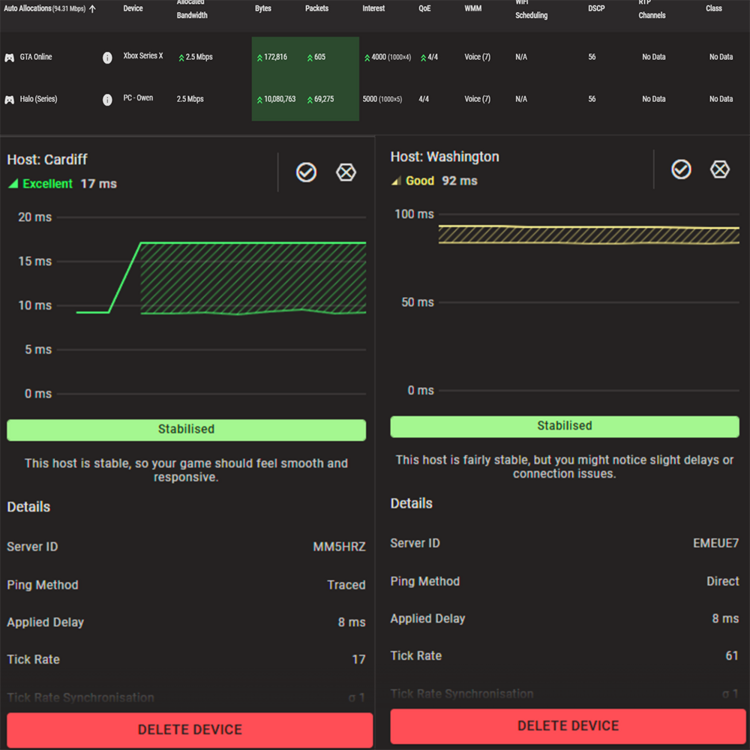
-
Adding New Games and Applications to DumaOS
Tripper replied to Netduma Lew's topic in Feature Ideas & Improvements for DumaOS
@Netduma Alex@Netduma Fraser Any updates on fixing Halo MCC? -
Adding New Games and Applications to DumaOS
Tripper replied to Netduma Lew's topic in Feature Ideas & Improvements for DumaOS
Application name: Grand Theft Auto V (Xbox Series X|S) Device type used for capture: PC Any other comments: Xbox Series X Ethernet to PC Sharing Wifi Connection Loading up the game, going into freemode, and playing for a couple of minutes. GTA 5 Freemode 1.pcapngGTA 5 Freemode 2.pcapng Loading up a job and playing for a couple of minutes. GTA 5 Job 1.pcapngGTA 5 Job 2.pcapng -
Adding New Games and Applications to DumaOS
Tripper replied to Netduma Lew's topic in Feature Ideas & Improvements for DumaOS
Application name: Xbox Cloud Gaming - https://www.xbox.com/en-US/play Device type used for capture: PC - Windows 11 Any other comments: I'm streaming from the Brave browser using an extension script that lets me choose between IPv4 and IPv6 servers. IPv4 Servers Xbox Cloud Gaming IPv4 - 1.pcapngXbox Cloud Gaming IPv4 - 2.pcapng IPv6 Servers Xbox Cloud Gaming IPv6 - 1.pcapngXbox Cloud Gaming IPv6 - 2.pcapng @Netduma FraserThis should be better data than the previous captures. -
Adding New Games and Applications to DumaOS
Tripper replied to Netduma Lew's topic in Feature Ideas & Improvements for DumaOS
Application name: Xbox Cloud Gaming - Xbox App Device type used for capture: PC - Windows 11 Any other comments: Xbox App streaming Grand Theft Auto V (Xbox Series X|S) Xbox Cloud Gaming 1.pcapngXbox Cloud Gaming 2.pcapng -
Adding New Games and Applications to DumaOS
Tripper replied to Netduma Lew's topic in Feature Ideas & Improvements for DumaOS
Halo MCC still doesn't work. -
Adding New Games and Applications to DumaOS
Tripper replied to Netduma Lew's topic in Feature Ideas & Improvements for DumaOS
@Netduma Fraser I think this was the DPI version that worked fine the other week. http://api.netduma.com/file/cloud_updates/dpi/0000000348/NETDUMA_V1/gpg/cloud-0000000348-dpi-NETDUMA_V1-gpg.cloud -
Adding New Games and Applications to DumaOS
Tripper replied to Netduma Lew's topic in Feature Ideas & Improvements for DumaOS
Smart QoS doesn't detect Halo MCC, and Steady Ping no longer stabilizes the server; it was working fine a couple of days ago.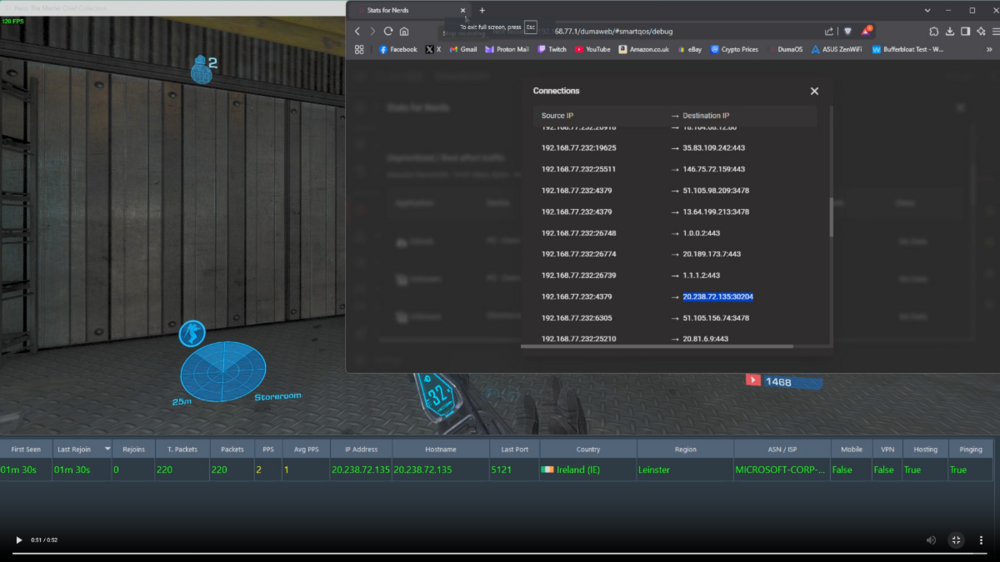
-
Adding New Games and Applications to DumaOS
Tripper replied to Netduma Lew's topic in Feature Ideas & Improvements for DumaOS
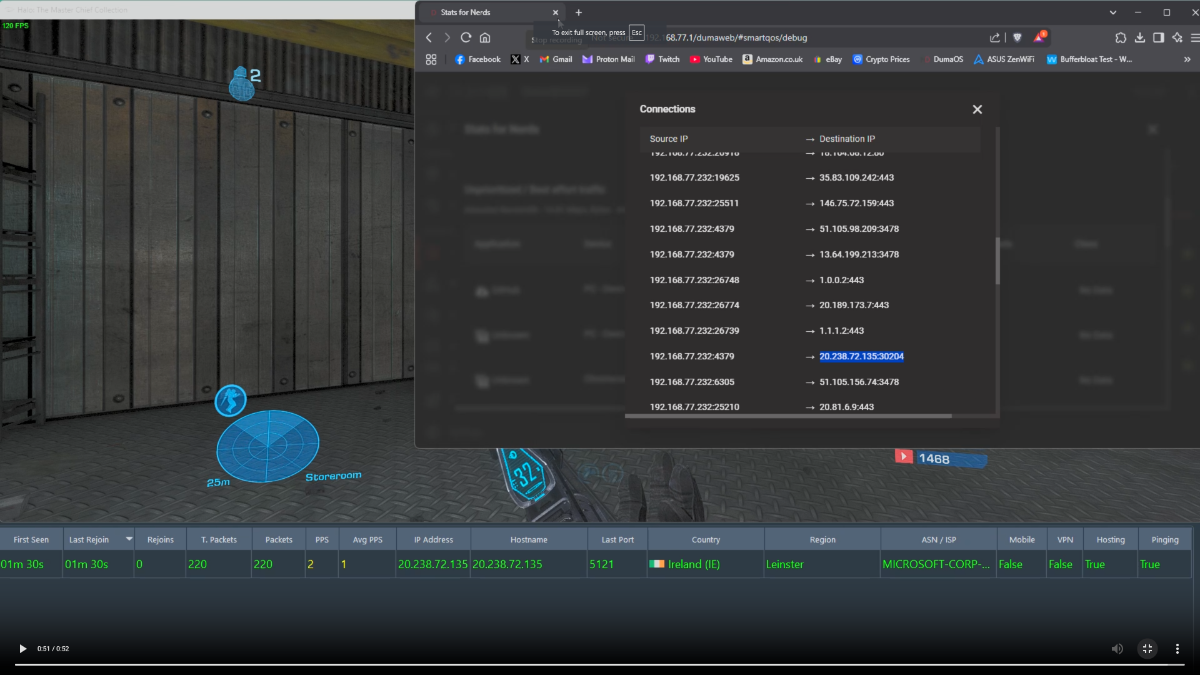
@Netduma Fraser The new DPI update broke Halo MCC, but Left 4 Dead still works fine Recording 2025-04-27 191131.mp4
-
Adding New Games and Applications to DumaOS
Tripper replied to Netduma Lew's topic in Feature Ideas & Improvements for DumaOS
@Netduma Fraser @TxFrog33I can now confirm that Halo MCC and Left 4 Dead are detected by the DPI. Thanks, Netduma team!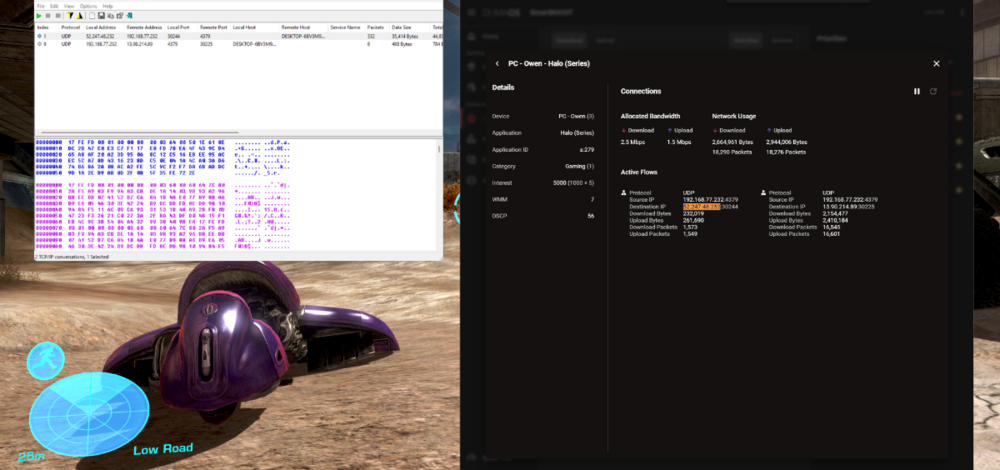

.png)