
goblin
-
Posts
22 -
Joined
-
Last visited
Everything posted by goblin
-
Modern Warfare 4 Missing from Ping Heatmap on Netduma R3
goblin replied to AimGuy's topic in Netduma R3 Support
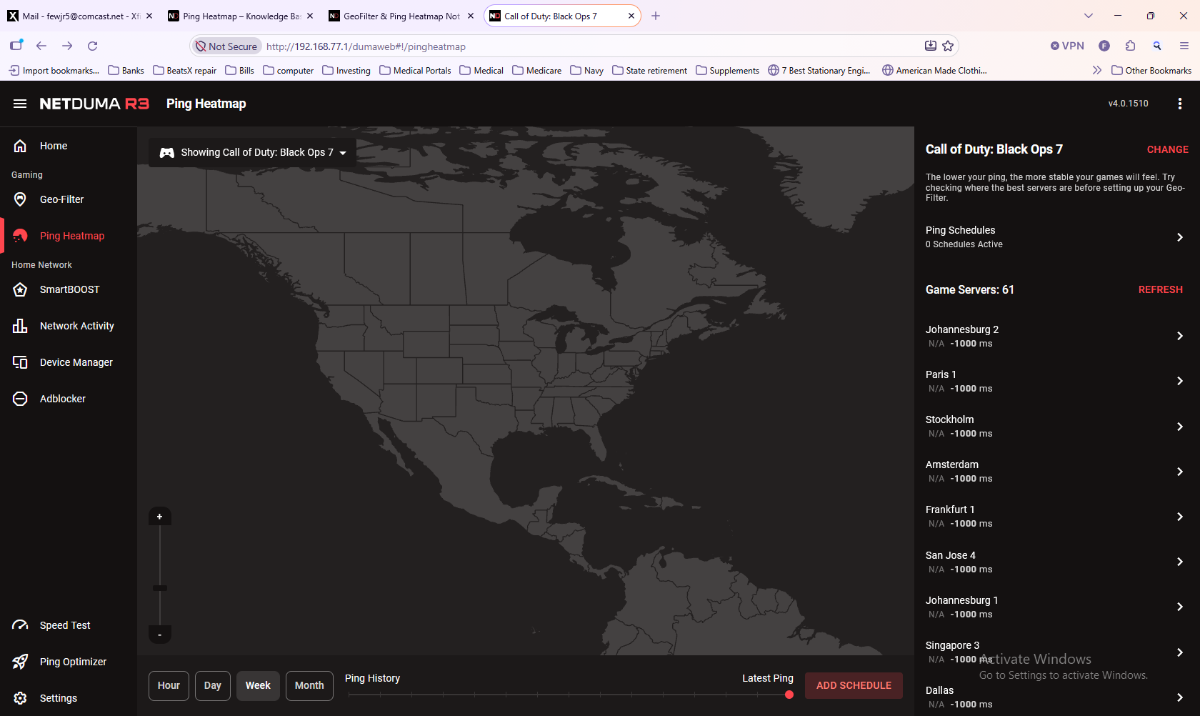
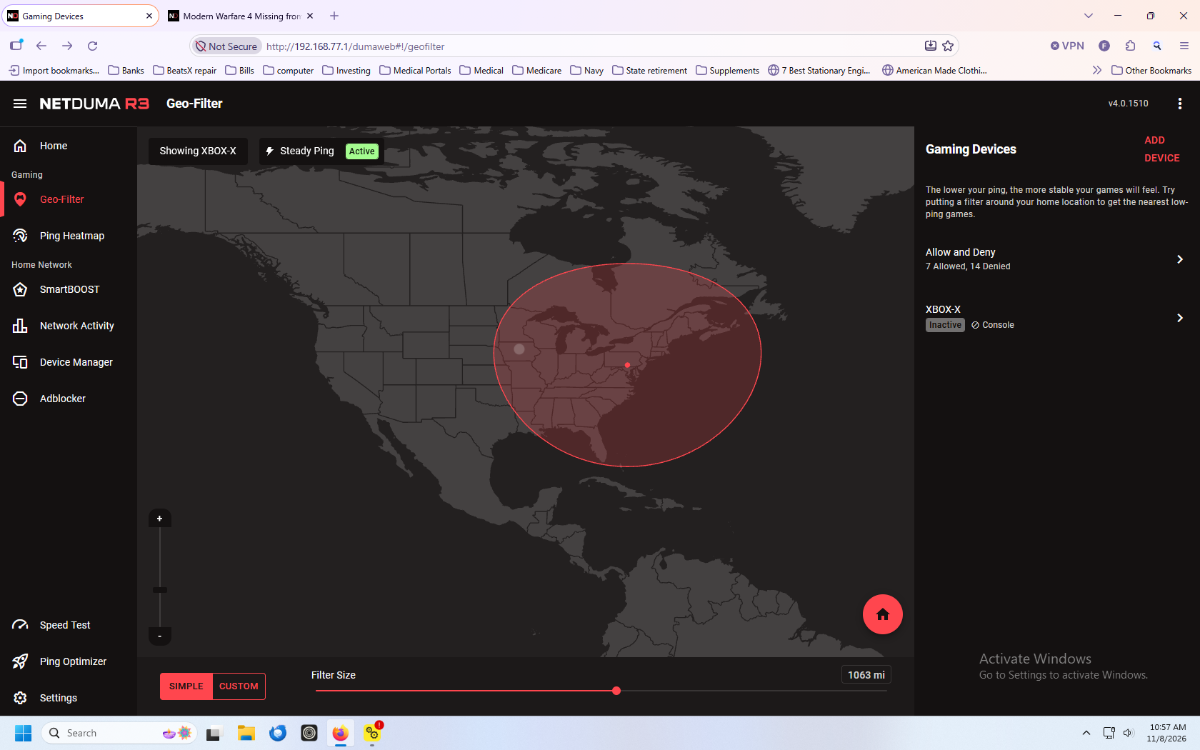
Hello , I am having trouble since updating to the most recent firmware for the R3 (v4.0.1510). No pings on the ping heatmap and list on the right shows -1000ms for all servers that pop up there. On the Geo-filter page it shows Xbox inactive and cycles between that and "Waiting for Host". The Xbox is downstairs with the game running so maybe that means its waiting for a game to start. My problem is I have no ping data and when I'm downstairs playing I use my DumaOS app on cell phone to monitor whats going on. I have no ping data on the phone app either and when I choose the Call of Duty Black Ops 7 as the game the round arrow symbol just spins and nothing happens. I do see one server (Des Moines), on the Geo-filter screenshot and the game is working but not sure what I'm connecting to. I've also seen the phone app say it may not be receiving data. I did follow the directions Fraser provided in this discussion to see if it would help: This part: Quit the application/game/client completely - including the game client from the System Tray - important! Remove device from the Geo-Filter If you're on PC then give it the PlayStation Device Type in the Device Manager Resync from the Geo-Filter Map menu Re-add the device to the Geo-Filter Set up the Geo-Filter how you like Wait 2 minutes Boot up application/game/client To force servers you need to do the following: It's essential the Geo-Filter is enabled before the game client (e.g. Steam etc) if on PC or platform (e.g. Xbox, PlayStation) or the game have been launched. If you change Geo-Filter settings when you're on the game then you will need to restart the game for those changes to take effect, otherwise it will use the previous Geo-Filter settings and appear not to be working. For settings ensure Ping Assist and Geo-Latency are disabled in the Geo-Filter menu that can be found by clicking ⋮ in the top right hand corner of the page and go to Settings. Strict Mode should also be enabled, it is enabled by default so if you haven't disabled it you can ignore it. If you have disabled it or want to check it can be found in the same Settings menu as above or in Settings > Troubleshooting > Advanced > Developer Options depending on your firmware version. Fast Search should also be disabled which it is by default so can be ignored if you haven't changed it, otherwise this can be found in the same place. Any help would be appreciated. Thanks in advance, goblin
-
Thanks again Fraser. I will give that a try. Just wondering what settings my AX11000 should handle versus what the R3 will be doing. For example: turning off QOS on the main router because R3 will be doing that for me, etc. I don't want to have wrong settings on either router that will detract from what I'm expecting out of the R3. I'm not sure if iPv6 needs to be off on one or the other. iPv6, Allow ping, Portscan and Syn Flood are 3 things turned off in the video I reference above. I'm no networking genius. Just trying to learn but it is MW3 that put me on this path!
-
Hello All, I was just about to post the exact subject! I saw this video online and want to do the same thing. I went ahead and ordered the NetDuma R3. It will be here today. Now I do not have a UDM right now but I don't see why this couldn't work with another router in combination with the R3. I have a TP-Link Archer AX11000 which I have found doesn't have an SQM function. The TP-Link gets an "A" rating for bufferbloat so gaming isn't its best application but is great for everything else. I do have quite a bit of aggravation in MW3....who doesn't, right! There may be settings that could improve gaming but I'm going to try the R3 instead. I would really appreciate any recommendations on this subject also. Thank you in advance.
-
Thank you Fraser.
-
Hello folks, I have an R1 that hasn't been used for some time now. I was wondering if it is still viable to use for gaming. I plan on getting an R3 but wanted to tinker with the R1 first. Best regards, goblin
-
DumaOS Mobile App Alpha - Now Available!
goblin replied to Netduma Alex's topic in DumaOS Mobile App
Fraser, Here's the crash report on Network Monitor. See attachment. sentcrash.log -
DumaOS Mobile App Alpha - Now Available!
goblin replied to Netduma Alex's topic in DumaOS Mobile App
It does popup a crash report. I'll try to attach that this afternoon when I get off work. I forgot to mention that I'm running a Netgear XR1000 which I'm not happy with so far. I wish they would come out with the next firmware update. Android version 12. -
DumaOS Mobile App Alpha - Now Available!
goblin replied to Netduma Alex's topic in DumaOS Mobile App
The app seems to be working on my new Google Pixel 6. The only thing is that when I click network monitor it crashes but I did see that network monitor is still showing in "More Features", so maybe you are working on this section still.