All Activity
- Today
-
I was wondering the same, its getting a little frustrating.
- Yesterday
-
Hello , there are some update for the topic ?
-
 JT1201 joined the community
 -

PPPoE Dial On Demand Or Always On Problem
Spandex replied to Spandex's topic in NETGEAR Nighthawk Support (XR range)
I have had it on dial on demand and they are still doing it, for whatever reason the internet keeps going down for say a minute and when it comes back on again it is restricted to exactly one tenth of the speed, have no clue what is going on with it but i can guarantee bt will blame it on me not having their router plugged in lol, gonna have to get one of their engineers come out i reckon as they are persistently cutting it off and reducing the speed somehow, only way to get the speed back is by turning off their connection box where the fibre comes in to reset it. -
 There isn't really any data you can get from the router including the IP directly to help with what you're asking and traceroutes can be quite unreliable. ALL devices should be connected to the R2 for QoS to be most effective, even if you think other devices aren't being used background updates could affect you - how have you set Congestion Control? If you're experiencing it without the R2 in play then I suspect it's more of a location issue in relation to the closest servers. What you found with phone data does make sense, you likely had a ping where lag compensation started working in your favour or the servers you were on had less load. Force servers slightly further away with the Geo-Filter even if they have a higher ping and see if they play better for you.
 -
NEW R3 FIRMWARE - DumaOS 4.0.1510
Netduma Fraser replied to Netduma Alex's topic in Netduma R3 Support
It's been moved to the developer options in troubleshooting settings -
I covered this in your previous topic on it: "If you're playing on console you don't as it adds as a console and so will apply to any game you play. On PC if its not covered by the general options then changing the device type to a console on the Device Manager so you can add it as a console to the Geo-Filter would be needed." You could also select BO7 as it will work the same.
-
.png "Like") Netduma Fraser reacted to a post in a topic:
Scandi Server availability?
Netduma Fraser reacted to a post in a topic:
Scandi Server availability?
-
Hello, does new update remove strict mode?
-
 kokoras joined the community
 - Last week
-
 uvme joined the community
 -
 How can I obtain the actual game server IP for an active PS5 match on R2 firmware 4.0.258? The Geo-Filter only shows the host location and Server ID. I want to compare traceroute and latency measurements to the same endpoint over my FTTH connection and mobile hotspot.
 -
Hi, I’m experiencing inconsistent gameplay and a significant feeling of delay in Call of Duty on PS5. I would appreciate help diagnosing the cause rather than changing settings without knowing what is responsible. My setup: Fiber-to-the-home (FTTH) connection in Istanbul, Turkey: 1000 Mbps download / 50 Mbps upload. ZTE H3600 router → Netduma R2 WAN port → PS5 connected to an R2 LAN port by Ethernet. DumaOS version: 4.0.258. Only the PS5 is connected to the R2, with no other household internet activity during testing. The R2’s WAN IP is configured as the DMZ host on the ZTE. UPnP is enabled on the R2. The old manual UDP 3074 forwarding rule targeting the PS5’s former Wi-Fi address has been disabled. In-game NAT now shows Open. Geo-Filter filtering and Steady Ping are both disabled for the latest tests. The problem: Offline gameplay feels completely smooth and responsive. Online, some matches feel reasonably good, while others feel noticeably heavy and delayed. I often die before I can aim when encountering an opponent, or lose despite firing first. It feels as though I am behind what the opponent is seeing, although I have no measurement of that delay. The game typically reports 45–60 ms ping and 0% packet loss. In the latest comparison, one match felt acceptable at 45–46 ms, while the next felt much worse at approximately 50 ms. Tests so far: Fixing NAT from Moderate to Open did not noticeably improve the gameplay. The issue persists with filtering and Steady Ping disabled. Restarting the upstream router did not resolve it. I previously experienced similar symptoms when playing directly through the ZTE without the R2. Two matches through a mobile hotspot felt more responsive despite higher ping of 85–100 ms. However, that connection was less stable, and I cannot confirm whether those matches used the same servers as the fiber connection. What measurements or logs can I collect to distinguish between ISP routing, jitter, game-server behavior, and any contribution from the R2? Can the R2 capture useful latency variation or game-traffic diagnostics during an affected match? Please let me know the specific data and screenshots you need. Thank you.
-
Magnumx reacted to a post in a topic:
Ping Heatmap
-
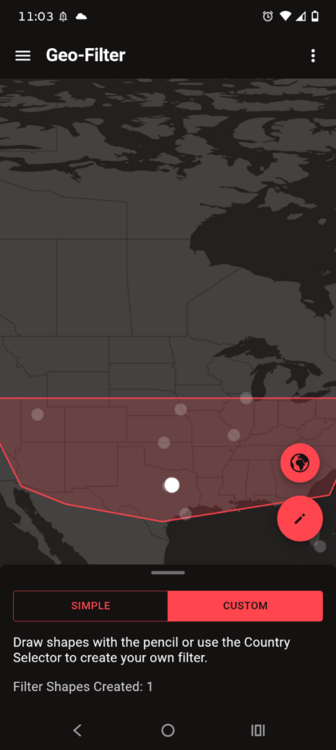
Ok let me show what I'm talking about, and guide me from here , now as you see my filter them white dots as you know it's the severs I can get on but I can't get on them cz the game I want is NOT on the list of game here , so I'm asking how do I add a game like MW4 and Black ops 6 to that list? or something I need to download OR do I have to wait till y'all update the system for MW4 and bo6?
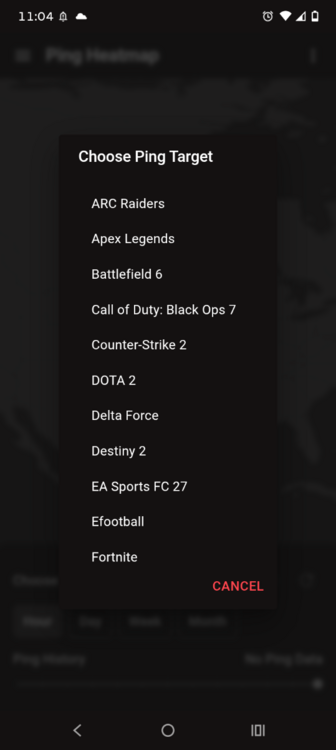
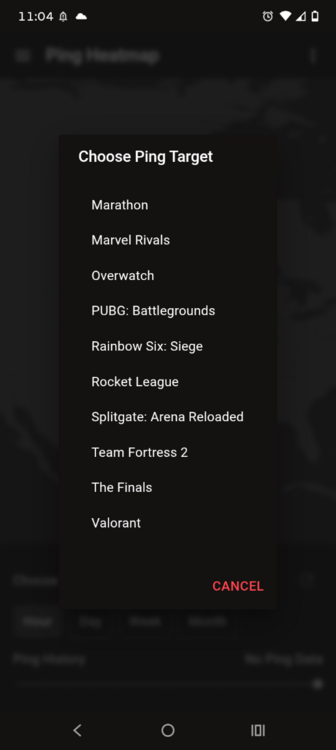
-
Thanks a Million Miketsi_ Really appreciate it. Will give it a go Crem
-
crem reacted to a post in a topic:
Scandi Server availability?
-
 mrmesho reacted to a post in a topic:
[R3 v4.0.1510] Wi-Fi performance regression on PS5 Pro
mrmesho reacted to a post in a topic:
[R3 v4.0.1510] Wi-Fi performance regression on PS5 Pro
-
PPPoE Dial On Demand Or Always On Problem
Netduma Fraser replied to Spandex's topic in NETGEAR Nighthawk Support (XR range)
Potentially given the always on setting is meant to make it more convenient rather than less, now you don't have it connected I suspect you'll find out rather quickly if it happens again but the PPPoE connection should be quite robust with the XR. -
That's great to hear, thanks for the feedback about the servers there, we never really hear about them!
-
Netduma Fraser reacted to a post in a topic:
Scandi Server availability?
-
[R3 v4.0.1510] Wi-Fi performance regression on PS5 Pro
Netduma Fraser replied to TamasN's topic in Netduma R3 Support
You can stay on the old one if you prefer - if you're not having any issues then totally understandable. There are many bug fixes/improvements including to the Geo-Filter. -
That's pretty annoying but glad it's all sorted now!
-
Set up my router on PPPoE and bypassed having the bt router plugged in completely and it was automatically set to dial on demand, so i tried switching it to always on, but if i do this about an hour later the internet cuts off on the router for about a minute and then when it comes back on we have internet but now at 1/10th of the speed, 930mbps down to 93mbps, always guaranteed 1/10 exactly, have no idea why but it has done it 3 times now without fail by changing from dial on demand to always on. I since looked at the set up and realised i had the tp link ethernet switch not set to loop prevention, could this have caused the drop in connection and the speed dropping to exactly 1/10 of the speed when it reconnected ?, i have done away with the tp ethernet switch as well now by the way since i no longer need that as the netgear xr500 is just feet away from my pc's.
-
dionsaur_ reacted to a post in a topic:
Full speeds
-
Hey Crem! To answer your question: yes, you definitely get connected to Scandinavian servers (mostly Stockholm) pretty regularly if you're playing from up here. I play on the Stockholm servers daily with a really solid, low ping. Of course, depending on the time of day and the matchmaking pool, the game will occasionally toss you over to Frankfurt or London if lobby queues are acting up, but the Nordic connection is active and consistent enough that you don’t need to worry about server availability. If you're on the fence because of ping, I’d say it's safe to buy!
-
Hi fellow geo-filterers, Do anyone know if there is any Scandinavian servers for modern warfare 4? (Stockholm/Helsinki) And will you actually get at connected to them at least semi consistently in multiplayer/warfare? Thinking about buying but want to know about the server availability beforehand. Thanks, Crem
-

[R3 v4.0.1510] Wi-Fi performance regression on PS5 Pro
mrmesho replied to TamasN's topic in Netduma R3 Support
Is there a problem if I stay on the old version? Are there any new features or a difference in gaming performance? -
That is what i thought, the bt smart hub 3 was awful, kept cutting everyone off the wifi constantly so i just did away with it, these new build houses came pre-installed with bt and hyperoptic, first year we had to choose either as no holes were allowed to be drilled, subsidence and all, after that we can choose. But yes all the problems with the 2 routers being mortal enemies are over :).
-
Good to hear, thanks for the update! You can ignore the built in speedtest, it's using servers that may not be the closest to you so if you're getting expected speeds from a normal speedtest then the router isn't limiting you at all.
-
No there is only one DumaOS 4 update for the R2 currently, the next one will be the final update for it
-
[R3 v4.0.1510] Wi-Fi performance regression on PS5 Pro
Netduma Fraser replied to TamasN's topic in Netduma R3 Support
I think you can update, it's quite a stable update which is why we made it a public one -
It's not mislabelled as BO7 we just haven't tested the new game yet, we're aware of it not pinging and we will be updating the cloud. It won't affect your ability to use the Geo-Filter though.
- 1 reply
-
- 1
-
-
is there even a new firmware update other than the 4.0.258?