
Doughboy
-
Posts
174 -
Joined
-
Last visited
Everything posted by Doughboy
-
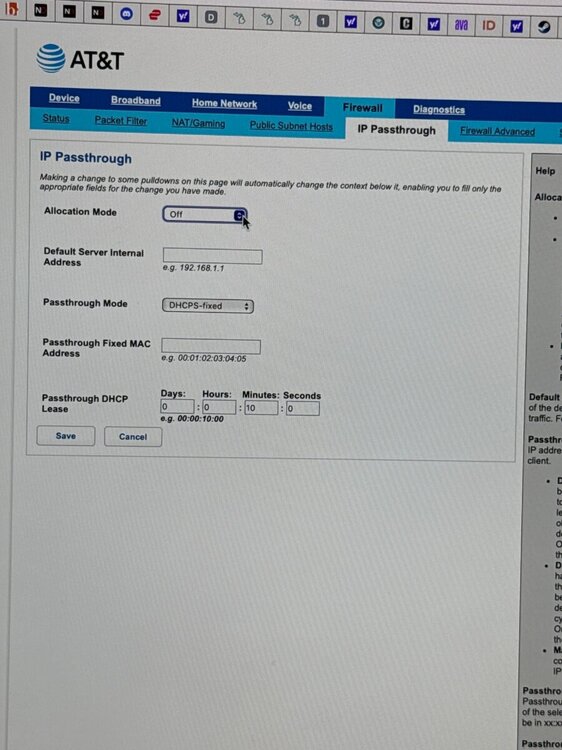
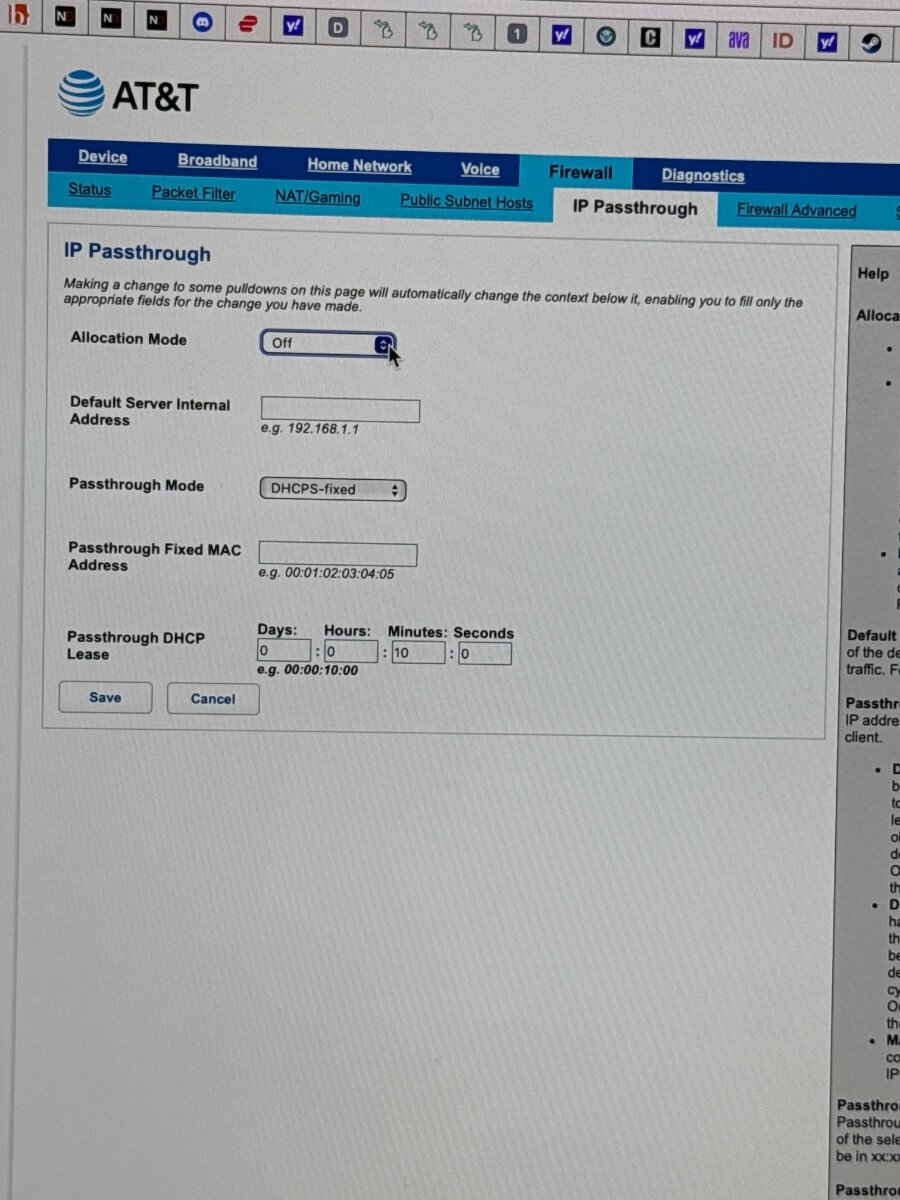
I don’t know where to put the information you told me to save from the wan. This is the page I should be on correct?
-
It suggested 100 100 I set up smart boost for my ps5 and my gaming pc. With priority being for gaming. My geo filter is only 313 miles. Ping assist is active geo latency I’m uncertain about.
-
It’s connected to a att gate way BGW 320. I’m not familiar with DMZ through that gateway for Att exactly. I have fiber 1k up and down. I have entered those speeds. I set up my Congestion control based on my ping optimizer. Yes I have set up smart boost. I’m playing on ps5 and pc both eithernet. I set up the geo filter to my specific address.
-
I was suggested by Fraser on Twitter to ask about my experience with the r3 when I play bo6 I always feel slightly behind. Gun fight’s connection etc. I try optimizing my ping before it would start at like 30 now it starts at 200. Any suggestions? Thanks.
-
Everytime I optimize my ping my speeds be 178 down to 108. Before my ping would be between 11-23. Is there a reason for this high ping?
-
it goes to the Home Screen but doesn't responds to anything no commands nothing
-
I went back to the old update now my r3 won’t respond it doesn’t show me anything. The new update didn’t show servers on the map or nothing in real time. So I went back the the previous update and it doesn’t respond at all. What can I do?
-
I added it through the device manager. I matched the ip from there
-
Yes. Also I was wondering why no servers come up when I connect my pc to the r3? It recognizes I’m online in devices on smartboost and device manager but not in activities or when I choose a device on the geo filter.
-
I have it in stand by mode for updates
-
Whenever I use my R3 vs using my gateway I have a delay in the internet connecting to my Ps5 when I turn it on. Any reason why?
-
I have to reset my router everytime I go long distances not using it if I go a day or so I need to reset it just to get the dashboard to pull up any reason for this? And the router is updated. Thanks.
-
I have the same issue with no open nat type. No matter what I do it won’t open and I have att fiber. I’ve even used DMZ and it still won’t open. Any suggestions?
-

Welcome R2 owners! We want your feedback!
Doughboy replied to Netduma Alex's topic in Netduma R2 Support
Wow... this router is the truth. I’ve seen how the ping heat map works it’s phenomenal the features on this router I out cold. I’m gonna check to make sure everything is functioning and I’ll get back to you Fraser. Thanks again. -
Welcome R2 owners! We want your feedback!
Doughboy replied to Netduma Alex's topic in Netduma R2 Support
I feel so slow, I can’t believe what I did yesterday to my credit I was tired but I actually played cod this way but I didn’t connect the internet from the gateway to the blue internet port on the R2. I plugged it into one of the ports where the console normally goes 🤦🏽♂️ I’ll let u know what happens -
Welcome R2 owners! We want your feedback!
Doughboy replied to Netduma Alex's topic in Netduma R2 Support
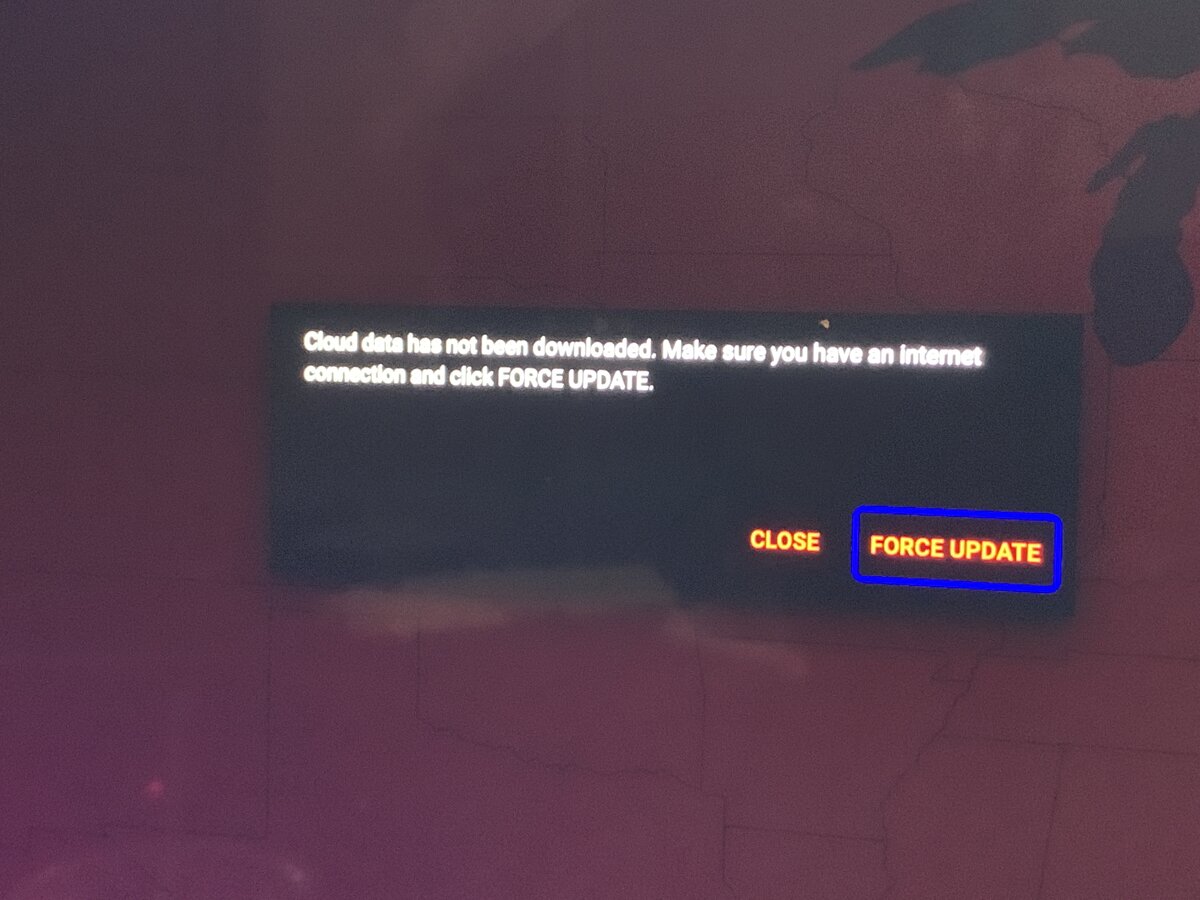
Well to start the cloud aspect won’t update to allow me to even see any servers on the geofilter, I can’t run any Speedtests I can’t do a ping heat check, all of the new features I can’t use. I don’t know if it’s because of this cloud issue or if the router is defective or what. -
Welcome R2 owners! We want your feedback!
Doughboy replied to Netduma Alex's topic in Netduma R2 Support
I got it connected to the internet, but certain aspects of the router don’t function like it don’t recognize it being on the internet or something. I tried flushing the cloud, I reset the router all together mainly because my password didn’t take I played cod on it and I get a nat 2 type on ps4 I don’t get a open nat in game. I’ll try the gateway option TrayDay suggested I really appreciate the feed back because this att stuff been giving me fits since I had it. Also the only other option that works is the auto set up for the bandwidth on the top of the qos screen. It changes based on priority of bandwidth or ping but it changed my upload and download to fit the ping setting I chose. That’s nice. Also TrayDay I’m gonna see but my att gateway screens look different from yours. Maybe because we have different gateways. But I’ll check to see what I can change. -
Welcome R2 owners! We want your feedback!
Doughboy replied to Netduma Alex's topic in Netduma R2 Support
I can’t force it nothing happens when I do. I get internet through the router I’m able to play cod but the features don’t work because the cloud won’t update or function. It’s hard wired from the PS4 to the R2. Then a eithernet cord from the R2 directly to my Att gateway. I have fiber -
Welcome R2 owners! We want your feedback!
Doughboy replied to Netduma Alex's topic in Netduma R2 Support
I can’t force it nothing happens when I do. -
Welcome R2 owners! We want your feedback!
Doughboy replied to Netduma Alex's topic in Netduma R2 Support
None of my features work. No ping heat map no speed test nothing. My geo filter don’t work. It mentions something About the cloud data hasn’t been downloaded make sure u have a internet connection and click force update smh do I have to update this router or something?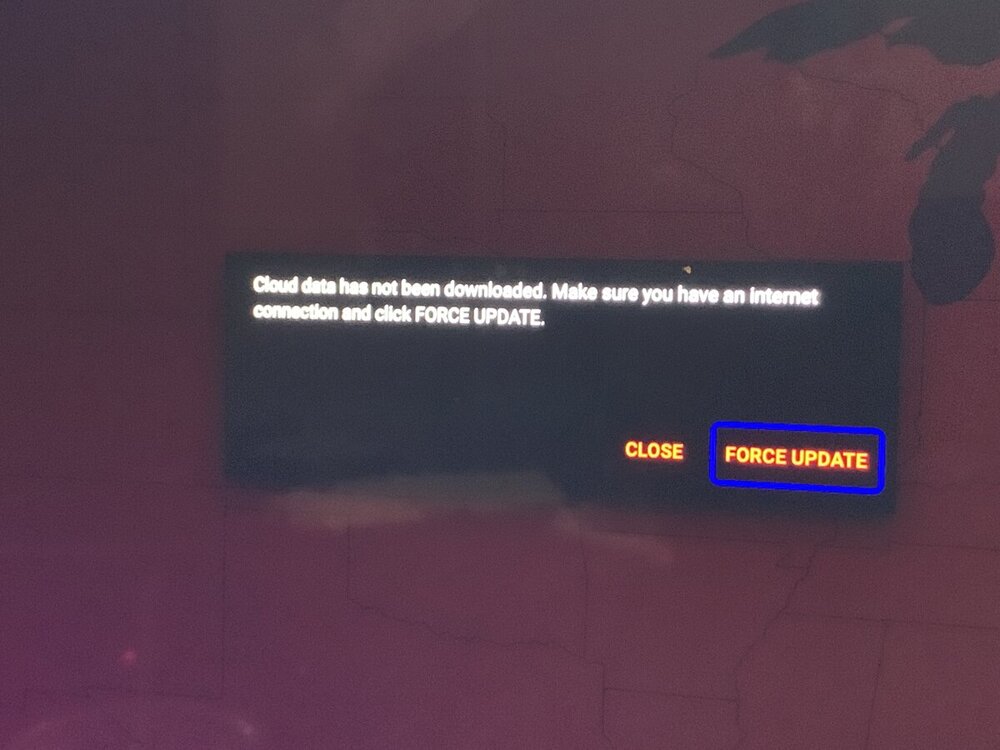
-
XR700 Firmware Version 1.0.1.20 Released
Doughboy replied to Netduma Alex's topic in NETGEAR Nighthawk Support (XR range)
Hi I have a question, is it better to be in access point mode or router mode when gaming? It says Wifi is better in ap mode but if I use router mode everything has to be connected to the router directly nothing to my gateway. -
XR700 Firmware Version 1.0.1.20 Released
Doughboy replied to Netduma Alex's topic in NETGEAR Nighthawk Support (XR range)
I can. How does it narrow it down? Also how do I download the new 1.20 update it keeps saying download failed -
XR700 Firmware Version 1.0.1.20 Released
Doughboy replied to Netduma Alex's topic in NETGEAR Nighthawk Support (XR range)
I’m wondering because when I use my netduma it’s was happening 70% qos and everything. When I took my PS4 off the netduma and ran it straight from the gateway on my fiber I saw people a lot sooner and the bullet registration was clean. Idk maybe it’s me or my settings. Can someone help or look at my settings? -
XR700 Firmware Version 1.0.1.20 Released
Doughboy replied to Netduma Alex's topic in NETGEAR Nighthawk Support (XR range)
Also I have a question, I find myself behind in a lot of fun fights in MW for some reason I see myself in the kill cam walking like I don’t even see the enemy before they see me. Any reason for this? -
XR700 Firmware Version 1.0.1.20 Released
Doughboy replied to Netduma Alex's topic in NETGEAR Nighthawk Support (XR range)
Ok I’ll try that. Thanks
.png)