VJ4YK5
-
Posts
10 -
Joined
-
Last visited
-
Days Won
1
-
 VJ4YK5 reacted to a post in a topic:
XR1000v2 with fibre ISP 4th Utility (UK) - Icotera i5205-00 bridge device issues
VJ4YK5 reacted to a post in a topic:
XR1000v2 with fibre ISP 4th Utility (UK) - Icotera i5205-00 bridge device issues
-
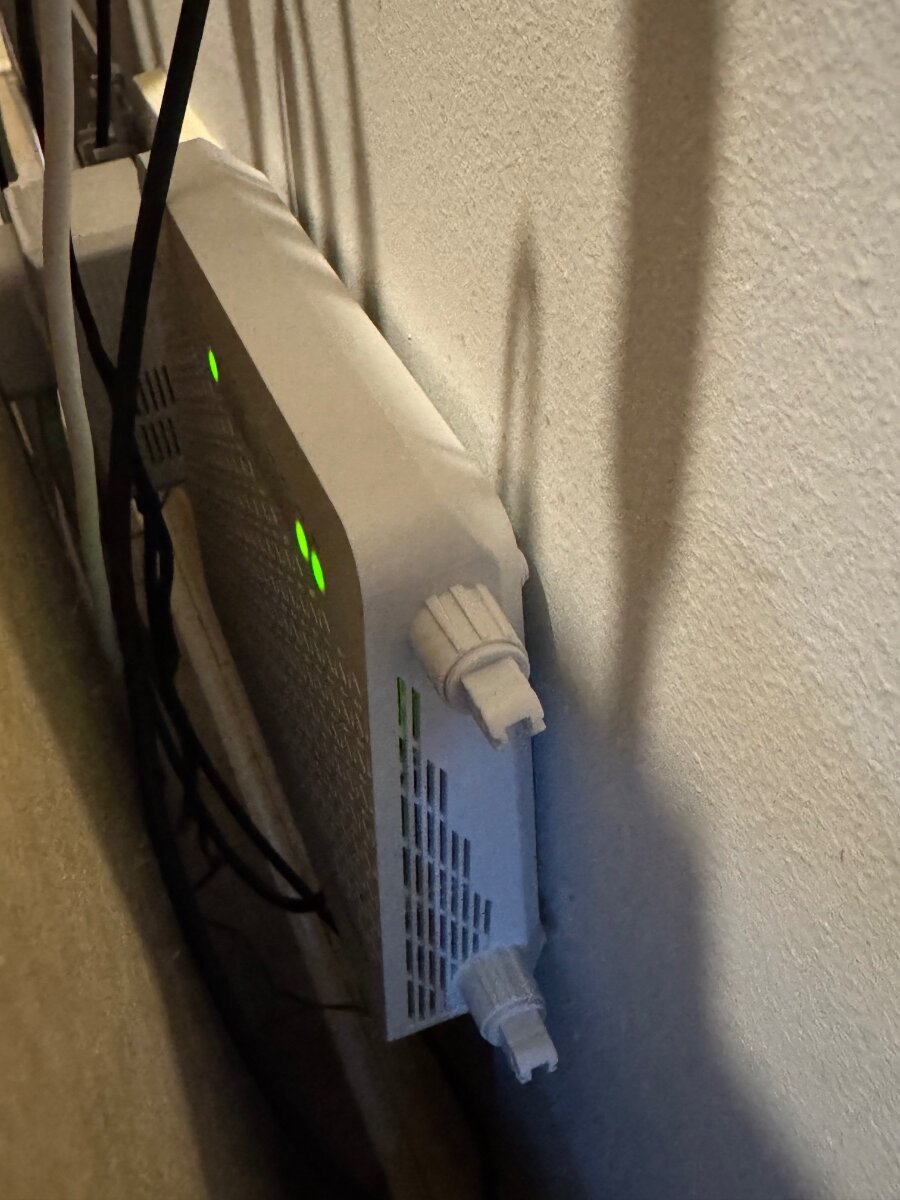
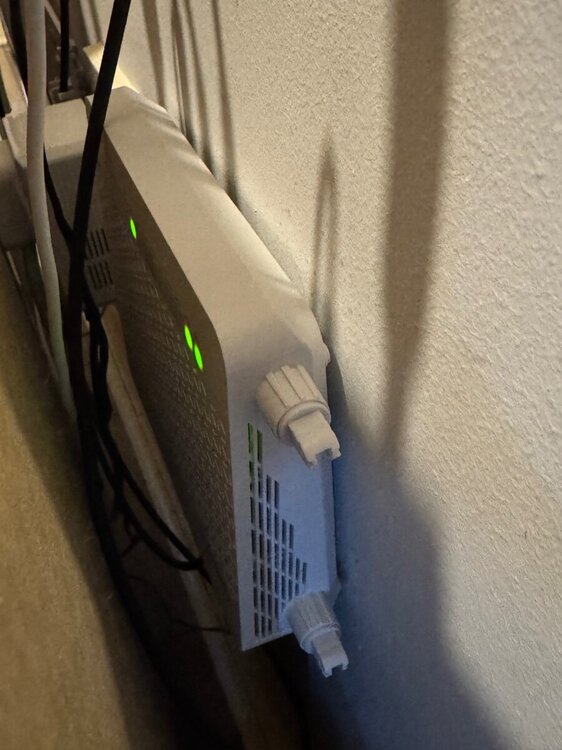
So today I tried setting the VLAN ID to 0 with the bridge device plugged in. It didn’t have any effect and there was no successful connection (red internet light). However, even with the Enable VLAN / Bridge Setup set as inactive in Advanced Settings, the router doesn’t get a successful internet connection from the bridge device at all now. Before it would at least get a successful connection despite the connection drops (which I am still witnessing on the bridge device). I have a feeling my ISP may have done something on their end after my last phone call, but I’m truly past caring now and can’t be bothered to speak to them again. I’ve begrudgingly attached the Dasan to the wall, but I did rip off the antennae which was mildly satisfying. @Netduma Fraser & @DARKNESS - thanks again for your replies.
-
.png "Like") Netduma Fraser reacted to a post in a topic:
XR1000v2 with fibre ISP 4th Utility (UK) - Icotera i5205-00 bridge device issues
Netduma Fraser reacted to a post in a topic:
XR1000v2 with fibre ISP 4th Utility (UK) - Icotera i5205-00 bridge device issues
-
Thanks Fraser, I’ll do some testing later today after work and report back what happens.
- 9 replies
-
- 1
-
-
- 4th utility
- fibre
- (and 7 more)
-
VJ4YK5 reacted to a post in a topic:
XR1000v2 with fibre ISP 4th Utility (UK) - Icotera i5205-00 bridge device issues
-
Thanks! I did try using this setting before I put the Dasan back, but I couldn’t seem to get it to work. I’ll give it another go as I’ve just noticed on there it says “0: VLAN is not used for the group”, hopefully someone can tell me exactly what that means but I suppose my assumption is that you input 0 for no tag? If so that does match what my ISP said about there being no tag. I’ll report back after the football lol
-
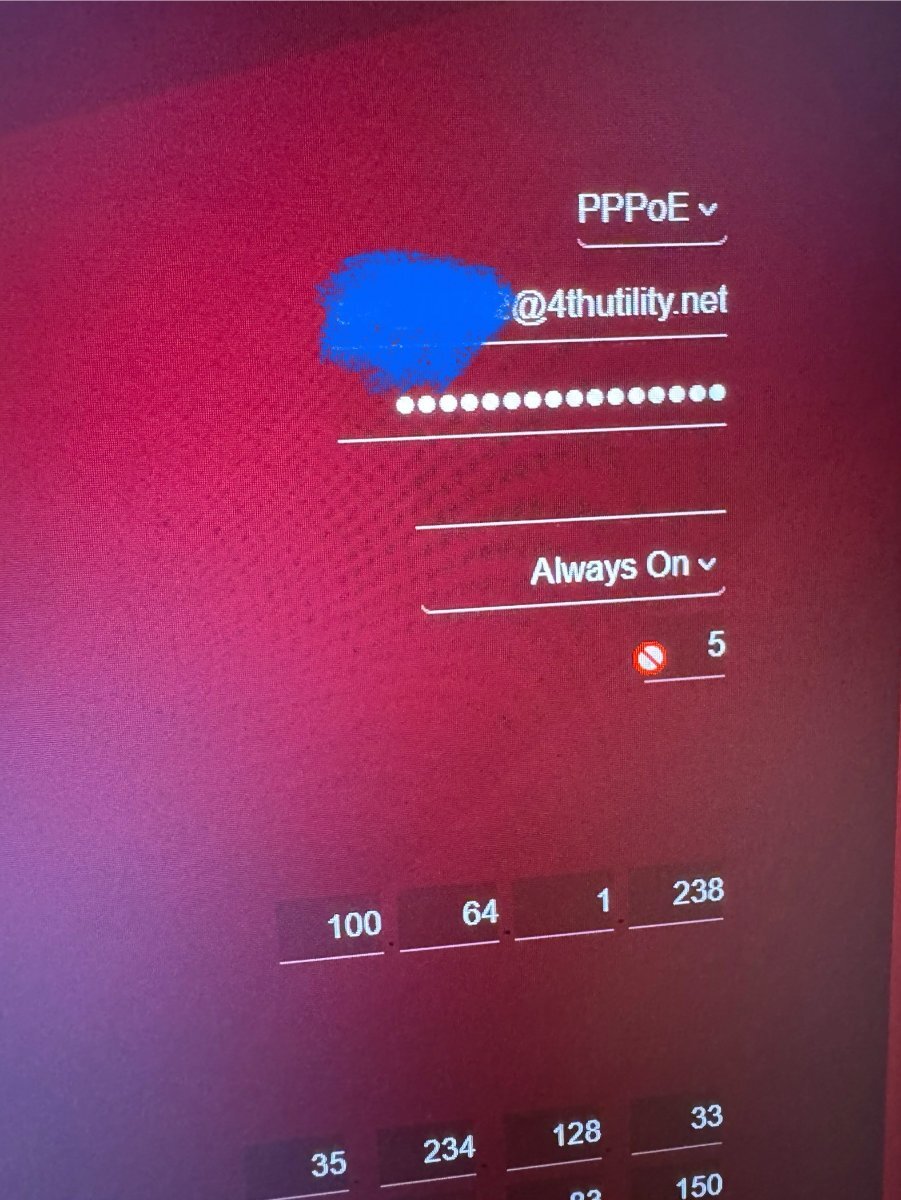
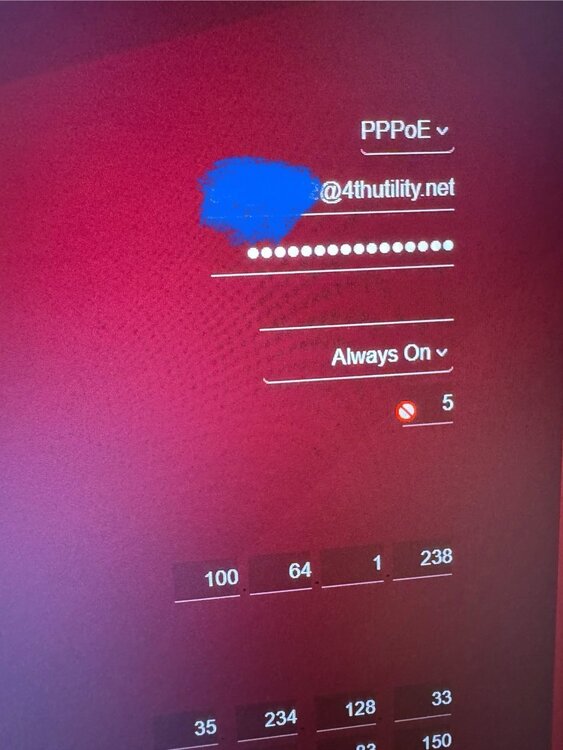
@Netduma Fraser Just confirming with an image that I cannot change the Idle Timeout(In Minutes) field that has '5' in it. In the attached image the red circle with a line through it is what my cursor displays as when I hover it over that field and/or click it.
-
Hi Fraser, thanks for the reply and advice. I’ll connect my PC directly to the bridge and see what happens, then report back. Unfortunately the Dasan antennae don’t detach from the device, it’s a ridiculous piece of hardware. Regarding the timeout option, I’ve tried to change this before but it’s a field that is prevented from being updated. I’ll confirm this when I’m home later but I’m sure I’ve tried to change it before and been prevented from doing so. A power cycle usually re-establishes connection on the bridge, but the problem re-occurs after this. So far the only thing that has sustained a consistent connection is the Dasan.
-
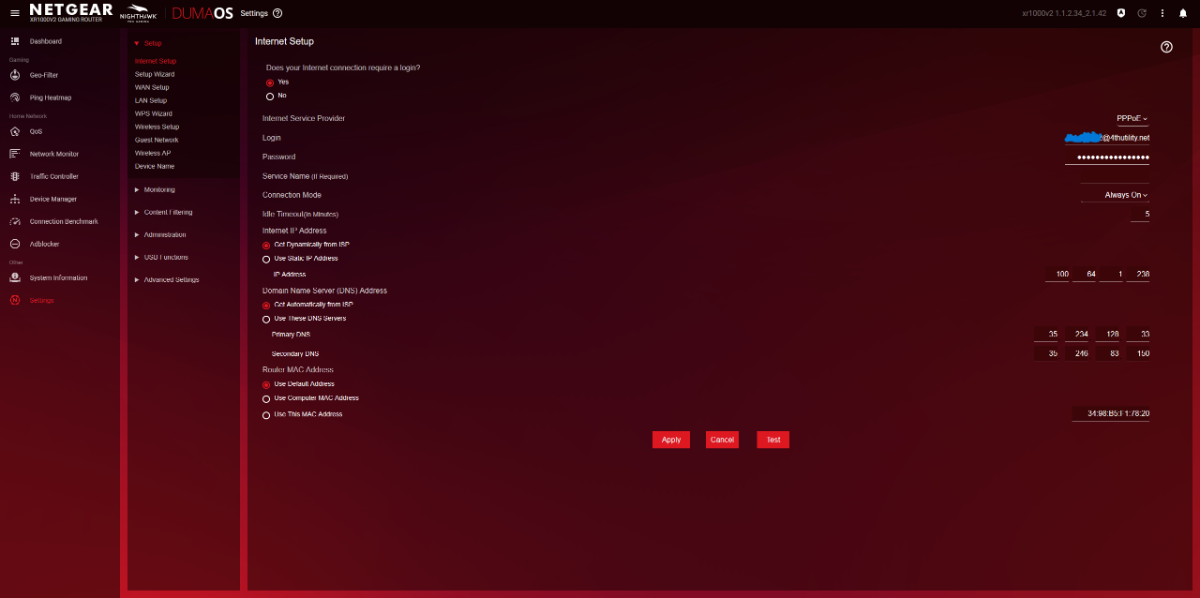
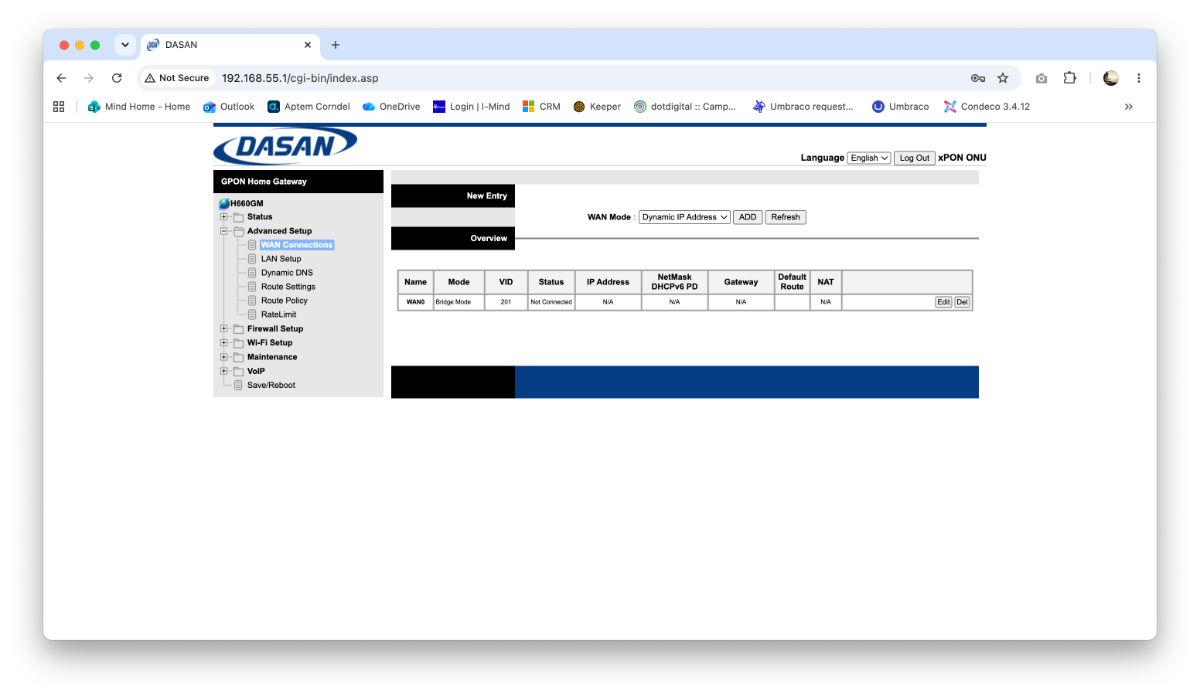
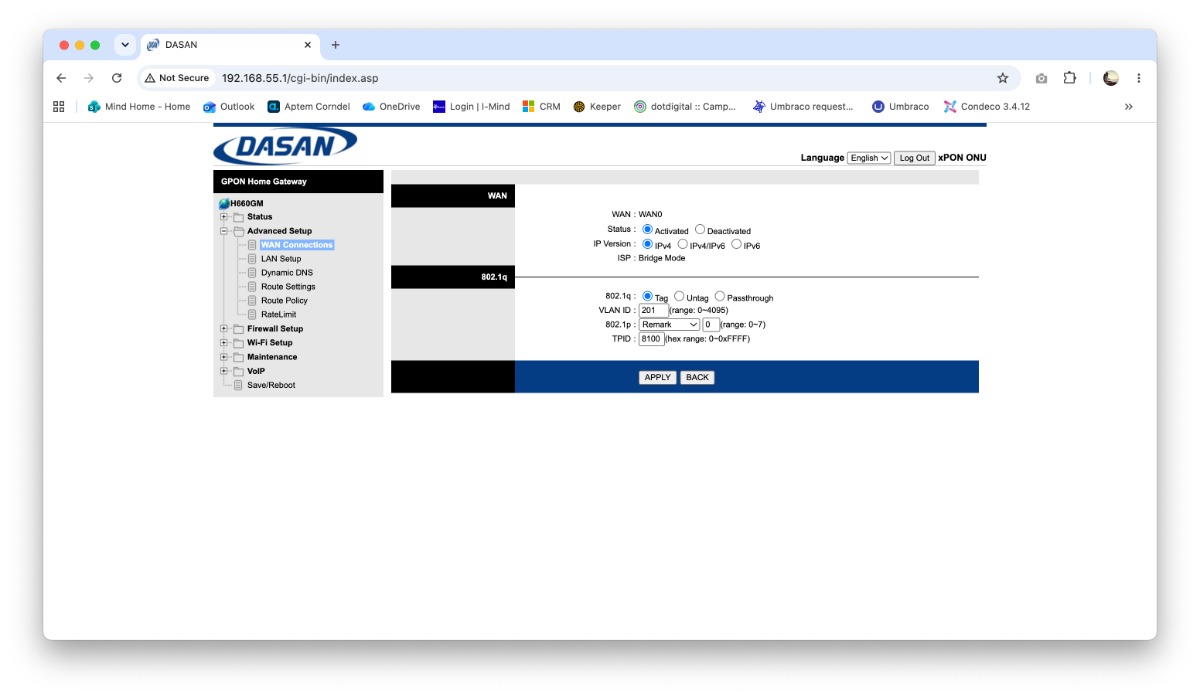
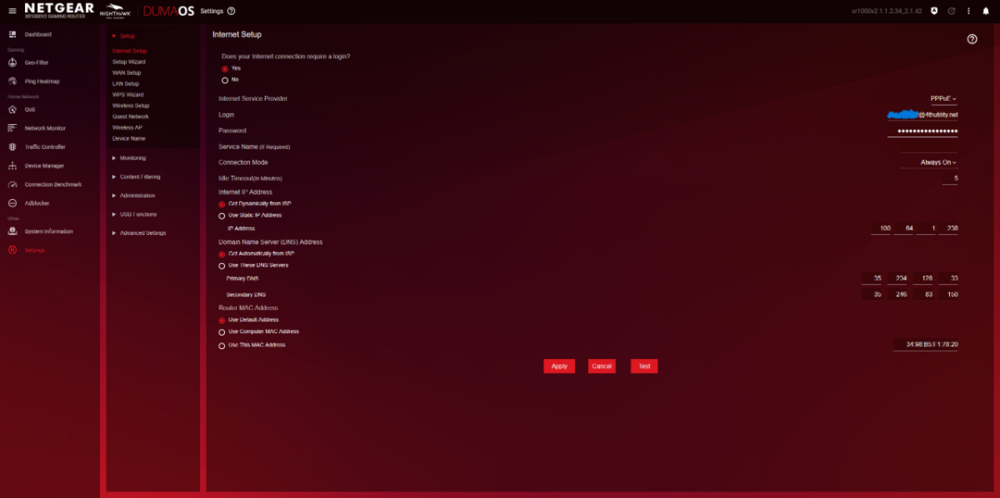
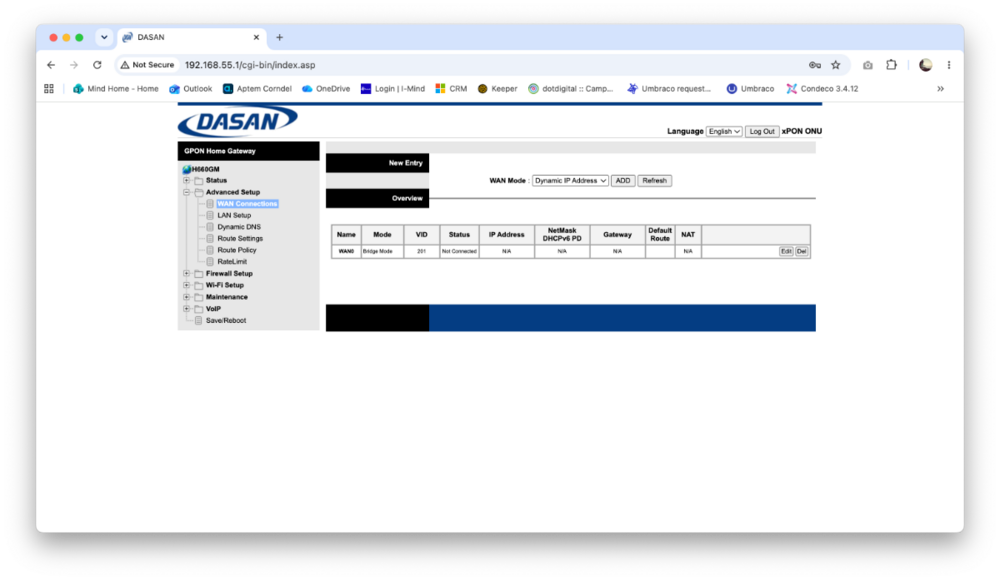
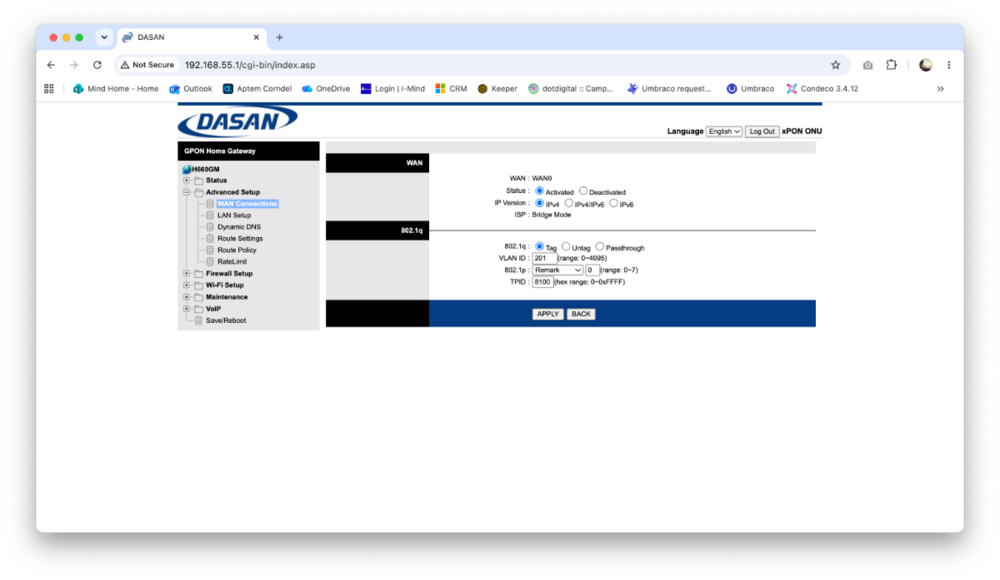
Hi all, I was hoping someone may be able to help me. I've been hitting a brick wall for about 12 months with my ISP 4th Utility (they are truly one of the worst fibre providers out there for a number of reasons which I won't go in to). In a nutshell they provided me with an Icotera i5205-00 bridge device in November 2023, this feeds the fibre connection to my XR1000v2. When I first got it I punched in the supplied PPPoE details in to my router, successfully connected and had no issues with it until June 2025. Since then I've had intermittent connection drops, where the fibre light on the bridge device flashes and the internet light on the router goes red. Sometimes it comes back up on its own, sometimes it goes off again quickly, sometimes it's just one drop. There's no real pattern to it to be entirely honest. 4th Utility don't want to know and just end up telling me to go to my router manufacturer, so here I am fresh off of an extremely frustrating 2 hour 10 minute phone call with them. They originally supplied me with a Dasan H660GM GPON ONT router. It's ugly, the antennas are at ridiculous angles and I don't want it on my wall. As part of the troubleshooting I've been doing I left the Dasan in bridge mode connected to my XR1000v2 for a week and experienced no connection drops. In my opinion this identified the issue being with the bridge device, but they're refusing to send me a replacement and stating that the logs on their end indicate that the device is fine and it's a problem with the credentials which must be my 3rd party router's configuration (or something along those lines, I was so beyond frustrated that it's slightly difficult to recall). While on hold I checked this forum and thought it could possibly be related to the VLAN ID, I had to almost beg the person on the phone to check if there was one as he was outright refusing at first but he eventually stated that his senior said there is no tag. Can anyone suggest anything related to the XR1000v2 that could be causing this? The bridge device has no GUI or ability to be configured, and when it's connected to the XR1000v2 via the WAN/Internet port the only thing I have configured is the PPPoE credentials (see screenshot). When I have the Dasan H660GM connected instead I do not change any config in the XR1000v2 but I do configure the Dasan in to bridge mode on WAN0 with Tag 201 (see screenshot) which seems to work fine despite the ISP stating there's no tag (I also do not know if this is correctly set but, it works?). The only thing I can think of that's different from when I first started using the bridge device to now is that years ago the PPPoE credentials had a different username and password depending on whether you were using the Dasan router or the Icotera bridge device. They've since changed that and now it's one username and password regardless of which device you use. I have no idea if that's important or even relevant but I thought it was worth mentioning. Unfortunately I live in a block of flats and I don't have the option to switch to a better provider as 4th Utility installed their lines here themselves, every day I wish CityFibre had instead. Any help or guidance would be much appreciated!
-
Hi Fraser, Thanks for your reply and suggestions, my apologies for not acknowledging them sooner. I've just gotten round to trying out what you suggested. Something must have done the trick but I'm not entirely sure what. I started by factory resetting the router with the button on the back as I could not load the router GUI at all since I posted back in November. I went through the setup process, kept the router IP as 192.168.1.1 and added the IP as a trusted site on the adblocker. I made sure I was accessing via HTTP and I tried to run a benchmark test but the problem still presented. I gave up for a couple of hours, returned to try again and it's successfully completed a benchmark test 🤷♂️ tried it a second time just to check and it completed successfully. No clue what changed between me giving up and returning for another attempt.
-
May I please be added too - thanks!
-
Netduma Fraser reacted to a post in a topic:
What Does a Pink LED Mean When the Connection is Fine? (XR1000 v2)
-
I also noticed this shade of colour for that light on my own XR1000 a few weeks back. Internet connection remained active and no noticeable difference with it. The only issue I noticed that may or may not have been network related or related to this different light colour was a number of apps (BBC iPlayer, All4, Amazon Prime) thinking I was connected via a VPN and blocking my ability to stream (I had no VPN active). That issue is now resolved.
-
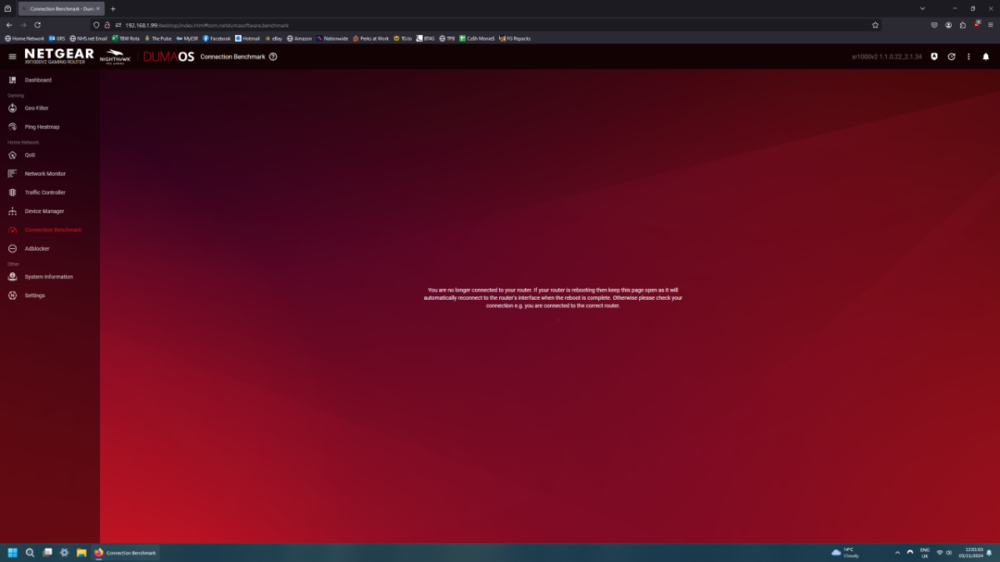
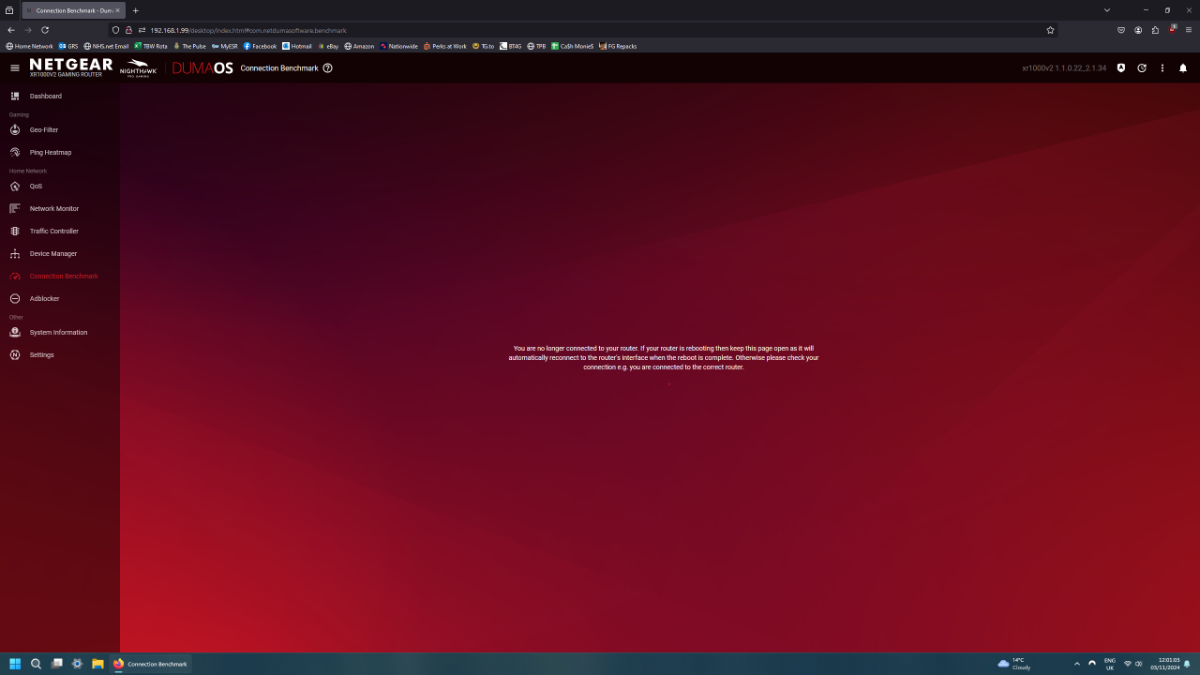
Hi, first time poster here. Bought the XR1000 back in May, starting to wish I hadn't or I'd returned it but here I am. Had various issues with it, tried to follow ideal settings guides etc. but I ended up switching off every feature namely QoS & Adblocker as they were causing a slow resolve time for web pages on certain devices connected to my network (switching them off fixed this). I'm savvy enough to understand and tinker with features but I'm very much the type of person that will configure and forget, all I want is for my router to work as it should and let me play with the settings when I need to. So far I've found the DumaOS to be pretty dire, I was convinced I wouldn't miss my old TP-Link especially with the GUI it had but boy was I wrong. Anyway, first issue I've felt the need to post about. I updated the firmware to 1.1.0.22 yesterday and since then I can't successfully run a full benchmark test, I get this screen appear mostly during the Ping Under Load part of the test: I believe I read something on this forum about a new firmware coming but it sounds as if that's been promised for a while so I'm not exactly hopeful about it materialising any time soon. Happy to follow any troubleshooting or ideal config suggestions that someone may be kind enough to provide for me, at this stage I'd really like to be shown that this router isn't entirely worth giving up on considering how much it cost 🥲 Cheers.