terry_b
-
Posts
15 -
Joined
-
Last visited
Everything posted by terry_b
-
Good and bad hit registration in game doesn't usually correlate to a ping difference - When it's REALLY bad is when I start to see weird spikes, but only in game. I'm usually around 18-20 ms to Ashburn or Norfolk according to the router, and in game my ping will generally match up. I'm leaning towards combination of ISP and game server issues. I've done everything on my end to optimize, but I have no control over the rest of the path. Funny enough, I just chucked all the prioritization and congestion settings out the window and connected to wifi instead of ethernet - so no steady ping, no geo filter, no "gaming" prioritization, and sliders at 100% - and I still see a 20 ms ping and while hit reg and all that is still pretty bad, *I seem to take less damage*. So all the optimization is doing is giving the server better communication that I'm dead, it seems like lol! Next I'll hotspot from my phone and see how much help the game server gives me.
-
Well that gets me back on the east coats but the game still plays terrible every other game - which at this point I'm chalking up to obvious game server issues.
-
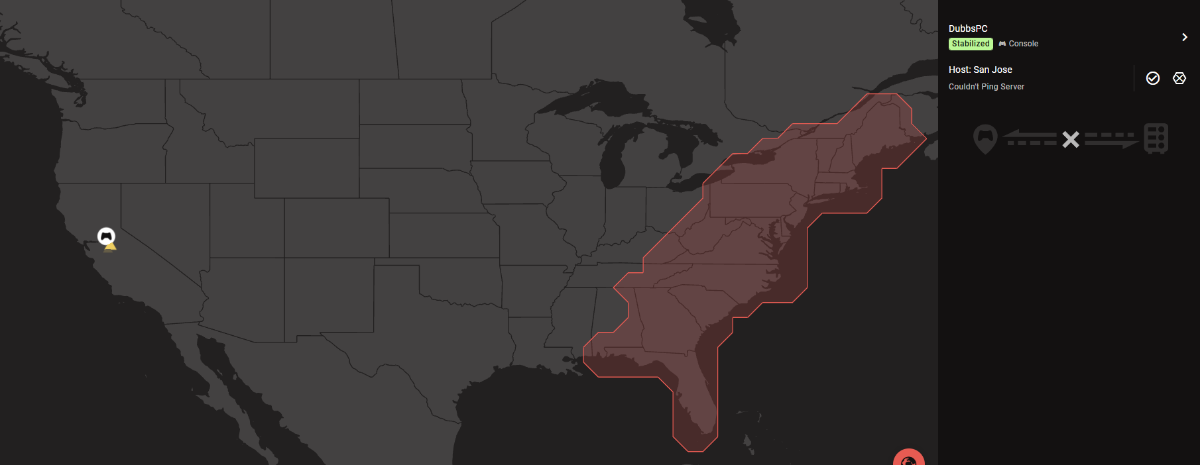
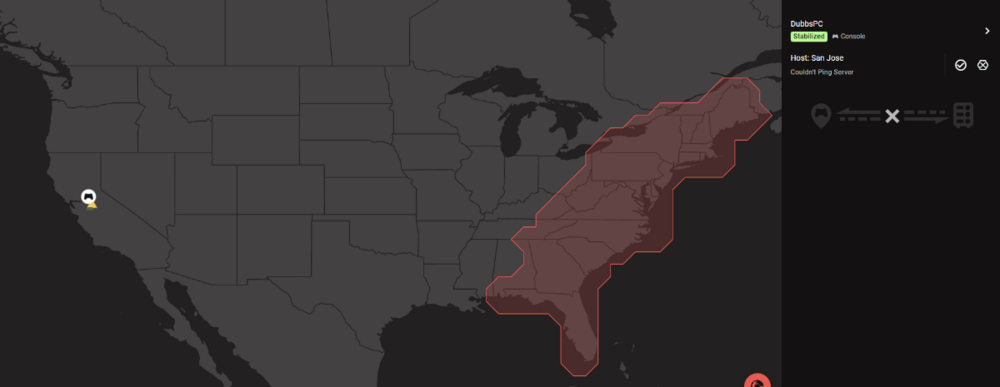
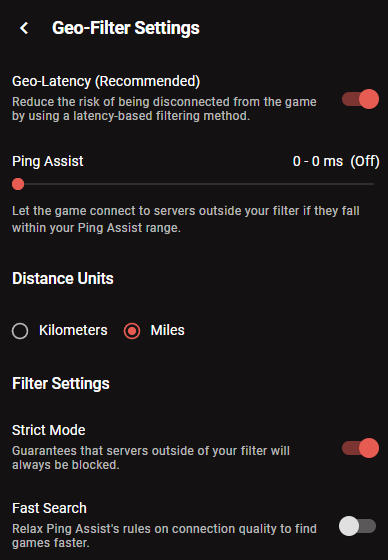
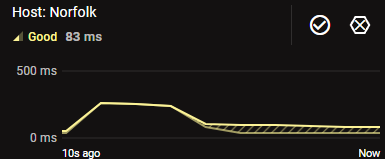
I am consistently being connected to West Coast servers despite having everything setup to filter for East Coast ONLY. Even setting the SanJose server to deny just connects me to another one next game. I'm not sure why it's not even attempting to connect to the usual east coast server, but even that one shows a LOT of ping issues - usually 20ms, but lately it's been 80-90 with spikes into the hundreds, I'm desperately waiting for the new fiber install in my town, but in the meantime I'm stuck with Spectrum. Is this a ISP issue?
-
I've noticed that BF6 seems to want to force me into other servers. When I can confirm that I'm connected to Auburn VA (I'm in MA) the game is much better - but lately it's been connecting to San Jose and other servers, with pings over 100 at times. It has been showing Dublin a lot, which I understand is authentication only - but there are times where it gets a ping from Dublin at 110 or soemthing, and then steady ping tries to bump up my ping to high 80s and it makes for a bad time. I realize what you guys have been trying to accomplish, and that's why I ended up getting the R3... But with VPNs ruining any type of geofencing and a lot of games giving a lot of "help" to high ping players, I think it really comes down to the fact that we need game devs to do a better job with connection management. I WISH I had netduma back in the Halo 2/3 days!
-
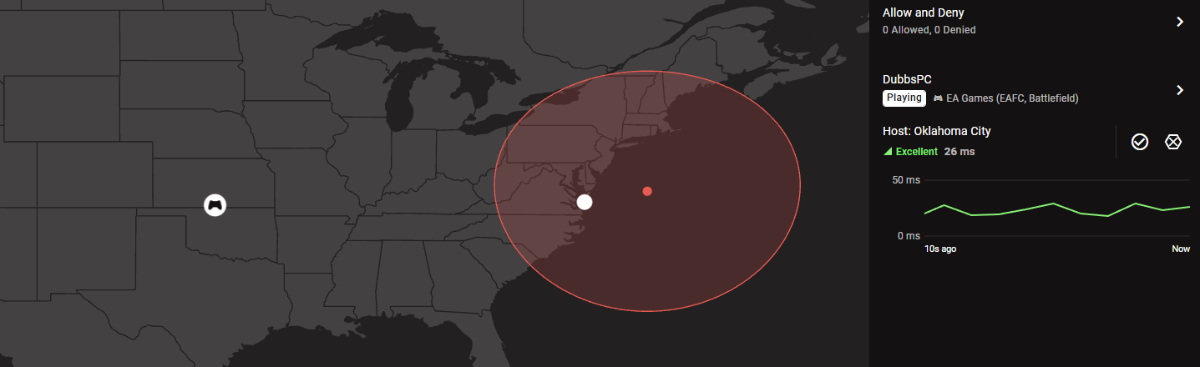
Is there an advantage to setting my PC as a PlayStation in device manager? I usually have it set to PC and under the EA Games group. It's not showing Oklahoma anymore, usually it seems like it's connecting to Ashburn, which is definitely the best server for me - but wow do I get a lot of people in game who should probably be connected elsewhere. So far I've loved the netduma UI and I'm happy with the router. I'm wondering if there's just a ton of matchmaking stuff on the network side of most modern online games now that don't seem to care about optimized connections? I wish we had the R3 back when the original modern warfare and Halo were the games to be playing. Today it seems like there's so much effort to compensate for bad latency that it negatively affects those with good latency.
-
No joke! Here I am trying to optimize and every game with a bunch of 80+ ping players just plays like garbage. I hope we see a ban wave soon too because naturally, the free BR has attracted a bunch of cheaters back to the game.
-
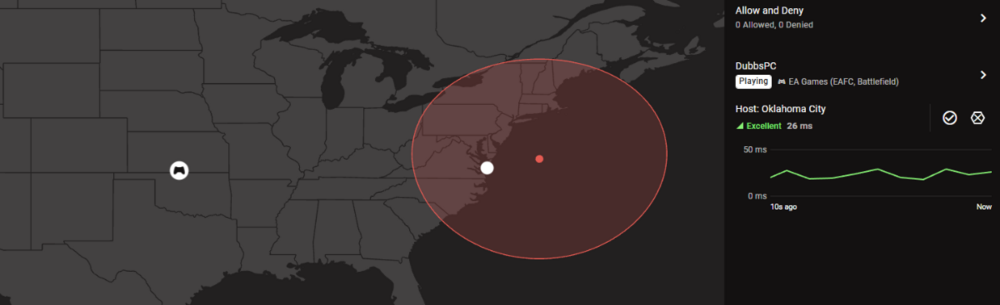
Still seeing OKC... but ping is also reflecting a closer server? Still lots of desync in the game too. I tried removing the device from geofilter, resyncing and adding it again, then starting game. I even did a full network reset, and flush DNS... Maybe cheap servers in AAA games today just don't care.
-
Some games are great, and other games it seems like there's so much de-sync that it's like a totally different game. I have noticed that while it says oklahoma, at times I have a ping of 20ms on the router, and 20ish in game. other times netduma will show a ping of 100+ and I have to leave the game because it's miserable. Hopefully these fixes will help, because when hits register correctly, it's great. half my games there are a couple people who will basically OHK me with "super bullets" anytime I'm even in their field of view, meanwhile I can unload and just get damage markers.
-
 That has pretty much been my process thus far, and I get no meaningful improvement until download is below 20%. Upload seems fine at anywhere from 70-90%, and starts to cause problems when it's too low.
 -
I had a netgear cm1000 v2, but recently had spectrum send me theirs to check it out. This one is their standard docsis 3.1 wMTA modem ES2251 (still unclear if this falls under the whole puma chip issue). I've entered 500/20 in the speeds, and when tested from the router I usually see results of 530ish/25ish. Everything is connected to the R3, my testing and gaming is done from my PC which is connected via ethernet. Everything else is connected via WiFi, and I have to manually select channels to get the best connection. SmartBOOST has my PC prioritized, (with a reserved IP). I also have the general "Gaming" category, "EA Games", and "Destiny 2", and "Valve Games" prioritized. Those are also the games I'm usually playing - BF2042 seems to work pretty well, but over the weekend the BF6 beta was showing heavy packet loss inside the game and out. Destiny 2 can be noticeably bad at times even in solo PvE activities (hit registration, delays, and laggy enemies, along with random disconnects and error codes), and PvP is frustratingly unplayable unless the conditions are just right and I am on the "good" side of their P2P hybrid connection. I've been using the waveform tool, cloudflare's tool, and fast.com - although fast generally shows good results no matter what the router configuration is and waveform and cloudflare show ping increasing under load and even packet loss at times. At first ping optimizer was really consistent and lowering the upload AND download ping - now ping optimizer shows 100+ ping and "cannot reduce ping further" whenever I try to let it run on its own. I'm also having issues in Destiny 2 where I cannot get an open NAT with UPnP, so I have to forward port 3097. I know I've posted before regarding Destiny 2 because it's literally miserable in PvP games, and I really wonder if Spectrum just doesn't like that traffic for some reason? I've tried running a VPN on my PC to see if that affects the routing and surprisingly, it does seem to increase my hit registration, but it also results in strict NAT and overall it makes *everything* more laggy.
-
I've noticed recently that I am getting a ridiculous amount of loss and lag spikes (although I can never get a test to show packet loss, it happens near constantly in games). Ping optimizer just stopped working and I basically have to crank my download slider to the bare minimum to get any improvement. I'm on the .54 firmware, *should* be getting 500/20 for speeds. Upload looks ok in testing, but again I suffer in many online games. 70% upload seems ok, but I need download to be at 20% or below before it shows any improvement in bufferbloat. I have a suspicion that my ISP (Spectrum) is likely to blame for these issues and I've tried my own modem and theirs with inconsistent results. I don't even know if there's any way to improve if there's a routing issue at the ISP level?
-
Took some doing to get the firmware to actually update but it finally did! I think the trick is to "Reboot" the router from the settings page, and then IMMEDIATELY after it's back online, upload the new firmware. I was hard rebooting, return to default settings, etc. but that was what finally worked. I have to say, I think I'm seeing quite a nice improvement. BF2042 hit registration seems a little more crispy and I'm seeing fewer "server issues" symbols pop up in game. So far that's the only game I've tried, but it does seem better overall.
.png)