


davemarsden132
-
Posts
247 -
Joined
-
Last visited
Everything posted by davemarsden132
-
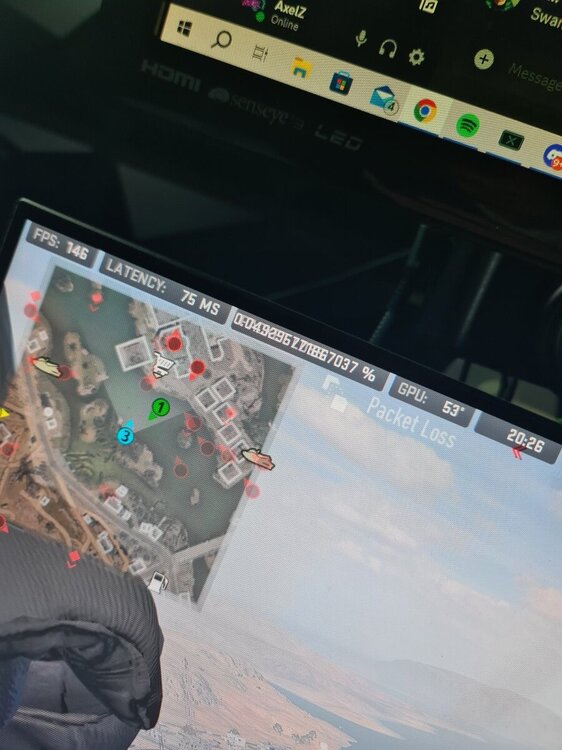
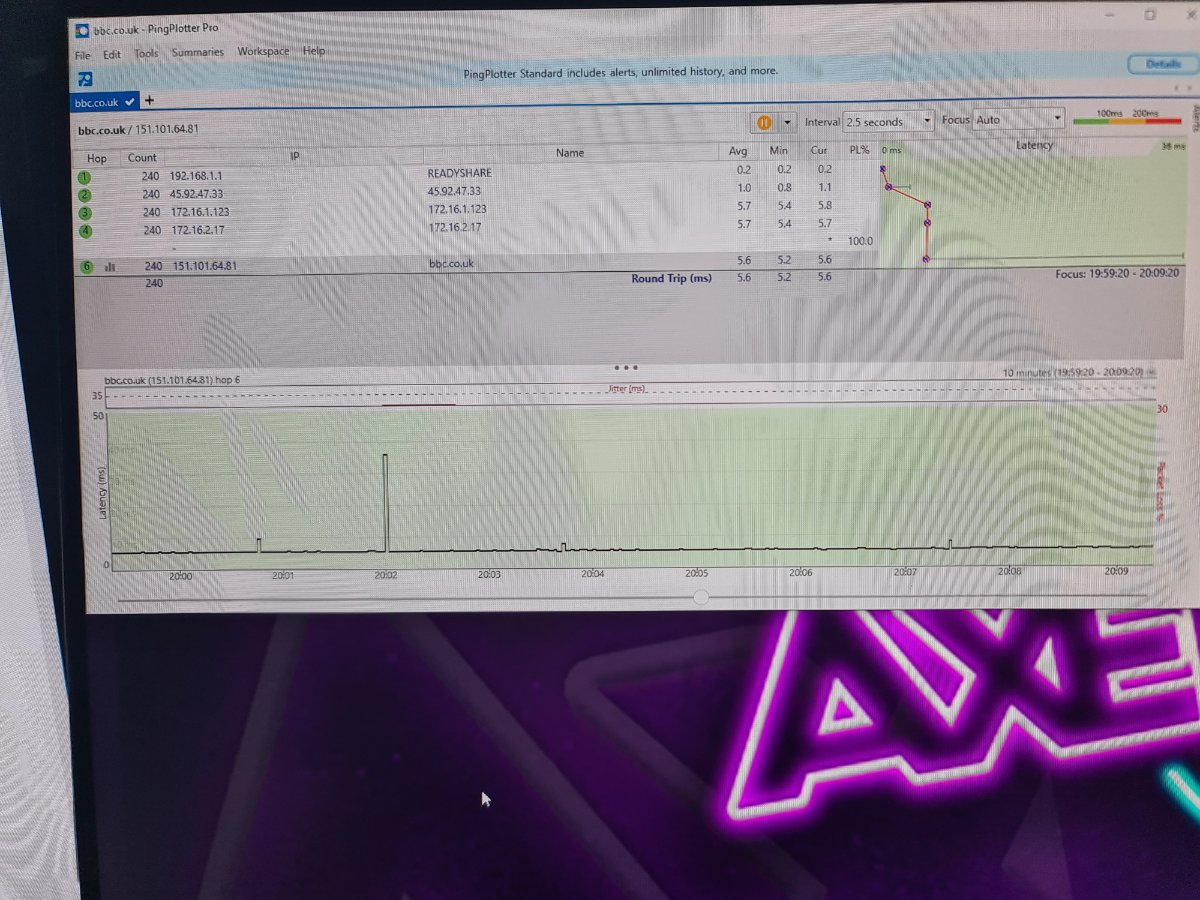
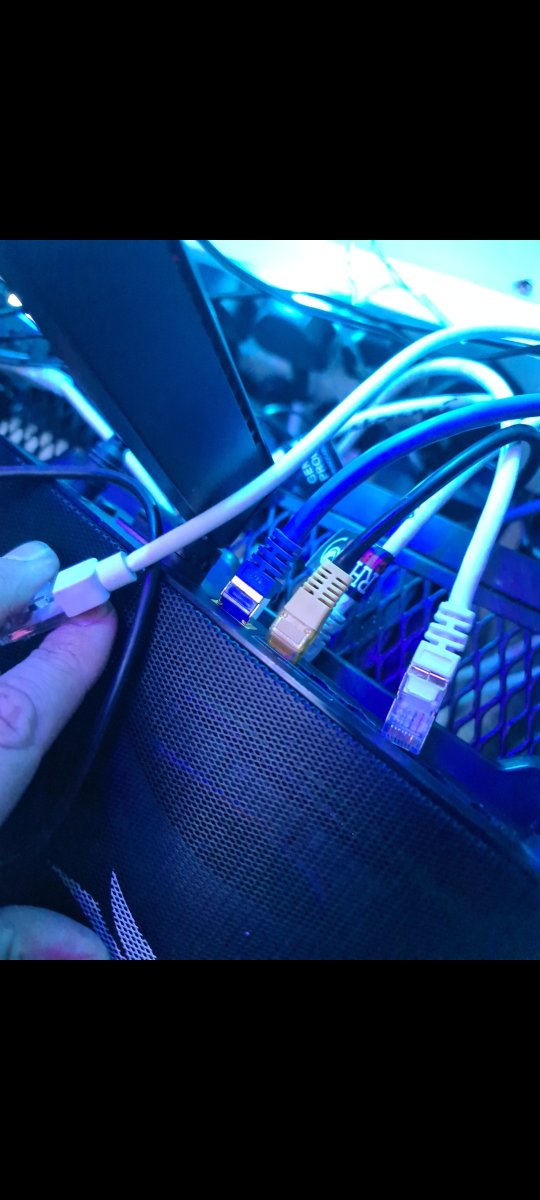
Morning All, After abit of a wiz's knowledge. Theres something up with my internet causing me lag in warzone. When i dont lag i get like a 19ms ping and no packet loss or symbols. So i found a fault with my ONT got that replaced an that didnt solve the issue. But heres where it gets weird. I have tried two internet providors both do the same. Ive tried youfibre > ont > my pc Bt > ont > my pc Both seperate lines, both live at the same time, both fibre 1000mbps. Both lag. I assumed maybe its my PC, so i got another PC and a ps5 same issue. I thought maybe its my cat6 cable. So i bought a brand new cat6 an run that out. Still the same. I thought maybe the leads not good enough so i bought a cat7 cable. Still the same. So i do abit of research, although differnet lines (youfibre dont use bt they use there own) here is my questions. 1) Does internet go back to the same hub no matter what company. Internet comes from somewhere so could this be where the issue lies? 2) Can anything interfere with fibre? I know fibre is light, i do know back in the day electrical equipment could interfere with the internet line. But can it do that with light? 3) Could both wires be trapped or kinked underground causing the issues maybe? Then something weird happens. I have a powercut, everything turns off.... that night i game, NO LAG AT ALL everyone is dying in 3 bullets instead of 20 etc etc nothing changed hardware or software side just a powercut. Also before you think its a router reset ive tried resetting / factory resetting my ONT and router 100000 times. So it cant be that. Anyway i play for 3 days its perfect! Boom another powercut. Jump back on and its back being really bad... i think ok ok ill just immitate a powercut and turn my electric of. I do that and turn back on an still the game is bad. Tried that 3 times. Leads me to my next question? Can a IP or something like that, that feeds into my home be the problem? Could it be that when my router reset my ip changed an then it went good. So i went on a good ip.. then when it reset again i went to a bad ip? Is that something that is possible???? Sorry if some of the questions are stupid im just clutching at straws and hoping with that info an internet wiz can say yes 100% thats the incoming IP. Then i can ring my ISP an let them know. Would the IP be the same on youfibre and bt? Is there a ip right downn the line that they share which is bad? Thanks all and sorry for the essay!!
-
Internet Issues
davemarsden132 replied to davemarsden132's topic in NETGEAR Nighthawk Support (XR range)
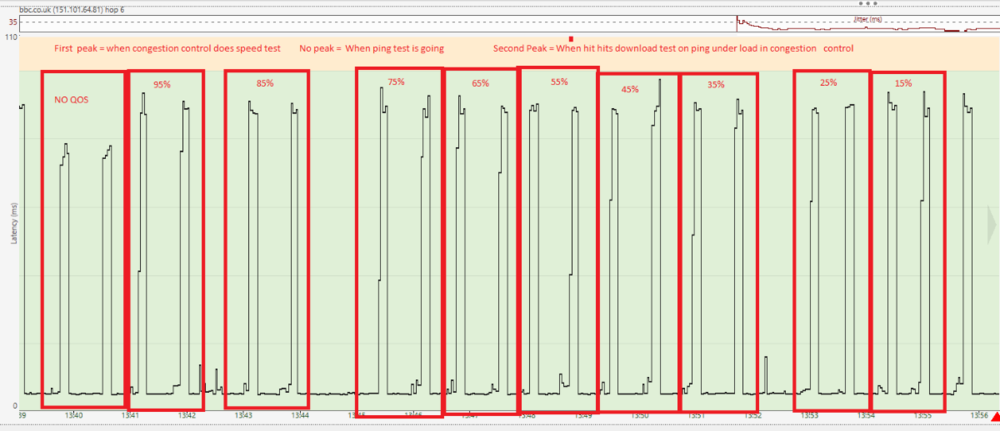
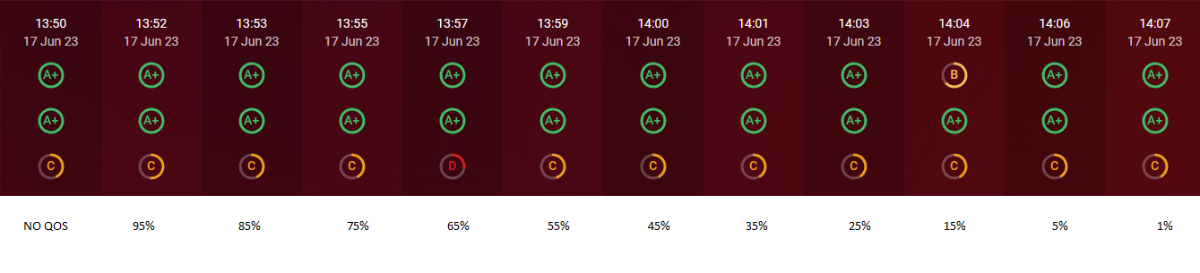
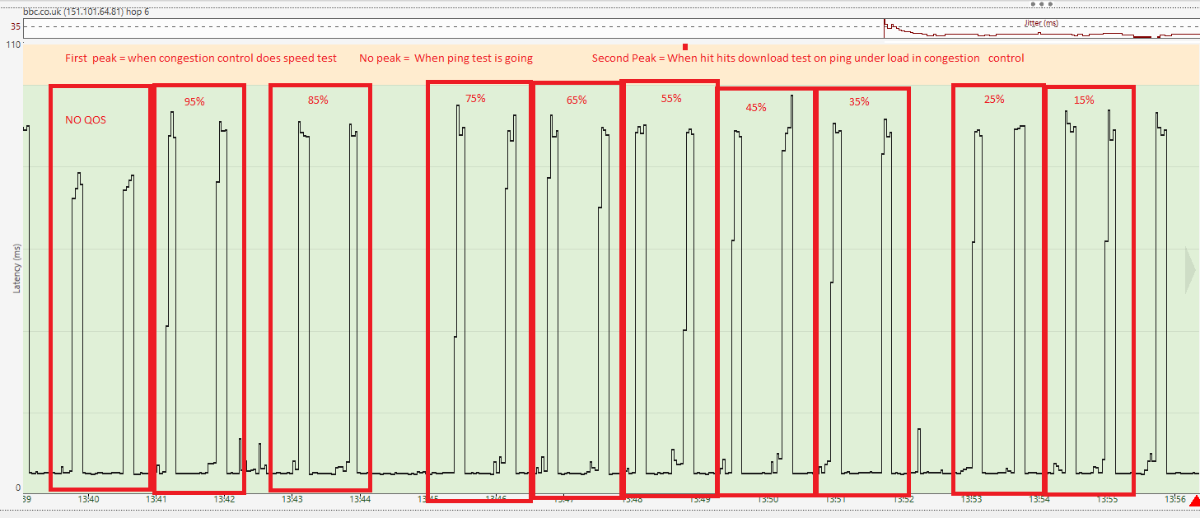
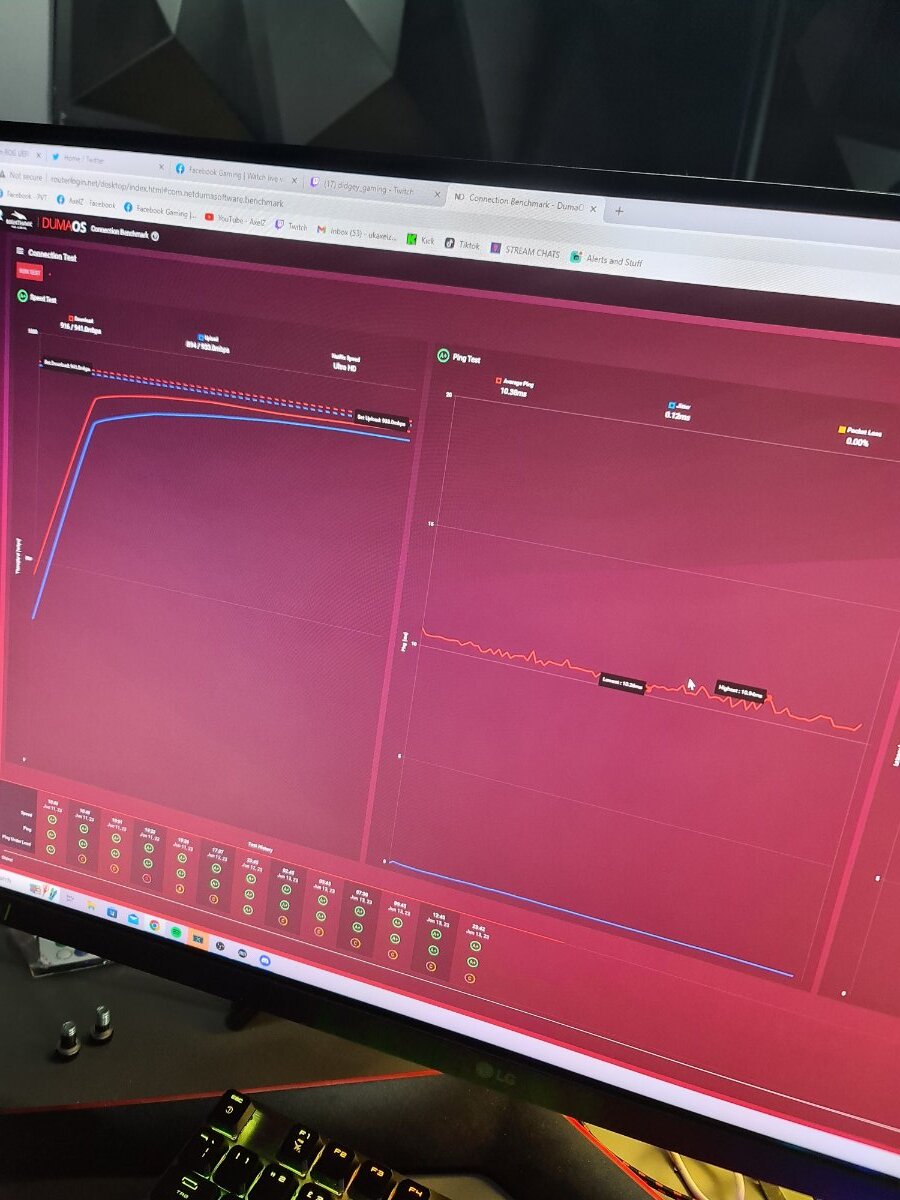
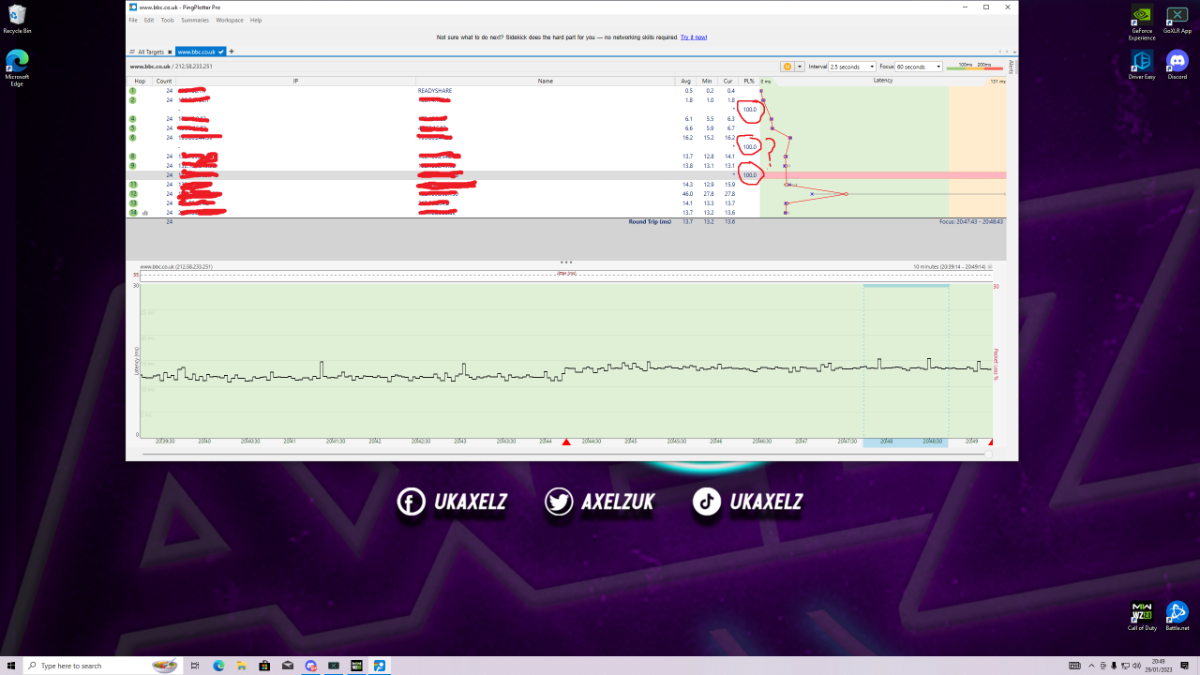
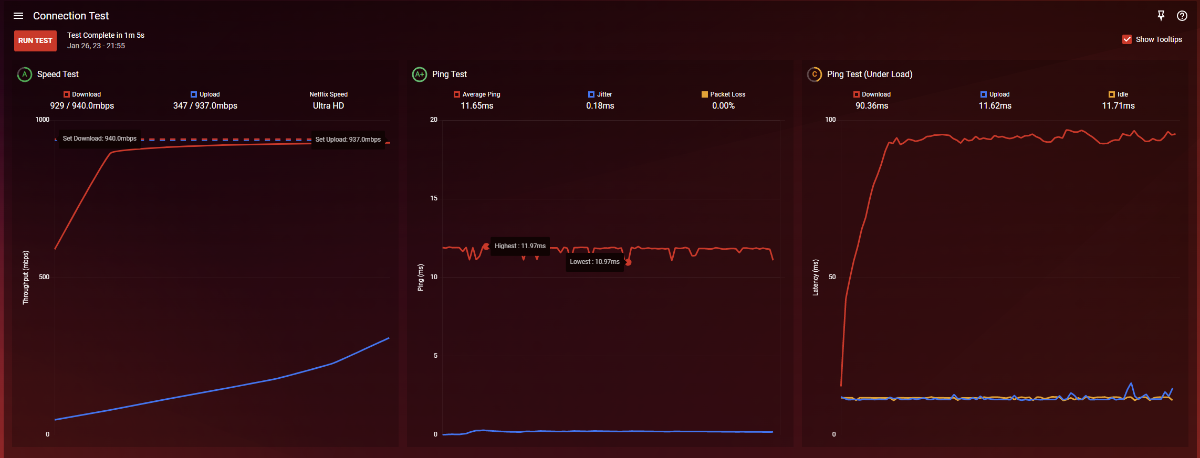
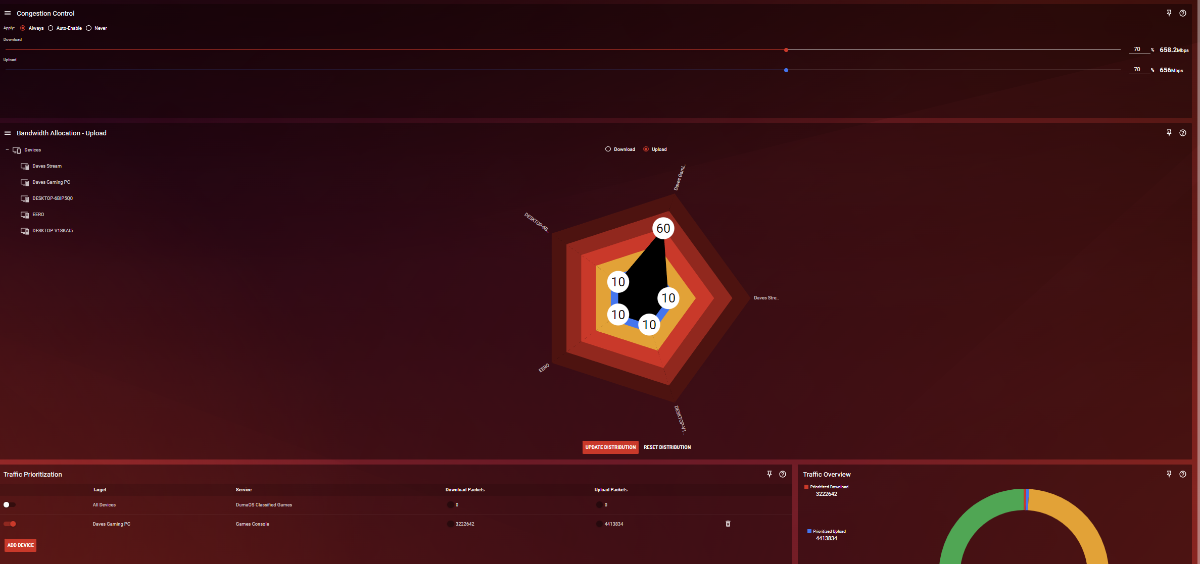
Please see attached photos. I also ran a speed test at the end on 5% (50mb) on speedtest.net just to ensure the QoS was working which it was. The first photo is just t o show the overall results The second photo I have seperated the tests and shown that it peaks on speedtest and also on ping under load download The third photo is just to show graph form So I went from 95% 85% 75%..... 5% etc. Nothing on my router or my side changed anything. The test results where exactly the same. I assume that this therefore means that it is ISP related?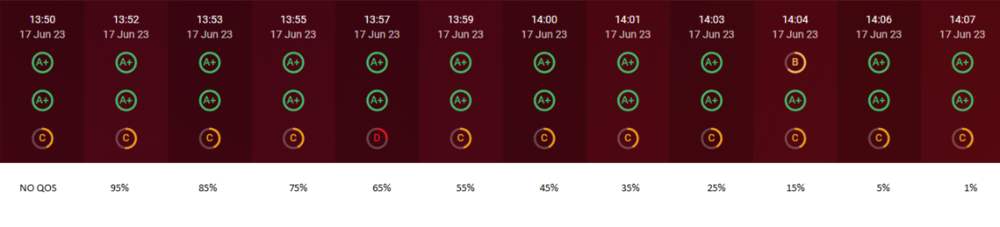
-
Internet Issues
davemarsden132 replied to davemarsden132's topic in NETGEAR Nighthawk Support (XR range)
How come though its bad with nothing connected? If you know what i mean. So testing straight to 1 PC, why is it coming up as bad when i have 1000mbps down and 1000mbps up? -
Internet Issues
davemarsden132 replied to davemarsden132's topic in NETGEAR Nighthawk Support (XR range)
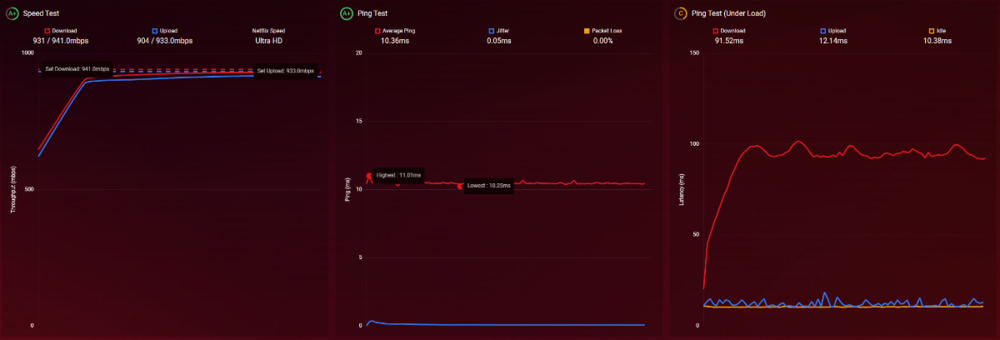
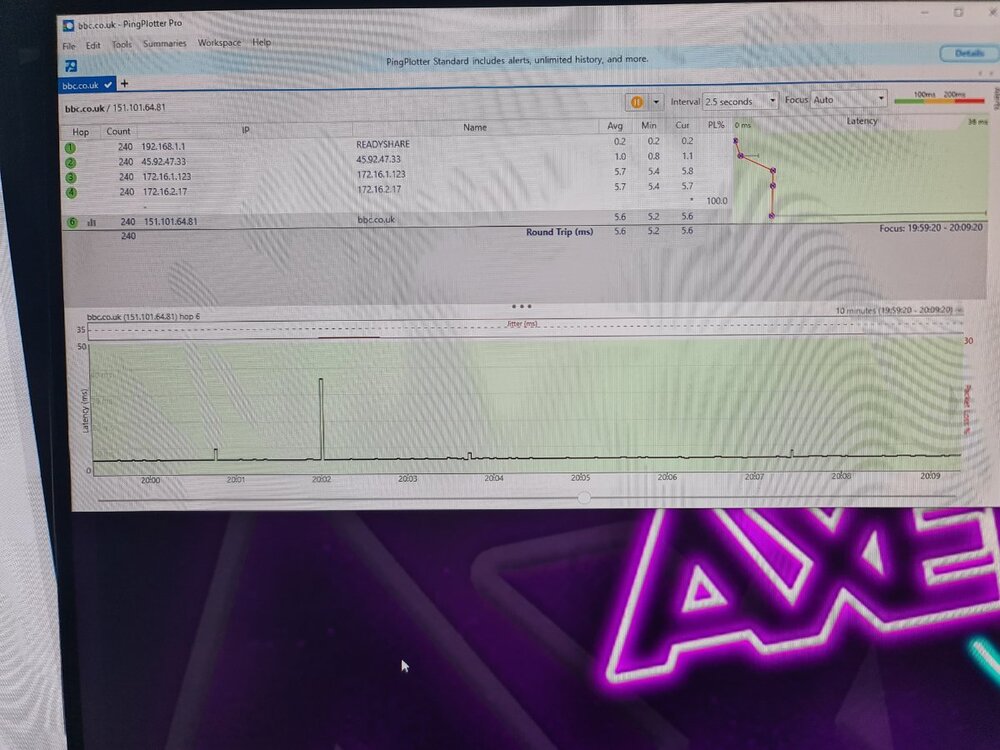
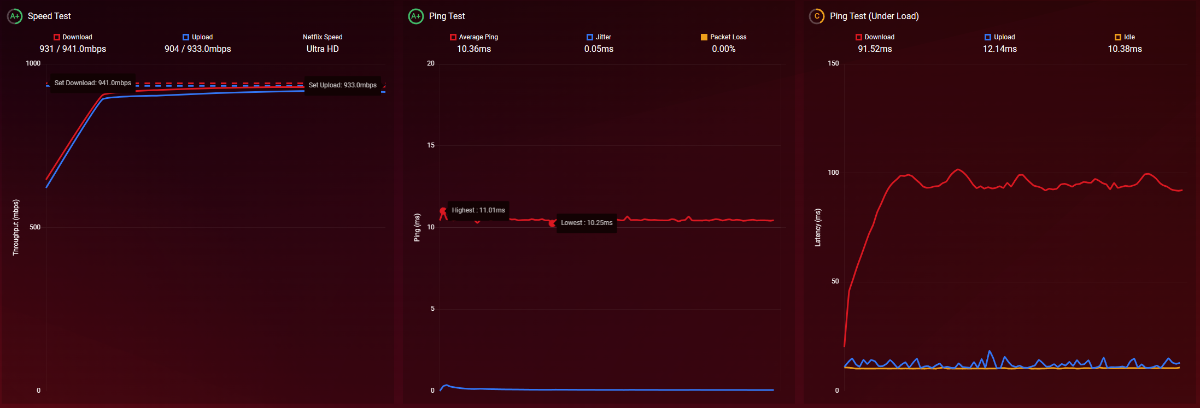
These where results, not sure what any of it means but it all looks good. This is ONT - XR700 - My PC with everything still connected (about 50 wifi devices and 5 pcs etc) Does test mean theres no issue with my ISP so its my side? If so, how can that be if ive gone ONT - XR700 - 1 pc only with nothing else connected etc. I also have no idea what any of it means so i dunno if thats what its saying 🤣👍👍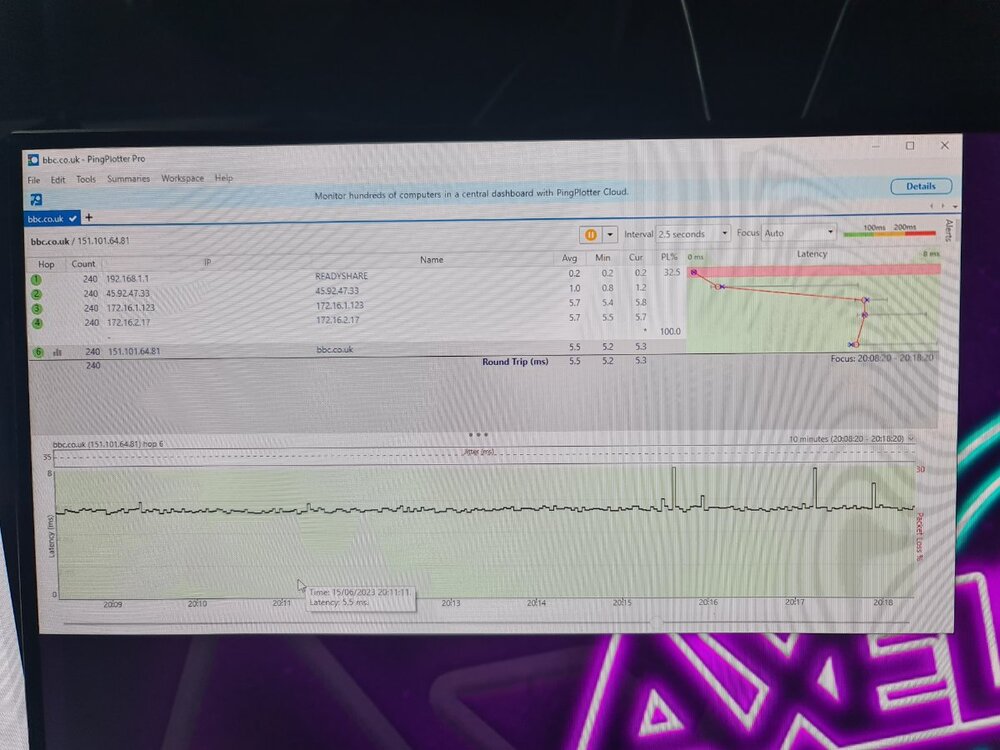
-
Internet Issues
davemarsden132 replied to davemarsden132's topic in NETGEAR Nighthawk Support (XR range)
Not sure if i can plug directly into my ONT because im on a static IP if i ever want to swap router i always have to ring them get 1 disconnected from the static IP then add the next etc -
Internet Issues
davemarsden132 replied to davemarsden132's topic in NETGEAR Nighthawk Support (XR range)
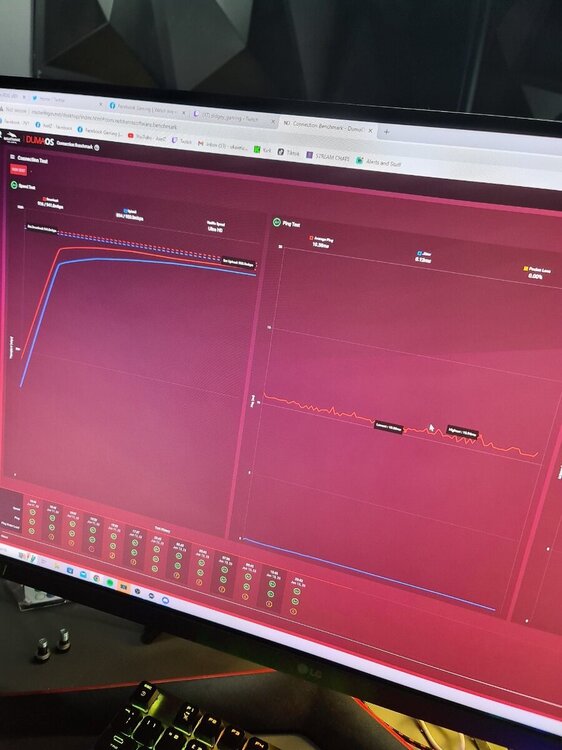
-
Internet Issues
davemarsden132 replied to davemarsden132's topic in NETGEAR Nighthawk Support (XR range)
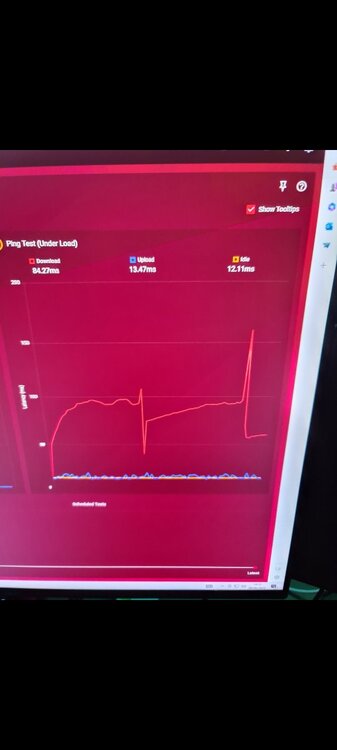
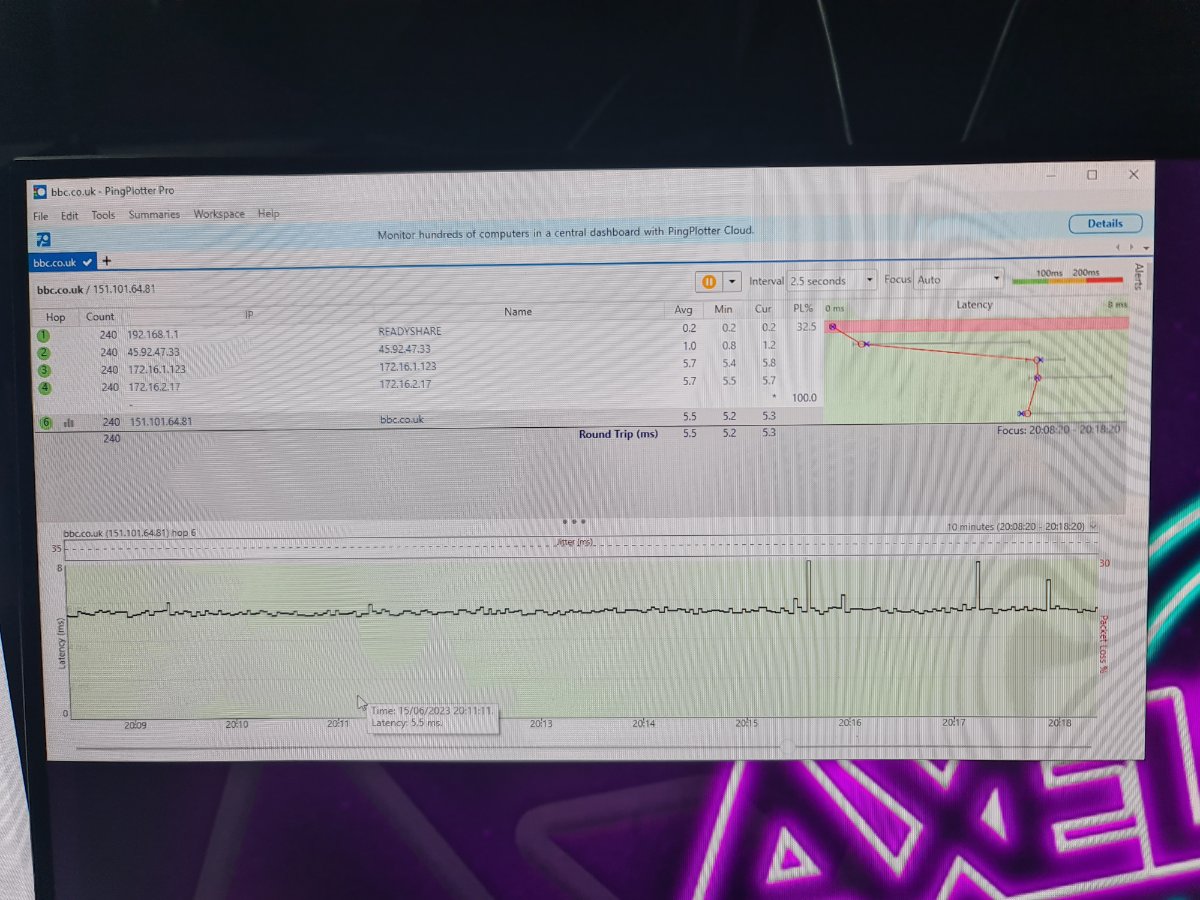
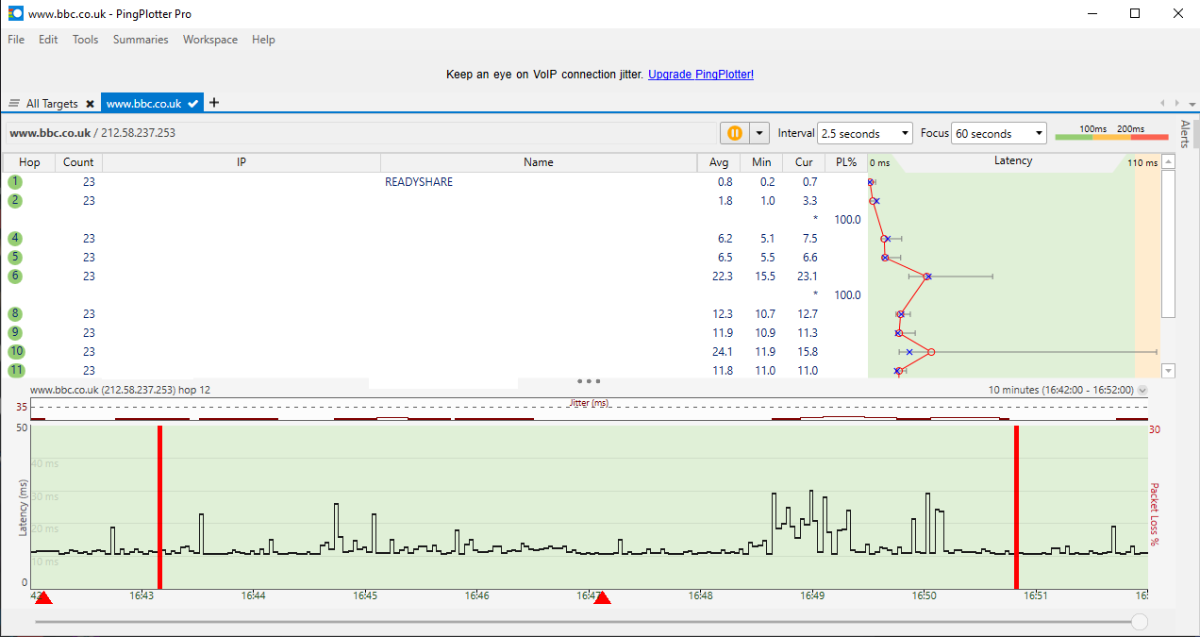
The ping result before is literally perfect like all flat lines around 10ms. Ill get a screenshot tonight when i finish work. My ping in game dosent seem to be an issue, its rly good. I am just desynced with the server and the only thing ive found that makes any sense is that 150ms download ping under load - which when i look at game im probably 150ms behind the other players etc. So it seems to line up that that is the issue. Only thing i cant get my head around is that with nothing at all turned on and plugged in other than my PC surely that means it has to be ISP side be that down the line or in the ONT. Id imagine its ONT because i cant imagine fibre having any interference or issues its just light. Surely its either on or off. -
Internet Issues
davemarsden132 replied to davemarsden132's topic in NETGEAR Nighthawk Support (XR range)
For the test, there is literally nothing on. Its just ONT to XR700 to PC with 1 web browser open. Is this issue from my ISP? Could it be a faulty ONT? I tried applying QoS on the router also which i didnt think would help as its literally the 1 pc connected. An still bad. I get the exact same result with all wifi connected and 5 pcs etc with QoS off. Which is what leads me to believe its isp or ont. In game with geofilter on i get 19ms ping -
Internet Issues
davemarsden132 replied to davemarsden132's topic in NETGEAR Nighthawk Support (XR range)
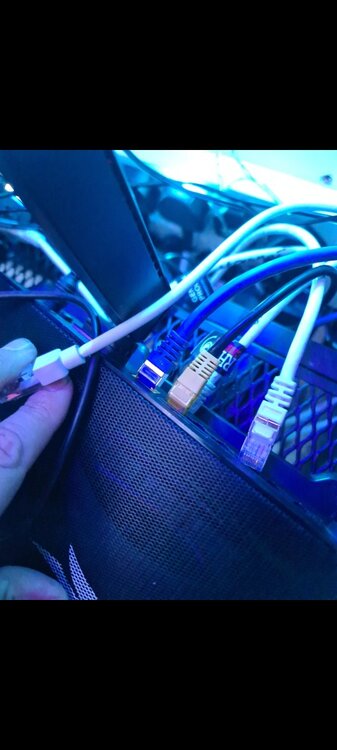
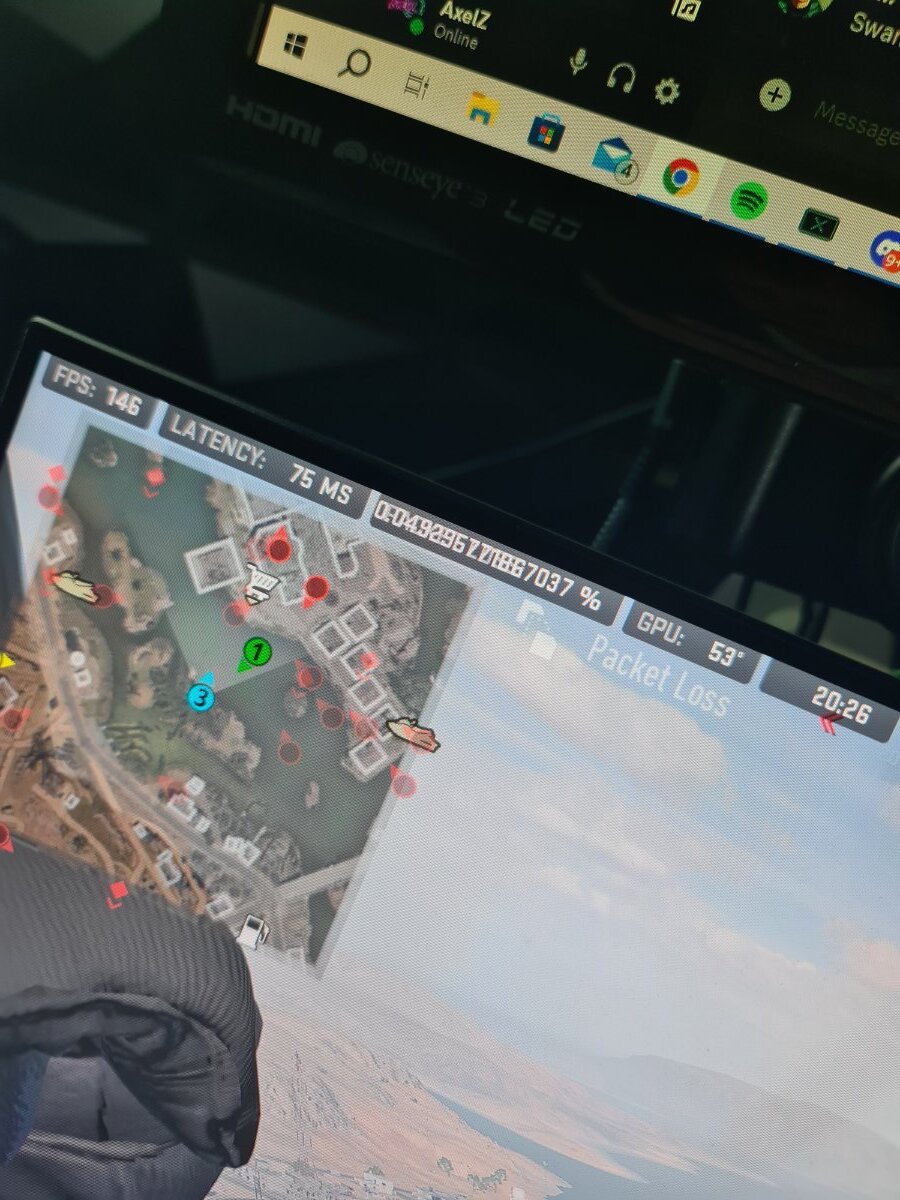
I have tried swapping the cat 8 and cat5e cables out with cat 7 cables and cat 6 and nothing. Also the pic in cod is me spectating my team mate. But so is 2 other team mates. Theres the guy alive is shooting right at the guy. Me hes shooting behind. This causes me issues in cod because where i see the person and shoot, there not actually there so my bullets arent registering. -
Morning All Does anyone know what the problem is here, so i have the setup as Fibre to the property, this goes into a ONT, from the ONT i have a cat8 cable connected to the xr700 From the xr700 i have a cat5e cable connected to the PC I have everything else unplugged and also all wifi turned off (i say off its just nothing connected as i changed pwd) The upload and idle in ping test under load is as below but the download ping under load is crazy. It causes me to be desynced with the cod servers so my bullets dont register. See photo.

-
Internet confuses the hell outaaa me
davemarsden132 replied to davemarsden132's topic in Netduma R2 Support
Sound so the below image is when i was downloading World of Warcraft on battle.net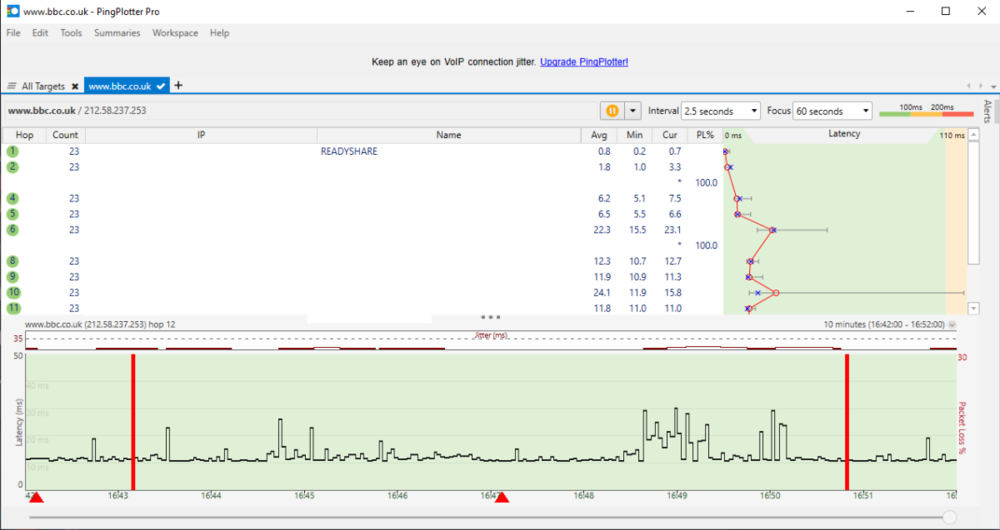
-
Internet confuses the hell outaaa me
davemarsden132 replied to davemarsden132's topic in Netduma R2 Support
I know it said to download etc, but that was with warzone on my PC and the wifes PC -
Internet confuses the hell outaaa me
davemarsden132 replied to davemarsden132's topic in Netduma R2 Support
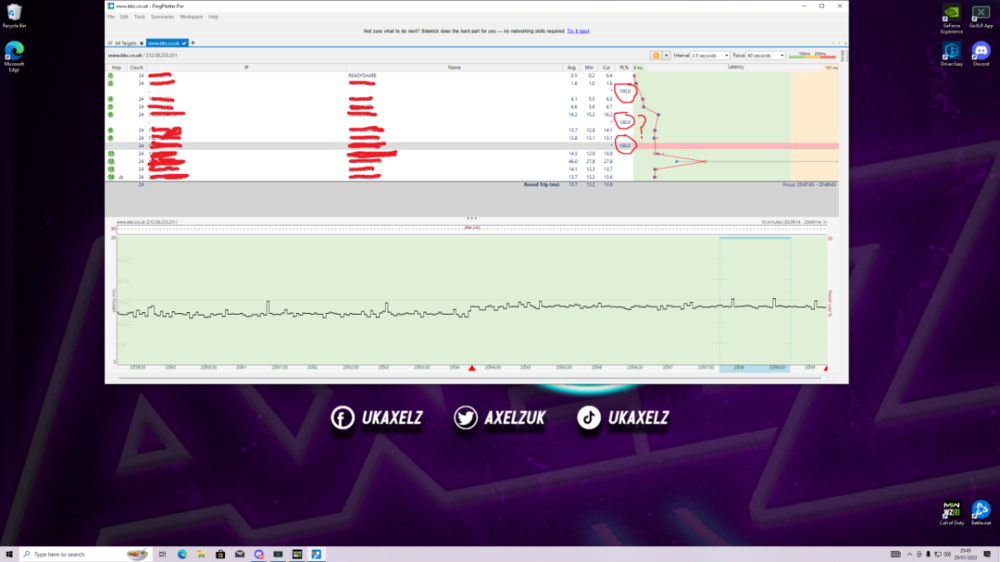
-
Internet confuses the hell outaaa me
davemarsden132 replied to davemarsden132's topic in Netduma R2 Support
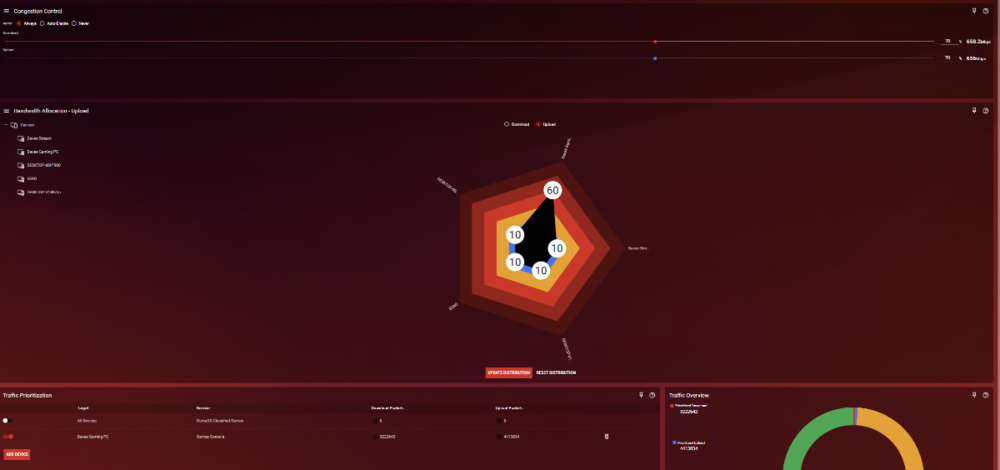
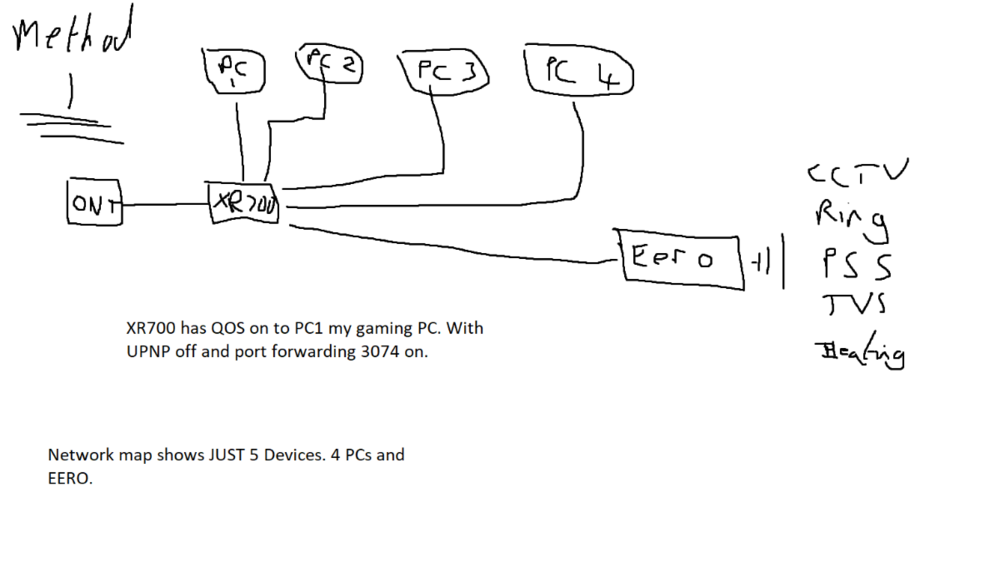
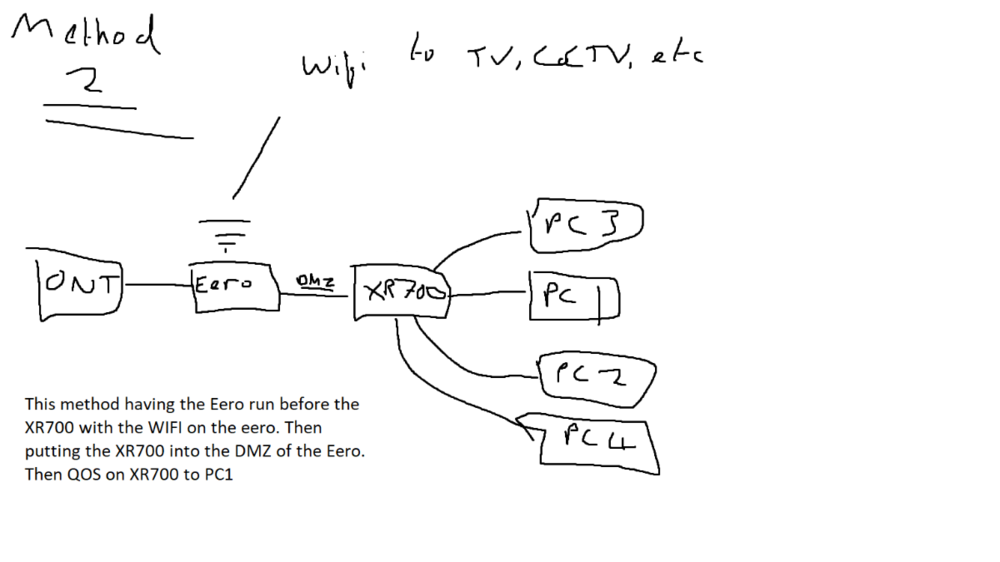
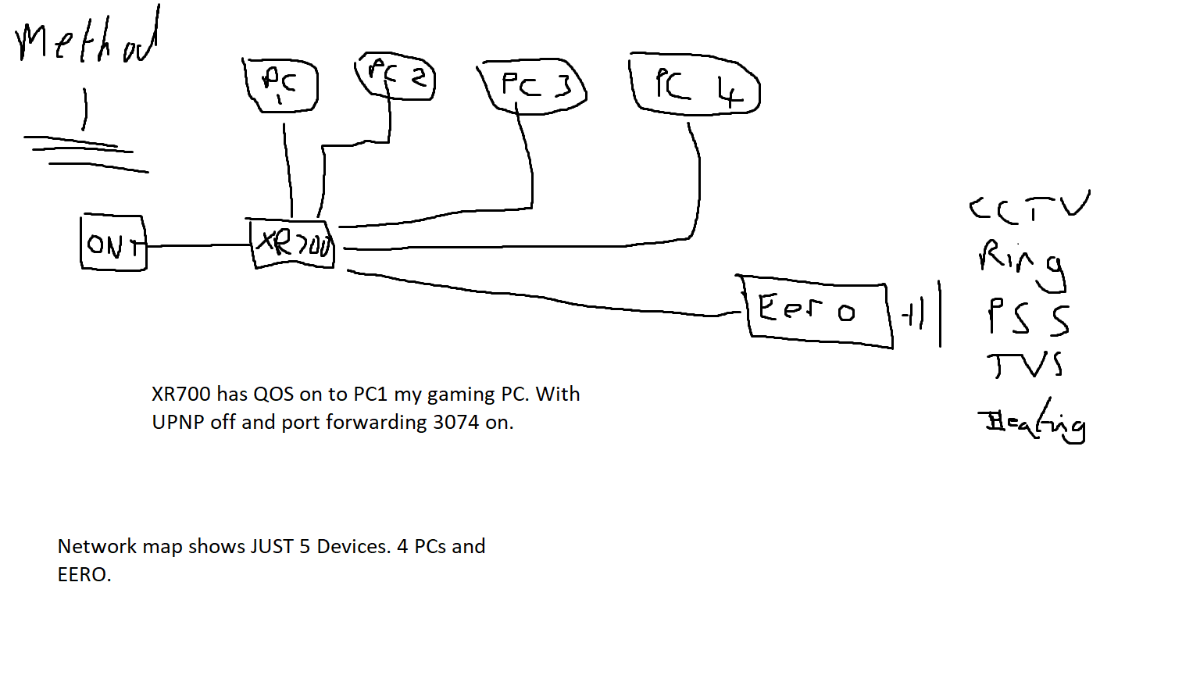
So should it be Image 1 or Image 2 above? Please also see below screenshots asked for Thanks again for your help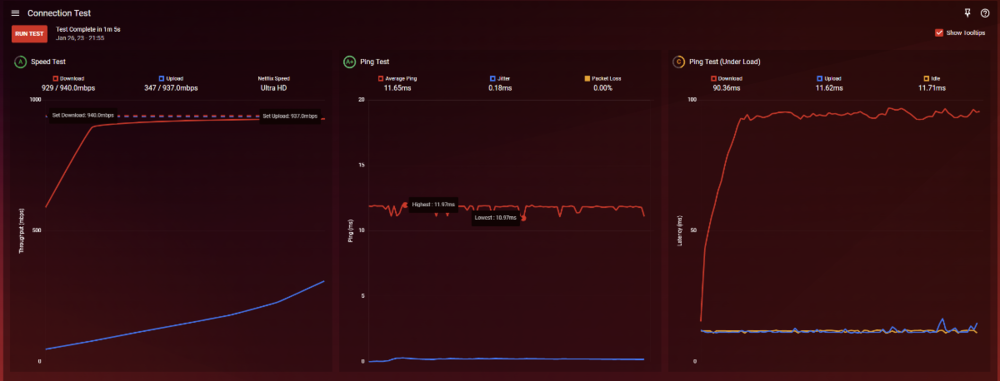
-
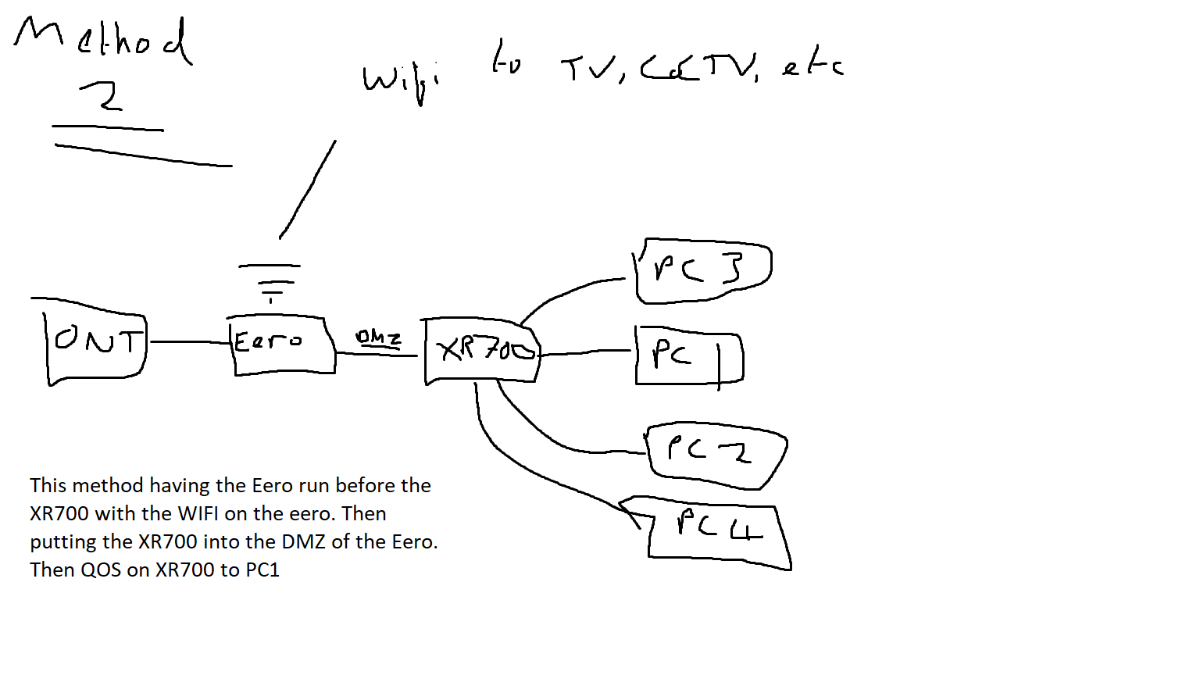
Hi guys, Please see below images of how I have my setup and how maybe I should have it. I am not too sure, you may wonder why I want the Eero's to run my WIFI only and thats because I cant get wifi in my garage which has been converted to a cinema. With the EERO i can mesh wifi it to the back of the garage, it also helps for signal around my home with regards to my Ring cameras which are pretty much 360. Thats the reason really for the EERO's I'm basically constantly getting C on ping under load, with it reaching 100ms all the time on download. Upload is not too bad. I have literally spent HOURS, an i mean HOURS. moving my download QoS slider from 5% - 100% and nothing makes a difference. This is why i am wondering if its the way i have my network setup that is the problem Cheers!
-
No lag u can run through open vpn via hybrid vpn by using username 1 and password 1 and copying config file in.
-
Share Your Netduma Settings For MW/CW/WZ
davemarsden132 replied to Infoseye's topic in Call of Duty Support
Can anyone post photos of what they mean by resetting? Im going to try this and see what it does but not sure how to do it. Cheers!!


.png)