SlimThicRick
-
Posts
12 -
Joined
-
Last visited
-
Days Won
1
Everything posted by SlimThicRick
-
Update: turning off geo latency fixed it. Thanks guys.
-
It's currently on as that's how it used to work on the xr500. I'll try it off now.
-
-
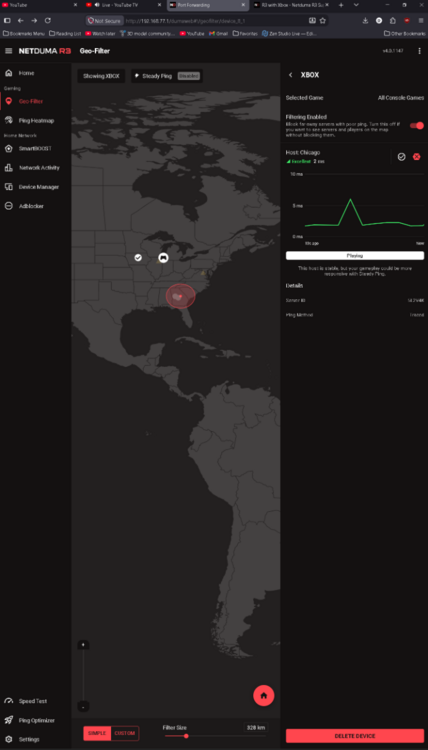
I have it setup that way and all of the servers show up when i get into the game however it constantly put me in servers outside of my geo filter even with strict on.
-
I know if I’m on pc I have to set my pc to Ps5, delete, readd, and then start the Cod for the geo filter to work. if I play cod on Xbox console, can I just set my location and have it work when I start the game each time? Or are there a million work arounds on this trash router to get it to work?
-
Thank you.
-
I'm trying to clear up my moderate NAT on COD on PC. I have an fiber ATT modem which is set to IP passthrough to my R3. Do I need to do the port forwarding on both the ATT modem and the R3 or just one or the other?
-
I've seen this same auto response in many threads before. This doesn't work for me. I've seached redditt and here for quite some time before I even said anything.
-
I spent all of this monry for this router and it can't even do the one thing I paid for it to do. I'm on a PC running the latest firmware. (I've tried previous firmware and even beta firmware) EVERYTIME I want to play Call of Duty, I have to log into the menu and delete my pc as a device, resync, readd my device, then boot to the game. Not 1 time will the geo filter work as strict and block out servers that are not in my custom drawn box nor the standard circle. I've set my pc to show as a Playstation, and Xbox and neither will work.I never had this issue when I used my Netgear XR1000 previously. This thing literally is a paper weight. I get that there are bugs, R&D, testing, and all of that but damn. Is there something im missing here? Is there some magical fix to get it to work?
.png)