Mercy
-
Posts
18 -
Joined
-
Last visited
-
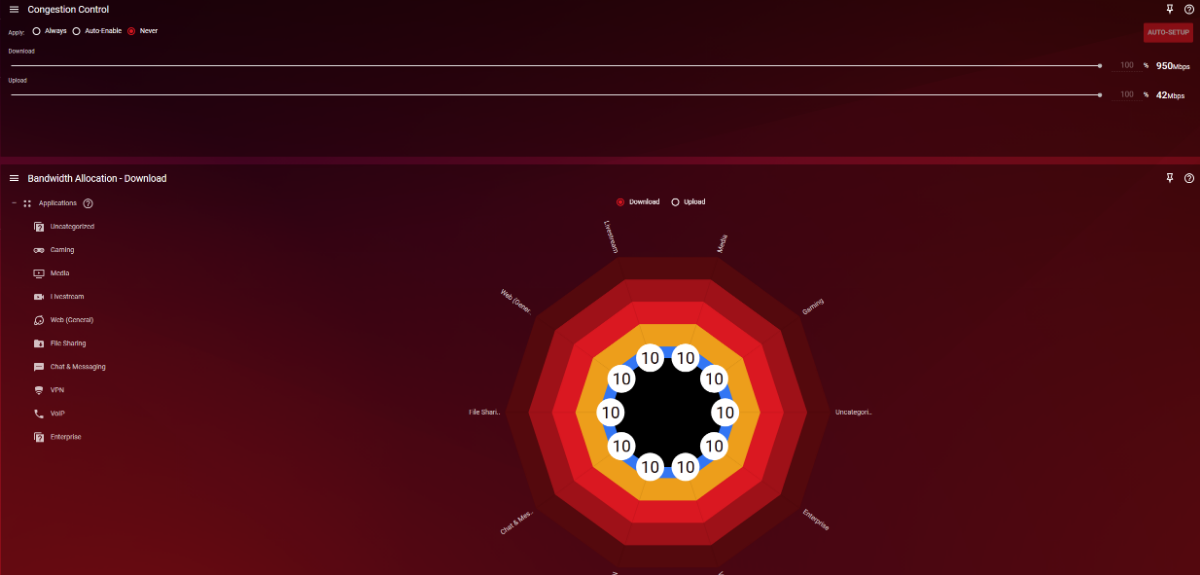
Is there a link i can download the firmware version 1.0.0.74 to rollback to? The 1.0.3.88_2.1.43 firmware version doesn't seem to work very optimally. When i installed it i got a screen basically asking if i wanted to run a test to help improve internet speed or ping or something to that nature. I ran the test (which didn't improve my speeds or ping at all) and now get half of my internet download speed even though QoS is set to never in the interface. Plus connection benchmark don't work anymore based off other experiences including mine.
-
I did a factory reset and just manually changed my settings vs uploading them and both Rapps are working normal again. Seems there is an issue when uploading my saved settings that causes the Rapps to not work correctly
-
Both Rapps still wont load. Connection Benchmark isnt a big deal, but i use the Congestion Control in QoS for online gaming so its unfortunate it doesnt work still
-
I cant adjust the congestion control percentages because the QoS Rapp will never load.
-
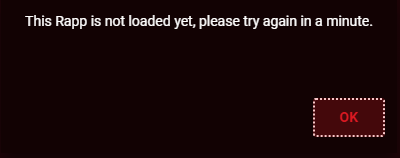
I have done a factory reset as ive read that may fix the issue. Tested both Rapps once it was reset w/ a basic setup and everything worked. When i uploaded my saved router settings they dont work again and i keep getting this message
-
Traffic Prio for Halo Infinite on PC
Mercy replied to Mercy's topic in NETGEAR Nighthawk Support (XR range)
Thank you. Any other recommended settings for someone who is a competitive gamer? -
Traffic Prio for Halo Infinite on PC
Mercy replied to Mercy's topic in NETGEAR Nighthawk Support (XR range)
Does this look correct?
-
Traffic Prio for Halo Infinite on PC
Mercy replied to Mercy's topic in NETGEAR Nighthawk Support (XR range)
Alright appreciate your help getting it maxed out then! Yes my download speed has increased about 250mbps with QoS enabled now -
Traffic Prio for Halo Infinite on PC
Mercy replied to Mercy's topic in NETGEAR Nighthawk Support (XR range)
The test results are unfortunately during congestion hours for my area's ISP, so the download speed usually fluctuates down a bit during these hours vs the normal 920-950mbps max i have ever received. Also doesnt help that technicians have told me i am literally the last house on the line in my neighborhood. I run an Arris SB8200 modem, router connected to modem by the ethernet cable provided with the XR100, then CAT6 cable from my router to PC. I have not messed with any settings within the modem (did not know you could change modem settings). I am also not familiar with what DMZ, modem/bridge mode are, sorry! Most of my router settings are default besides using Cloudflare as my DNS servers -
Traffic Prio for Halo Infinite on PC
Mercy replied to Mercy's topic in NETGEAR Nighthawk Support (XR range)
Adjusted download to 1000mbps ^ QoS Enabled (congestion set to "never") ^ QoS Disabled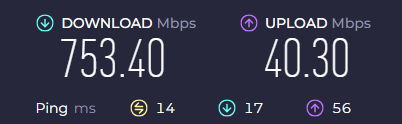
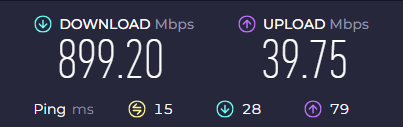
-
Traffic Prio for Halo Infinite on PC
Mercy replied to Mercy's topic in NETGEAR Nighthawk Support (XR range)
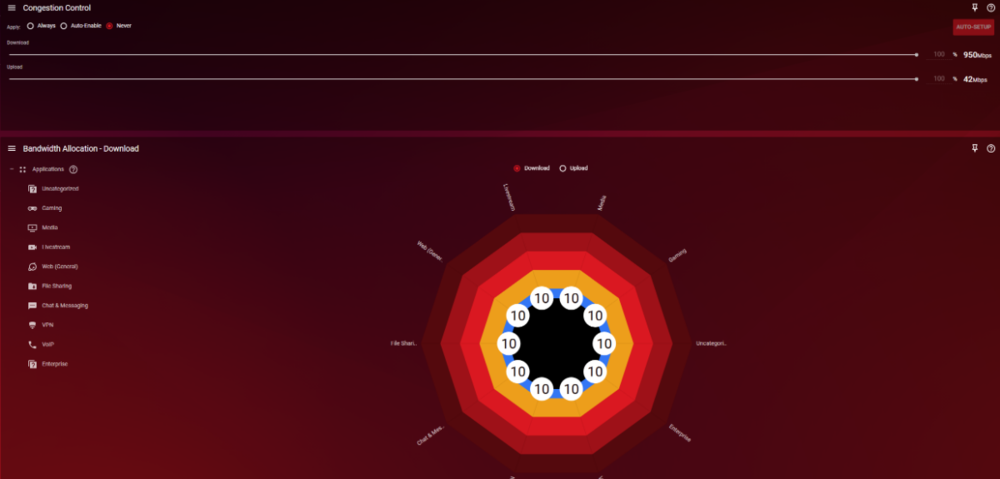
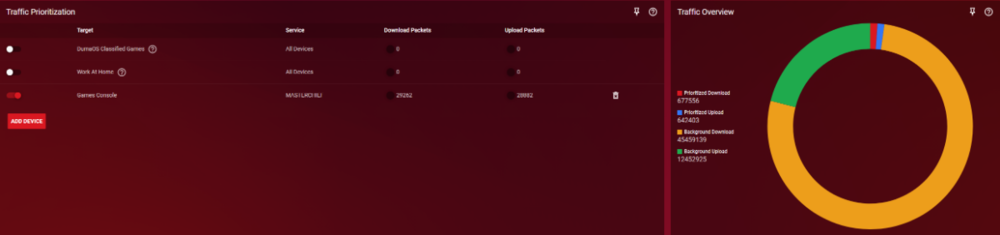
-
Traffic Prio for Halo Infinite on PC
Mercy replied to Mercy's topic in NETGEAR Nighthawk Support (XR range)
After resetting the Bandwidth Allocation it has bumped up to an average of 715mbps download now on Speedtest.net, but still not full speed. I have not set any Traffic Controller rules or put anything in DMZ that im aware of. Went into WAN setup and DMZ box is unchecked -
Traffic Prio for Halo Infinite on PC
Mercy replied to Mercy's topic in NETGEAR Nighthawk Support (XR range)
Speedtest within DumaOS will get full speeds, but testing on Speedtest.net results in half of download speed. Only when i completely disable QoS do i get full speeds on Speedtest.net -
Traffic Prio for Halo Infinite on PC
Mercy replied to Mercy's topic in NETGEAR Nighthawk Support (XR range)
That seemed to have fixed it, thank you! It does not work for DumaOS Classified Games. Also, my congestion control is set to never with both sliders at 100% during times when minimal bandwidth is being used in the household to game...is it still supposed to automatically cut my download speed in half from 950mbps to to around 500mbps under the parameters ive set? Id like to achieve my maximum speeds during these times while still using traffic prioritization -
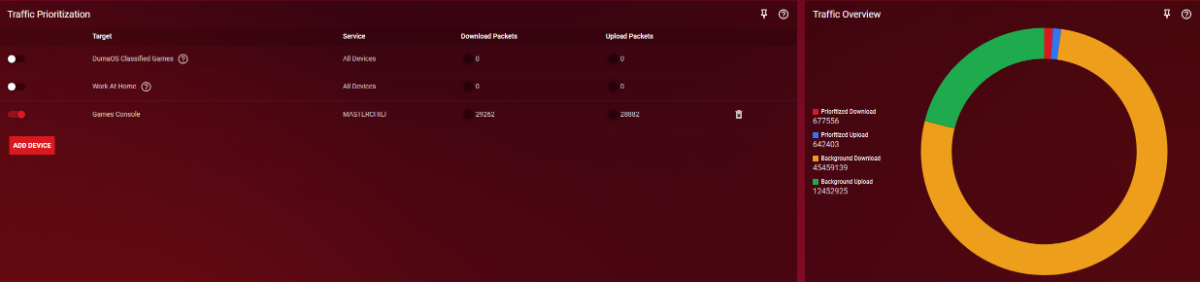
Traffic prioritization doesnt seem to recognize when i play Halo Infinite on Steam. If it randomly does, it quickly stops working whether i have congestion control set to always, auto-enable, or never. I added my PC (MasterChief) as the device and the target to "games console", load into matchmaking and the 2 black dots never turn red and download/upload packets never increase that it recognizes the internet traffic. Is there a reason Halo Infinite is not a game to select for traffic prioritization? Should i be using specific ports instead under the advanced tab instead of just "games console"? Or is Halo Infinite traffic prio just broken for the XR1000/DumaOS?