Brendenheo
-
Posts
26 -
Joined
-
Last visited
-
.png "Like") Netduma Fraser reacted to a post in a topic:
"Unable to connect to host"
Netduma Fraser reacted to a post in a topic:
"Unable to connect to host"
-
Its currently disabled right now. I will test it for a couple days and come back
-
Hello. Every time a boot my PC and launch Warzone or Black ops 7, I can an error "Unable to connect to host." Before on black ops 6 warzone It would just be stuck at a specific ping or I will get an network error message when launching the game. Only way to fix is to reboot my router every time. Any fix for this? I have version 4.0.645
-
Where?
-
Im having problems with my dumaos. Geo-filter isnt working and putting me in other servers
-
aaronibm21 reacted to a post in a topic:
R3 Router Problems
-
It works after I factory reset and config it but when I turn off my computer and get on it the next morning the front end doesn't load.
-
Im not sure what this is "VLAN/PPPoE/DHCP identifiers to get a connection" but I dont think so. I just cant open dumaos thats my issue nothing loads
-
logs.txt logs.txt
-
I put my IP Passthrough on for the R3 on At&t. Still nothing
-
Here are my logs logs.txt
-
Mobile app does not work. Moden is connected to my AT&T modem. I dont think my isp has bridge mode
-
Yes I am
-
i cancel pickup. I am trying to give this router another chance but its so buggy. I do not change anything when i factory reset
-
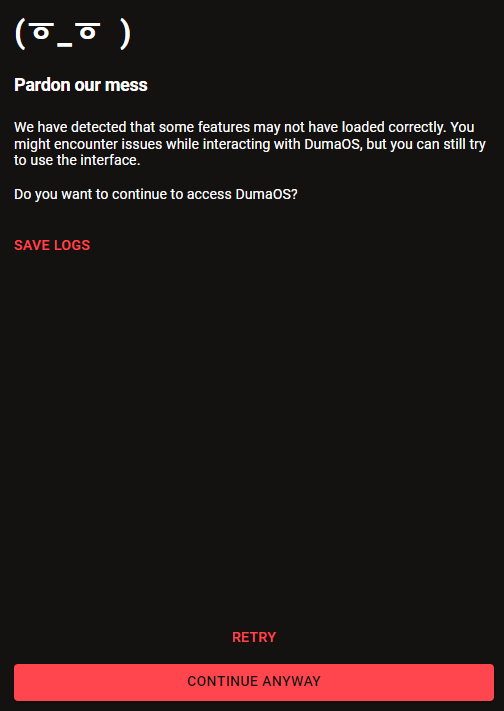
I am trying my hardest to give this router a chance but it seems like nothing but problems after problems. I have factory reset this more than 5 times and updated every single thing even the early access. I have cleared cache, tried new browsers and everything. Every morning or afternoon I get on my computer and load dumaos I get this screen. Seems like the only way to fix is factory reset causing me to reset this everyday. Please help me fix this issue
-
Chrome
-