Hungstick
-
Posts
20 -
Joined
-
Last visited
Everything posted by Hungstick
-
Awesome. Will give it a go. I've noticed on the Duma os4 it would say the ping is like 23 ms to Dallas, but call of duty reads 48+ on the latency. Is this just because one's testing actual server latency. And one's testing something else? I noticed too that majority of the time, if I'm doing some testing for instance. Let's say Dublin. It will still put me into servers in the US. Despite having the location set over there. I would imagine how it's supposed to work is if I place my location at x. With a mile radius of x, it shouldn't connect to anything outside of that range. How it used to work if I recall, was it would keep rising your ping let's say it started at searching for a match with 36 latency, it would keep going up til it found a game. It doesn't do that now. I use the ping to determine if im connected to another location server, besides us. Because anywhere in the US since that's where I reside, it's under 100. So for some reason trying to connect to other servers in other countries, it still puts me in the US lobby.
-
looks like the Server IP for Dublin might be 185.34.106.103
-
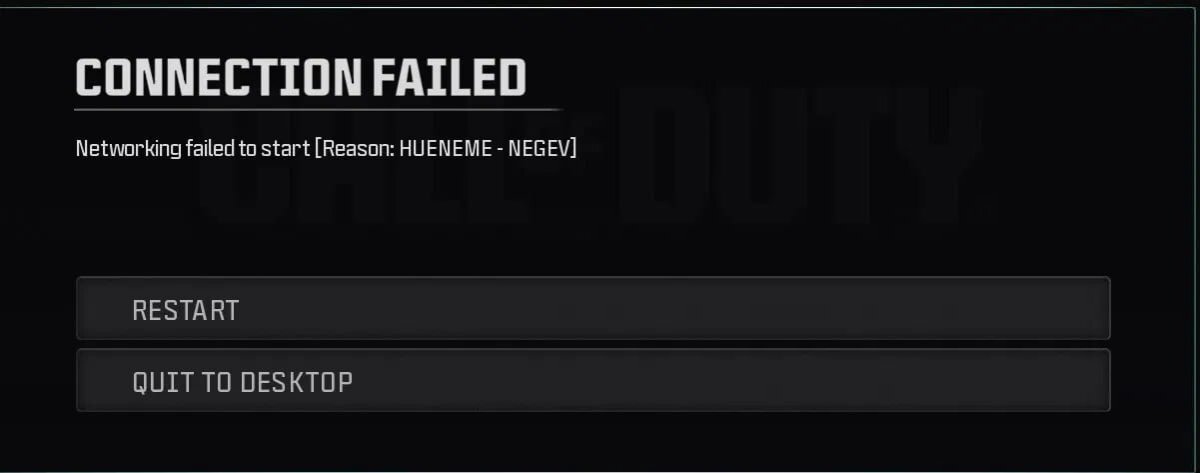
Congestion Control was likely set to Always, and the 50/50 was just whatever it defaulted to — I didn't manually set that. The main issue I want to focus on is the Geo-filter itself. When the Geo-filter is enabled, I cannot get into a Call of Duty match at all and have to disable it just to connect. I have my location set to Oklahoma, but even with that set it was still trying to connect through the Dublin server. Also, I want to make sure I understand this correctly — if I'm already in a match and I click block on a server showing in the Geo-filter, does that drop me from the match since I'm blocking an active connection? Just want to understand the right way to use it so I'm blocking servers before matchmaking rather than during. So we have looking at a few issues. One being that connection error when trying to login to the server in itself, two is the packet loss. There should be 0% loss. Reason i say 0 is because there's no latency spike on anther router. But i can assume that's due to how the duma os handles routing. So that might worth checking into, because that still doesn't explain still If you click the heat map, ping the call of duty servers every singel one get's NA/ on the latency test. so we can't actually see were the servers are, it's notforcing the geo filter by just limiting me to the oklahoma servers, and it's failing to connect if, geofilter is enabled. a lot of back and forth having to turn it on and off, connect, disconnect to get it to even allow the connection.
-
To clarify my setup: The Arris SB8200 (DOCSIS 3.1) feeds directly into the R2. The R2 is my main router for all wired/ethernet devices. I have a second router connected to the R2, but that is only used for WiFi devices — all gaming and primary devices are on ethernet directly through the R2, so all relevant traffic is going through it. To answer your questions: - Speeds: 120 down / 20 up, and yes those are entered into the router - Congestion Control: set at 50/50 for both upload and download - SmartBOOST: not currently enabled - The R2 is not in DMZ or bridge mode as it is the primary router — the SB8200 is a modem only I also want to flag some errors from my system logs that weren't addressed: hostapd is throwing "Failed to set beacon parameters" repeatedly every few seconds, cfront bottomch is constantly reloading interface IPs, and QoS is generating RTNETLINK errors. These seem like they could be contributing to instability and I'd appreciate those being looked at as well.
-
Seems like their track record looking through other issues from people in the forums.
-
While that may fix the connection error, you seemed to have not looked through the provided log files i uploaded. Why is hostapd failing every 6 seconds for 15+ minutes straight? Why are the interfaces constantly reloading? Why is QoS throwing RTNETLINK errors?
-
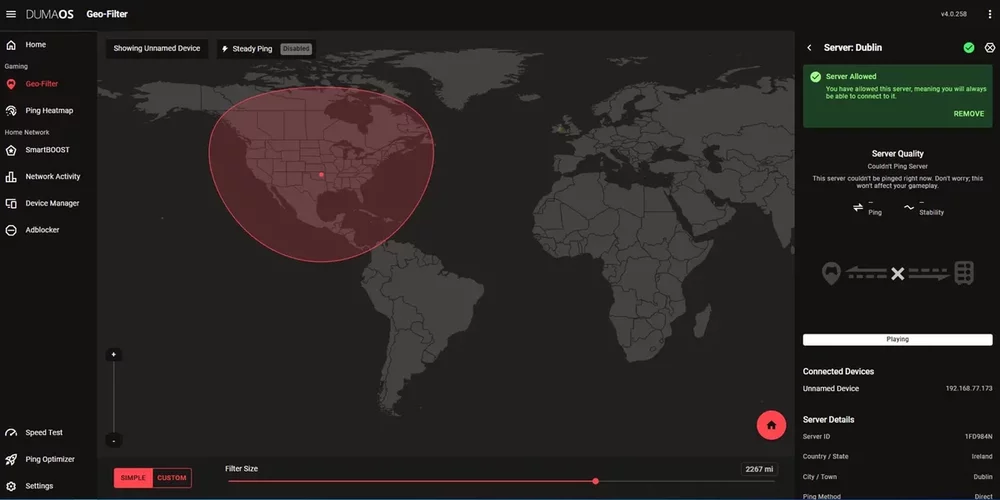
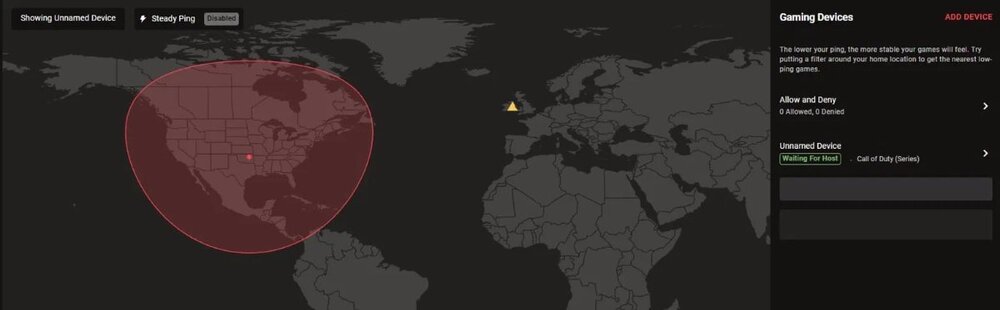
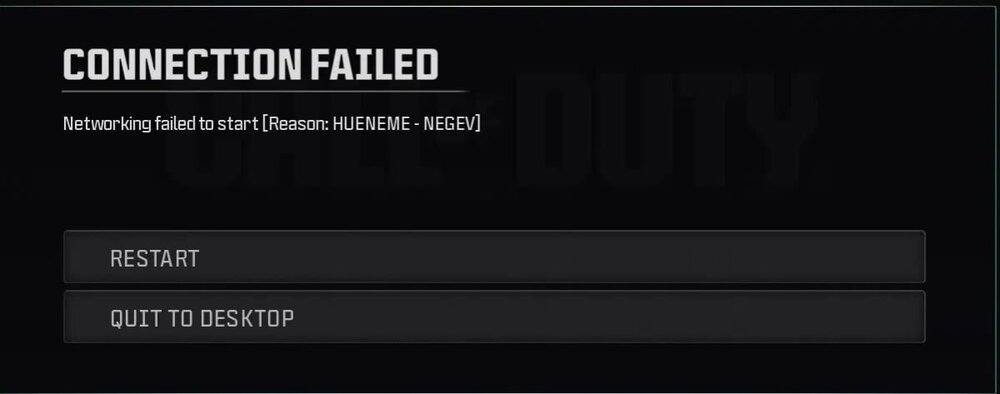
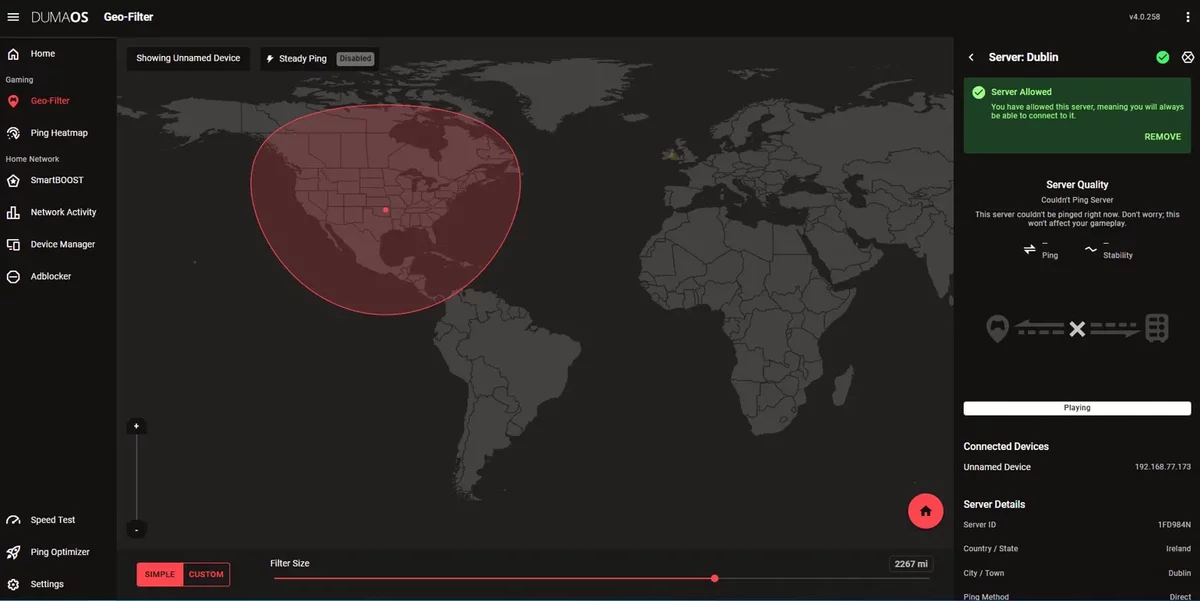
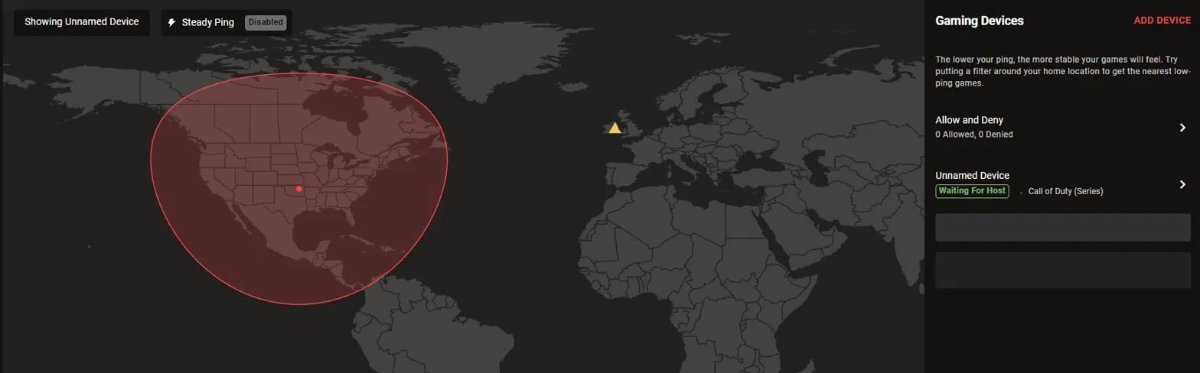
Hello everyone! It has been a while, but I’ll try to make this as detailed as possible. I noticed we are on the DumaOS 4 web GUI, as when I plugged in my R2 for the first time in about a year, it showed it. I factory reset it and got it connected. I noticed the speed test in the auto setup wizard wouldn’t complete—no problem, I skipped it. I went to the Ping Optimizer and had the same issue, so I skipped that as well. I loaded into the GUI dashboard and selected the only device on my network for testing purposes: my PC. I selected the server region via my location, which, by the way, does not do anything when I click it (I had to manually enter my state). Upon trying to join a game, I noticed it was throwing me into Dublin, as shown in this picture (or at the least trying to connect to it), even though Strict Filter Mode was turned on. It did let me connect twice into a server with a ping of 27. After that, I was placed once into a server with 147 ping. So I reflashed the R2 firmware and factory reset it once again. Upon coming back online and selecting all the settings again, the speed test and Ping Optimizer worked. But now we fail to connect to Call of Duty servers. I allowed that Dublin server, thinking it was an official COD server it was failing to connect to due to the strict filter. Same issue. I tried to resync the cloud multiple times, and even went to Device Manager and set my PC as a console (as I was told years ago this would work). We seem to be struggling with multiple issues, and I’ve kind of exhausted all ideas on what to do next. We are also experiencing high latency while on Ethernet, along with packet loss, as shown in this state: Ping statistics for 1.1.1.1: Packets: Sent = 234, Received = 232, Lost = 2 (0% loss), Approximate round-trip times in milliseconds: Minimum = 10ms, Maximum = 442ms, Average = 22ms Any ideas? I would love to hear them. What seems to have stopped me from using the Netduma R2 a year or so back was the GUI crashing constantly. While that is no longer an issue, the connection is now. I've included some pictures, along with the Logs file. I hope this helps! R2_2026-05-22T03_45_47.263Z_logs.txt