dap007
-
Posts
14 -
Joined
-
Last visited
Everything posted by dap007
-
see comment above
-
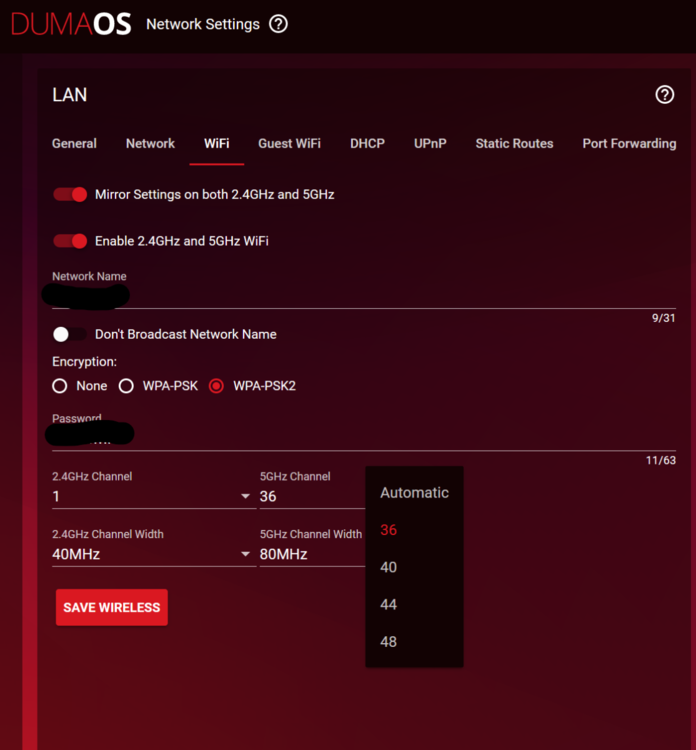
Should I leave the DHCP time to 10 mins? Also 2nd issue, this was happening before and was the cause of me taking off the router for a few months because it was pissing me off. When the disconnects happen, it modifies the wifi ranges for both 2.4GHz and 5GHz. For 2.4G it only allows channels 1-11 and 12, 13 are missing from the drop down selection. For 5G, it only allows 36-48, all other channels are missing. The biggest issue is that I am in a fairly dense wifi area, and a lot of the neighbouring routers are in the lower bands while the higher bands are clear but when I select those, for instance 153 and the router "disconnects", it drops all connections and I have to reboot the router to connect any device. I attached a screenshot for reference.
-
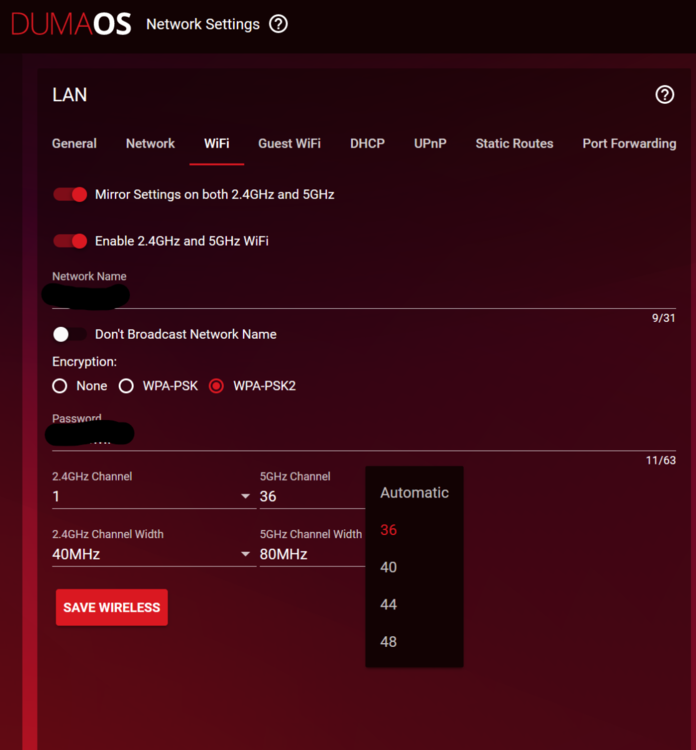
"assign reserved IP addresses to devices between .2 & .49 so they're out of the DHCP range" Just to clarify, and it may be a dumb question, but by assigning reserved IP between .2 and .49, you mean for the devices connected to the router? For Example, Laptop .2, Cellphone1 .3, Cellphone2 .4, TV, .5 and so on? -------------------------------------------------------------------------------------------------------------------- Also 2nd issue, this was happening before and was the cause of me taking off the router for a few months because it was pissing me off. When the disconnects happen, it modifies the wifi ranges for both 2.4GHz and 5GHz. For 2.4G it only allows channels 1-11 and 12, 13 are missing from the drop down selection. For 5G, it only allows 36-48, all other channels are missing. The biggest issue is that I am in a fairly dense wifi area, and a lot of the neighbouring routers are in the lower bands while the higher bands are clear but when I select those, for instance 153 and the router "disconnects", it drops all connections and I have to reboot the router to connect any device. I attached a screenshot for reference.
-
spoke too soon. So the internet is not always used "every second" so instances while watch netflix or reading a webpage for instance, you don't notice the disconnects, but when you happen to sync up the DHCP lease refresh, you notice the drops. I attached an updated log for your feedback. log-1697494631019.txt
-
So far so good but monitoring the situation.
-
Will the short lease time lead to disconnects and reconnects while connected on a server while gaming by chance?
-
And just after posting, I got another internet disconnect. fyi using FIRMWARE: 3.3.280 see attached log filelog-1697397952679.txt
-
Hi Guys, I have the netduma R2 router and have been getting multiple issues before. I updated to the newest firmware and it has not fixed the issues. I took off the R2 and ended up using the ISP's modem/router to provide wifi access to the household. I decided to retry the R2 and once again am getting random disconnects (have not been getting this with the ISP's modem). The R2 was running for a few hours, from a reset via the pinhole and went through the full setup, and disconnects again. I have attached the logs to see what needs to be done to finally fix these recurring issues. fyi, I have the DHCP Lease Time to 168 hrs as previously recommended. log-1697396269524.txt