Sergejs Kotovs
-
Posts
39 -
Joined
-
Last visited
Everything posted by Sergejs Kotovs
-
To be honest, the NetDuma community isn’t really a typical customer base. We’re more like passionate enthusiasts with a mild addiction. We complain, we debate, we push for more… and yet we’re still here. That says something. We appreciate that updates for the R3 are in progress, and it’s good to hear they’re substantial. But there’s another thought that many people here share — some openly, others quietly refreshing the forum every day. We’re not just waiting for firmware. We’re waiting for the next level of hardware. If a more powerful next-gen router — call it an R4 or whatever it ends up being — were announced tomorrow, I genuinely believe a huge portion of this community would upgrade instantly. Not because of marketing pressure. Not because we’re being manipulated. But because we believe in the idea behind NetDuma, and we want to see it running on hardware that truly matches its ambition. Sometimes the frustration you see here isn’t negativity — it’s anticipation. People don’t get loud about products they don’t care about. The reason discussions get heated is because expectations are high. Give us DumaOS running on seriously powerful hardware, with proper headroom for the future, and that wouldn’t just be another release. It would be a statement. We’re not angry customers. We’re impatient supporters. And that’s a good problem to have.
-
Hi, Quick update from my side. Instead of using the Speedport Smart 4 in pure modem mode, I replaced it with a Vigor 167. VLAN Tag 7 is now configured directly on the Vigor, IPv6 is disabled, and the Netduma R3 is connected behind it. After making these changes, the behaviour improved significantly: Speed tests are consistent Bufferbloat results are clean CPU usage on the R3 is much more stable No more major throughput drops during testing With this setup, everything is now performing as expected. For the moment, I will continue using the Netduma R3 with this configuration. I genuinely like the concept and features of the R3, which is why I have been testing different setups to make it work optimally in my environment. I will monitor stability over the next few days. If future firmware updates further optimise PPPoE/VLAN handling or overall efficiency, that would of course be welcome. For now, I am staying with the R3.

-
I understand that one possible workaround is to offload PPPoE and VLAN processing to another router in order to reduce the load on the R3. However, in that case the R3 no longer operates as a router but effectively as an IP client behind another gateway. This introduces double NAT, and my provider router does not support DMZ or similar features to avoid this. Using a second router should not be a requirement. From a technical perspective, this behavior is understandable. With PPPoE and VLAN, packets must be decapsulated and processed in software, and when QoS / congestion control is active, all traffic is forced through the CPU. At higher throughput and packet rates, the CPU becomes the bottleneck regardless of whether bandwidth limits are set to 90%, 95% or even 100%. For this reason, the R3 cannot function as a primary router.
-
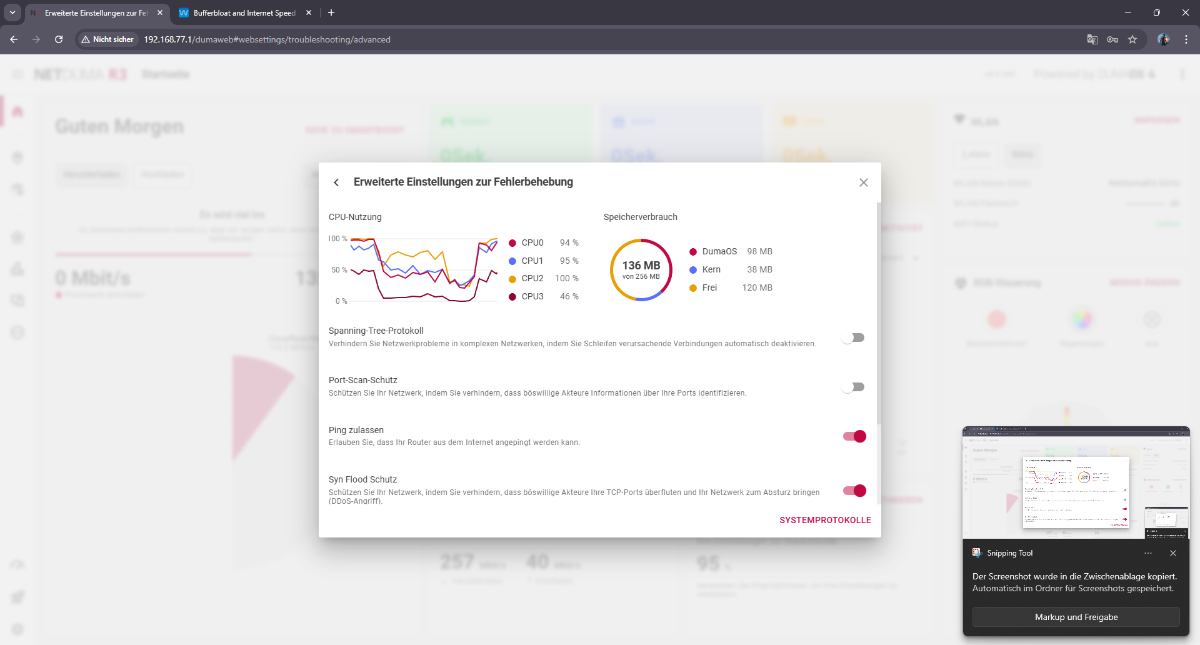
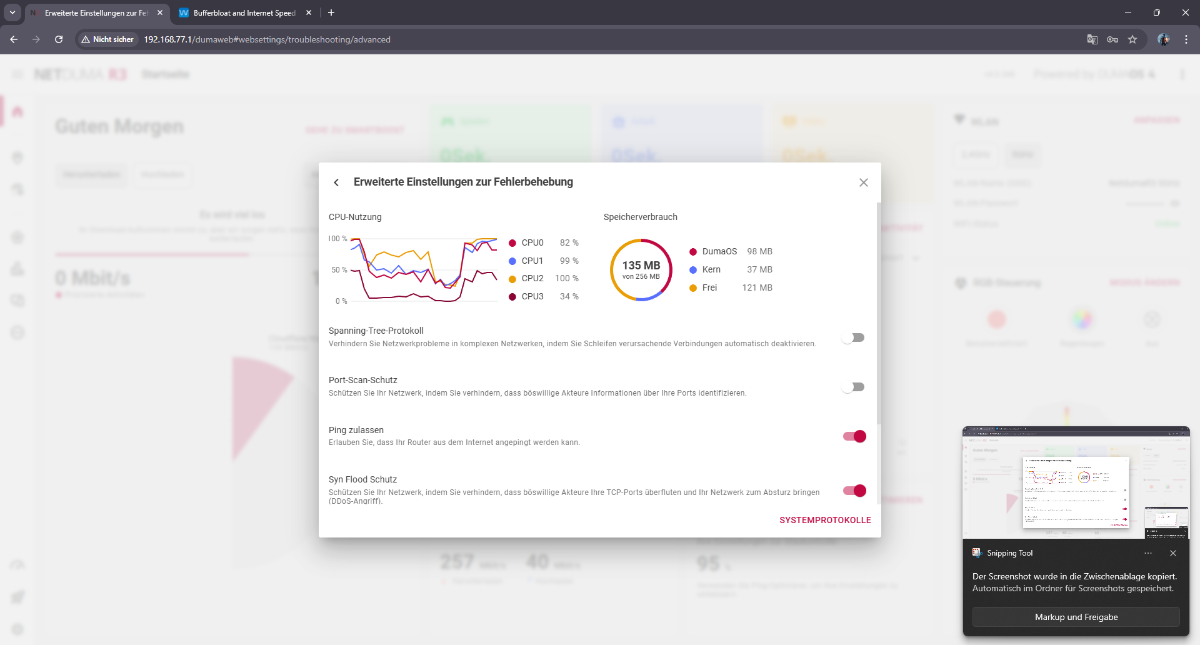
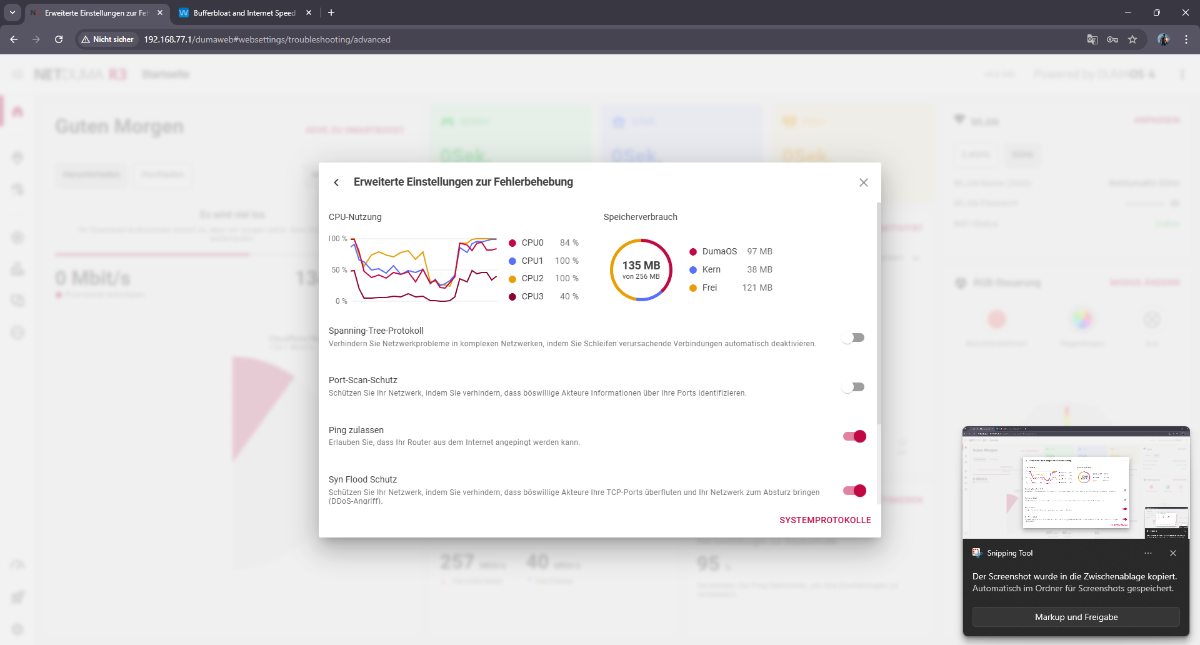
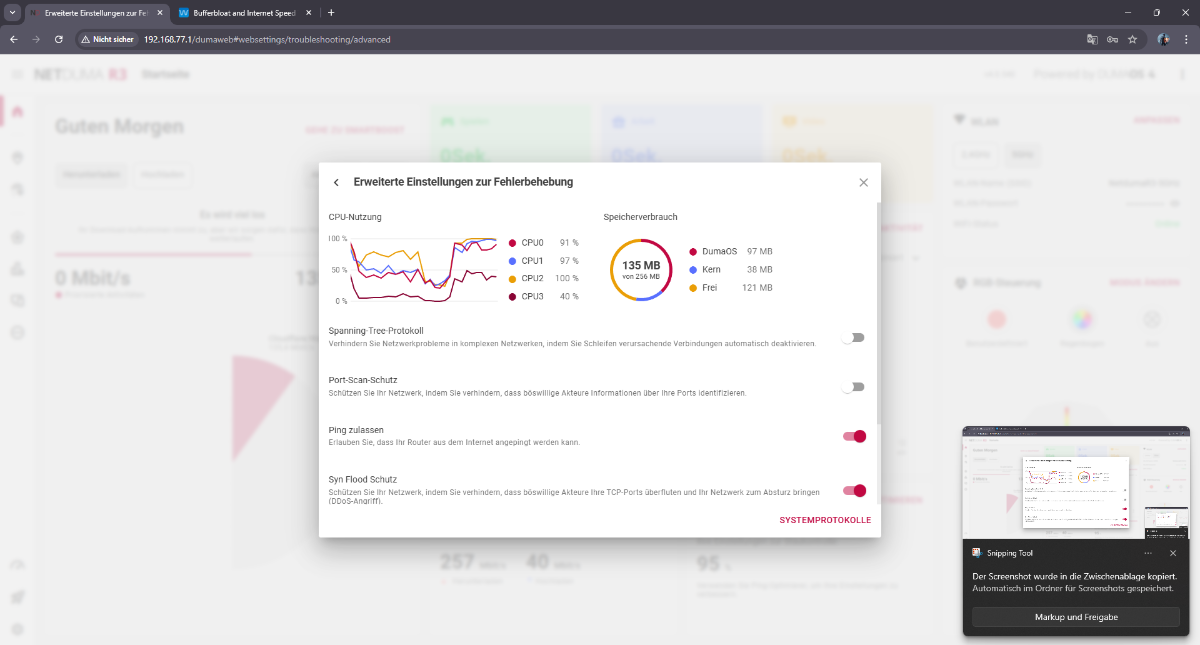
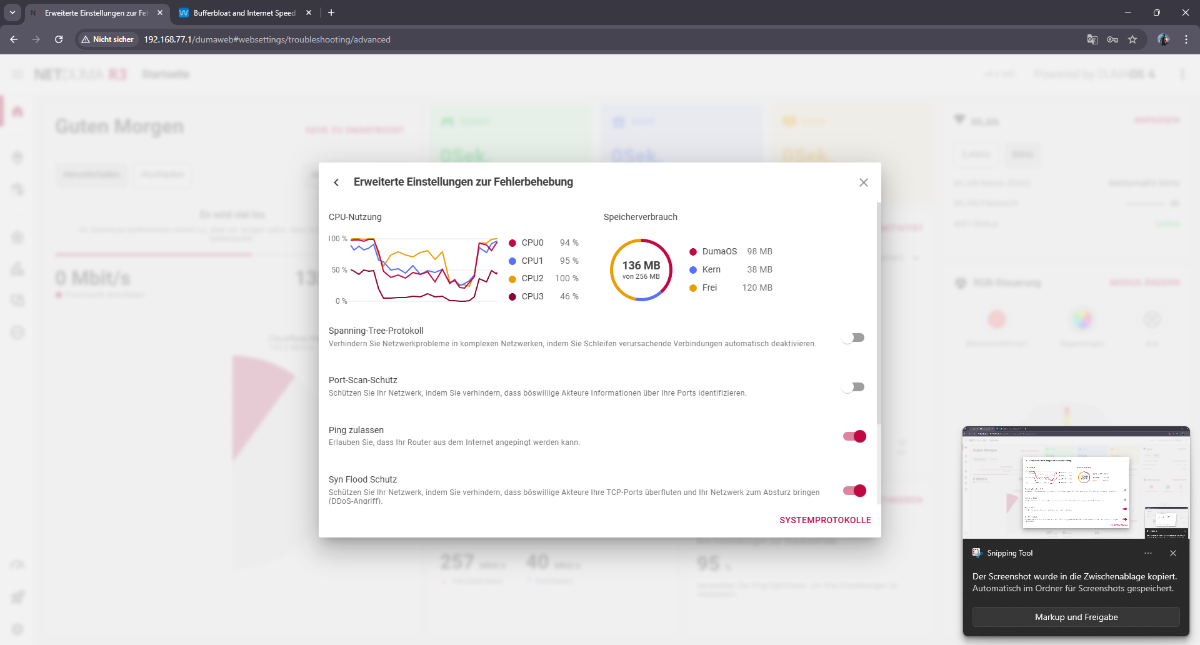
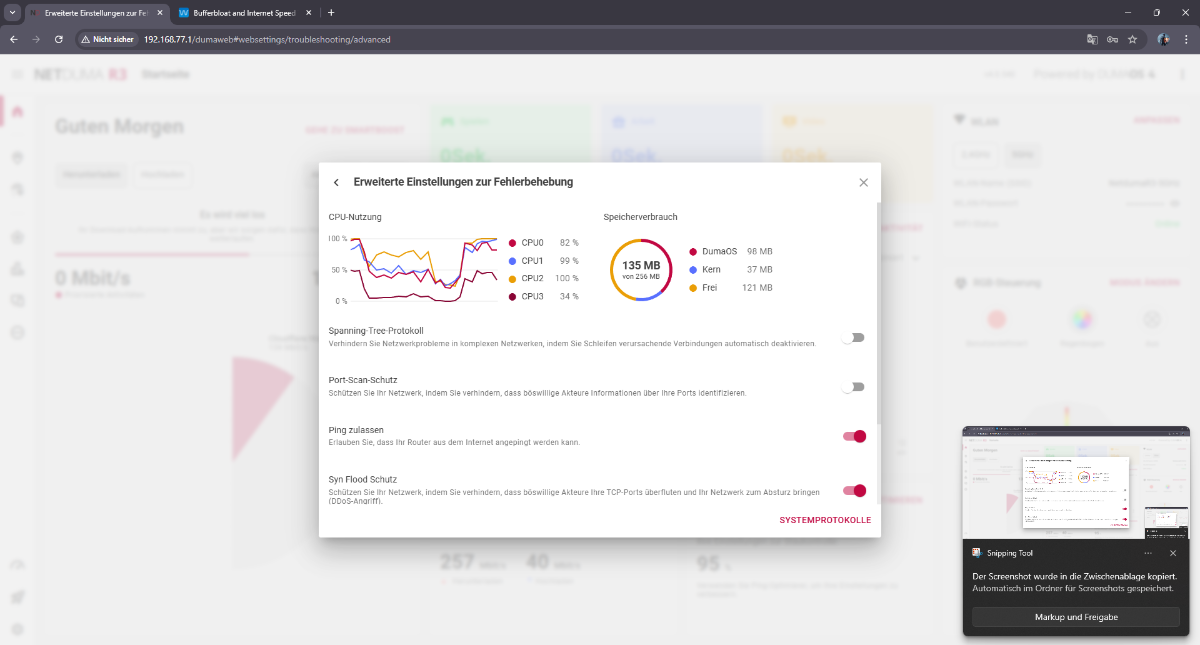
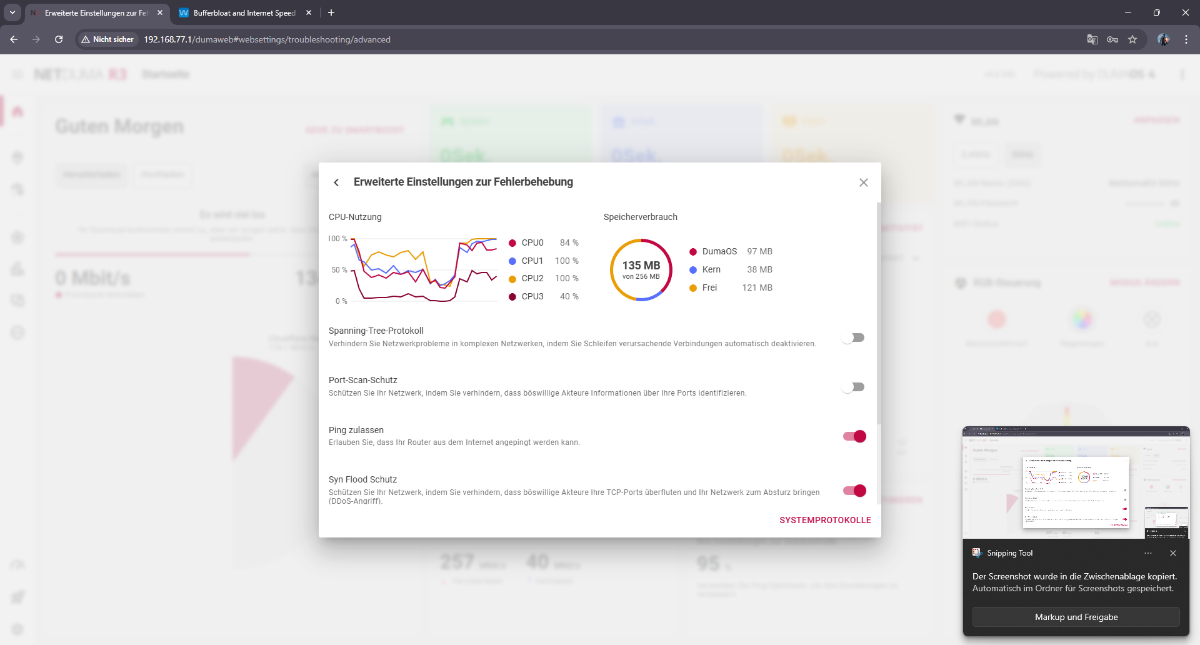
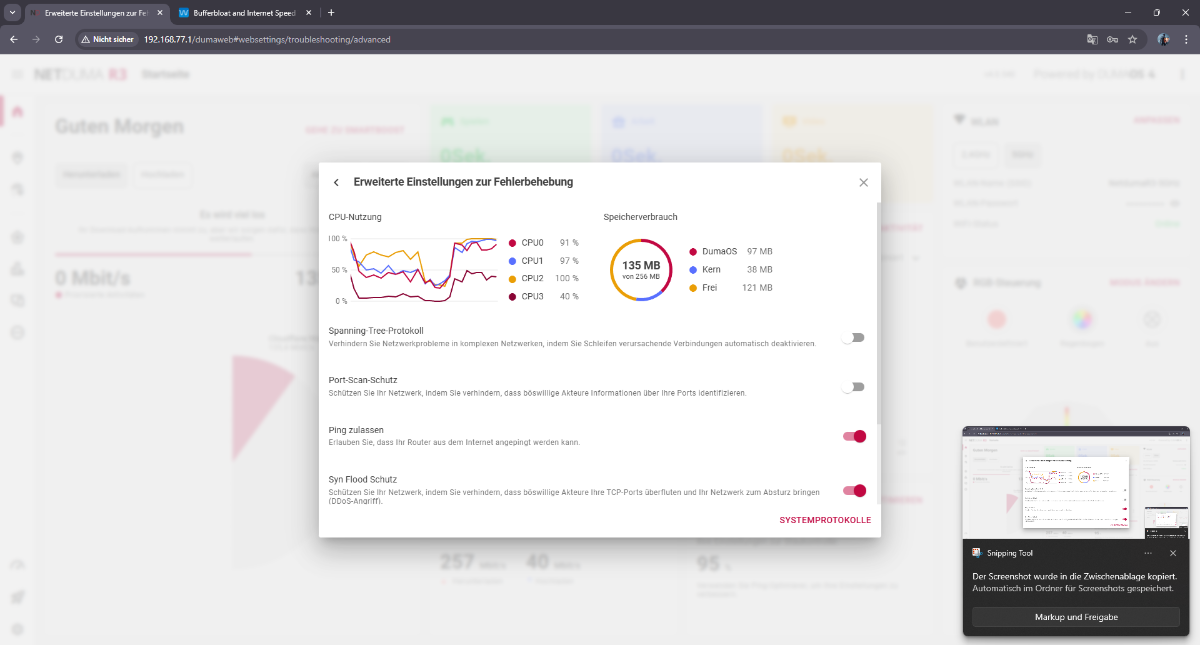
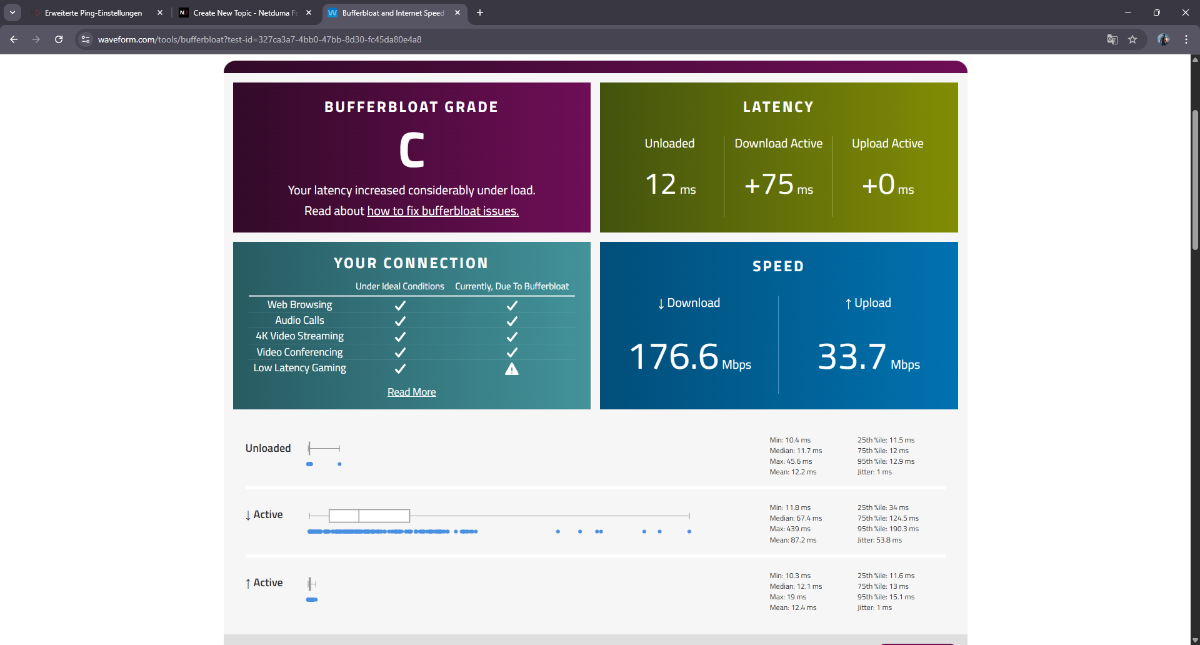
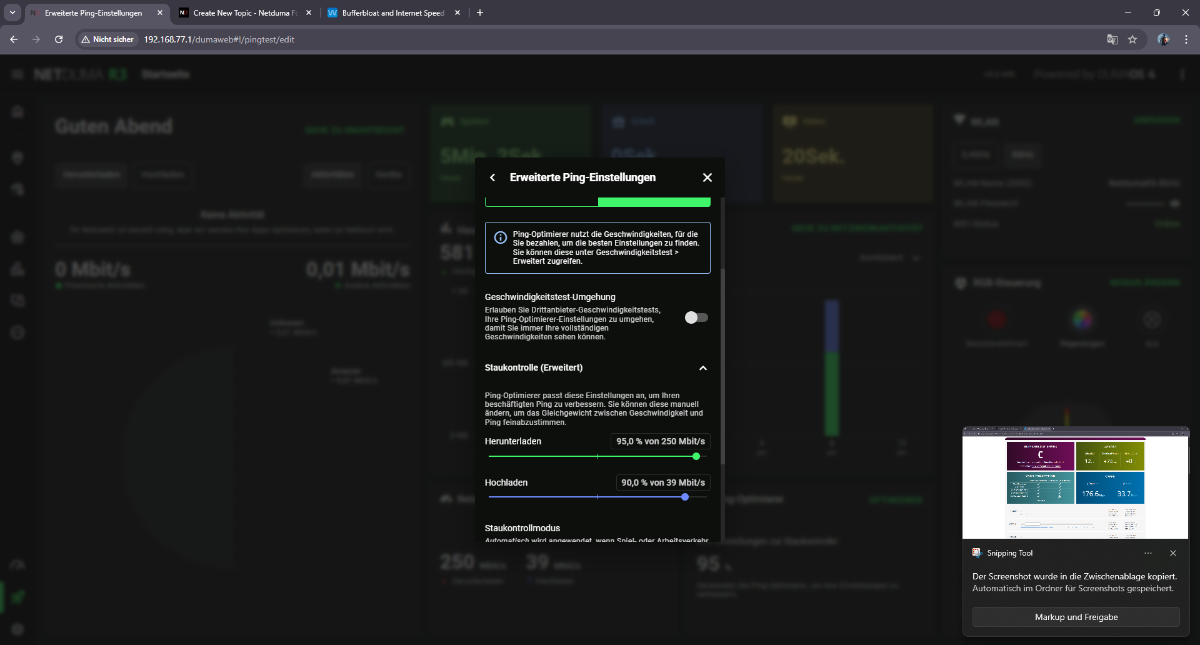
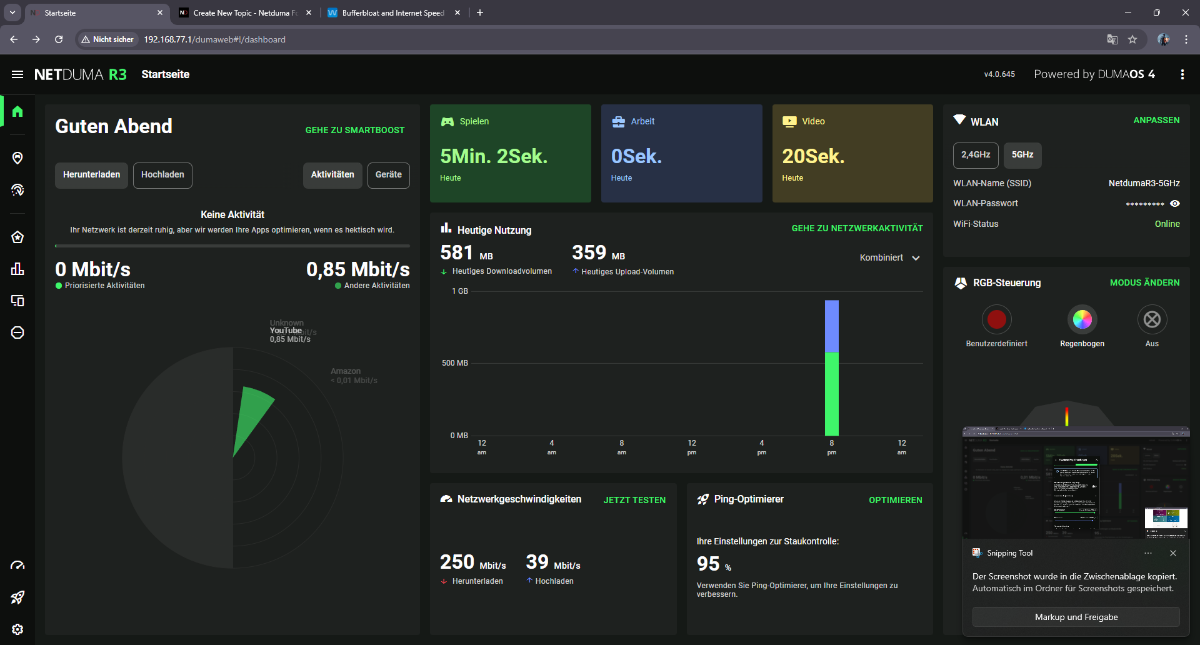
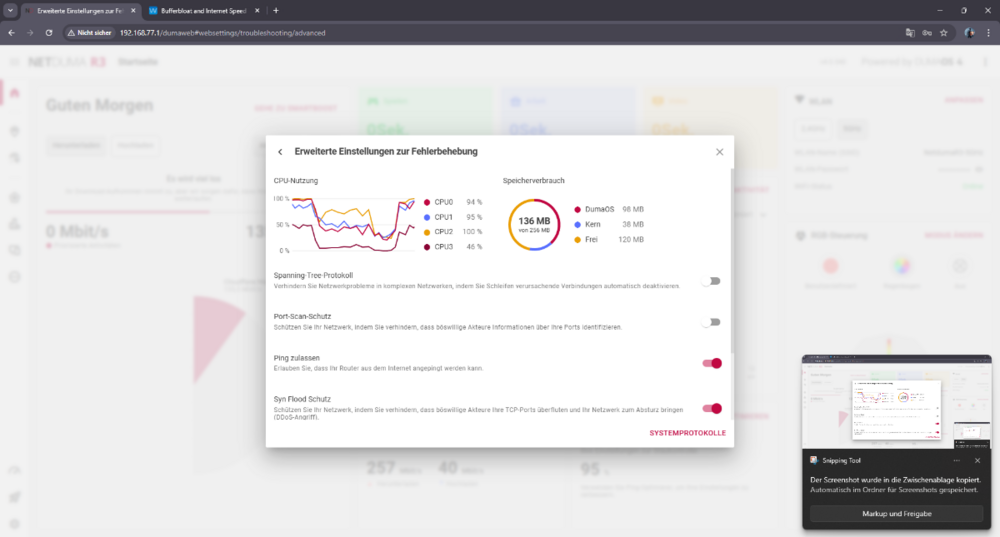
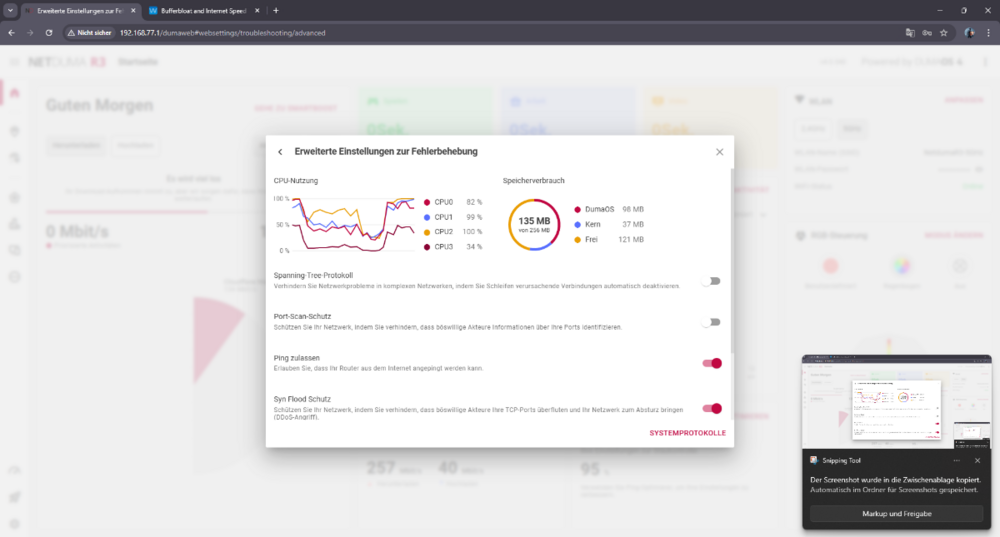
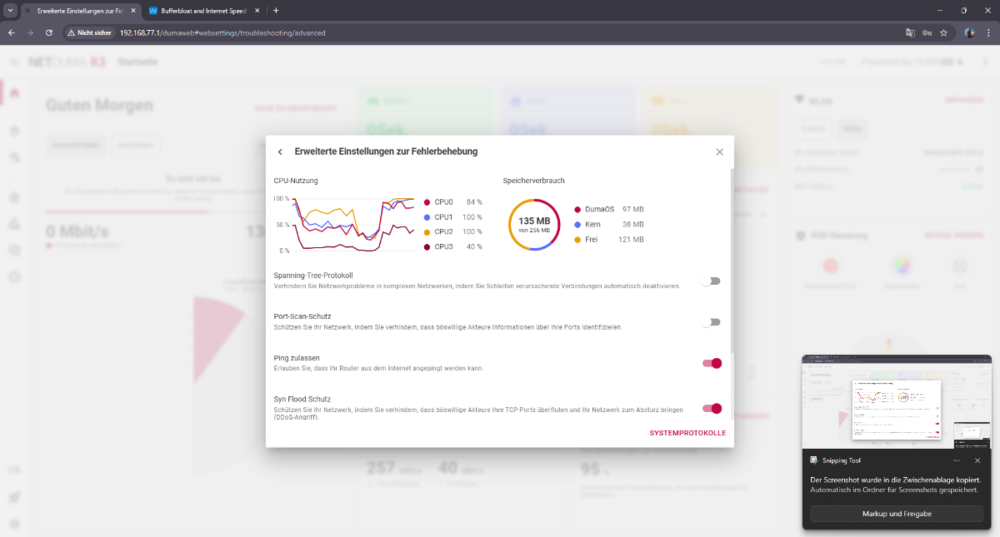
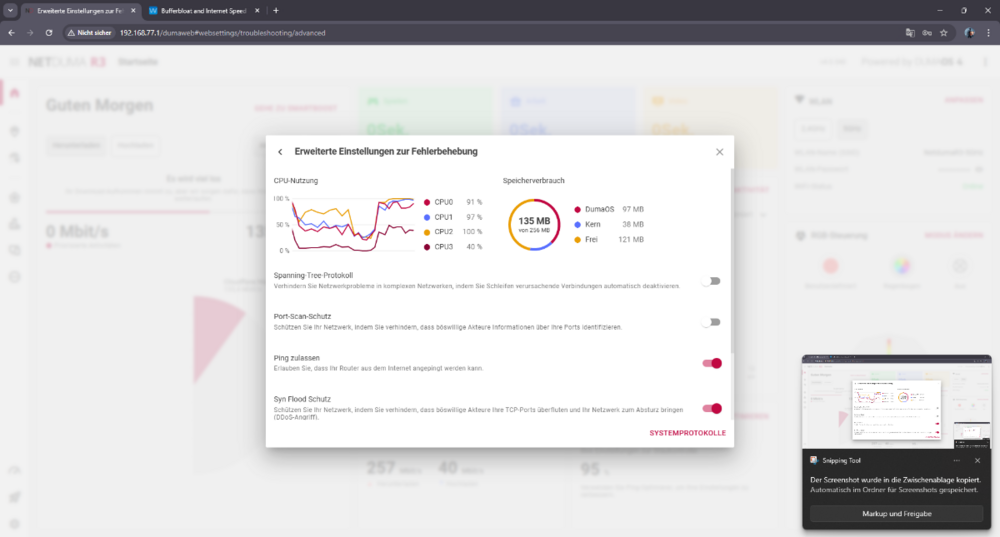
I’m creating a new thread to clearly summarize the real issue, based on extensive real-world testing. My internet connection itself is stable. This is not an ISP or line problem. Bandwidth is set manually and correctly. The core problem is how Congestion Control and Bufferbloat behave under real load. When I reduce bandwidth slightly (for example a small reduction of ~5%), the router behaves as if the bandwidth was reduced massively, sometimes closer to cutting it in half. The reduction is not proportional to the value set. At the same time, bufferbloat testing becomes unreliable: throughput shown in bufferbloat tests is far lower than expected latency spikes heavily under load results fluctuate and look unstable / glitchy real traffic causes spikes, stutter, and lag In other words: small bandwidth changes cause disproportionately large throughput drops, while queue control still fails. Important observations: The built-in speedtest inside the R3 interface is always stable and consistent When QoS / speedtest bypass is enabled, external speedtests immediately become stable and show correct speeds With other routers on the same connection, external speedtests and bufferbloat behave normally and consistently This strongly suggests that under real traffic: the R3 CPU becomes overloaded once the CPU is saturated, Congestion Control no longer works correctly shaping stops scaling properly bufferbloat testing no longer reflects reality This does not look like a tuning issue. All common adjustments have already been tested extensively. The behavior points to a hardware / CPU performance limitation, where the router cannot reliably handle real-world traffic shaping and bufferbloat control at this connection speed. My questions are: Is this non-linear bandwidth behavior and bufferbloat instability under load expected when the R3 CPU is saturated? Is there any real fix or workaround, or is disabling shaping the only realistic option? If this is a hardware limitation, can this be confirmed clearly? The screenshots I attached were taken during active bufferbloat testing.
-
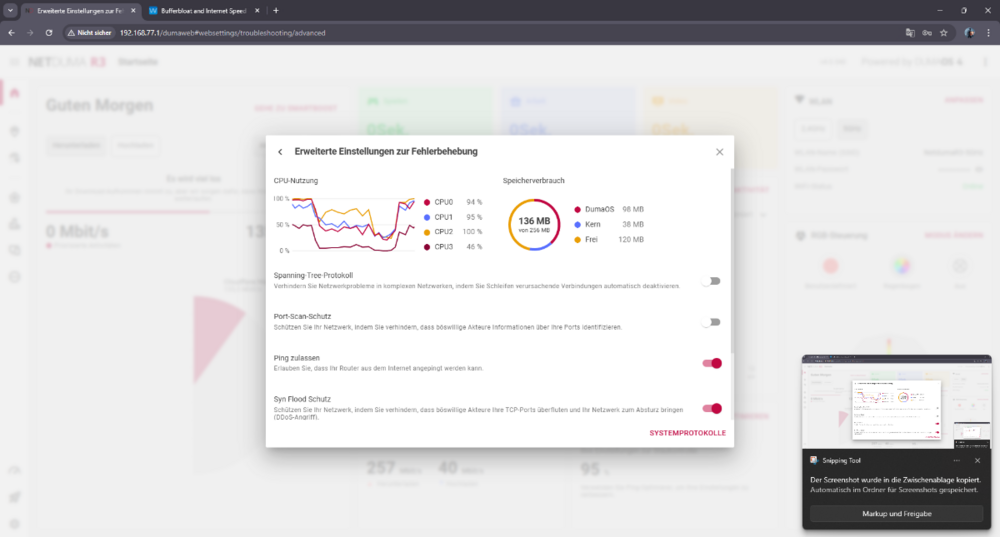
I’ll be blunt. I don’t think there’s any point in waiting anymore. I’ve tested this extensively, and it’s very clear what’s happening: the hardware simply can’t handle it. During real traffic, the CPU gets overloaded, and once that happens, Congestion Control completely falls apart. Shaping becomes inconsistent, queues build up, latency explodes — it just does not work as advertised. This is not about settings, percentages, or tuning. I’ve already tried all of that — repeatedly. Anyone seriously using your routers has. I’ve bought multiple Duma routers over the years. I even sold previous units privately because I kept thinking maybe the next firmware or revision would finally fix things. I bought the R3 again recently hoping something had changed. It hasn’t. At this point it’s obvious to me that this is a hardware limitation, not a configuration problem. And if the hardware can’t reliably shape real-world traffic without maxing out the CPU, then no amount of firmware tweaking is going to fix it. So I’m asking directly: Is there actually a real solution coming, or should I just return the router? If the honest answer is “this can’t be fixed on this hardware”, then please tell me how to proceed with a return, because there’s no reason to keep waiting.
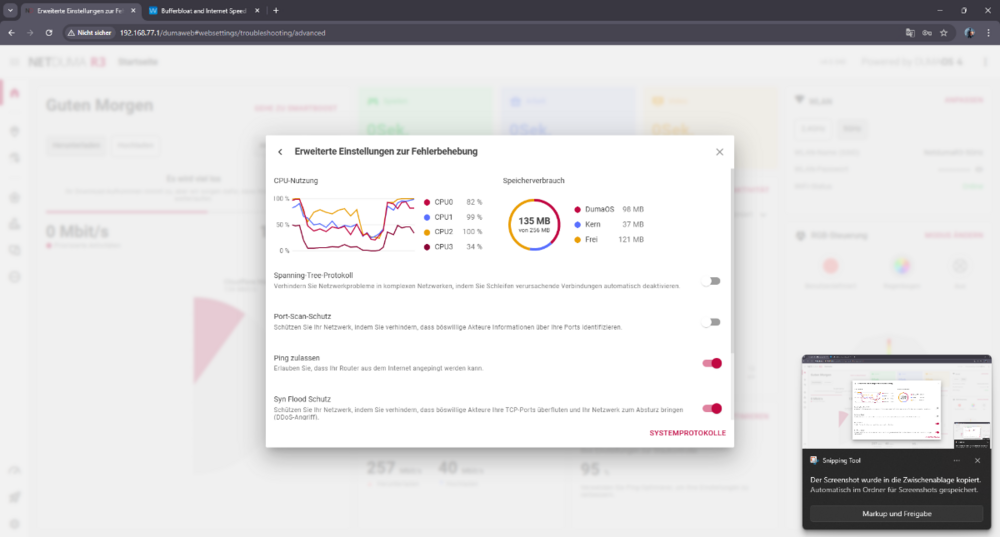
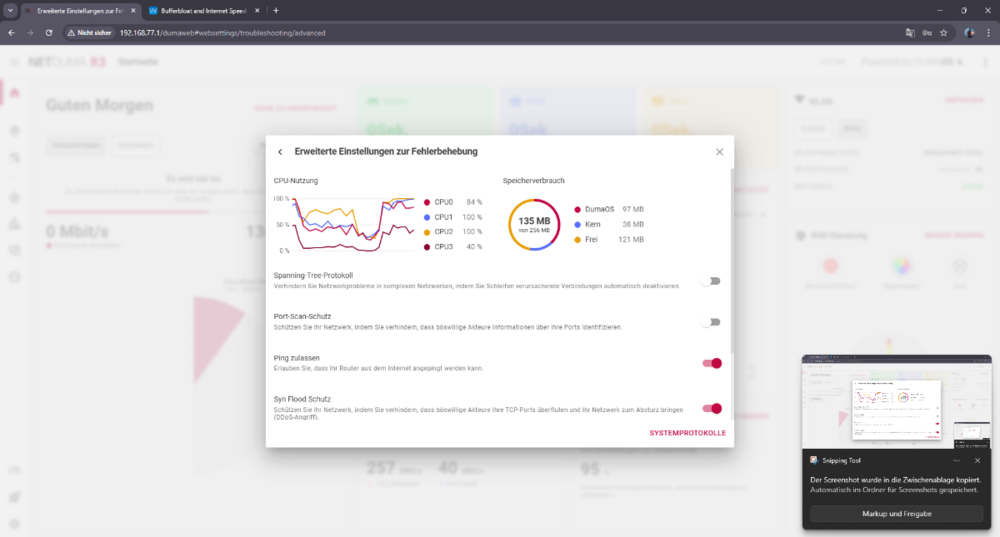
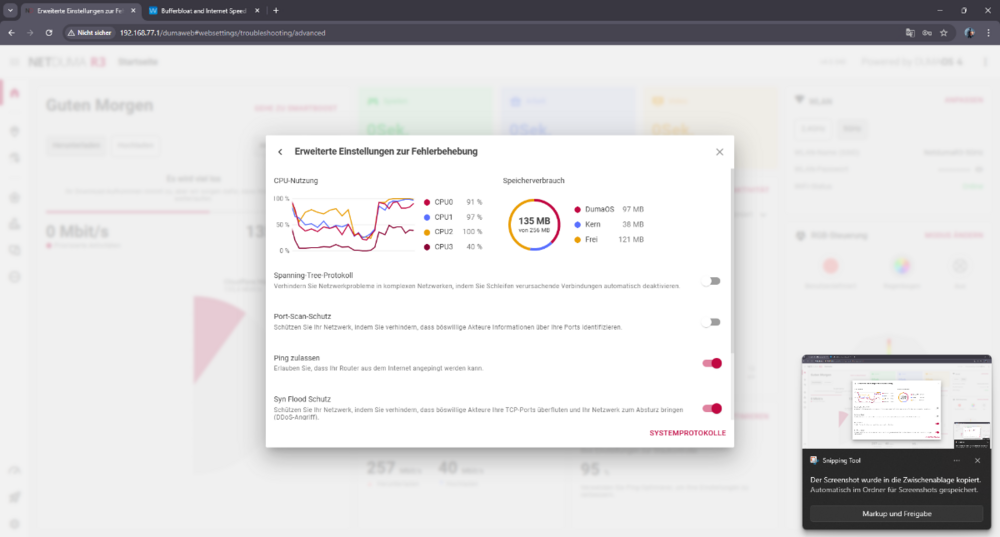
-
Please read the issue carefully and respond to the actual problem, not with a rushed “try +5% / -10%” tuning suggestion. We’ve been dealing with DumaOS QoS for a long time and we’ve already done the basic troubleshooting repeatedly. The problem is not that we don’t understand how percentages work — it’s that the percentage changes do not produce the expected effect at all. In my case, changing Congestion Control from 95% to 85% to 50% does not scale the real throughput as it should, and it does not reliably stop latency/queue build-up under load. So “adjust the percentages” is not an answer here — it’s exactly what’s failing.
-
I’ll be blunt. I don’t think there’s any point in waiting anymore. I’ve tested this extensively, and it’s very clear what’s happening: the hardware simply can’t handle it. During real traffic, the CPU gets overloaded, and once that happens, Congestion Control completely falls apart. Shaping becomes inconsistent, queues build up, latency explodes — it just does not work as advertised. This is not about settings, percentages, or tuning. I’ve already tried all of that — repeatedly. Anyone seriously using your routers has. I’ve bought multiple Duma routers over the years. I even sold previous units privately because I kept thinking maybe the next firmware or revision would finally fix things. I bought the R3 again recently hoping something had changed. It hasn’t. At this point it’s obvious to me that this is a hardware limitation, not a configuration problem. And if the hardware can’t reliably shape real-world traffic without maxing out the CPU, then no amount of firmware tweaking is going to fix it. So I’m asking directly: Is there actually a real solution coming, or should I just return the router? If the honest answer is “this can’t be fixed on this hardware”, then please tell me how to proceed with a return, because there’s no reason to keep waiting.
-
Please read the issue carefully and respond to the actual problem, not with a rushed “try +5% / -10%” tuning suggestion. We’ve been dealing with DumaOS QoS for a long time and we’ve already done the basic troubleshooting repeatedly. The problem is not that we don’t understand how percentages work — it’s that the percentage changes do not produce the expected effect at all. In my case, changing Congestion Control from 95% to 85% to 50% does not scale the real throughput as it should, and it does not reliably stop latency/queue build-up under load. So “adjust the percentages” is not an answer here — it’s exactly what’s failing.
-
Let me clarify the issue clearly. My internet connection is stable and the bandwidth is manually and correctly set to 250 Mbps down / 39 Mbps up. This is not about auto recommendations — please ignore Ping Optimizer recommendations entirely. The problem is that Congestion Control / Ping Optimizer does not work proportionally. Specifically: Whether I set Download to 95%, 85%, or even 50% the actual throughput during bufferbloat / real traffic tests stays roughly the same (around 130–140 Mbps) while latency under load still increases significantly (+50 to +100 ms) So lowering the percentage does not reliably reduce throughput nor prevent queue build-up. The percentage values do not behave as expected. Important detail: The built-in speedtest inside the R3 interface is always stable and consistent The issue appears only with real external traffic / external speedtests My question is: Why does Congestion Control not properly control real traffic, even though bandwidth is set correctly and the internal test is stable?
-
To explain the core issue more clearly: If my bandwidth is set to 250 Mbps, and I apply Ping Optimizer at 95%, I would expect around ~235–238 Mbps on download. Instead, during Ookla Speedtest, download speed often drops much lower than the configured limit, sometimes down to 170–180 Mbps, fluctuating heavily within the same test — while at the same time I still see download bufferbloat / queue build-up. So it feels like the R3 is over-throttling the download, but not preventing congestion, which seems contradictory. Is this expected behavior of Ping Optimizer / Congestion Control on PPPoE, or does it indicate a misconfiguration or a bug?
-
One more important detail: I know my line capacity very well. With other routers on the same VDSL line, Ookla Speedtest is always stable: Download: typically 258–261 Mbps (±2–3 Mbps) Upload: 39–39.5 Mbps almost every run So the instability only appears when using the NetDuma R3. The ISP line itself is stable and this is reproducible across multiple tests and routers. That’s why I’m trying to understand whether this is related to Ping Optimizer / Congestion Control behavior on the R3, or if there’s a specific way it should be configured for PPPoE VDSL to avoid fluctuating download speeds and bufferbloat.
-
Also just to clarify: In Network Speedtest / Bandwidth Settings I’ve entered my exact line rates: 250 Mbps down / 39 Mbps up. Even with Ping Optimizer enabled (and the Congestion Control it suggests), my browser Ookla speedtest download fluctuates a lot and I still see download bufferbloat spikes. So I’m not sure if Ping Optimizer is working correctly, or if I’m using it wrong. Should I ignore the Ping Optimizer recommendation and manually tune Congestion Control? If yes, what would be a good starting point for 250/39 PPPoE and how should I test it properly?
-
Hi Fraser, thanks. Yes, the R3 is doing the PPPoE login — my ISP username/password are entered on the R3 (R3 = main router / NAT / DHCP). Upstream I use a pure modem/ONT in bridge mode, then the R3. I also have a Foulan Tech / Faulantec 7 (VLAN ID/tag) configured for my ISP connection. So PPPoE is handled by the R3, not the ISP modem/router.
-
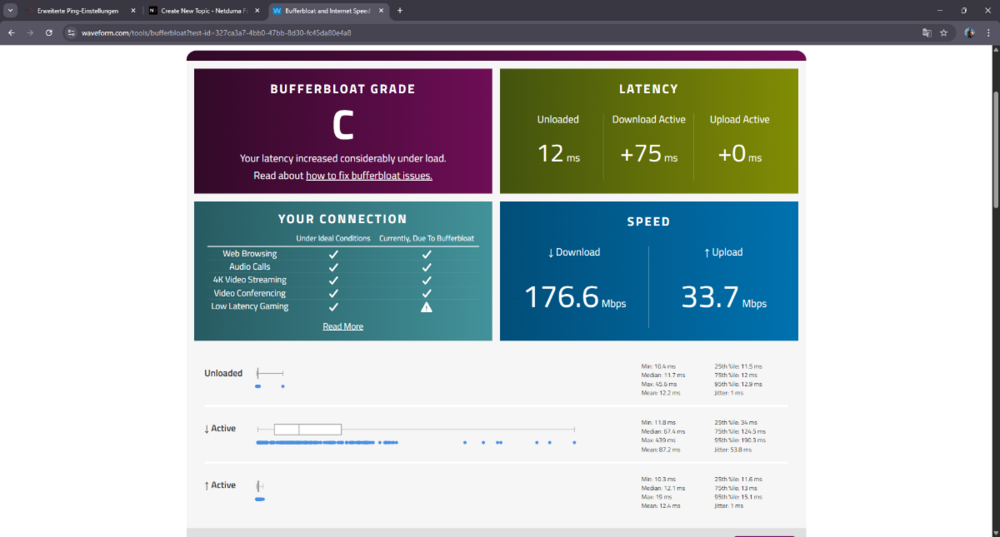
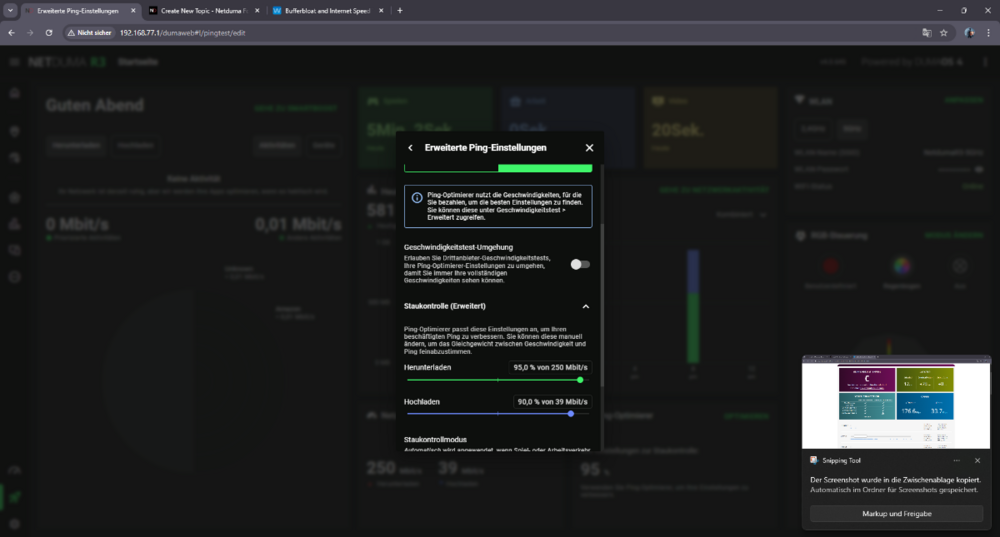
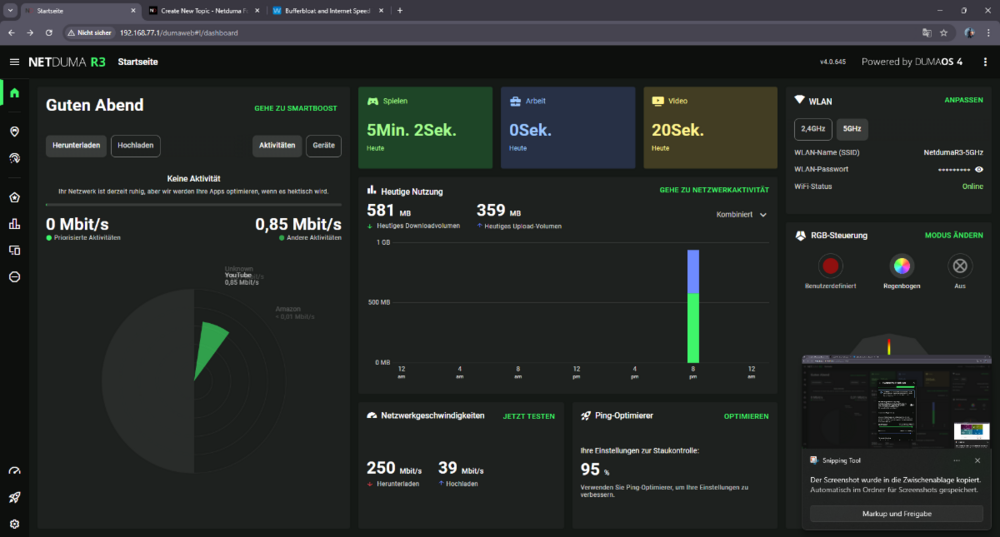
Hi guys, I’m using a NetDuma R3 on VDSL2 Super Vectoring (Annex with PPPoE. My line is stable (no disconnects), but I’m struggling with unstable download speeds in browser Speedtests and bufferbloat spikes, and my games still feel laggy. Setup / QoS Ping Optimizer enabled Download cap: 95% Upload cap: 90% Bandwidth in R3 is set around 250 Mbps down (my plan is ~250/40). What I see R3 built-in Speedtest (inside router UI): Results are stable and consistent almost every run. Ookla Speedtest in browser (same PC, wired): Download speed is very unstable, even within the same test: fluctuates around 170–180 Mbps, then goes up to 200–210, then drops again, etc. I would expect about ~237 Mbps with a 95% cap, but it never holds steady. Bufferbloat / latency under load: During download load, latency sometimes spikes up to +100 ms. Upload seems mostly okay. Notes MTU: I tested path MTU with Windows ping: ping 1.1.1.1 -f -l 1464 works ping 1.1.1.1 -f -l 1472 fails (“fragmentation needed, DF set”) So it looks like MTU 1492 (PPPoE) is correct. Question Why would the R3 internal Speedtest be stable, but Ookla browser Speedtest fluctuates heavily and I still get bufferbloat spikes on download even with Ping Optimizer and only a small bandwidth reduction? What should I check/change on the R3 (QoS settings, congestion control behavior, traffic prioritization rules, speedtest method/servers, PPPoE overhead, etc.) to get stable throughput and low latency under load? Thanks!
-
Hi, quick update after applying the changes. At the moment everything is stable: no dropouts, no random disconnects, the router stays online and devices don’t lose connection. What made the biggest difference for stability: Manually setting the correct MTU (Telekom PPPoE: 1492). I’m not sure why it wasn’t applied automatically, but after setting MTU manually, stability and packet loss improved a lot. Fully manual Wi-Fi setup (separate SSIDs for 2.4 GHz and 5 GHz, manual channel/band settings) DHCP reservations added for the main devices After any change, even a small one (SmartBOOST rule, device settings, etc.), it’s important to reboot the router. Otherwise the changes don’t always apply cleanly. Since doing this and then leaving the settings alone, the connection has been running very well. Bufferbloat is now A/A+ and latency under load looks good. It feels like the R3 requires careful tuning, but once configured correctly it performs great. I’ll keep monitoring and will update again if anything changes.
-
I play Call of Duty: Black Ops 7 (PC). Geo-Filter / ping display does not show ping for any CoD servers (Warzone/BO7). It used to occasionally show pings before, now it never does. Is this expected behavior with CoD servers (ICMP blocked), or could it indicate an issue with Geo-Filter/ping engine on my R3?
-
Hi, quick update. I’ve applied your DHCP suggestions: Added DHCP reservations for all devices where I noticed dropouts Set DHCP lease time to 10000 Now testing under load. I also seem to have found a major cause of packet loss on my side: Setup: Telekom DSL → DrayTek Vigor 167 (bridge modem) → NetDuma R3 (PPPoE) Manually set MTU to 1492 (Telekom PPPoE) After setting MTU, packet loss disappeared (currently 0%). Wi-Fi changes: Split SSIDs into 2.4 GHz and 5 GHz Set channels/band settings manually Stability looks better so far. My household load: Family of 4, typically 5 devices actively streaming/using bandwidth (Netflix/YouTube etc.) while I game (wired), plus overall ~8 devices connected (phones, 2 TVs, 2 PCs, console). Question: is R3 hardware expected to handle this load without instability if configured correctly? Remaining issues: Bufferbloat results are still poor / inconsistent. Even with Ping Optimizer/Anti-Bufferbloat set around 90/85 (sometimes 90/90), speed tests inside the system show very low throughput, and still show latency increase under load. Ping Optimizer auto-detect/auto-adjust fails (it reports it can’t adjust/optimize correctly). Could you advise the best way to fix: inconsistent/low throughput during bufferbloat tests, latency increase under load despite conservative QoS settings, Ping Optimizer auto-adjust failing? I’ve already sent logs about the errors I’m seeing. Please check them and tell me what the errors mean and what settings you recommend for my setup. Thanks.
-
Packet loss during normal use and gaming Internet connection drops by itself (the router loses connectivity) Wi-Fi devices take a long time to load pages/apps or reconnect Overall performance is inconsistent and my kids complain daily (streaming/online apps lag or fail) This is a household of four people, so the router should easily handle typical family usage, but it constantly causes problems. At this point it feels like something is wrong with the firmware or stability. Could you please advise what logs/settings you need from me to troubleshoot this? Also, if you have a newer firmware build or a beta version that improves stability, I’m willing to test it. Thanks, SKWildCat R3_2026-01-24T21_28_17.522Z_logs.txt
-
Geo-Filter Not Detecting Call of Duty
Sergejs Kotovs replied to Sergejs Kotovs's topic in Netduma R3 Support
I managed to fix it myself. What I did: Rebooted the router Rebooted the PC Removed my device from Geo-Filter Re-synced the cloud Added the device back to Geo-Filter Launched the game, waited 1–2 minutes in the lobby Started Multiplayer After that, Geo-Filter detected the game/servers again and everything works normally now. Thanks anyway, I guess. Problem solved. -
Factory reset → reconfigured PPPoE + native IPv6 (Telekom, Germany) → internet works, but Geo-Filter no longer detects Call of Duty (game not recognized, no servers shown). Any fix?
-
f CoD hosts don’t respond to ICMP and even traceroute can’t provide a “last reply”, then I understand why Geo-Filter can’t display latency. However, the real issue is that in Call of Duty this doesn’t just break the ping number. It effectively disables the core features people buy the R3 for: SteadyPing / “constant ping”, Server Quality / stability metrics / connection quality indicators, etc. In BO7 it feels like 70–80% of the Geo-Filter “quality” features become decorative, and what’s left is basically just the map and the radius. And Call of Duty isn’t some niche title, it’s one of the biggest and oldest mainstream online franchises. Having most of these features not work specifically in CoD is, honestly, pretty awkward. Could you consider an alternative latency/quality measurement method that doesn’t rely on ICMP, for example: estimating RTT from the active UDP game flow (real in-match traffic), measuring at the socket/flow level against the actual endpoint the game is using, a fallback approach: if ICMP is blocked, use UDP probes (or another method) instead, and/or at minimum an explicit indicator like “Filtering active / server inside radius confirmed”, so users can verify Geo-Filter is actually applied even when ping can’t be measured. Right now it doesn’t feel fully correct: CoD is exactly the use case where these features should work best. Thanks, SKWildCat
-
Здравствуйте, служба поддержки NetDuma! Я использую NetDuma R3 и функцию Geo-Filter в Call of Duty: Black Ops 7. Geo-Filter постоянно показывает сообщение «Невозможно пинговать сервер» и вообще не отображает задержку . Это происходит не с одним или двумя серверами. Это происходит с каждым сервером постоянно , в течение нескольких сессий. Столбец ping / информация о задержке остаются пустыми, и маршрутизатор никогда не отображает значение ping для обнаруженного хоста. Из-за этого я не могу сказать, работает ли Geo-Filter на самом деле или фильтрует ли он правильно. Игра по-прежнему находит совпадения, но роутер не предоставляет данные пинга, поэтому эта функция становится практически бесполезной для выбора сервера. Что я наблюдаю: Geo-Filter определяет игровую сессию/серверы, но для всех из них отображается сообщение "Невозможно пинговать". Значения пинга/задержки никогда не отображаются. Это происходит в 100% случаев (а не периодически). Спасибо,
-
Dear Support Team, I'm experiencing an issue with my NetDuma R3 router and the Geo-Filter in Delta Force. When Geo-Filter and Geo-Latency are enabled, the game still connects to a server in Singapore. If I disable Geo-Latency and set the radius to Europe, the game finds a lobby but then gets stuck at 50-60% loading and eventually disconnects. It appears that the router blocks the Singapore server, but only after the initial connection to the lobby. Could you please explain why the Geo-Filter doesn't block the Singapore server from the start and how I can resolve this issue? Thank you in advance for your assistance. Best regards,
-
Please add Arena Breakout Infinitive Filter
-
Please add Arena Breakout Infinitive Filter
.png)