carmine19
-
Posts
96 -
Joined
-
Last visited
Everything posted by carmine19
-
hi, I did some tests with both uploaded and downloaded files both from clients such as games and from other sources, I also deactivated the speedtest bypass, nothing to do, even with congestion control always active, all of it is used the bandwidth and it is all unusable, as if the QOS were not there, it is completely unusable, a Twitch streaming that requires at least 8/10 MB of bandwidth is assigned a maximum of 3 MB and is always blocked
-
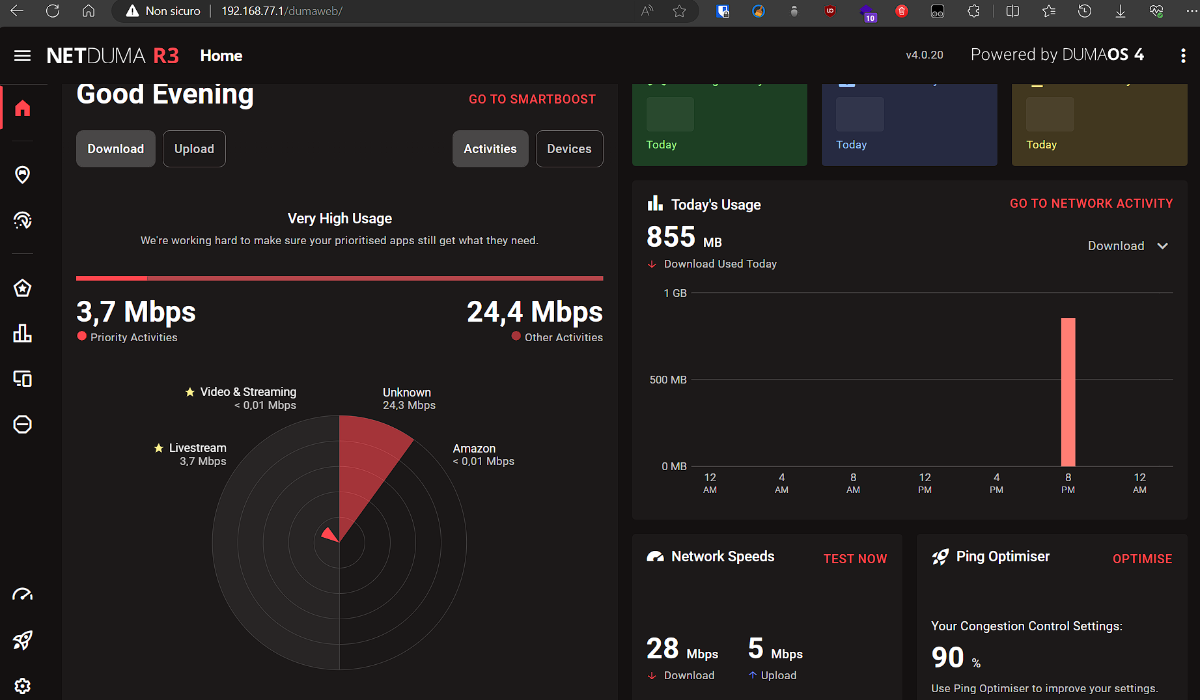
from my fritbox I only have the netduma connected in dmz, on the netduma no device in dmz, if I do a download with any client that saturates my bandwidth the qos doesn't work, I have gaming, video and streaming and livestream as priority, they can also be seen in smartQos as you can see in the image there is a prioritized service but it is saturating all the bandwidth without activating congestion control and everything is blocked, the router is therefore unusable, it is not possible to perform a download or anything else as with the saturated bandwidth everything stops, the qos is not managing the network. if I only use the fritzbox with 2 active downloads I also see the streaming in 4k, the downloads are queued and the streaming has the necessary bandwidth, with the netduma everything goes blocked, the congestion control is also set to manual with always active not works. if I go to the advanced stats I also see that the router is prioritizing traffic only for streaming.
-
even if you manually set the congestion control always active this does not work, all the bandwidth is used and any service on the network is blocked
-
as you can see from the photo it is set to 90% in download and upload, also tried 70% but the congestion control is never activated even with the prioritized services
-
I did some tests with the firmware you sent me but nothing worked, I also tried downloading from steam, sometimes the download is recognized, sometimes not but nothing changes, if the network is saturated with a few downloads the qos it doesn't work, I tried both in dhcp and in ppoe, I set the exposed host (dmz) on the fritzbox to the ip of the netduma router (the only device connected) the netduma and connected in this way: wan port of the netuma that goes into the lan port of the fritzbox, I don't know what to try, it's useless like this, I don't know what it could be, the qos doesn't work in any way that I've tried, the prioritized traffic is too little and it freezes, in the image I attached the stream to work, it needs 10 MB and those in the photo were the maximum MB it reached but it's always almost between 0 and 1 MB the fritzbox is a 7530
-
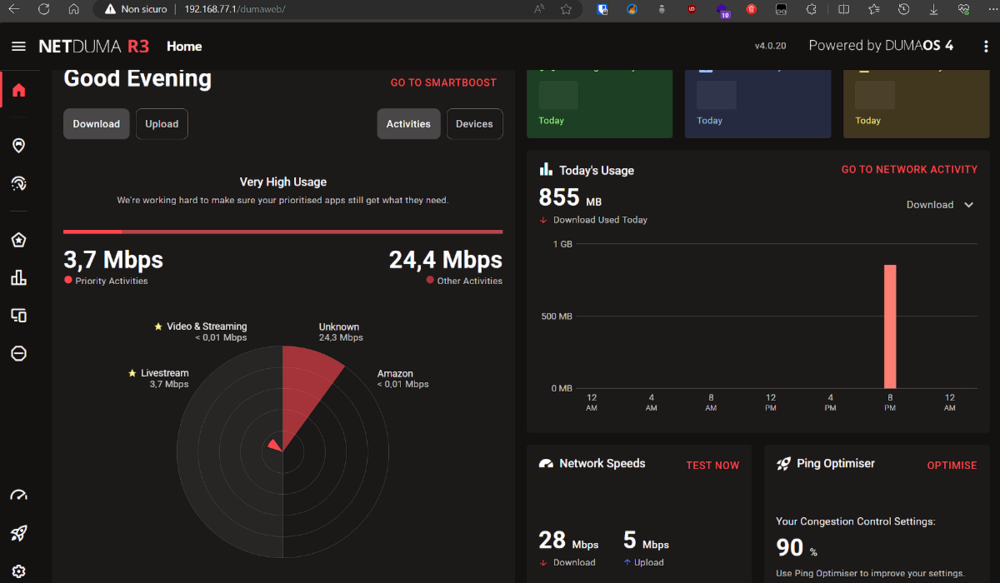
Hi, I opened a post like this months ago with the smartQos beta on R2, the same problems exist with r3, xbox downloading, starting twitch and it freezes, any low resolution streaming and it crashes, I also gave priority to my pc where I stream as well as having it as a basic rule and I also gave it a reserved bandwidth for twitch but nothing, the qos doesn't work and the same thing happened with the r2 with smartQos. my fritzbox->netduma connection, on the fritbox wifi is disabled and only the netduma is connected to the lan, on the netduma either I use the ppoe connection or I use dhcp nothing changes, I have ipv6 disabled. For any reference you can read the QOS/Smart QOS not working post of October 2nd that I created. If I only use my Fritzbox I have no problem, even if the console is empty I can watch not only Twitch but also another stream, the download is queued, here nothing even with all the rules saturates the entire bandwidth and everything is unusable.