int1zando
-
Posts
3 -
Joined
-
Last visited
Everything posted by int1zando
-
Congestion Control not working
int1zando replied to int1zando's topic in NETGEAR Nighthawk Support (XR range)
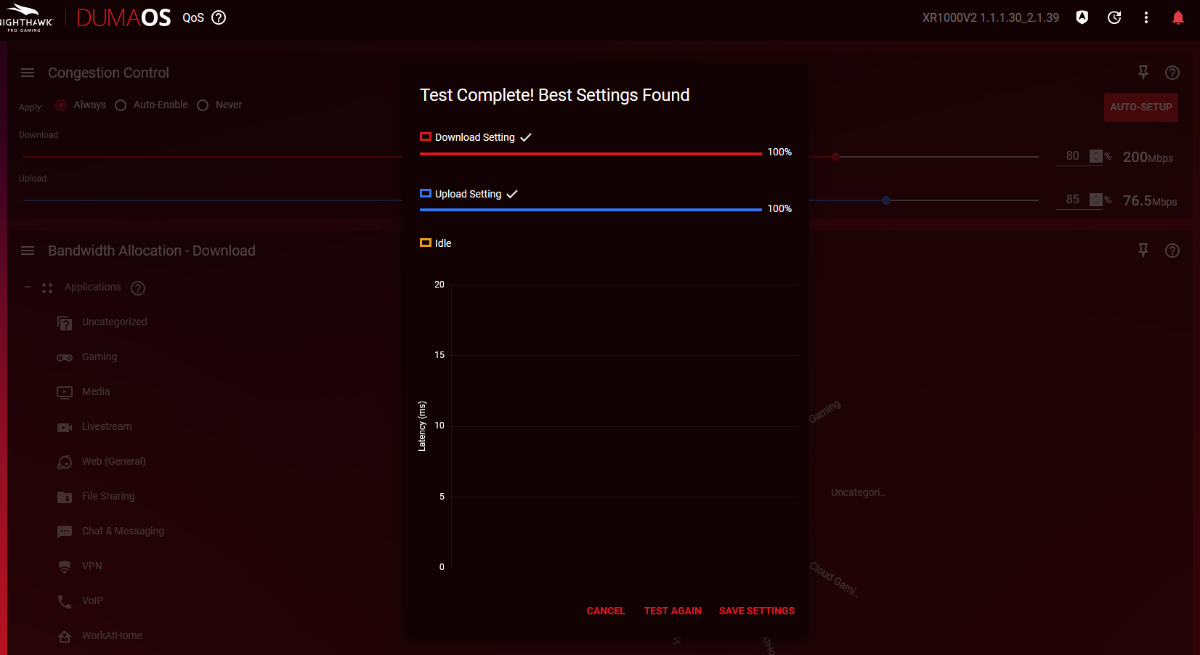
Hi Fraser, I just changed my ISP and already getting much better control and speed. However, I can not get the Congestion Control to run Auto-Set up (I can and have set it manually), but when I run the auto-set up, no matter which advanced controls I use (even the basic ones, even after rebooting the router) I just get "Test Complete! Best Settings Found" straight away and it leaves the Download/Upload at 100% saying its optimal (which its not). You can see my router version top right, and my own found optimal settings in the background. Even if I set the sliders to 100% and try run auto it gives same result. changing spikes to <10ms, <20ms, 5<ms yields the same result. minimum <50%, or <30%, or 80% yields the same result. ping target is left default at 5%. Looks like the test is not even running.
-
Congestion Control not working
int1zando replied to int1zando's topic in NETGEAR Nighthawk Support (XR range)
I have to sign into my ISP through PPPoE unfortunately. I only have one router connected to NBN box. I will call them see if theres any other protocol available but if not what can I do? (Located in Australia) -
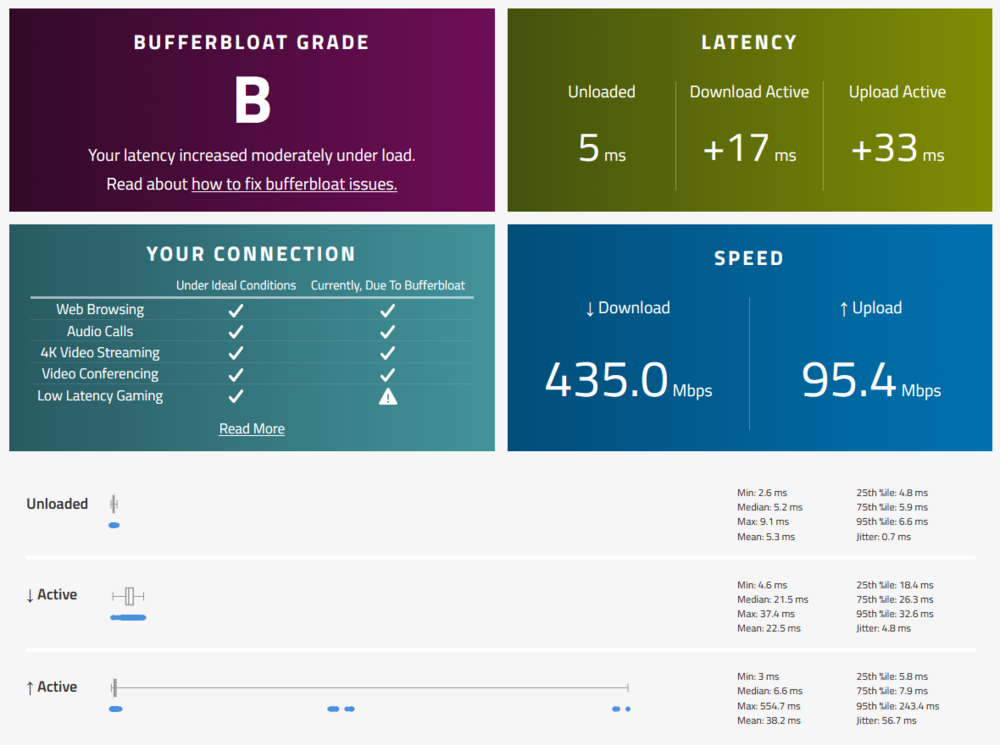
I have searched multiple web sources and was not able to find anything relevant. When trying to use the congestion control, no matter what I set it to, it always uses the maximum upload speed. the download works perfectly and limits congestion, but no matter what I do, the upload is always at maximum. For example, I have 90 Mbps upload, and I set the slider to 80% (72 Mbps), my speed test, both with router software, internet check and waveform bufferbloat test show 90+. If I set it to 50%, the same, 90 Mbps. I have tried multiple software versions of DumaOS, currently on XR1000V2 1.1.1.30_2.1.39 and still not working. Should I try a beta version? Please help. Thanks. Let me know any relevant information I can provide to best help with troubleshooting.