


Ritchie1909
-
Posts
67 -
Joined
-
Last visited
Everything posted by Ritchie1909
-
I'll try to do this at the weekend when I'm next on. Should it be allowing servers nearby a mislocated one though? Feel like this still doesn't really explain why I keep getting connected to polish servers.
-
I do appreciate all the help by the way! I doubt that there would be so many mislocated servers in the US locations though as every game I get polish servers despite not having it in my zones?
-
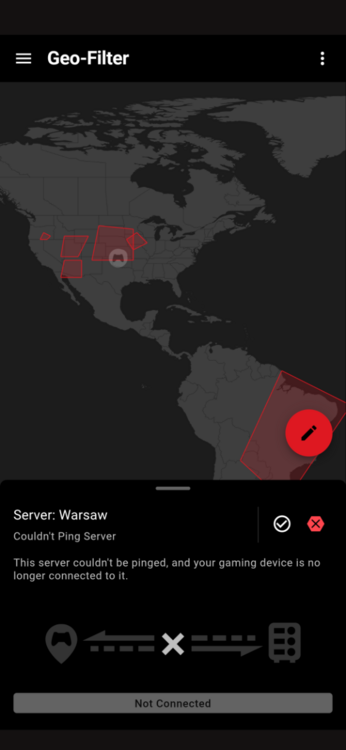
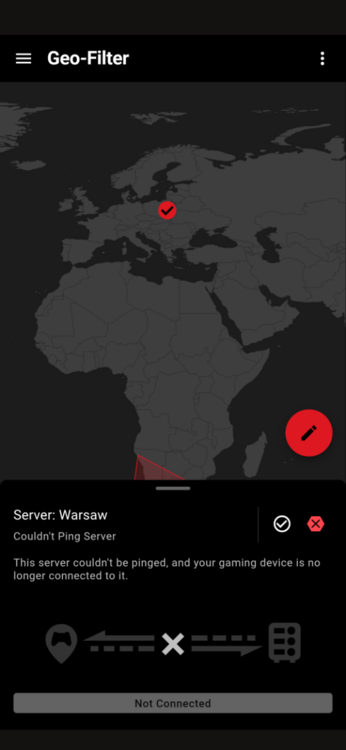
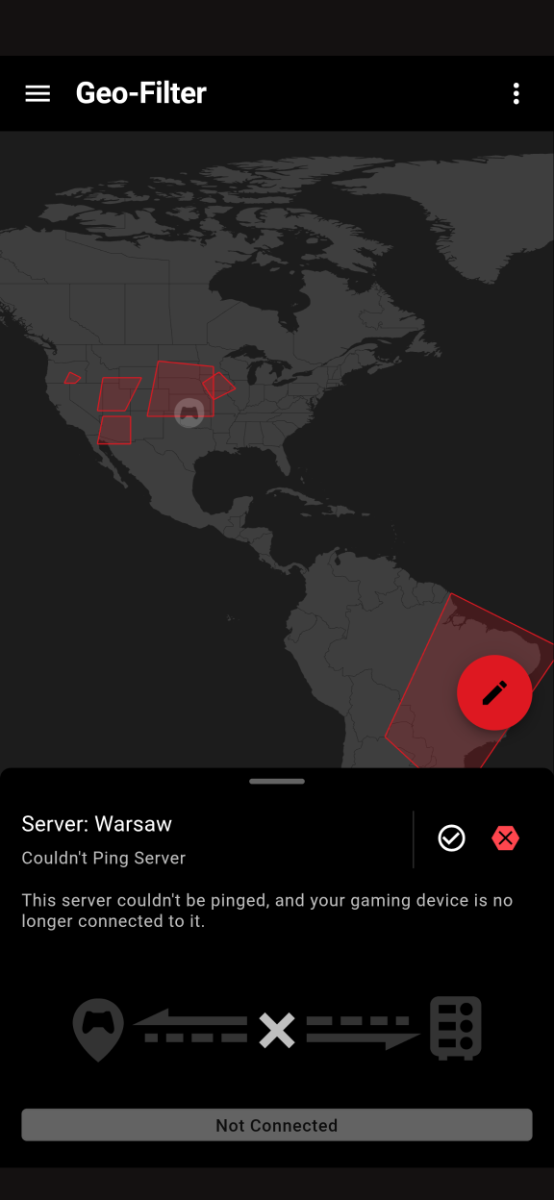
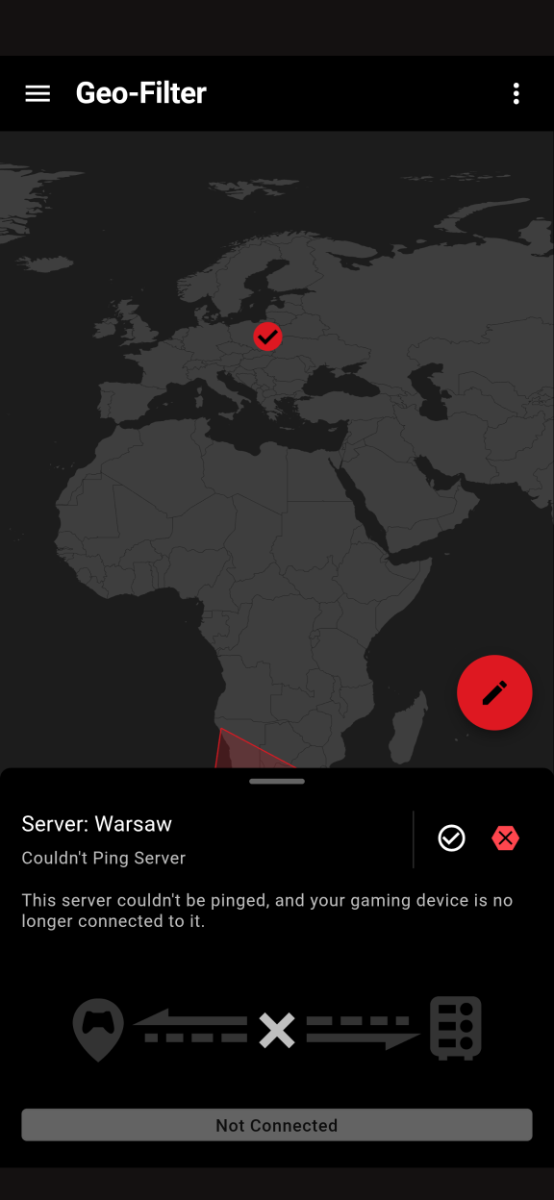
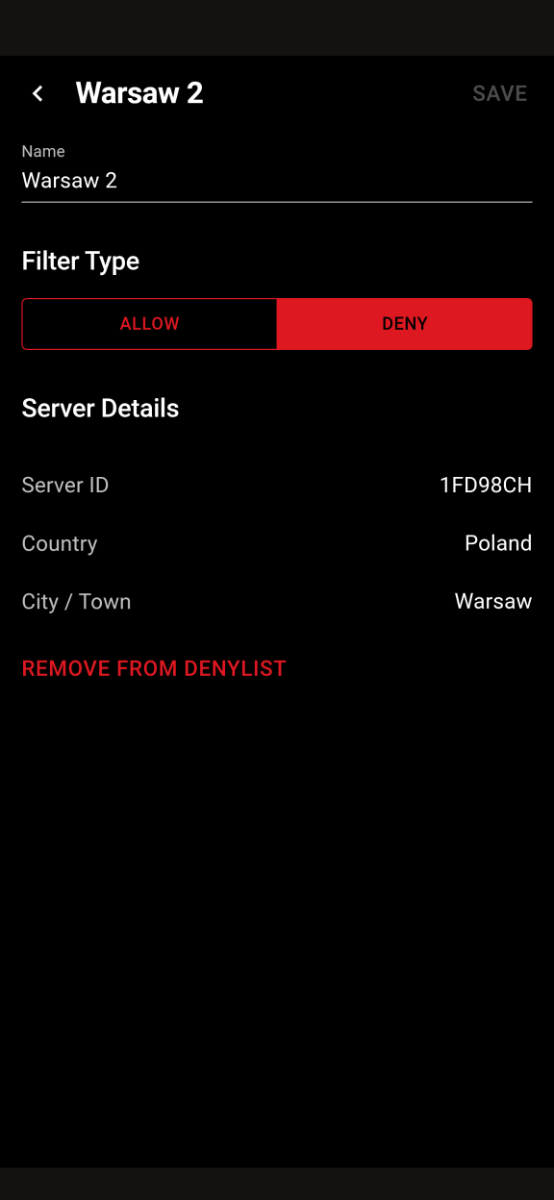
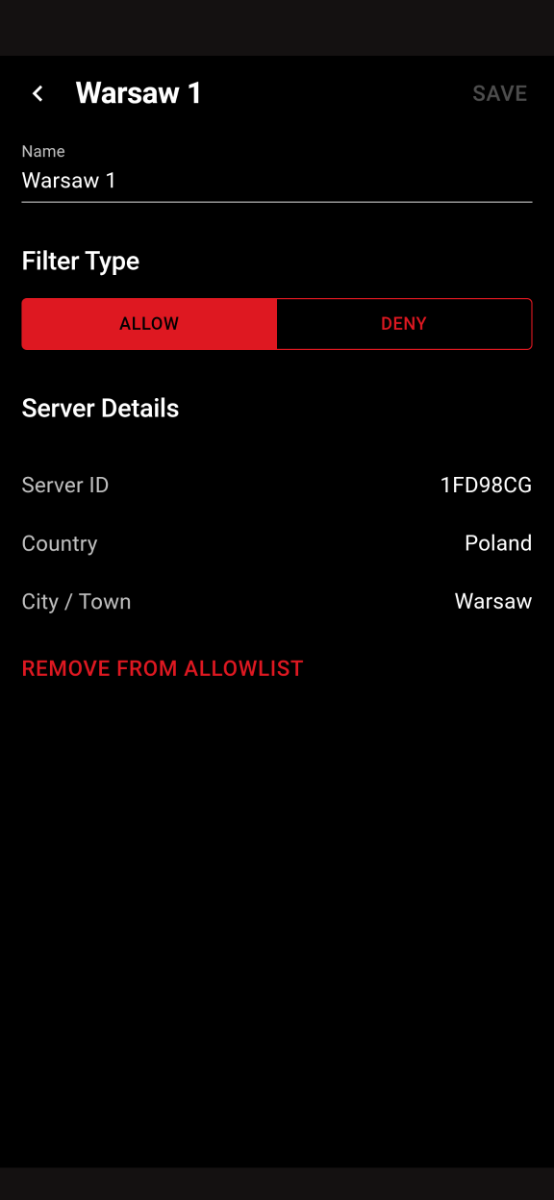
I actually can't provide an id as it doesn't show on the map. Only the misplaced authentication server. However, my in game ping is 40-45 which is for Warsaw. The app shows as if I'm connected to a US game server but I absolutely am not as the in game ping is far too low. When this was working just last week, the game would start searching from the ping appropriate to my geofilter. It's as if that authentication server being misplaced is allowing other Warsaw servers to connect. Just played a game there that appeared on my app as attached. My in game ping was 43ms and I'm located in Scotland. The game connected to a lobby before broadening the search beyond <60ms. It's really bizarre.
-
They are mislocated as when I click them it says 15 ping (I'm 40ms from Warsaw). However, the game keeps putting me on Polish servers (40ms ping) despite it not being in my selected regions. The game starts searching at <43ms and jumps to <100ms which is give or take how far the servers I want to play on actually are.
-
I've restarted and toggled the geo-filter which has remedied the all server problem but it still continues to allow Polish servers. Any idea how to solve this?
-
How would I see if filtering is toggled off? It's definitely not the other 3. I've not touched anything since it was working fine to prompt this change. Unrelated I assume too but I can't check ping heatmap for warzone or BO6 on that tab too.
-
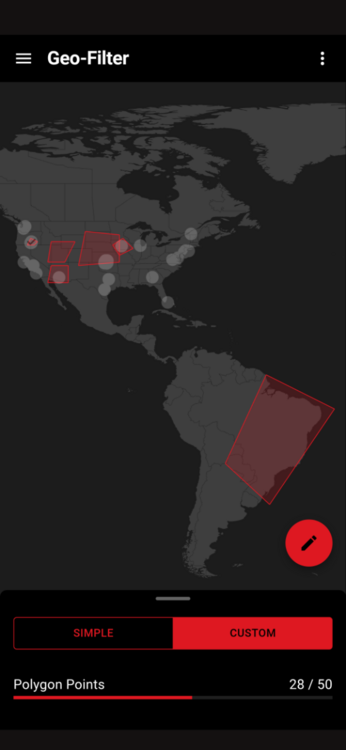
Still not working today. Screenshot for reference. Strict mode on etc.
-
That makes it even more bizarre. Last night the filtering wasn't working at all but on Friday night I did allow or not set a rule for they servers. Filtering appeared to be working and although they were in Poland they looked on my duma app to be behaving just like the Dublin ones (white circle with a tick). However, I kept getting placed in games on polish servers. When the game connects/refreshed after a game I could see the usual orange triangles over all blocked servers but the game kept polish servers open despite me not allowing them
-
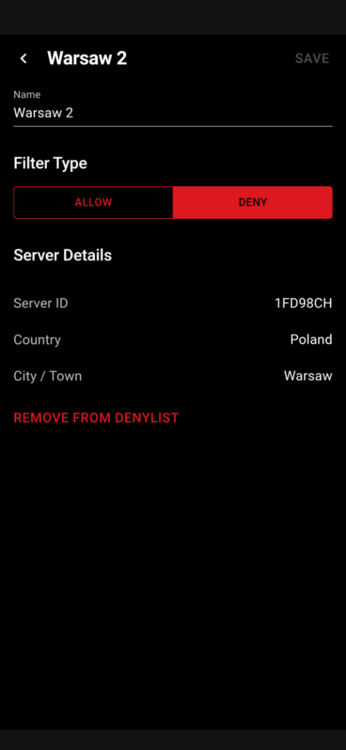
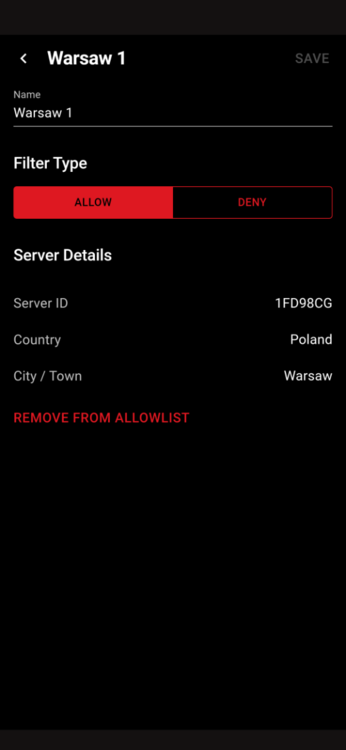
The ping suggests it is indeed Poland though. Also there are no actual game servers in Dublin. I think it is the two attached but will confirm if a different pings next time I'm on mate. No to the questions, I have forwarded ports but this hasn't affected it before.
-
Last few nights have been really odd issues. Normally playing there is an authentication server that has to ping in Dublin (can't play without it etc I know) but allowing this doesn't normally force games nearby and I can filter as I please. Last night, this authentication server was showing as in Poland but was named "Dublin 1" or "2". Blocking this prevented me from playing. If I allowed it, it randomly forced me to play on polish servers. I normally force servers further so didn't want this. Tonight, same story but I also have a problem i faced a while ago too where regardless of settings. No filtering is working. All servers flashing white on startup despite strict mode etc. Have tried resyncing and logging out, everything off and on and no avail. Any help?
-
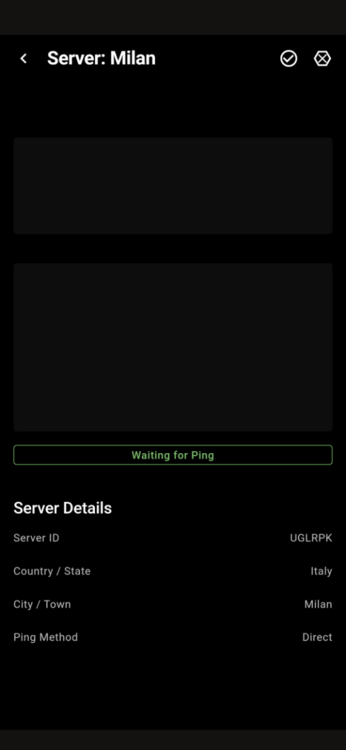
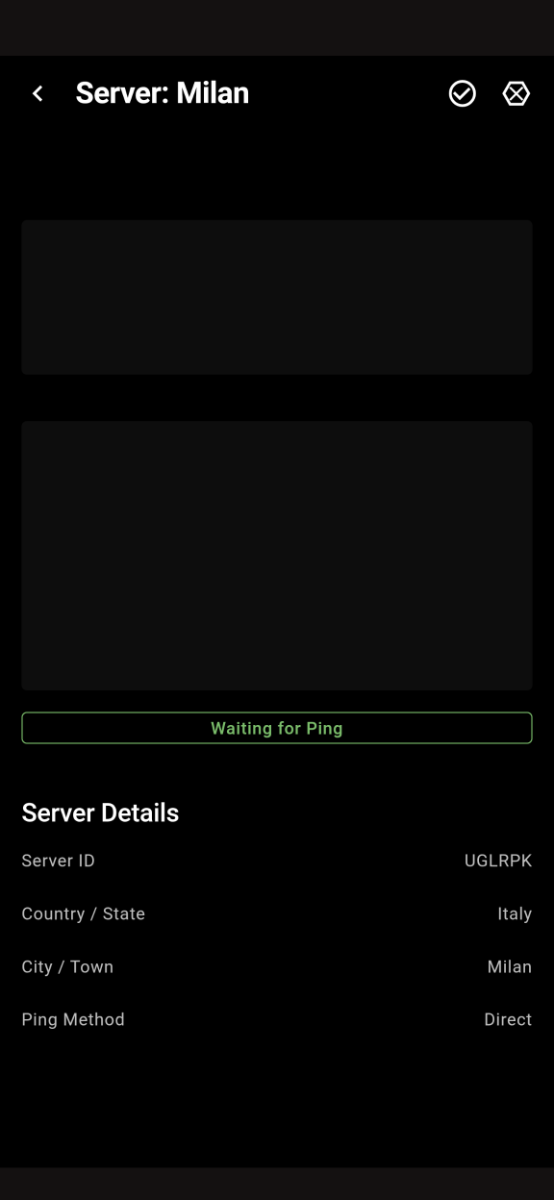
I can still find games but the usual long wait and the game is clearly searching for a game on that Milan server (Don't think it's ever put me in a game on that Milan one). Other whitelisted ones like the Dublin verification server don't do the same. Like I can see on my geofilter map that it's pinging but the game isn't trying to put me in that server and starts at a much higher ping. Hope that makes sense!
-
Happened again tonight. Not sure if it's always the same one but here you go mate.
-
Yeah it's not in my geofence but after a game it is available for no apparent reason and when I search it does so from 50ms ping rather than 110ms which is the usual with these settings.
-
It's funny, the authentication servers are never usually blocked. Dublin and one in the north west of the US are always allowed regardless of where my allowed regions are. One in chicago often pops up as the orange triangle so might allow there too. Thanks for the help!
-
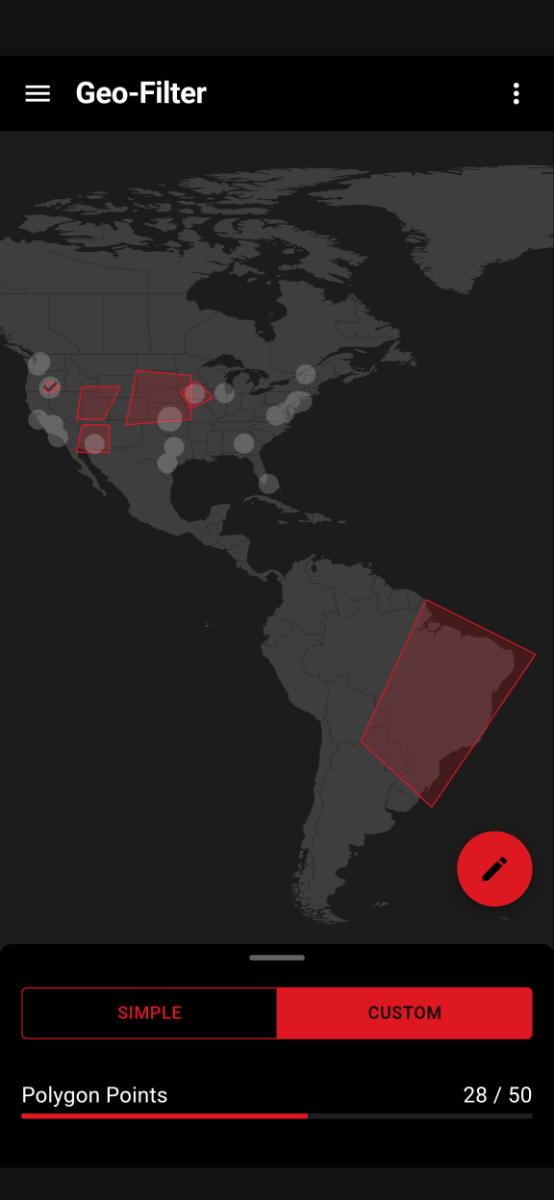
Yeah and I have followed your restarting steps you've left on others posts. I also have strict mode on etc. It just takes ages and sometimes never finds a game. I do think it's the game rather than the router/OS that's causing it. I'm in a relatively high skill bracket and I think it's trying to force the "perfect" lobby for me but just wanted to check I wasn't doing anything daft. I've had a secondary weird bug where a closer server will randomly be available outside my polygons (normally Milan) which means I have to restart the game for it to block that but that's not a biggie.
-
Scotland and on the ps5, with crossplay turned on for what it's worth.
-
Fraser, I don't want to hijack the thread but I've seen this asked a few places before and have tried your suggested fixes. When I geofence to my preferred servers (US ones mainly) it takes exceedingly long to find games. I know there are plenty lobbies on the servers I have selected but the game doesn't put me in them. I think I know the answer to this already and it's the game refusing to put me into certain lobbies. However, is there anything I can do to "force" this slightly?
-
I'll answer this as Fraser (one of the most helpful people on a forum I've encountered) isn't really allowed to as it's not the point of the router haha I've played about with this a bit. The router can geofence to anywhere and it works great. The hybrid VPN can be used with any VPN, doesn't need to be one of the "cod specific ones". I've noticed basically zero difference to sbmm. The best you can do is like the video does. Geofence far away from you with a VPN location to a small population zone and the game will mildly favour ping but in my experience compared to old cods, the new relay servers etc they have are minimising how good this method is. I'd love to be proven wrong mind you.
-
Thought I'd report back after "solving" this. Error occurs when I swap from the dumaOS site on laptop to the mobile app during a play session. The app allows me to change geofilter settings etc but the game just doesn't recognise anything. For the record, I was doing so so that I could use hybrid VPN on the site and then turn my Mac off. For anyone else lurking, you can set your VPN location data through every proxy to your phone and use the dumaOS app flawlessly at the same time. Hope this helps someone and thanks for the response as always Fraser!
-
I've not changed anything from usual. I normally place my home pin somewhere random and put ping assist to 18 to lock my servers to London. This is exactly as I done last night. Whenever I change location or something in the settings I close the game for about a minute to let the settings kick in. I even tried just polygon mode with ping assist off and all servers were showing and I ended up in a few Italian/Dutch ones. Servers I had manually blocked in the past were still blocked though.
-
Hi everyone, Duma has been doing exactly as requested since I got my Netgear but tonight for the first time it has been playing up. I have strict mode on and have tried with both home pin and polygon mode but servers are allowed outside my selected regions. They appear blocked for a split second before all turning white on the app. Any help?
-
Port forwarding hybrid VPN for a newbie
Ritchie1909 replied to Ritchie1909's topic in NETGEAR Nighthawk Support (XR range)
No worries mate! Still appreciate the efforts to help! It has taught me a little about the ports I'd nothing else! Have a good one! -
Port forwarding hybrid VPN for a newbie
Ritchie1909 replied to Ritchie1909's topic in NETGEAR Nighthawk Support (XR range)
Hi there I actually really appreciate all the information as I'm genuinely enjoying learning about this all as I do this all for the first time. I've tried this with both Express and PIA (lots of different config files). On the duma, I've changed my ps5 to a PC rather than a console to allow me to enter specific rules. Then I've forwarded only the ports that I've listed above to the PS5. In game, my location shows as the VPN location but I geofence and my ping remains at 14, locked to my specific server. I'm UK based so location can say Singapore but my ping is 10-16 on the London server. Now, I had been using the router, both for ping and an attempt to ease the games strict sbmm. I've noticed zero difference on the second front but my location does change. I might give this a second try with your suggested ports. To be clear, I don't want all VPN traffic to pass through the ports, only those that tell the game my location. -
Port forwarding hybrid VPN for a newbie
Ritchie1909 replied to Ritchie1909's topic in NETGEAR Nighthawk Support (XR range)
Hi mate, Really appreciate the response! I actually have managed to get it working with the above. The game has the location set to the VPN location but my ping is still 14 and geofenced so it seems to be working fine. What impact would changing to your suggested ports have? -
Port forwarding hybrid VPN for a newbie
Ritchie1909 replied to Ritchie1909's topic in NETGEAR Nighthawk Support (XR range)
You're a hero! Thanks so much, it's working a treat! One final probably stupid question. I've set up and left the vpn enabled. If I use the dumaos app to sort my geofence, will the VPN remain enabled? Or do I have to do this from a laptop before every gaming session? Or am I best just not opening dumaos at all now it has the settings I want? Thanks

.png)