ExcellentZERO
-
Posts
76 -
Joined
-
Last visited
-
Experiencing major packet loss and lag
ExcellentZERO replied to ExcellentZERO's topic in Netduma R3 Support
I understand that but this has not happened to me in years and it only starts at a certain time and my isp says there is virtually nothing wrong with my internet. 20260206_201330.mp4 -
Experiencing major packet loss and lag
ExcellentZERO replied to ExcellentZERO's topic in Netduma R3 Support
I did not try that but I had called my isp right now (again) they say everything is fine on their end. (I don't use fiber internet I use satellite internet) they rebooted my satellite and said nothing should interfere with my connection everything looks fine on their end. I also downgraded the fimware and I still have this issue and my ping and packetloss increased in game and the xbox is the only device connected to the internet. -
Experiencing major packet loss and lag
ExcellentZERO replied to ExcellentZERO's topic in Netduma R3 Support
I have a long lan cable that I had Cat6 I have not experienced this kind of issue since the release of the R3. It feels like my connection just drops out of no where and then I have a constant ping higher than I should have -
Experiencing major packet loss and lag
ExcellentZERO replied to ExcellentZERO's topic in Netduma R3 Support
I have reached out these couple of days with my ISP because they say there is nothing wrong on their end, that everything is running fine on their end and that my connection to theirs servers are completely fine and my connection should not be experiencing these issues. okay thank you for clearing that up. At this point I feel like doing a roll back on this update and go back to an older version and see if that clears up everything. -
Experiencing major packet loss and lag
ExcellentZERO replied to ExcellentZERO's topic in Netduma R3 Support
No I can't use the ISP router as it does not want to connect to the internet anymore. yes all devices are connected also how long does these "unknown" tests run?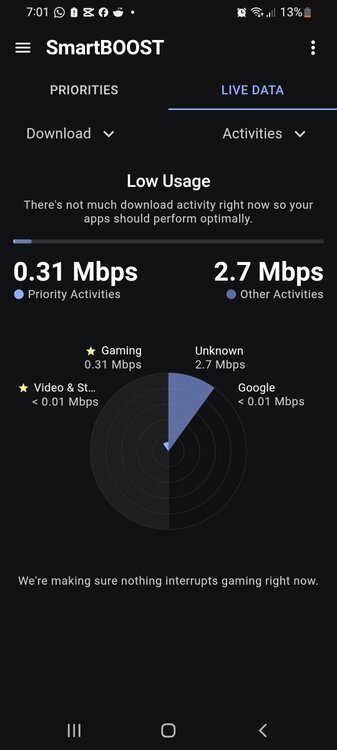
-
Experiencing major packet loss and lag
ExcellentZERO replied to ExcellentZERO's topic in Netduma R3 Support
No doubt abt it I did this but now my isp says there is no problem or issues on their side and I am getting a constant 300 to 250 ping -
Experiencing major packet loss and lag
ExcellentZERO replied to ExcellentZERO's topic in Netduma R3 Support
Hey frazer I tried and it is very unstable I also am now experiencing higher ping and many disconnects Please see the logsR3_2026-02-05T08_50_43.803Z_logs.txt -
Hey dude hope this helps make your geo filter smaller. not as big it happened to me before
-
Experiencing major packet loss and lag
ExcellentZERO replied to ExcellentZERO's topic in Netduma R3 Support
If you set it up like that yes but this is set up with the PPPoE setting -
Experiencing major packet loss and lag
ExcellentZERO replied to ExcellentZERO's topic in Netduma R3 Support
•PPPoE •yes all devices are connected • yes entered the speeds into the router • Valorant •xbox ethernet • geo filter is set up with strict mode no ping assist steady ping simple mode •.540 DPI is enabled, BI is not enabled as it causes ping issues Netduma R3 -
Good morning Frazer and team. I constantly experience Major lag spikes and internet dropping out of no where when there is only • 4 devices connected to the router • internet disconnects • packet loss. (in game tested) I have a 50mb down 25 up and it is the main router I used congestion control 75% 90% 100% 80% always on and it does not get better and many laggy videos. But I get my full 50mbs.
-
I am using geo filter but I turned off geo location and steady ping. I tested by via two different games. COD = 36-39 ping Bf = 55-66 ping server is connecting to a server outside southern Africa for battlefield 6 server ID VNW15
-
Hey frazer and team. In battlefield 6 I am experiencing High ping and in other games I am not. this is very weird. any tips for this to not happen?
-
I am located in Namibia so I connect to cape town servers but geo filter keeps showing it as Olympia server ID:RK5G79
-
Good evening frazer, yes I did have the main router handle PPPoE and have it in itself dmz (Had to search the forums so I did not mess up) getting disconnected from the game, and I am using geo filter, I do use steady ping I am not forcing closest servers to me as geo filter picks up the server in the united states. I contacted my ISP to see the congestion on the link towards their servers, and the line is perfect and they also offered to get in contact with Netduma, but the transmission team will get back to me on that. Currently everything is very perfect on their end.